10 Best AI Halloween Face Changer Tools for 2024

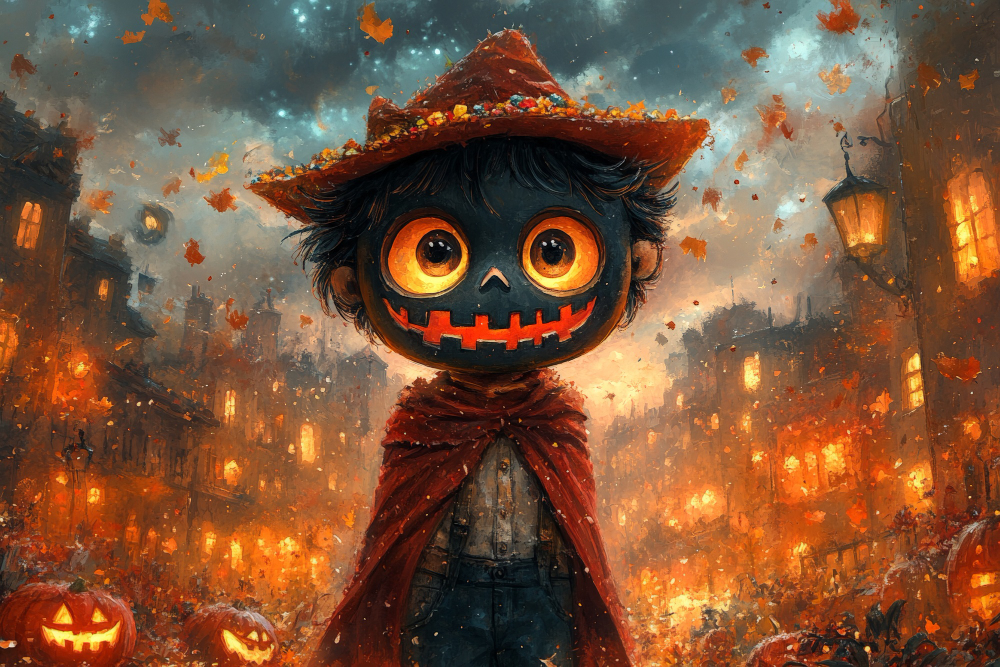
Halloween face filters occupy a strange middle ground between novelty and genuinely useful photo tech. The same AI-driven face tracking that turns a selfie into a convincing zombie also powers the video call filters and portrait modes people use year-round, which is part of why this category of app has stuck around instead of fading after one seasonal spike. This roundup covers ten tools worth knowing for turning an ordinary photo into something appropriately spooky, what each one is actually built for, and how to get a result that looks intentional rather than like a bad Snapchat filter.
What Makes an AI Face Changer Actually Good at Halloween
Not every face filter app handles horror-themed transformations equally well. A few things separate the ones worth using from the ones that produce a muddy, unconvincing result. Facial tracking accuracy matters most, an app that loses track of the face the moment you turn your head or squint produces effects that slide off-model and look broken rather than scary. Variety in the effect library matters too, since a single zombie filter gets old fast, but a library covering vampires, ghosts, monsters, and makeup-style effects keeps the novelty going through a whole Halloween season of photos.
Resolution and rendering quality is the detail most apps skimp on. A filter that looks convincing at thumbnail size and falls apart into blocky artifacts the moment you view it full-screen isn’t worth using for anything beyond a throwaway story post. And for anyone planning to print or share these images widely, export quality and whether the app adds an unremovable watermark matters more than the filter selection itself.
Best AI Halloween Face Changer Tools
1. Snapchat Halloween Lenses
Snapchat rolls out a fresh batch of Halloween-themed lenses every year, and the app’s face-tracking technology remains some of the most responsive in the category, filters that follow facial expressions in real time rather than sitting as a static overlay. A raised eyebrow or an open mouth triggers reactive animation on a lot of the more elaborate lenses, which is what makes them feel alive rather than pasted on.
Why it’s worth using: A wide, rotating selection of seasonal filters. Instant in-app sharing to Snapchat or export for use elsewhere. Interactive effects that respond to facial movement add a layer most static filters can’t match.
Try Snapchat Halloween Filters
2. FaceApp Halloween Features
FaceApp built its name on photorealistic aging and gender transformation filters, and that same realism-focused engine extends to its Halloween collection. Vampire fangs, zombie decay, and ghostly makeup effects land closer to a convincing photo edit than a cartoon overlay, which makes the results feel less like a filter and more like an actual costume.
Why it’s worth using: Detailed, lifelike transformations rather than flat overlays. A solid range of Halloween-specific makeup and mask options. An interface simple enough for quick, repeated use across multiple photos.
Also Read: 10 Best AI Tools for Audio Editing
3. AI Halloween by PhotoFunia
PhotoFunia works from a straightforward upload-and-apply model rather than live camera filters, which suits people who want to transform an existing photo rather than take a new one specifically for the effect. Pumpkin heads, vampire looks, and eerie shadow effects are all a single upload away, no camera permissions or app install beyond a browser required.
Why it’s worth using: Fast turnaround from a single photo upload. No cost to access the Halloween-specific effects. A decent variety of distinct themes rather than one repeated style.
4. YouCam Makeup, Halloween Edition
YouCam Makeup approaches Halloween from the makeup-artistry angle rather than a full costume-transformation angle. Its augmented reality engine simulates vampire fangs, dramatic eye makeup, and zombie-style skin effects that track facial movement in real time, closer to a virtual makeup try-on than a static filter.
Why it’s worth using: Genuinely realistic AR makeup simulation. Effects adapt to movement rather than sitting flat on the face. A useful preview tool for anyone planning an actual Halloween makeup look before committing to it in person.
5. Zombify
Zombify does one thing and does it thoroughly: turns a face into a convincingly decayed zombie with multiple intensity levels to choose from. It handles both static photos and short video clips, which sets it apart from the photo-only tools on this list for anyone wanting a moving result rather than a still image.
Why it’s worth using: A genuinely wide range of zombie transformation intensity, from subtle to extreme. Works on both photos and short videos. Detail-level effects like decayed skin and eerie eyes add convincing texture.
6. MSQRD by Facebook
MSQRD is older and less actively updated than most of the apps on this list, but its library of interactive AR masks still includes Halloween-appropriate options, and the face-tracking technology it pioneered helped shape what came after it. Worth trying for anyone who wants a slightly retro filter aesthetic rather than the hyper-polished look of newer apps.
Why it’s worth using: Interactive masks that respond to facial expressions. Fast, simple sharing to social platforms. A genuinely wide age appeal, from playful to properly unsettling.
7. Make Me A Zombie
Make Me A Zombie strips the process down to the bare minimum: upload a photo, get a zombified result back, no account creation or app install required. That low-friction approach makes it a reasonable pick for a quick one-off transformation rather than repeated regular use.
Why it’s worth using: Completely free with no signup barrier. Genuinely convincing decayed-skin and zombie-eye effects. One-tap simplicity for anyone who doesn’t want to learn a new app’s interface.
8. PicsArt Halloween Filters
PicsArt is a full photo editing platform with Halloween-specific stickers and effects layered on top, which means anyone wanting to combine a face filter with additional editing, text, background changes, other stickers, gets more creative control here than from a single-purpose face changer.
Why it’s worth using: Real creative flexibility beyond just a face filter. A broader toolkit for combining effects, stickers, and text in one image. Easy direct sharing to social platforms from inside the app.
9. Reface, Halloween Swap
Reface built its reputation on face-swapping technology, and during Halloween that extends to swapping into horror movie characters and monster templates rather than just celebrity faces. The results, both static and animated, tend to look more polished than a typical overlay filter because the underlying tech is doing genuine face replacement rather than surface decoration.
Why it’s worth using: Genuinely convincing face-swap technology rather than a surface overlay. Video face swaps add an animated option most competitors skip. One of the more approachable interfaces in this category.
10. Fotor Halloween Effects
Fotor rounds out the list as another full-featured photo editor with a seasonal Halloween filter set bolted on, spooky stickers, overlays, and themed effects alongside its standard editing toolkit. For anyone who wants to layer a Halloween effect into a broader edit rather than apply a single standalone filter, it covers both needs in one place.
Why it’s worth using: Comprehensive editing tools beyond just the seasonal filters. A decent library of Halloween-specific stickers and overlays. Free and genuinely quick to use for casual edits.
Quick Comparison
| App | Best For | Photo or Video | Cost |
|---|---|---|---|
| Snapchat | Interactive, expression-reactive lenses | Both | Free |
| FaceApp | Photorealistic, convincing edits | Photo | Free/Paid |
| PhotoFunia | Fast single-upload transformations | Photo | Free |
| YouCam Makeup | Virtual makeup try-on | Both | Free/Paid |
| Zombify | Adjustable-intensity zombie effects | Both | Free/Paid |
| MSQRD | Retro-style interactive masks | Both | Free |
| Make Me A Zombie | No-signup, one-tap simplicity | Photo | Free |
| PicsArt | Filter plus full photo editing | Photo | Free/Paid |
| Reface | Face-swap with horror characters | Both | Free/Paid |
| Fotor | Editing suite with seasonal stickers | Photo | Free |
Matching the App to What You’re Actually Making
A quick group-chat selfie and a polished social media post call for different tools even though both fall under “Halloween face filter.” For something fast and disposable, Snapchat or Make Me A Zombie deliver a result in seconds with essentially no learning curve. For something meant to actually get shared widely, a costume reveal video, a themed profile picture that’ll stay up for weeks, the extra control in FaceApp or PicsArt is worth the additional few minutes of editing.
Video content specifically narrows the field fast. Only Snapchat, Zombify, and Reface handle moving footage well among the apps on this list, so anyone planning a TikTok or Reel around a transformation should start there rather than discovering partway through that their preferred photo app doesn’t support video at all.
Kids’ costume planning is another common use case worth calling out separately. YouCam Makeup and PhotoFunia tend to produce softer, more playful results than Zombify or FaceApp’s more photorealistic decay effects, which makes them a better starting point for younger users or anyone who wants “spooky fun” rather than “genuinely unsettling.”
Getting a Result That Looks Intentional, Not Accidental
The gap between a convincing Halloween filter result and an obviously fake one usually comes down to a few controllable factors rather than the app itself. Lighting matters more than people expect, a filter applied to a photo taken in harsh, uneven light will inherit those shadows in ways that clash with the effect’s own rendered shading, producing a slightly off, double-lit look. Taking the source photo in soft, even light, or at least avoiding strong directional shadows across the face, gives the AI a cleaner base to work from.
Straight-on angles tend to produce more convincing results than extreme profile shots, since most of these tools were trained primarily on front-facing faces and the tracking accuracy drops off at steep angles. And resolution matters on the input side too, a blurry or heavily compressed source photo limits how much detail the AI has to work with, no matter how good the underlying model is.
Privacy Worth Thinking About Before You Upload a Face
Face-transformation apps process biometric data by definition, your facial structure, however briefly, and that’s worth a moment’s thought before uploading a photo to an app you’ve never used before. Check whether the app processes images on-device or sends them to a server, since server-side processing means your photo, even temporarily, exists somewhere outside your control. A handful of these apps have had past controversies over how long they retain uploaded images or whether they use them for model training beyond the immediate filter request.
None of this means avoiding the category entirely, these are genuinely fun tools used by hundreds of millions of people every Halloween season without incident. It just means reading the privacy policy of a lesser-known app before uploading a clear, identifiable photo is a reasonable five minutes spent, especially for apps outside the well-established names like Snapchat or PicsArt.
A simple habit that covers most of the risk: avoid apps that require full account creation with personal details just to apply a filter, and be cautious of any app asking for camera roll access beyond the single photo you’re editing. The well-known names on this list have all been through enough public scrutiny that their practices are documented, newer or unfamiliar apps haven’t earned that same track record yet.
Transform Your Face for Halloween
With these AI-powered Halloween face changer tools, turning an ordinary photo into something spooky, playful, or genuinely unsettling takes a few taps rather than a full costume budget. Whether the goal is a quick zombie selfie for a group chat or a more polished vampire transformation for a social post, the right tool from this list gets there fast. Give a few of them a try before settling on a favorite, since the same face reacts differently to each app’s particular style.
Frequently Asked Questions
Do I need a good camera to get convincing results from these apps?
A recent smartphone camera is genuinely enough for all ten apps here. What matters more than megapixel count is even lighting and a clear, front-facing shot, since the AI needs to see facial features clearly to track and transform them accurately.
Are any of these tools free to use without watermarks?
PhotoFunia, Make Me A Zombie, and Fotor’s basic Halloween effects are free without a watermark for standard use. Snapchat, FaceApp, and Reface generally keep their core filters free but gate the highest-resolution export or the full effect library behind a subscription.
Can these apps be used on video, not just still photos?
Some can. Snapchat, Zombify, and Reface all support video transformations in addition to static photos, which matters if the goal is a moving clip for a Reel or TikTok rather than a single image post.
Can I use these effects to preview an actual Halloween costume or makeup look?
Yes, and it’s one of the more practical uses of this whole category. YouCam Makeup specifically is built for this, letting you test out vampire fangs or dramatic eye makeup before committing to buying products or applying them for real. Even the more fantasy-focused apps like FaceApp or Zombify give a rough sense of how a costume concept might photograph, which is useful for planning ahead of the actual night.
Why do some filters look great on one face and strange on another?
Face-tracking models perform best on the kinds of faces and lighting conditions that dominated their training data, which means results vary more than app marketing suggests. Glasses, facial hair, and unusual angles all throw off tracking accuracy to different degrees depending on the app. If one filter produces a distorted or unconvincing result, trying a different app in this list rather than assuming the effect itself is broken often solves the problem, since each one handles edge cases differently.
Do these apps work well on group photos with multiple faces?
Support varies significantly. Snapchat and PicsArt handle multiple faces in one frame reasonably well, applying effects to each detected face independently. Simpler single-purpose apps like Make Me A Zombie and PhotoFunia are built around single-subject photos and tend to apply effects unevenly or only to the most prominent face when multiple people are in frame, so a solo shot processed individually and combined afterward often produces a cleaner group result.
A Brief Note on How This Technology Actually Works
Every app on this list relies on the same underlying building block: a facial landmark detection model that maps dozens of specific points across a face, the corners of the eyes, the edges of the mouth, the bridge of the nose, in real time. Once those points are tracked, the app can layer digital effects that move and deform in sync with the actual face rather than sitting as a flat sticker. The more sophisticated tools, Reface’s face-swap technology in particular, go a step further and use generative models trained specifically to blend one face’s structure onto another’s expressions and lighting, which is why a well-executed face swap can look startlingly convincing compared to a basic overlay filter.
That technical foundation is the same one powering a lot of non-Halloween features people use constantly, video call background blur, portrait mode on a phone camera, age-progression filters used outside the seasonal context entirely. Halloween just happens to be the moment each year when the more dramatic, horror-themed applications of that same tracking technology get the spotlight.
Interesting Reads
WordPress Halloween Deals and Coupons for 2024
10 Best Cryptocurrency Payment Gateways for International Business


