10 Best AI Image Generator for Coloring Pages

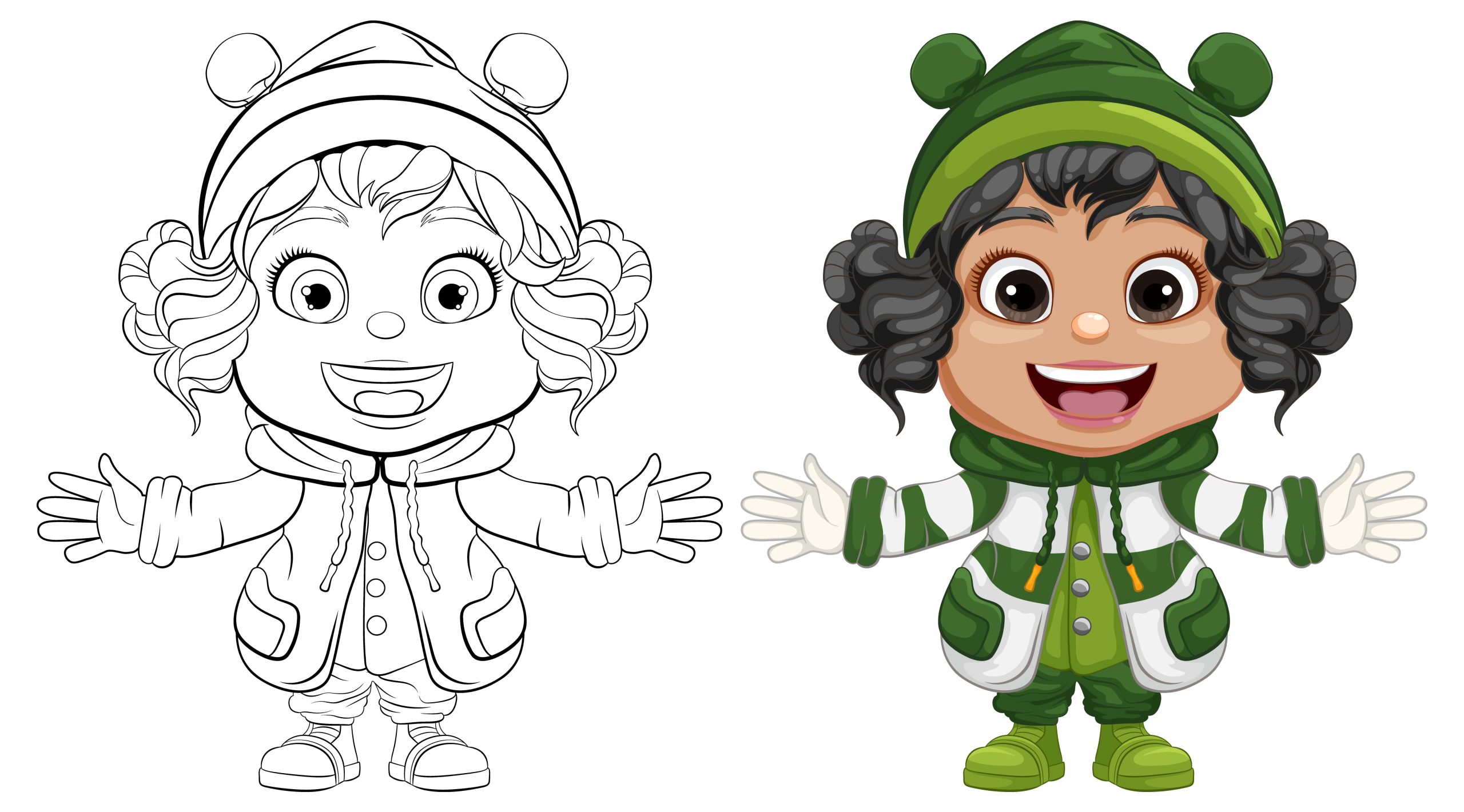
Printable coloring pages used to mean flipping through a handful of clip-art books or paying for a licensed activity set. AI image generators changed that math entirely: describe a scene, a character, or a theme, and get a custom line-art page back in seconds, sized for whatever a kid, a classroom, or a stressed-out adult with a box of colored pencils actually wants to color that day. This roundup covers ten tools worth knowing for generating coloring pages specifically, what makes each one suited to the job, and a few practical tips for getting a page that actually prints and colors well.
How to Choose the Best AI Image Generator for Coloring Pages
Not every AI image generator is built with coloring pages in mind, and that distinction matters more than it seems. A tool optimized for photorealistic art will often produce shaded, colored, or textured output even when asked for a simple outline, which defeats the purpose entirely.
Purpose and style matter first. Tools like MidJourney handle detailed, intricate scenes well, while something like Craiyon works better for simpler, bolder designs suited to younger colorers. Ease of use separates beginner-friendly platforms like NightCafe Studio or Fotor from more advanced tools like DALL·E 3 or Adobe Firefly that reward users comfortable writing detailed prompts. Customization flexibility matters for anyone wanting to iterate on a design, tools like Artbreeder and Deep Dream Generator allow extensive modification after the initial generation. Cost is worth weighing against how often you’ll actually use the tool, some options like Craiyon are free, while others like MidJourney require an ongoing subscription. And output quality, particularly clean, closed line work rather than sketchy or broken lines, determines whether the final page actually colors well once printed.
Also Read: 10 Best AI Apps for iPhone
Best AI Image Generator for Coloring Pages
1. DALL·E 3 by OpenAI
DALL·E 3 handles detailed prompts with genuine precision, which matters a lot for coloring pages since the difference between “a cat” and “a fluffy cartoon cat sitting on a windowsill with simple bold outlines and no shading” produces dramatically different, and dramatically more usable, results.
Key Features: Generates detailed images from natural language prompts, a wide range of art styles adaptable to different coloring page themes, straightforward prompt-based interaction.
Pros: Consistently high-quality output. A large variety of achievable styles within one tool.
Cons: Getting a genuinely clean, colorable line-art result requires fairly precise prompting. Some generated styles lean too detailed for simple coloring pages without specific direction to simplify.
2. Adobe Firefly
Firefly’s integration with the broader Adobe Creative Cloud makes it a natural fit for anyone already editing images in Photoshop or Illustrator, since a generated coloring page can move directly into those tools for further line cleanup or resizing without exporting and re-importing.
Key Features: Creative AI generation with a genuinely approachable interface, deep integration with Adobe’s broader Creative Cloud suite, wide customization options for image style.
Pros: Seamless for anyone already in the Adobe ecosystem. Strong, creative output quality.
Cons: Free access is limited. A subscription is required for full functionality.
3. Deep Dream Generator
Deep Dream leans into surreal, dream-like imagery by default, which can be toned down for more traditional coloring pages but genuinely shines for anyone wanting abstract or psychedelic-style designs instead of the standard cartoon outline look most other tools default to.
Key Features: Neural network-driven, dream-like image generation, support for uploading and stylizing your own images.
Pros: Highly customizable and genuinely unique output compared to more conventional generators. Well suited to abstract, artistic coloring pages.
Cons: Default output often reads as too complex for simple coloring use. Generation takes noticeably longer than lighter-weight tools.
Also Read: 10 Best AI Tools for Writing Essays
4. Craiyon
Craiyon, formerly known as DALL·E Mini, remains genuinely free with no account required, which makes it a reasonable starting point for anyone experimenting with the category before committing to a paid tool. Output quality trails behind the premium options, but for simple, bold designs it’s often enough.
Key Features: Free text-to-image generation, quick turnaround suitable for coloring page drafts.
Pros: Completely free to use. Fast generation for quick experimentation.
Cons: Lower output quality compared to premium generators. Fewer customization options for refining a result.
5. Artbreeder
Artbreeder’s core mechanic, blending and evolving existing images rather than generating purely from text, makes it genuinely strong for character-focused coloring pages where you want to iterate on a face or figure across multiple variations rather than starting from scratch each time.
Key Features: Combines and evolves images across styles and subjects, a collaborative approach to image generation.
Pros: Excellent for character and face-focused coloring pages specifically. Easy to iterate through variations.
Cons: The interface takes some getting used to for first-time users. Less suited to general-scene coloring pages outside character work.
6. MidJourney
MidJourney produces some of the most visually striking output in this category, genuinely artistic, detailed imagery that works particularly well for intricate, adult-oriented coloring pages rather than simple designs meant for young kids. The tradeoff is a steeper learning curve and no free tier.
Key Features: High-detail, artistic image generation, strong creative control over composition and style.
Pros: Exceptional output quality and detail for anyone willing to learn the prompting conventions. A strong pick for advanced, intricate coloring page designs.
Cons: Not beginner-friendly. Requires a paid subscription with no meaningful free access.
7. NightCafe Studio
NightCafe covers a wide range of artistic styles and gives real control over output complexity, which makes it flexible enough to produce both simple designs for younger colorers and more elaborate pages for adults, all within the same platform.
Key Features: A broad range of art styles, adjustable complexity and detail level for generated images.
Pros: Genuinely user-friendly. Wide customization across style and detail level in one tool.
Cons: The free tier is limited in generations per day. Some outputs skew too complex for very young colorers without adjustment.
8. RunwayML
RunwayML offers access to multiple underlying generation models within one platform, which gives it more flexibility than a single-model tool for anyone wanting to compare output styles for the same prompt before settling on a final coloring page design.
Key Features: AI-based image generation across multiple model options, suited to both simple and complex designs.
Pros: Approachable for a range of skill levels. Model variety allows real style comparison in one place.
Cons: Higher-quality output requires a paid subscription. Fine art detail control is more limited than dedicated illustration tools.
9. PaintsChainer
PaintsChainer was originally built to add color to line art rather than generate line art itself, but that same underlying technology works in reverse for producing simplified outlines, making it a fast option for generating basic line art suitable for coloring specifically rather than full illustrations.
Key Features: Converts sketches and line art efficiently, fast processing suited to generating simplified outlines.
Pros: Genuinely fast for producing clean line art. Well suited to simplified designs.
Cons: Limited control over the finished output. Detail level in the final image can be inconsistent.
10. Fotor
Fotor pairs its AI image generation with a full photo editing suite, which means a generated coloring page can be cropped, resized, or have its contrast adjusted for better printing all inside the same tool, without exporting to a separate editor first.
Key Features: An AI image generator built into a broader online photo editing platform, well suited to simple, clean coloring page designs from photos or sketches.
Pros: A simple, approachable interface. Genuinely good for beginners just getting started with the category.
Cons: Free version functionality is basic. Less versatile than dedicated generators for complex or artistic designs.
Comparison Table: AI Image Generator for Coloring Pages
| AI Tool | Key Features | Best For | Pros | Cons | Free Version Available |
|---|---|---|---|---|---|
| DALL·E 3 | Text-based, detailed image generation | Highly creative coloring pages | High-quality images, diverse styles | Requires precise prompts | No |
| Adobe Firefly | Creative AI, integrates with Adobe tools | Professional designers, creatives | Seamless integration, creative outputs | Subscription needed for full access | Limited |
| Deep Dream Generator | Neural network-based dream-like images | Abstract and surreal coloring pages | Unique designs, highly customizable | Can produce overly complex images | Yes |
| Craiyon | Free text-based image generator | Simple coloring pages | Free, quick generation | Lower quality compared to premium tools | Yes |
| Artbreeder | Combines and evolves images | Character-focused coloring pages | Collaborative, customizable | Steep learning curve | Yes |
| MidJourney | Artistic, high-detail image generation | Detailed, intricate coloring pages | Exceptional quality, creative control | Paid subscription required | No |
| NightCafe Studio | Versatile with various styles | Versatile coloring page creation | User-friendly, customizable | Limited free tier | Yes |
| RunwayML | AI-based creative platform | Simple to complex coloring pages | Easy to use, varied models | Paid version required for high-quality output | Yes |
| PaintsChainer | Converts sketches to line art | Simplified line art for coloring | Fast, simple to use | Limited detail and control | Yes |
| Fotor | Photo editing with AI generation | Simple coloring pages | Beginner-friendly, easy to use | Limited features in free version | Yes |
Getting a Prompt That Actually Produces a Colorable Page
The single biggest mistake people make with these tools is prompting for a picture rather than a coloring page specifically. Asking for “a dragon” produces a fully rendered, shaded image most of the time, since that’s what the underlying model was trained to generate by default. Asking for “a friendly cartoon dragon, simple black outline, no shading, no color, white background, bold clean lines suitable for a children’s coloring book” gets dramatically closer to something that actually prints and colors well.
A few specific phrases tend to help across most of these tools: “line art,” “outline only,” “no shading,” “black and white,” and “coloring book style” all push the generator toward the flat, closed-line output coloring pages need. Specifying “bold lines” versus “fine detail lines” also matters depending on the intended colorer, thicker lines work better for young kids using crayons, while finer detail suits adults working with colored pencils or markers.
Printing Considerations Most People Skip
A coloring page that looks perfect on screen can turn out unusable once printed if a few details get overlooked. Resolution matters more than it seems, a low-resolution generation that looks fine on a phone screen often prints blurry or pixelated at standard letter size, so exporting at the highest resolution the tool offers is worth the extra few seconds. Line thickness that looks fine digitally sometimes prints too thin to see clearly on standard printer paper, particularly with an older or lower-quality home printer, so a quick test print before generating an entire themed set saves wasted paper and frustration.
Background color is another easy miss, several of these generators default to a light gray or off-white background rather than pure white, which becomes obviously visible once printed and can look like an unintended shading effect. Explicitly requesting a “pure white background” in the prompt avoids that problem in most cases.
Paper size and margins matter too, especially when generating a set of pages meant to be bound or hole-punched into a booklet. Most generators default to a square or arbitrary aspect ratio rather than a standard letter or A4 proportion, which means a raw export often needs cropping or padding in a separate editor before it fills a printed page properly without awkward white bars or a cut-off design. Tools like Adobe Firefly and Fotor that bundle editing capability alongside generation save that extra export-and-reimport step, which adds up across a set of a dozen or more pages.
Building a Themed Set Instead of One-Off Pages
A single generated coloring page is fun for a rainy afternoon, but a themed set, dinosaurs, ocean animals, a specific holiday, holds a kid’s attention far longer and gives a classroom or party activity real structure. The trick to keeping a set visually consistent is reusing the same style descriptors across every prompt in the batch, “simple black outline, no shading, bold clean lines” should appear in every prompt for the set, with only the subject itself changing between generations.
Tools with generation history, like NightCafe and RunwayML, make this easier since previous prompts stay accessible for quick editing and reuse rather than retyping the full style description from scratch each time. For anyone planning to generate ten or more related pages, that history feature alone is worth factoring into which tool to start with.
Free Versus Paid: What the Free Tier Actually Costs You
Craiyon, Artbreeder, NightCafe, and RunwayML all offer meaningful free access, but “free” comes with real tradeoffs worth knowing before committing to a workflow around any of them. Generation limits are the most common constraint, a handful of free images per day is enough for occasional use but frustrating for anyone trying to build out a themed coloring book with dozens of pages in one sitting. Resolution caps are another common limitation, free tiers frequently generate at a lower resolution that looks fine on screen but produces a softer, less crisp print than the paid tier of the same tool.
DALL·E 3, Adobe Firefly, and MidJourney sit at the other end, genuinely strong output but no meaningful free tier to speak of. For a parent or teacher generating a handful of pages occasionally, the free tools are usually sufficient. For anyone building a regular library of coloring content, a paid subscription to one of the stronger tools pays for itself quickly in saved time and better line quality.
Frequently Asked Questions
Can I use AI-generated coloring pages commercially, for a classroom handout or a product I sell?
This depends entirely on the specific tool’s terms of service, and they vary meaningfully between providers. Some AI image generators grant full commercial rights to generated output by default, others restrict commercial use to paid tiers, and a few require attribution. Checking the specific licensing terms for whichever tool is being used, rather than assuming they’re all the same, avoids an unpleasant surprise later.
Why do my generated coloring pages sometimes have broken or disconnected lines?
This is a known limitation across most of these generators, since the underlying models weren’t specifically trained to produce clean, closed vector-style line art, they’re approximating that look from raster image generation. It shows up more often in complex scenes with a lot of overlapping elements. Simplifying the prompt to focus on fewer distinct objects, or regenerating the same prompt a few times, usually produces at least one version with cleaner, more continuous lines.
Is there a difference between “coloring page” and “coloring book page” as prompt terms?
In practice, most of these tools treat the two phrases similarly, but including “coloring book page” alongside style cues like “black and white line art” tends to nudge the output slightly more toward the flat, evenly-weighted line style associated with published coloring books, as opposed to a more illustrative or sketchy line quality.
Final Words
AI image generators have made custom coloring pages genuinely accessible in a way that used to require either real drawing skill or a licensed activity book. For highly artistic, intricate designs, MidJourney and DALL·E 3 offer the strongest results. For quick, simple designs without a subscription commitment, Craiyon and Fotor cover that need well. Comparing the pros and cons against your actual use case, kids versus adults, simple versus detailed, free versus paid, points toward the right fit faster than trying every tool on the list.
Interesting Reads
10 Best AI Tools for Writing Essays


