WP Sell Services Hooks and Filters: Developer Customization Guide

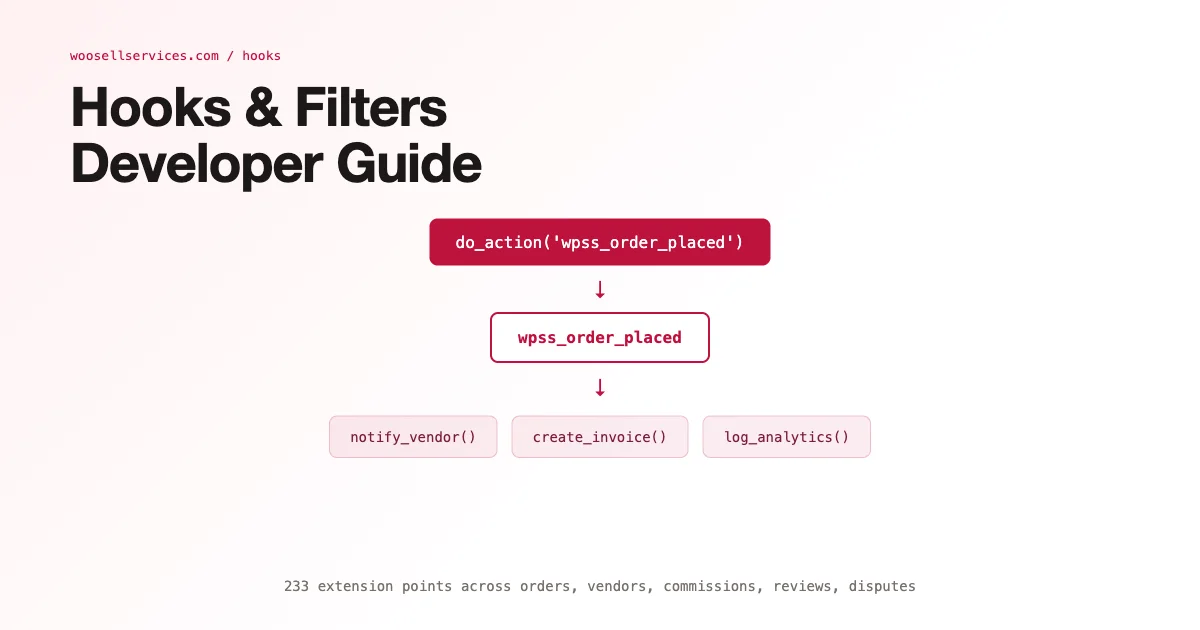
WP Sell Services exposes a comprehensive set of hooks and filters that let developers extend every part of the plugin – from order status transitions and commission calculations to email templates and vendor approval flows. This guide covers the most-used extension points organized by category, with PHP code pattern examples for the most common customization tasks.
How to Use WP Sell Services Hooks
WP Sell Services hooks follow WordPress conventions: action hooks for side effects (sending emails, updating records, triggering external calls) and filter hooks for modifying values (commission amounts, email content, service data). Add your custom code in a child theme’s functions.php, a custom plugin, or a mu-plugin for site-wide behavior.
Hook naming convention: wss_ prefix for all WP Sell Services hooks. Actions use past-tense verbs (wss_order_placed, wss_order_completed) while filters use noun phrases (wss_commission_rate, wss_service_data). The priority parameter controls execution order when multiple callbacks hook into the same action – default is 10, earlier execution is a lower number.
Order Hooks: The Most Important Category
Order lifecycle hooks fire at every status transition. The hooks below cover the complete order flow from placement to completion:
- wss_before_order_placed: Fires before order is saved. Filter to validate custom requirements fields or block specific buyer/vendor combinations.
- wss_order_placed: Action fires after order is created. Use to send custom notifications, create records in external CRMs, or trigger Zapier webhooks.
- wss_order_accepted: Fires when vendor accepts the order. Use to start a project management task in external tools.
- wss_order_delivered: Fires when vendor submits delivery. Use to notify the buyer via SMS or Slack alongside the default email.
- wss_order_completed: Fires on buyer completion. Triggers payout queue – use to add a commission adjustment before payout fires.
- wss_order_cancelled: Fires on cancellation. Use to refund platform credits, update inventory in connected systems.
- wss_order_disputed: Fires when dispute is opened. Use to notify an admin via Slack for immediate review.
Custom Order Status Notification Example
The following pattern sends a Slack notification when an order is disputed. Replace the webhook URL with your actual Slack incoming webhook. This is a common support escalation pattern for marketplace operators who need immediate visibility on disputes. Store the webhook URL in a WordPress option or environment variable rather than hardcoding it in the function.
See the full implementation pattern in the WP Sell Services developer documentation. The key point: wss_order_disputed passes the order object and dispute ID as parameters, giving you full access to order data, buyer information, and vendor details in your callback.
Commission Filters: Custom Tier Logic
The commission system uses a filter-based architecture that lets you override the platform commission rate per order. The primary filter is wss_commission_rate, which receives the default rate, the order object, the vendor object, and the service object. Return a modified rate from your filter callback.
Common commission customizations: tiered rates by vendor lifetime GMV (vendors above $10,000 total sales get a reduced rate), category-specific rates (digital services at 15%, physical delivery services at 10%), promotional rates for new vendors in their first 90 days, and zero-commission for featured or partner vendors.
- wss_commission_rate: Override commission percentage per order
- wss_commission_amount: Override the calculated commission amount directly (post-calculation)
- wss_vendor_earnings: Modify vendor net earnings before payout queue entry
- wss_platform_fee: Adjust platform fee separately from commission (for platforms with separate fee structures)
Email Template Hooks
WP Sell Services sends transactional emails at each order milestone. The email system uses WordPress’s WP_Mail function with filterable subject and body. Each email has a dedicated set of filters:
- wss_email_order_placed_subject: Filter the subject line of the order confirmation email sent to buyer and vendor
- wss_email_order_placed_body: Filter the email body HTML – use to add custom branding or extra instructions
- wss_email_delivery_subject / _body: Delivery notification email content
- wss_email_completion_subject / _body: Order completion email to vendor (triggers payout notification)
- wss_email_dispute_subject / _body: Dispute notification to admin, buyer, and vendor
- wss_email_recipients: Filter the array of email recipients for any transactional email (add CC, BCC)
Vendor Approval Flow Hooks
Vendor onboarding hooks let you automate approval decisions or add custom validation logic. The wss_before_vendor_approved filter receives the vendor data array and the admin user ID. Return false (or throw an exception) to block approval; return true or the modified data to proceed.
Use cases for vendor approval hooks: automatic approval for users who have completed a verified profile (phone verification, ID check), blocking vendors from blacklisted regions, triggering KYC checks with a third-party service, and sending a custom onboarding email with platform guidelines before the standard approval email fires.
- wss_before_vendor_approved: Filter to validate or block vendor approval
- wss_vendor_approved: Action after approval – trigger onboarding sequences
- wss_vendor_suspended: Action on suspension – disable API access, notify vendor
- wss_vendor_profile_updated: Action when vendor updates profile – re-verify if key fields changed
Review and Rating Hooks
Reviews in WP Sell Services are submitted by buyers after order completion. The review system hooks let you add validation (minimum character count), moderation (hold for admin review above a flagged threshold), and integration with external reputation systems.
- wss_before_review_submitted: Validate review content, enforce minimum length, check for prohibited words
- wss_review_submitted: Action after review saves – update vendor average rating cache, notify vendor
- wss_review_response_submitted: Action when vendor responds to a review
Custom Field Hooks: Adding Proposal Fields
One of the most requested customizations is adding custom fields to the proposal or order requirement form. WP Sell Services provides wss_proposal_fields filter, which receives the array of field definitions and returns the modified array. Fields support text, textarea, select, checkbox, file upload, and date picker types.
The field data is stored in the order meta and accessible via wss_get_order_custom_field($order_id, $field_key). Use this in email templates, order admin screens, and delivery confirmation pages to display the custom field values throughout the order lifecycle.
Payout and Withdrawal Hooks
The payout system fires hooks at each stage of the withdrawal lifecycle. These are particularly important for platforms implementing custom payout rules (minimum payout threshold, holding period after order completion before funds are available, currency conversion):
- wss_before_withdrawal_processed: Validate withdrawal request, check holding period, verify minimum amount
- wss_withdrawal_processed: Action after payout fires – log to accounting system, send confirmation email
- wss_withdrawal_failed: Action on payout failure – notify admin, requeue for retry
- wss_withdrawal_amount: Filter to apply currency conversion or deduct processing fees
Service and Package Display Filters
Frontend display of services and packages uses filters that let you modify the data before it renders. wss_service_data receives the full service array before display; wss_package_data receives package data including price and delivery time. Use these to add dynamic pricing based on buyer tier, regional pricing, or promotional discounts.
The wss_service_loop_args filter modifies the query arguments for service listing pages – useful for implementing featured service boosting (show certain vendors first), category-specific sorting, or buyer history-based personalization in the listing order.
Testing Your Hook Implementations
Hook implementations should be tested with a staging environment that mirrors production. Use add_action with a low priority (1 or 2) during development to ensure your callback fires early enough to affect subsequent logic. Add error logging to your callbacks during testing with error_log() – WP Sell Services hooks fire in contexts where WP_DEBUG output may not be visible.
For commission-related filters, test with multiple order scenarios: standard orders, orders with revision cycles, orders that go into dispute, and cancelled orders. Commission logic can have edge cases when order status changes happen out of sequence – test the full lifecycle in staging before deploying to production.
For marketplace developers building on the full WP Sell Services platform, the REST API complements these hooks for external integrations. See the complete installment payment guide for how payment hooks integrate with custom payout schedules. For building broader marketplace functionality, the guide on WordPress marketplace plugins for selling services covers the architectural decisions involved.
Error Handling Patterns for Production Hook Implementations
Production hook implementations require structured error handling that development code often omits. When a hook callback fails due to a database error, an external API timeout, or unexpected data format, the failure should be logged, not silenced, and the order lifecycle should continue rather than halt. Use try-catch blocks in PHP hook callbacks that interact with external systems, log errors to a dedicated log channel using error_log() with a consistent prefix, and return gracefully without throwing exceptions that could interrupt WordPress’s action chain.
For commission calculation hooks specifically, a callback that throws an uncaught exception can prevent order placement entirely if it fires before the order record is saved. Always test commission hooks with edge case inputs: zero-value orders, orders with coupons applied, orders with multiple services, and orders from new vendors with no prior transaction history. The wss_commission_rate filter receives the raw order total before WP Sell Services applies its standard commission deduction – verify your calculation logic handles all these scenarios correctly before deploying to production.
Using Action Hooks for External CRM Integration
Service marketplaces frequently need to sync order data to external CRM systems (HubSpot, Salesforce, Pipedrive) for client relationship tracking. WP Sell Services action hooks provide the events your CRM integration needs: wss_order_placed creates a new deal in the CRM, wss_order_completed closes the deal and records revenue, wss_order_disputed flags the deal for account manager review. This integration pattern keeps the CRM as the system of record for client relationships without requiring manual data entry.
Implement CRM integration hooks as asynchronous operations using WordPress’s Action Scheduler or WP-Cron rather than synchronous HTTP calls. A synchronous CRM API call inside a hook callback adds latency to every order event. Queue the CRM sync event and process it in the background so the order lifecycle continues at full speed regardless of CRM API performance.
Filter Hooks for Delivery Deadline Enforcement
Delivery deadline enforcement is a common marketplace requirement: if a vendor does not submit delivery within the promised timeframe, the platform flags the order for intervention. WP Sell Services does not include automatic deadline enforcement natively, but the hooks system provides what you need to build it. Use the wss_order_accepted hook to record the acceptance timestamp and expected delivery deadline in order meta. Schedule a WordPress cron job to run every hour and query for orders where the acceptance timestamp plus delivery duration is in the past and delivery has not been submitted.
When the cron identifies an overdue order, fire a custom action hook that triggers buyer notification, admin notification, and optionally escalates the order to dispute status. The delivery duration for each order comes from the vendor’s package definition. For marketplaces with tiered SLAs (Pro vendor accounts get 12-hour response time enforcement, standard accounts get 48-hour), add vendor tier logic to the deadline calculation. This deadline enforcement system, built entirely on WordPress hooks and cron, provides the SLA management that enterprise marketplace operators need without requiring external scheduling infrastructure.
Debugging Hook Callbacks With Systematic Logging
When a hook callback is not firing as expected, the first diagnostic step is to verify the hook is actually being triggered. Add a simple error_log() call at the top of your callback during development. Check your PHP error log to confirm the callback fires. If it does not fire, the issue is in the add_action() registration: wrong hook name, wrong priority, or the code is not being loaded at the point where the hook fires.
The second diagnostic step: use PHP’s debug_backtrace() in the hook callback to see exactly which WP Sell Services function triggered the hook. This helps when the hook fires at an unexpected time or with unexpected data. For commission filter hooks specifically, log the input parameters (the order object and vendor object) to confirm they contain the data your logic depends on before applying the commission modification. For the development team building on WP Sell Services, the REST API guide provides the server-side extension points that complement hooks for server-to-server integrations. See how WordPress marketplace plugins for selling services compare at the architectural level, and the installment payment guide for supported payment flow configurations that hooks can extend.
Hook Performance Considerations at Scale
Hooks that work fine at low order volumes can become performance bottlenecks at scale. A commission filter that runs an uncached database query for every order event will degrade under load. For marketplaces processing hundreds of orders per day, audit your hook implementations for database efficiency: replace uncached queries with WordPress transients or object cache lookups, avoid n+1 query patterns (querying for data about each item in a loop), and use Action Scheduler for any hook callback that makes external HTTP calls.
The most common performance issue in WP Sell Services hook implementations is the commission calculation hook that queries vendor lifetime GMV to determine the commission tier. This query runs on every order placement, and without caching, adds a database query to the critical path of checkout. Cache the vendor GMV value in a transient with a 1-hour expiry. The 1-hour staleness is acceptable for commission tier determination – a vendor moving between tiers by completing a single order in the background is an edge case that does not justify real-time query cost.
Registering Hooks in the Right WordPress Context
WordPress hook registration must happen at the right point in the WordPress bootstrap process. Hooks registered too early (before plugin dependencies load) or too late (after the hook has already fired) silently do nothing. The correct pattern for WP Sell Services hooks: register them on the plugins_loaded action at priority 20 (after WP Sell Services loads at priority 10). This ensures your callback code runs after the WP Sell Services plugin has initialized its hook infrastructure.
For hooks that need data from user-initiated requests (the current logged-in user, the current cart, or the current post context), register them at init or wp action rather than plugins_loaded. The wp action fires after the main query runs and user authentication is complete, making all user context available. For admin-only hooks (vendor approval flows, admin commission reports), register them on admin_init to avoid loading admin-specific logic on frontend requests where it is unnecessary overhead.
Backward Compatibility When Upgrading WP Sell Services
Hook signatures occasionally change between major versions when the underlying data structure changes, most commonly when a new order status is added to the lifecycle or a field moves from post meta into a dedicated table. Before upgrading a production site with custom hook code, check the changelog for any line mentioning hook or filter changes, and test the upgrade on staging with your custom code active rather than deactivated.
A safe pattern for custom hook callbacks that depend on a specific data shape: validate the expected keys exist before using them, and log a warning rather than triggering a fatal error if a key is missing after an upgrade. This turns a potential white-screen incident into a visible but non-breaking warning in your error log, giving you time to update the callback rather than taking checkout down.
WP Sell Services Hook Reference Table
The table below provides a quick-reference overview of the most-used WP Sell Services hooks, organized by category. Use this as a reference when deciding which hook to use for a specific integration task.
| Hook Name | Type | Category | Primary Use Case |
|---|---|---|---|
| wss_order_placed | Action | Order | CRM sync, external notifications |
| wss_order_accepted | Action | Order | Start project management tasks |
| wss_order_completed | Action | Order | Trigger payout queue, close CRM deal |
| wss_commission_rate | Filter | Commission | Tiered commission by vendor GMV |
| wss_vendor_earnings | Filter | Commission | Modify vendor net earnings pre-payout |
| wss_vendor_approved | Action | Vendor | Trigger onboarding sequences |
| wss_proposal_fields | Filter | Forms | Add custom intake form fields |
| wss_email_order_placed_body | Filter | Customize order confirmation email | |
| wss_before_withdrawal_processed | Action | Payout | Validate withdrawal, enforce hold |
| wss_service_loop_args | Filter | Display | Reorder service listing results |
This table covers the hooks used in 90% of WP Sell Services customization projects. The remaining hooks cover edge cases (admin bulk actions, report generation, multisite sync) that are documented in the WP Sell Services developer documentation. For any hook not listed here, search the plugin’s source code for do_action and apply_filters calls using your IDE’s search function to discover the full hook inventory.