10 Best WordPress Popup Plugins


Most visitors leave a website without doing anything you actually wanted them to do. They browse, they read a paragraph or two, and then they close the tab. A well-timed popup is one of the few tools that interrupts that pattern without wrecking the experience, it catches attention at the exact moment someone is about to disengage and gives them a reason to stay, subscribe, or buy. That said, a badly built popup does the opposite: it annoys people, tanks your bounce rate, and occasionally gets your site flagged by Google’s intrusive interstitial guidelines. The plugin you pick matters more than most site owners assume.
I’ve spent time testing popup tools across client sites ranging from small blogs to busy WooCommerce stores, and the gap between the best options and the mediocre ones is bigger than the marketing pages let on. Below are ten WordPress popup plugins worth considering in 2026, what each one actually does well, where it falls short, and how to think about picking between them.

What WordPress Popup Plugins Actually Do
A popup plugin gives you a way to layer a message, offer, or form on top of your existing pages without touching your theme’s code. Instead of hard-coding a banner into your header or paying a developer every time you want to run a promotion, you build the popup inside a visual editor and set rules for when it should appear.
The better plugins go well past a simple lightbox. They track scroll depth, mouse movement toward the browser’s close button, time spent on a page, referral source, and even what’s already sitting in a shopping cart. That data feeds into targeting rules so the popup only shows to the people it’s actually relevant to, which is the difference between a tool that converts and one that just gets closed on sight.
Features Worth Checking Before You Commit
- Design control: templates you can actually rebuild, not just recolor.
- Targeting logic: segment by device, referrer, page, cart contents, or on-site behavior.
- Exit-intent detection: trigger a last-chance offer right as someone moves to leave.
- Split testing: run two versions of the same popup and let the data pick the winner.
- Reporting: impressions, conversions, and close rate broken down per campaign.
Why Bother With a Popup at All
Higher conversion on existing traffic. You’re not paying for new visitors here, you’re getting more value out of the ones you already have. A well-targeted popup can lift email signups or checkout completions without touching your ad spend.
Attention at the right moment. A discount code offered as someone scrolls past your pricing table lands differently than the same code buried in a footer link nobody scrolls to.
Recovering visitors who were about to bounce. Exit-intent popups exist specifically for the moment a visitor has already decided to leave. Even a modest recovery rate there is pure upside.
Rules instead of guesswork. You can show a returning-customer popup only to people who’ve bought before, or hide it entirely from anyone who already converted, so you’re not annoying people with an offer they don’t need.
No developer required. Every plugin on this list ships with a visual builder, so marketing or a site owner can launch a campaign without opening a code editor.
The 10 Best WordPress Popup Plugins
1. OptinMonster

OptinMonster is the plugin most agencies default to when a client wants popups that actually move revenue, not just collect a handful of email addresses. The drag-and-drop builder is genuinely fast once you’ve used it a few times, and the targeting engine is deep enough to build campaigns most competitors can’t replicate, things like showing a different offer to visitors coming from a specific ad campaign versus organic search.
Key Features
- Drag-and-drop popup builder
- Advanced targeting (exit intent, page-level, referrer-based)
- Integration with popular email marketing tools
- Analytics and reporting dashboard
Pros
- Extremely customizable popups
- Works well across desktop and mobile
- Strong track record for lead generation and sales campaigns
Cons
- Premium plans get expensive for small budgets
2. Popup Maker
Popup Maker earns its spot because the free version is legitimately usable, not a crippled trial dressed up as a free tier. If you just need a straightforward newsletter popup or an announcement bar, you can get one running in an afternoon without paying anything.
Key Features
- Conditional logic for targeting
- Customizable design templates
- Multiple popup types, lightbox, slide-in, banner, and more
Pros
- Free version covers most essential use cases
- Extensive conditions for advanced users who want to dig in
- Simple enough setup for beginners
Cons
- Free tier is limited on design flexibility
- Advanced automation is locked behind add-ons
Also Read: 10 Best WordPress Cache Plugins
3. MailOptin
MailOptin narrows its focus to email capture, and that focus shows. If your main goal is growing a subscriber list rather than running promotional banners, this is worth a look before the more general-purpose tools on this list.
Key Features
- Exit-intent popups built specifically for list growth
- Integration with most major email marketing services
- Built-in A/B testing for performance comparisons
Pros
- Straightforward, uncluttered interface
- Purpose-built for building an email list
- Reporting is detailed enough to actually act on
Cons
- Several useful features sit behind the pro upgrade
4. Ninja Popups
Ninja Popups still has a following because of its pricing model, a one-time fee instead of a recurring subscription. For a site owner who doesn’t want another monthly line item, that alone makes it worth evaluating, even if the interface feels a bit dated next to newer tools.
Key Features
- Multiple popup design templates
- Built-in social media integration
- Advanced targeting options
Pros
- Affordable one-time fee instead of a subscription
- Connects with common email marketing tools
- Reasonable amount of customization
Cons
- Learning curve is steeper than it needs to be for beginners
5. Poptin
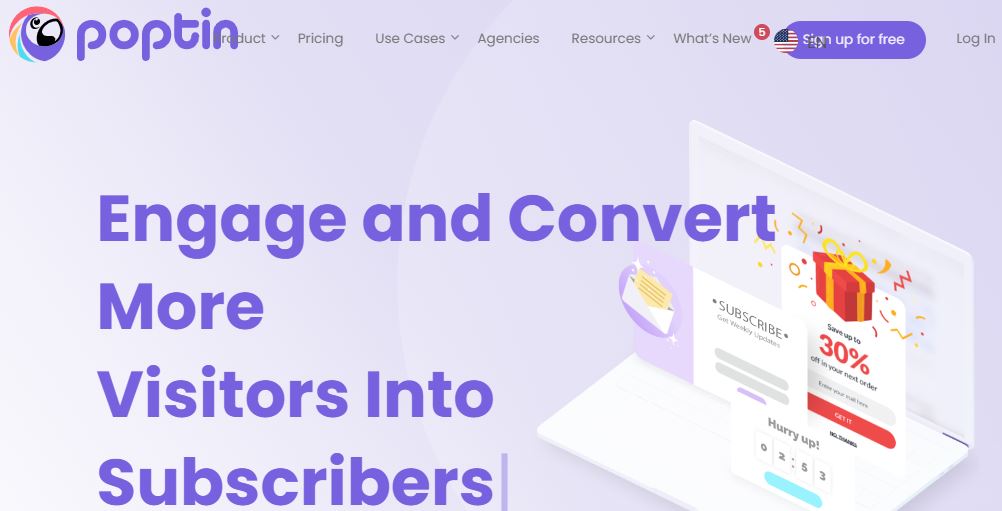
Poptin sits in a comfortable middle ground, not as feature-dense as OptinMonster, but noticeably more polished than most of the budget options. The editor feels modern, and the free plan is generous enough that a small site could run on it indefinitely.
Key Features
- Exit-intent detection
- A/B testing for optimizing conversions
- Direct integrations with major email platforms
Pros
- Usable free plan
- Flexible targeting rules
- Editor is easy to pick up without a tutorial
Cons
- Advanced automation needs a premium plan
6. Hustle
Hustle comes from the team behind several well-known WordPress tools, and it shows in the polish. Beyond popups, you get slide-ins and inline embedded forms in the same package, which is handy if you want more than one format without juggling separate plugins.
Key Features
- Popups, slide-ins, and embedded forms in one plugin
- Social media integration
- Email capture forms with flexible placement
Pros
- Fast to set up
- Free version is genuinely functional
- Solid fit for email marketing campaigns
Cons
- Design customization is limited on the free tier
7. Elementor Pro
If you’re already building your site in Elementor, the built-in popup builder is worth using before you add a dedicated plugin on top. It shares the same design environment as the rest of your site, so popups match your branding without extra effort.
Key Features
- Drag-and-drop popup builder inside the Elementor editor
- Advanced display conditions and triggers
- Fully responsive popup templates
Pros
- No context switching if you already use Elementor
- Deep targeting and trigger options
- High degree of design control
Cons
- Requires the Elementor Pro plugin as a dependency
- Overkill if popups are the only thing you need
8. Icegram
Icegram bundles email opt-ins, popups, and call-to-action buttons into a single toolkit, and it does it at a price point that’s hard to complain about. It won’t out-feature OptinMonster, but for a lean budget it covers most of what a small business site actually needs.
Key Features
- Multiple popup formats in one plugin
- Email marketing integrations
- Built-in A/B testing
Pros
- Affordable, with a usable free version
- Reasonably customizable
- Easy for non-technical users to set up
Cons
- Design options thin out on the free plan
Also Read: 10 Best Membership Plugins for WordPress
9. Sumo
Sumo is less a popup plugin and more a small marketing suite that happens to include popups. If you also want social sharing buttons and simple list-building tools without installing three separate plugins, it’s a reasonable way to consolidate.
Key Features
- Lead capture popups
- Email opt-ins bundled with social sharing tools
- Built-in analytics and tracking
Pros
- Analytics are more detailed than most competitors at this price
- Quick to install and configure
- Free version is a reasonable starting point
Cons
- Design customization is fairly basic
- Full feature set requires the paid version
10. WP Popups
WP Popups doesn’t try to be everything, it’s built to load fast and do the basics well, which is exactly what a lot of sites actually need. If your site is already carrying a heavy plugin load and you’re worried about page speed, this is one of the lighter options on the list.
Key Features
- Exit-intent popups
- Google Analytics integration
- Straightforward setup with minimal configuration
Pros
- Lightweight and fast-loading
- Free version covers core functionality
- Minimal learning curve
Cons
- Fewer design options than the more established tools
Best WordPress Popup Plugins at a Glance
| Plugin | Key Features | Pros | Cons |
|---|---|---|---|
| OptinMonster | Drag-and-drop builder, exit-intent, A/B testing | Highly customizable, works on all devices | Premium plans can be expensive |
| Popup Maker | Conditional targeting, easy-to-use editor | Free version available, extensive targeting | Limited features in the free version |
| MailOptin | Email subscription, exit-intent popups | Integrates with major email platforms | Some advanced features are paid |
| Ninja Popups | Social media integration, A/B testing | One-time fee, good design options | Slightly complex for beginners |
| Poptin | Exit-intent, A/B testing, email integrations | Free version available, flexible targeting | Premium plans needed for full features |
| Hustle | Pop-up, slide-in, and embed forms | Easy to set up, integrates with many platforms | Limited customization options |
| Elementor Pro | Popup builder, advanced targeting | Drag-and-drop editor, integrates with Elementor | Requires Elementor plugin |
| Icegram | Variety of popup types, email integrations | Affordable, A/B testing, free version | Some design limitations in free version |
| Sumo | Lead capture, social sharing, and email opt-ins | Great analytics, easy to set up | Limited design options in free version |
| WP Popups | Lightweight, exit-intent, Google Analytics integration | Free version, fast performance | Fewer customization features |
How to Pick Between Them
Start with what you actually need the popup to do, not with a feature list. A newsletter-only blog doesn’t need OptinMonster’s full referral-based targeting suite; a WooCommerce store running seasonal promotions probably does. Matching the tool to the goal saves both money and setup time.
Budget. Free tiers from Popup Maker, Poptin, or Hustle can carry a small site a long way. Once you need split testing across multiple offers or granular behavioral targeting, budget for a paid plan.
Existing stack. If you’re already deep into Elementor, its native popup builder avoids adding another plugin and another set of settings to maintain.
Page speed. Popup scripts load on every page they’re active on. On a site that’s already borderline on Core Web Vitals, a lightweight option like WP Popups is a safer bet than a feature-heavy suite.
Reporting depth. If you plan to run different offers and compare performance, make sure the plugin gives you real conversion data per campaign, not just a raw impression count.
Popup Best Practices That Actually Help Conversions
Set a delay. A popup that fires the instant someone lands on the page reads as desperate. Give visitors a few seconds, or trigger on scroll depth instead of a hard timer.
Make the close button obvious. Hiding the X to force engagement backfires, it frustrates visitors and increases the odds they leave the site entirely rather than just closing the popup.
Keep the offer specific. “Sign up for updates” converts worse than “Get 15% off your first order.” Specificity gives people a concrete reason to act.
Don’t show the same popup to someone who already converted. Most plugins let you suppress a popup once a form has been submitted or a cookie has been set, use that setting.
Test on mobile separately. A popup sized for a wide desktop screen can cover the entire mobile viewport and make the close button impossible to tap. Preview every popup at a phone width before publishing it.
Common Mistakes to Avoid
Running more than one popup at a time on the same page is the most frequent mistake I see. It overwhelms visitors and usually tanks the conversion rate on both offers rather than improving either one. Stacking a newsletter popup on top of an exit-intent discount is a fast way to send someone straight to the back button.
Another common issue is targeting too broadly. A popup shown to every single visitor, on every page, regardless of how they arrived, treats a first-time visitor the same as a returning customer who’s already on your list. Segment where you can, even if it’s just excluding people who’ve already subscribed.
Finally, watch for Google’s intrusive interstitial rules if you’re running anything on mobile that covers the main content immediately after a visitor arrives from a search result. It can affect how the page is treated in search rankings, so save full-screen popups for scroll-triggered or exit-intent moments rather than an immediate on-load trigger.

Wrapping It Up
Choosing the best WordPress popup plugin for your website depends on your specific needs, whether it’s enhancing user engagement, capturing leads, or promoting offers. The ideal plugin should offer a balance of ease of use, customization options, and effective targeting features to maximize conversions. With the wide variety of plugins available, it’s crucial to select one that aligns with your goals, budget, and technical expertise to achieve the best results for your WordPress site.
If you’re just getting started, pick one plugin, run it with a single well-targeted offer, and watch the numbers for a few weeks before adding complexity. Most of the value in a popup strategy comes from getting the timing and the offer right, not from stacking every feature a plugin has to offer.
Frequently Asked Questions
Do popups hurt SEO? Not inherently. Google penalizes intrusive interstitials that block content on mobile immediately after arriving from search, not popups in general. A scroll-triggered or exit-intent popup that doesn’t cover the full screen on load is generally safe.
How many popups should one page have? One active campaign per page is the practical limit. If you want to test a second offer, use A/B testing within the same plugin rather than layering multiple separate popups.
Will a popup plugin slow down my site? Some will, depending on how the script loads. Lighter tools like WP Popups or the free tier of Popup Maker tend to add less overhead than full marketing suites. If page speed is already tight, test with a tool like PageSpeed Insights before and after activating a new plugin.
Can I use more than one popup plugin at once? Technically yes, but it’s rarely a good idea. Running two plugins usually means two scripts loading, two sets of settings to manage, and a higher chance of two popups firing on top of each other. Pick one tool and build everything inside it.
Is a free plugin good enough, or do I need to pay? For a single newsletter signup or an announcement bar, free tiers from Popup Maker, Poptin, or Hustle are genuinely sufficient. Paid plans start to earn their cost once you need behavioral targeting, A/B testing across multiple offers, or integration with a CRM beyond a basic email list.
Where This Fits Into a Bigger Growth Plan
A popup is a tactic, not a strategy. It works best layered on top of a site that already has decent content, a clear value proposition, and a reason for someone to want what’s being offered. If traffic is thin to begin with, no amount of exit-intent tuning will make up for a lack of visitors landing on the page in the first place. Treat popups as the last step in the funnel, get the content and offer right first, then use the plugin to catch the visitors who were already close to converting.
It’s also worth revisiting your popup campaigns every few months. An offer that converted well during a launch period can go stale once the novelty wears off, and targeting rules that made sense for last year’s traffic mix might not fit this year’s. Treat the plugin’s reporting dashboard as a maintenance tool, not a one-time setup step.
Interesting Reads