How to Protect Yourself When Selling Services Online (Contracts, Payments, and Disputes 2026)

Disclaimer: This article is for informational purposes only and does not constitute legal advice. Consult a qualified attorney for advice specific to your situation.
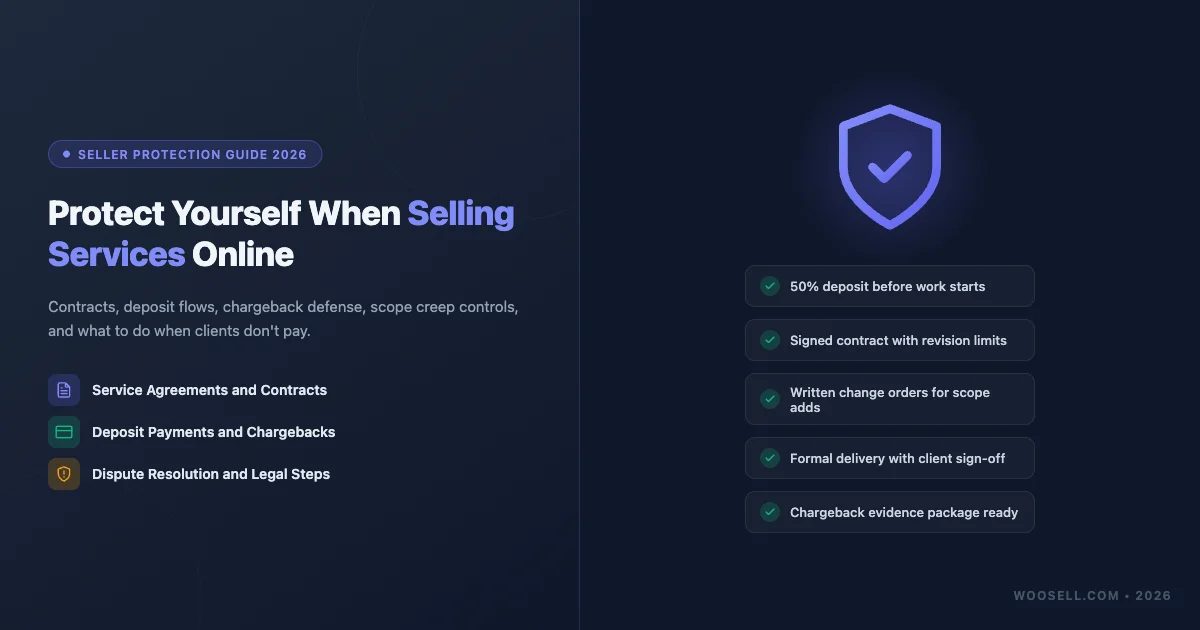
Selling services online can be rewarding. You set your own rates, pick your clients, and work from anywhere. But service-based businesses face a unique set of risks that product sellers rarely encounter. Scope creep eats your time. Late-payers drain your cash flow. Chargebacks blindside you weeks after a project closes. A single bad-faith client can cost you hundreds of hours and thousands of dollars if you are not set up to protect yourself.
This guide walks through every layer of protection a service seller needs in 2026: contracts, payment structures, chargeback defense, scope control, NDAs, and what to do when a client simply refuses to pay. If you use WooCommerce to sell services, you will also find practical tips for configuring your store to enforce these protections automatically.
Why Service Sellers Get Burned
Most freelancers and agencies learn protection the hard way. A client asks for “just one more revision,” then another, until the project has tripled in scope. A buyer pays by credit card, receives the deliverable, then files a chargeback claiming the service was never rendered. Someone hires you for web design but shares your proprietary design files with a competitor without asking.
The four most common ways service sellers lose money are:
- Scope creep: The project grows beyond the original agreement, but the client expects no additional charge.
- Non-payment: A client receives work and then delays, disputes, or ignores your invoice.
- Chargebacks: A buyer reverses a credit card charge after delivery, forcing you to prove the service was provided.
- Client disputes: A disagreement over quality, timelines, or deliverables turns into a formal complaint or legal threat.
Every one of these risks is manageable. The answer in each case is the same: documentation, clear agreements, and a payment flow that protects you before work begins.
Service Agreement Essentials
A service agreement is not just legal paperwork. It is the clearest communication you will ever have with a client about what you are doing, what you are not doing, how much it costs, and what happens if something goes wrong. Clients who sign a well-written agreement are far less likely to dispute terms later, because they agreed to those terms in writing.
Scope of Work
Define what you will deliver with enough specificity that there is no room for interpretation. “Website design” is vague. “Five-page WordPress website with a home page, about page, services page, contact page, and blog archive; desktop and mobile responsive; built on the client-provided theme” is specific. List what is excluded as explicitly as what is included. If copywriting is not part of the deal, say so in the contract.
Deliverables and Acceptance Criteria
Describe the final outputs and how you will know when the client has accepted them. Include a stated timeline for the client to review and request revisions. If no feedback is received within five business days of delivery, the work is deemed accepted. This prevents clients from holding a project in limbo indefinitely.
Timelines and Milestones
Set a project start date, milestone dates, and a final delivery date. Specify that your timelines depend on the client providing materials (copy, images, access credentials) on time. If the client causes delays, the timeline adjusts accordingly. This protects you from being blamed for a late delivery that the client caused.
Revision Limits
State the number of included revisions clearly. Two rounds of revisions is a common standard for design work. After that, additional revisions are billed at your hourly rate. Clients who know there is a limit are more thoughtful with their feedback and less likely to cycle through endless changes.
Intellectual Property Ownership
Clarify who owns the work product. The default in most jurisdictions is that the creator retains copyright unless the contract transfers it to the client. If you want the client to own all rights upon payment, say that. If you want to retain rights to use the work in your portfolio, say that too. If you use third-party assets (stock images, fonts, open-source libraries), disclose that ownership of those assets transfers only to the extent your license allows.
Payment Terms
Specify the total fee, the payment schedule, accepted payment methods, and what happens when payment is late. Include a late fee clause (1.5% per month is common) and state that you reserve the right to pause or terminate the project if payment is not received on time. For ongoing work, include cancellation terms with notice periods.
Dispute Resolution
Include a clause specifying that disputes will first be addressed through direct negotiation, then mediation, before any legal action. State the governing law and jurisdiction. This can save both parties significant time and money if disagreements arise.
Free Contract Templates to Use in 2026
You do not need to hire a lawyer to draft a solid service contract from scratch. Several platforms offer free or low-cost templates that are legally sound and widely used by freelancers.
Bonsai
Bonsai offers free contract templates for web designers, copywriters, photographers, consultants, and many other service types. The templates are state-specific for US users and can be customized, signed, and stored in the platform. Bonsai also integrates proposals, invoices, and time tracking, which makes it a strong all-in-one tool for solo freelancers.
AND.CO / HoneyBook
HoneyBook (which acquired AND.CO) provides contract templates that are especially popular with creative service providers. The platform lets you send proposals, collect e-signatures, and accept payments in one workflow. The templates include scope, deliverables, payment terms, and IP clauses out of the box.
DocuSign
DocuSign is the industry standard for legally binding e-signatures. If you draft your own contract in Word or Google Docs, you can upload it to DocuSign and send it for signature. Signed documents are stored with a full audit trail that includes IP addresses, timestamps, and email verification, which is valuable evidence if a dispute ever goes to court or arbitration.
AIGA Standard Form of Agreement for Design Services
For designers, the AIGA Standard Form is a free, comprehensive template drafted by legal and design industry experts. It covers IP, revisions, approvals, payment, and termination in detail. It is available as a free PDF download from the AIGA website.
Deposit-Based Payment Flow: Why 50% Upfront Protects You
The single most effective protection against non-payment is a deposit. Asking for 50% before work begins accomplishes several things at once. This principle applies whether you are offering design, consulting, writing, or even cleaning services sold online.
- It filters out low-commitment clients. Buyers who hesitate to pay a deposit are often the same ones who disappear at invoice time.
- It covers your costs and time if the client cancels mid-project.
- It creates a financial incentive for the client to stay engaged. They have skin in the game.
- It reduces your exposure. Even if the final payment never arrives, you have already been paid for a significant portion of the work.
Common Payment Structures for Service Sellers
The right payment schedule depends on your project type and client relationship. Here are three structures that work well:
- 50/50: 50% deposit upfront, 50% on final delivery. Best for short projects under $2,000.
- 33/33/33: One-third at kickoff, one-third at a mid-project milestone, one-third on delivery. Good for projects over $2,000 or those lasting more than four weeks.
- Monthly retainer: A fixed monthly fee paid at the start of each month for ongoing services. Best for long-term client relationships where the workload is predictable.
Setting Up Deposit Payments in WooCommerce
If you sell services through a WooCommerce store, you can implement deposit-based payments without custom development. The WooCommerce Deposits plugin lets you configure a percentage deposit for any product. You can set a 50% deposit, collect it at checkout, and then send a payment request for the remaining balance when the project is complete.
Plugins like WP Sell Services (more on this below) go further by building a complete service delivery workflow into WooCommerce, including order-based deliverable submission, client approval, and revision management.
How to Win a Stripe Chargeback
Chargebacks are one of the most frustrating realities of online service businesses. A buyer pays, you deliver, and then weeks later the buyer tells their bank they never received the service or that the charge was unauthorized. Stripe automatically debits the disputed amount plus a $15 dispute fee from your account while the investigation is open.
The good news is that service sellers can win chargebacks with the right evidence. Here is what to submit.
Build Your Evidence Package
- Signed contract or order confirmation: Show that the buyer agreed to the service and the payment amount.
- Communication logs: Email threads, chat transcripts, or messages showing the client described the project, approved deliverables, or expressed satisfaction.
- Proof of delivery: Screenshots of delivered files, links to a staging site, download logs, or a signed acceptance form.
- Client review or approval: Any written message where the client said “looks good,” “approved,” or similar language after delivery.
- Your refund and cancellation policy: Show that the client agreed to your terms, which include your refund policy, at the time of purchase.
Submit the Rebuttal Letter
Stripe provides a template for dispute responses. Your rebuttal letter should be clear, factual, and free of emotional language. State what was ordered, what was delivered, when it was delivered, and that the client accepted or approved the work. Attach your evidence as PDFs or images. Keep it under two pages if possible. Card networks respond better to concise, well-organized submissions than to lengthy arguments.
Prevent Chargebacks Before They Happen
- Use a recognizable billing descriptor. If the charge on the client’s statement shows a random company name, they may file a chargeback thinking it is fraud.
- Send a delivery confirmation email the moment you deliver the work. Ask the client to confirm receipt in reply.
- Use Stripe Radar to flag high-risk transactions before they process.
- Include a clear, prominent refund policy in your checkout flow and in your service agreement.
Scope Creep Mitigation: The Change Order Process
Scope creep is not always malicious. Clients often genuinely do not realize they are asking for something outside the original agreement. A change order process gives you a professional, non-confrontational way to acknowledge the request, price it, and get written approval before doing the extra work.
How to Handle a Scope Change Request
- Acknowledge promptly: When a client requests something new, respond within 24 hours. Silence can be interpreted as agreement to do the work.
- Evaluate the request: Determine whether the request is within the original scope, a reasonable clarification, or a genuine addition. If it is an addition, estimate the time and cost.
- Send a change order: A change order is a short document (even an email works) that describes the additional work, the additional fee, and the revised timeline. Ask for written approval before proceeding.
- Get it in writing: An email reply saying “yes, please proceed” is sufficient. Attach the approved change order to your project file.
If a client refuses to pay for scope additions, you have a decision: do the extra work as a goodwill gesture or hold the line on the original agreement. If you choose to hold the line, reference the contract and your change order process. Keep the conversation in writing.
NDAs for Sensitive Client Work: When to Use One
A Non-Disclosure Agreement (NDA) is a contract that prevents one or both parties from sharing confidential information with third parties. For service sellers, an NDA makes sense when:
- The client is sharing proprietary business information, financial data, product plans, or trade secrets with you.
- You are working on a product that has not been publicly announced.
- The client operates in a regulated industry (healthcare, finance, legal) where data confidentiality is governed by law.
- You are creating something that gives the client a competitive advantage, and they want to ensure you do not replicate it for a competitor.
Mutual NDAs protect both parties. One-sided NDAs typically protect only the client. If a client asks you to sign an NDA before a discovery call, that is standard. If they ask you to sign one that restricts you from working in your entire industry for five years, consult a lawyer before signing.
Free NDA templates are available from Docracy, Shake (for mobile), and the same platforms mentioned above (Bonsai, HoneyBook). For anything involving significant intellectual property or regulated data, have an attorney review the document first.
WP Sell Services: Platform-Mediated Dispute Workflow
For WooCommerce store owners who sell services, the WP Sell Services plugin provides a structured workflow that reduces disputes before they start. Instead of relying on email threads and manual delivery, WP Sell Services creates a formal order-based process where every step is logged.
How WP Sell Services Reduces Disputes
- Requirement gathering at checkout: Buyers fill out a requirements form when they place an order. This creates a written record of exactly what they asked for, which you can reference if they later claim the deliverable does not match their request.
- Structured delivery system: You submit deliverables through the plugin’s interface, and the client receives a formal delivery notification. This creates a timestamped record of when delivery occurred.
- Client approval workflow: The client must explicitly accept or request a revision. An accepted delivery is a digital record that the work was received and approved.
- Revision tracking: The number of revisions is capped per your settings. Requests beyond the limit are flagged as out-of-scope.
- Order history: Every communication, delivery, and revision is logged in the WooCommerce order record, giving you a complete audit trail if a dispute is ever raised.
This kind of structured workflow is far harder for a client to dispute than a chain of emails. The paper trail is built into the platform, not reconstructed after the fact.
What to Do When a Client Refuses to Pay
Non-payment is every service seller’s worst nightmare. You have done the work, delivered on time, and the client has gone silent or is making excuses. Here is a step-by-step escalation path.
Step 1: Send a Formal Overdue Notice
Send a professional email (not a text or social message) referencing the invoice number, the original due date, and the amount owed. Attach a copy of the invoice and your contract. Set a clear deadline for payment, typically five to seven business days. Keep the tone factual and non-threatening.
Step 2: Phone or Video Call
If the email goes unanswered, call the client directly. Many non-payment situations are resolved on a call. The client may be dealing with a cash flow problem or a billing department issue, and a direct conversation can unlock a payment plan or a firm commitment date. Follow up the call with a written summary of what was agreed.
Step 3: Demand Letter
If the client is unresponsive after two or three contacts, send a formal demand letter via email and certified mail. State the amount owed, the original due date, the number of days overdue, and the late fees accrued. State that if payment is not received within 14 days, you will pursue legal remedies. You do not need a lawyer to write this letter, but having one on your letterhead adds weight.
Step 4: Small Claims Court
For amounts under $10,000 (the threshold varies by US state, from $2,500 to $25,000), small claims court is an accessible option that does not require a lawyer. File a claim, serve the defendant, and present your contract, invoices, and communication records to the judge. Many defendants pay before the court date when they realize you are serious.
Step 5: Collections or Civil Litigation
For larger amounts or defendants who have ignored a small claims judgment, you have two options: send the debt to a collections agency (which typically takes 25-40% of what they recover) or hire an attorney and file a civil lawsuit. Both options are time-consuming, and the cost must be weighed against the amount owed. For amounts over $5,000 with clear documentation, civil litigation is often worth pursuing.
Across all these steps, keep every communication in writing. Do not delete emails. Screenshot any social media messages. Save all copies of your work files as delivered. Documentation wins disputes.
Setting Up WooCommerce to Protect Service Sellers
If your service business runs on WooCommerce, several configuration choices help protect you before any dispute arises.
Display Your Refund Policy Prominently
Add your refund and cancellation policy to your product pages, your cart page, and your checkout page. Buyers who see and acknowledge your policy at checkout have a much harder time disputing a charge under consumer protection grounds.
Use Order Notes for Delivery Confirmation
When you deliver a completed service, update the WooCommerce order status and add an order note with a timestamp and a description of what was delivered. This creates an official record in your WooCommerce dashboard that is harder to dispute than a stray email.
Require Checkout Acknowledgment
Use a plugin like WooCommerce Terms and Conditions or Checkout Field Editor to add a checkbox at checkout that requires the buyer to acknowledge your service terms before completing the purchase. This creates a logged acceptance of your terms at the point of sale.
10-Point Pre-Project Checklist for Service Sellers
Before you start any service project in 2026, run through this checklist. Skipping even one of these steps can expose you to preventable disputes.
- Send a written proposal that outlines scope, deliverables, timeline, and total fee. Get a written “yes” before any work begins.
- Have the client sign a service agreement before the deposit is collected. No signature, no start.
- Collect a deposit of at least 50% before any work begins. Use automated billing through WooCommerce or your preferred invoicing tool.
- Confirm the client’s requirements in writing at project kickoff. Send a kickoff email summarizing what you understood from the brief and ask the client to confirm.
- Set a communication protocol. Agree on which channels you will use (email only, not social media DMs), response time expectations, and who the main point of contact is.
- Track all project time even if you are working on a fixed-fee basis. This data is useful evidence if the client later claims you underdelivered.
- Send progress updates at each milestone. A short update email creates a record that work is progressing as agreed.
- Get written approval at each milestone before moving to the next phase. This prevents a client from rejecting the final product because they disliked an earlier decision that they approved.
- Deliver with a formal delivery notice, not just a casual email. Reference the original scope, list what was delivered, and ask for written acknowledgment.
- Invoice immediately upon delivery and set automatic payment reminders for the due date and overdue dates. Do not wait weeks to send the final invoice.
International Considerations for Service Sellers
Selling services to international clients adds another layer of complexity. Payment methods, currency conversion, VAT obligations, and legal jurisdiction all become relevant when your client is in a different country.
Jurisdiction and Governing Law
Your contract should specify which country’s laws govern the agreement and which courts have jurisdiction over disputes. Choosing your home jurisdiction protects you from being forced to litigate in a foreign court. Most international clients will accept a reasonable choice-of-law clause without objection.
Currency and Payment Risk
Bill in your home currency to avoid exchange rate risk. If a client insists on paying in their currency, use a mid-market rate at the time of invoicing and lock in a fixed amount in your contract rather than a dynamic rate. Wire transfers (SWIFT) are harder to reverse than credit card payments and are often preferred for large international transactions.
VAT and Tax Obligations
If you sell to EU customers, you may need to charge VAT depending on your location, the client’s location, and whether the client is a business or a consumer. WooCommerce handles EU VAT automatically with the right configuration or plugin. Consult an accountant familiar with digital services and international tax rules to understand your obligations.
Protecting Your Business Long-Term
The protections outlined in this guide are not one-time tasks. They are habits and systems that compound over time. Every signed contract, every deposit collected, every change order approved, and every delivery confirmed in writing makes your business more defensible and more professional.
Clients who see that you have a structured, professional process are also less likely to attempt bad-faith behavior in the first place. A well-written contract signals that you know your rights and are prepared to enforce them. That alone deters a significant portion of potential disputes.
If you have been operating without contracts or deposits until now, do not wait for a bad experience to motivate the change. Start with the next client. Use a free template, collect your deposit, and deliver with a formal notice. The extra five minutes per project will pay for itself many times over.
Start Selling Services with Confidence
WP Sell Services is built specifically for WooCommerce stores that sell services. It gives you structured order management, client requirement forms, a formal delivery workflow, revision tracking, and a complete audit trail for every project. You stop chasing emails and start managing service delivery the same way product sellers manage shipping. Sellers who want to maximize revenue should also read our guide on selling high-priced services online without jumping through hoops.
Pair WP Sell Services with a solid service agreement, a deposit-based payment structure, and the checklist in this guide, and you will have the protection that most service sellers spend years learning the hard way.
Learn more about WP Sell Services and start your free trial today.
This article is for informational purposes only and does not constitute legal advice. Every business situation is different. Consult a licensed attorney in your jurisdiction before relying on any contract template or legal strategy described here.