12 Best WooCommerce Google Product Feed Plugins in 2026 (Complete Guide)

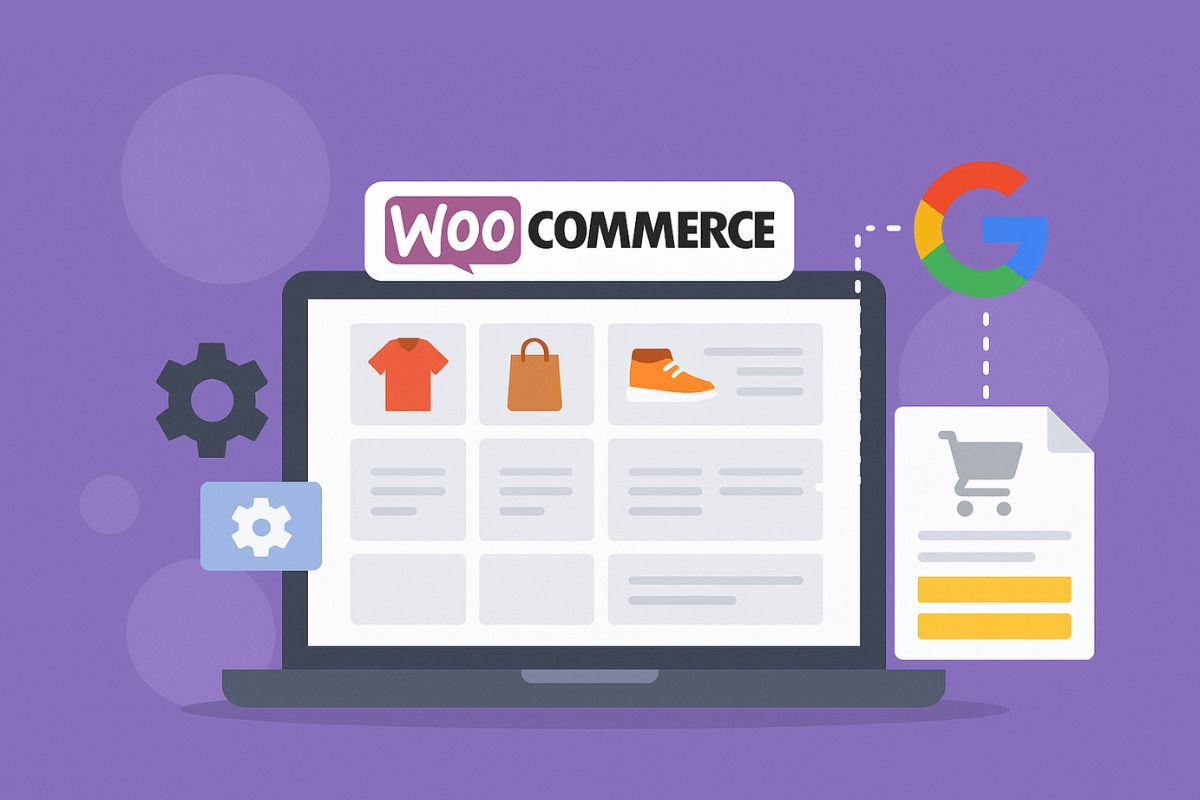
12 Best WooCommerce Google Product Feed Plugins in 2026
Updated January 2026. Google Merchant Center rejects products for reasons that rarely show up until you’re already staring at a “disapproved” status: a missing GTIN, a brand field that doesn’t match the manufacturer’s listing, a price in the feed that’s a day behind the price on your site. None of that is visible from inside WooCommerce itself. The right WooCommerce Google Product Feed plugin is the layer that catches these problems before Google does, keeps your catalog synced without a human re-uploading a spreadsheet every morning, and quietly determines whether your Shopping ads actually run or sit disapproved while your budget goes unspent.
This guide covers the feed plugins worth knowing about in 2026, what separates a feed tool built for a 40-product boutique from one built for a 40,000-SKU catalog, and how to pick between them without wasting a month on trial and error.
Quick Picks (Top 3)
- Best all‑rounder: Google Listings & Ads (official WooCommerce)
- Best for advanced rules: feed plugins with field mapping and filters
- Best for multi‑channel: tools that support Google Shopping alongside Facebook and Bing
Why Product Feed Quality Matters in 2026
Google Shopping performance depends on feed quality more than almost any other factor you control directly. Poor feeds lead to disapproved products, low impressions, and wasted ad spend – money that leaves your account whether or not anyone actually saw your listing. A strong feed plugin helps you:
- Fix required attributes (GTIN, brand, condition)
- Map custom fields correctly
- Schedule automatic feed updates
- Reduce Merchant Center errors
What’s easy to miss is that “feed quality” isn’t a one-time setup task. Prices change, stock runs out, new variations get added – a feed that was accurate on launch day can drift out of sync within a week if nothing is refreshing it automatically. That drift is exactly what separates a plugin from a genuine fix: a plugin that generates a feed once and a plugin that keeps that feed honest on an ongoing schedule are solving two very different problems, even though they look similar on a features page.
12 Best WooCommerce Google Product Feed Plugins
1) Google Listings & Ads (Official WooCommerce)
This is the official Google integration from WooCommerce. It connects your store to Google Merchant Center and Google Ads with guided setup.
Because it’s built and maintained by Woo directly, it stays aligned with Google’s changing feed specification without you needing to track those changes yourself – when Google adds a new required attribute or changes a category taxonomy, the official plugin tends to catch up first. That’s a real advantage for a store owner who doesn’t want to become a part-time Merchant Center compliance expert. Where it falls short is customization: if your catalog has quirks that need conditional logic (different GTIN handling for a subset of products, say, or category-specific attribute overrides), you’ll hit the ceiling of what the guided setup can do.
- Best for: simple, official integration
- Pros: trusted, direct Google connection
- Cons: limited advanced feed rules
2) Product Feed PRO for WooCommerce
Highly flexible feed generator with advanced mapping and rule‑based controls. Great for large catalogs.
The rule engine is the reason to pick this over the official plugin once your catalog gets complicated. Instead of accepting whatever WooCommerce field maps to whatever Google attribute by default, you can write conditional rules – if a product is in category X, pull the brand from a different custom field; if a variation is missing a GTIN, fall back to the parent product’s identifier. That flexibility is genuinely valuable for catalogs with inconsistent data entry history, which describes most stores that have been adding products for more than a year or two. The tradeoff is real: building those rules takes time, and it’s easy to misconfigure one and not notice until Merchant Center flags a batch of rejections.
- Best for: large product catalogs
- Pros: strong rule engine
- Cons: steeper learning curve
3) CTX Feed (WooCommerce Product Feed)
CTX Feed supports Google, Facebook, and other channels. It’s popular for multi‑channel sellers who want one tool for all feeds.
Running Google Shopping and Facebook/Instagram Catalog ads from the same feed source means you configure your attribute mapping once and generate output for both channels, rather than maintaining two separate plugins that could drift apart. That consistency matters more than it sounds – a mismatch between what Google sees and what Facebook sees for the same product looks unprofessional if a customer happens to compare listings across platforms, and it’s a genuine pain to debug when the two feeds were built with different tools in the first place.
- Best for: multi‑channel feeds
- Pros: broad channel support
- Cons: some features locked behind pro
4) WooCommerce Product Feed by RexTheme
Reliable plugin with bulk feed management and automated updates.
Bulk management is the standout here – if you’re running feeds for several channels or several product segments at once, being able to manage them from a single dashboard instead of clicking through separate settings screens per feed saves real time on a weekly basis. The automation piece matters just as much: scheduled regeneration means a price change made in WooCommerce on a Tuesday doesn’t sit unreflected in Google’s feed until someone remembers to manually refresh it on Friday.
- Best for: scheduled feed updates
- Pros: good automation
- Cons: UI not as modern
5) DataFeedWatch
A cloud‑based feed manager with strong Merchant Center error handling and optimization tools.
Being cloud-based rather than a WordPress plugin changes how it fits into your stack – it pulls data from WooCommerce but does the actual transformation and error-checking on its own servers, which means feed processing doesn’t add load to your site’s hosting. Its error-handling tools go further than most WordPress-native plugins: instead of just telling you a product was disapproved, it flags the specific field causing the rejection and suggests a fix, which shortens the debugging loop considerably when you’re staring down a batch of errors after a catalog import.
- Best for: advanced feed optimization
- Pros: strong feed QA tools
- Cons: monthly SaaS cost
6) ShoppingFeeder
Another cloud feed management option with reporting and multi‑channel support. It fits a similar niche to DataFeedWatch – offloading feed generation from your WordPress install – and its reporting layer is useful if you want visibility into feed health and channel performance in one place rather than checking Merchant Center and Facebook Business Manager separately.
7) ELEX Google Shopping Feed
Good mid‑range plugin for sellers who need mapping and scheduling without the complexity (or cost) of a full cloud platform. It sits comfortably between the official Google plugin’s simplicity and Product Feed PRO’s depth, which makes it a reasonable pick for a store that’s outgrown the basics but doesn’t need enterprise-grade rule engines yet.
8) WooCommerce Google Feed Manager
Solid free/paid plugin for basic feed generation. The free tier is enough for a store with a small, stable catalog and minimal category complexity – it’s a reasonable starting point before you know whether you need something more capable.
9) WP All Export + Feed Add‑Ons
Not a feed plugin specifically, but useful for custom feed exports and transformations. If your catalog has data quirks no purpose-built feed plugin handles cleanly, WP All Export’s flexibility to build a fully custom export template can bridge that gap, though it takes more manual configuration than a plugin designed around Google’s spec from the start.
10) Flexify (Facebook + Google Feed)
Handy if you run both Google Shopping and Facebook Catalog ads and want a lighter-weight alternative to CTX Feed for keeping both channels fed from the same product data.
11) AdTribes Feed Plugin
Popular feed tool with Merchant Center friendly templates that map WooCommerce fields to Google’s expected format with less manual configuration than a fully custom rule-based tool requires.
12) WooCommerce Product Feed Elite
Advanced feed management with strong attribute mapping, aimed at stores that need granular control over how variations and custom attributes translate into Google’s product taxonomy.
Comparison Table
| Plugin | Best For | Strength |
|---|---|---|
| Google Listings & Ads | Official setup | Direct Google sync |
| Product Feed PRO | Large catalogs | Advanced rules |
| CTX Feed | Multi‑channel | Many integrations |
| DataFeedWatch | Optimization | Error handling |
How to Choose the Right Feed Plugin
Catalog size is the first and most reliable filter. Under a few hundred products, the official Google Listings & Ads plugin is genuinely enough – the guided setup handles the common cases, and you don’t have a large enough catalog for edge cases to pile up into a real problem. Past a thousand SKUs, inconsistent data entry from years of adding products starts to surface as feed errors, and a rule-based plugin that can apply conditional logic across the whole catalog at once saves far more time than fixing products one by one in Merchant Center’s interface.
Whether you advertise anywhere besides Google changes the decision too. If Facebook or Instagram Catalog ads are part of your marketing mix, a multi-channel tool like CTX Feed means one configuration effort instead of two separate plugins that can silently drift out of agreement with each other. Running single-channel Google Shopping only doesn’t need that overhead.
Error visibility is worth weighing on its own, separate from raw feature count. Some plugins tell you a product failed without saying why, which turns every rejection into a manual investigation. Others, like DataFeedWatch, surface the specific field and the specific rule that caused the failure. If your catalog changes often – new products weekly, frequent price updates – that difference in error clarity compounds into real time saved every month.
Automation frequency is the last piece, and it’s easy to underestimate. A feed that updates once a day is fine for a store with stable pricing and slow-moving inventory. A store running flash sales or fast-changing stock needs updates measured in hours, not once overnight – check what refresh interval a plugin actually supports before assuming “automatic” means “frequent enough.”
A quick example
Consider a home-goods store with about 600 SKUs that started on the official Google Listings & Ads plugin two years ago. It worked fine until the store added a supplier with inconsistent GTIN data – some products had valid codes, some had placeholder values, some had none at all. Suddenly a batch of 80 products started getting disapproved for invalid GTINs, and there was no way to apply a bulk fallback rule through the official plugin’s interface. Switching just the feed-generation step to Product Feed PRO, while keeping WooCommerce and the storefront untouched, let the store set a rule that used the manufacturer part number as a fallback identifier whenever a GTIN was missing or malformed – solving the actual data problem instead of manually editing 80 product pages by hand.
Feed Mistakes That Quietly Cost Ad Spend
A handful of mistakes show up so often across feed audits that they’re worth naming directly, because none of them announce themselves as urgent until the damage is already done.
The first is treating category mapping as a formality. Google’s product taxonomy has specific categories, and mapping a product to the closest-sounding one instead of the correct one can tank Shopping ad relevance even when every required attribute is technically filled in. A pair of hiking boots mapped to “Clothing” instead of “Shoes” won’t get rejected, but it will show up in the wrong searches and convert at a fraction of the rate it should.
The second is letting out-of-stock products stay live in the feed. If inventory sync between WooCommerce and the feed plugin lags by even a few hours, customers can click a Shopping ad for something that’s already sold out, which burns ad spend on a click that was never going to convert and damages the account’s click-through performance history in the process.
The third is ignoring the difference between a warning and a disapproval in Merchant Center. Warnings don’t stop a product from running, so it’s tempting to leave them unaddressed. Left unresolved for long enough, though, patterns of warnings can affect account-level trust signals that Google uses when deciding how much reach to give your listings overall. Treat a warning as a deadline, not a suggestion.
The fourth, and the one that catches even experienced store owners, is forgetting that feed changes need testing before a big sale. If a plugin’s price-sync logic has an edge case around percentage-based discounts, the worst time to discover that is the day of a Black Friday promotion when thousands of products are supposed to reflect a temporary price and don’t.
Recommended Tools (Affiliate)
- Advanced Coupons – promo rules for Shopping ads.
- Barn2 – improve browsing and conversion from Shopping traffic.
- Acowebs – bundles and add‑ons to increase AOV.
Sell Services with WooCommerce
If you sell feed management or marketing services, Woo Sell Services helps you package those services in WooCommerce.
FAQs
Do I need a feed plugin if I use Google Listings & Ads?
Not always. The official plugin is enough for smaller catalogs, but advanced stores benefit from more control – particularly once category-specific attribute overrides or conditional GTIN fallback logic become necessary. If you’ve never hit a Merchant Center error you couldn’t resolve through the official plugin’s settings, you probably don’t need to switch yet.
How often should I update my product feed?
At least daily. If pricing or stock changes frequently, update multiple times per day – a feed that’s stale by even a few hours can advertise a price you’re no longer honoring or a product that’s already sold out, both of which damage trust with customers who click through from an ad.
Why does Merchant Center reject products?
Common reasons include missing GTINs, incorrect product categories, or mismatched prices between your feed and your actual checkout price. Google checks the live price on your site against what’s declared in the feed periodically, so a feed that isn’t refreshing often enough can get flagged even if the original data was correct at generation time.
Do these plugins work with variable products?
Yes, most include variation mapping, but the quality of that mapping varies a lot between plugins. Test a sample of your most complex variable products (the ones with several attributes stacked together) before assuming a plugin handles your specific variation structure correctly.
Can I run Google Shopping ads without a feed?
No. Google Shopping requires a Merchant Center feed as the data source for every ad it serves – there’s no way to run Shopping campaigns from manually entered ad copy the way you might with a standard search ad.
What’s the real cost of ignoring feed errors?
More than most store owners assume. A disapproved product doesn’t just fail to show – it can also drag down your overall Merchant Center account health score, which affects how Google treats your other, approved listings. Letting errors pile up unaddressed for weeks is a slower, quieter version of the same problem as an outright account suspension.
Conclusion
The right product feed plugin keeps Google Shopping running smoothly, and the choice mostly comes down to catalog size and how many channels you’re feeding at once. Start with the official plugin if your catalog is simple, move to a rule-based tool once data inconsistencies start generating errors, and keep your feeds updating on a schedule that matches how often your prices and stock actually change.