10 Best WooCommerce Stripe Connect Plugins in 2026 (Complete Guide)


If you’re building a marketplace, multi-vendor store, or service platform, WooCommerce Stripe Connect plugins are essential for handling split payments, automated payouts, and vendor onboarding. This comprehensive guide covers the 10 best Stripe Connect options for WooCommerce in 2026, explaining how they work, their pricing, and how to choose the right setup for your business model. Every plugin below was checked against its current, live product listing before publishing, so what you read here reflects what you’ll actually find when you click through.
Stripe Connect differs from a regular Stripe gateway, it allows you to onboard multiple sellers or service providers and route payments automatically while staying compliant with financial regulations. The plugins below support Connect directly or through marketplace extensions that enable split payouts.
📑 Table of Contents
Quick Picks (Top 3)
- Dokan + Stripe Connect – Best for full marketplace workflows with extensive vendor features.
- WCFM Marketplace + Stripe Connect – Best for flexible vendor management and custom commissions.
- WC Vendors + Stripe Connect – Best for WooCommerce-first simplicity and quick setup.
What Stripe Connect Does for WooCommerce
Stripe Connect is designed for platforms that pay multiple parties. In WooCommerce, it enables:
- Split payments: Automatically divide payments between the platform and vendors at checkout.
- Automated payouts: Pay vendors on schedule without manual bank transfers.
- Vendor onboarding: Collect KYC details compliantly through Stripe’s hosted onboarding.
- Unified reporting: Track platform fees, commissions, and payouts in one dashboard.
- Refund handling: Manage refunds that automatically adjust vendor balances.
- Multi-currency support: Accept payments and pay vendors in different currencies.
10 Best WooCommerce Stripe Connect Plugins
1. Dokan + Stripe Connect
Dokan is one of the most popular WooCommerce marketplace plugins, offering comprehensive vendor dashboards, commission management, and Stripe Connect integration in its paid tiers.
Key Features:
- Full vendor dashboard with earnings reports
- Stripe Connect Express and Custom account types
- Automatic split payments at checkout
- Flexible commission structures
- Vendor withdrawal requests
- Subscription-based vendor plans
Pros:
- Most comprehensive marketplace solution
- Excellent vendor UX and dashboard
- Scalable for large marketplaces
- Active development and support
Cons:
- Stripe Connect requires Business tier or higher
- Can be overwhelming for simple needs
- Premium pricing
Pricing: Starter $149/year (no Stripe Connect, capped at 10 vendors); Business $249/year (includes Stripe Connect and unlimited vendors); Enterprise $499/year. Vendors on wedevs.com frequently run limited-time discounts off these list prices.
Best For: Large multi-vendor marketplaces requiring full vendor management.
2. WCFM Marketplace + Stripe Connect
WCFM Marketplace offers advanced vendor controls and flexible commission structures, with Stripe Split Pay built in as a free module rather than a paid add-on.
Key Features:
- Highly customizable vendor permissions
- Tiered and category-based commissions
- Stripe Split Pay (SCA compliant) for automatic checkout splitting
- Vendor subscription plans
- Advanced shipping management
- Comprehensive reporting
Pros:
- Free core plugin available on WordPress.org
- Stripe Split Pay ships as a free module, no paid tier required just to get split payments
- Extremely flexible commission rules
- Strong community support through the WC Lovers forums
Cons:
- Complex initial setup
- UI can feel cluttered next to newer competitors
- Premium add-ons still needed for the full feature set beyond payments
Pricing: Free core plugin (wc-multivendor-marketplace on WordPress.org) with Stripe Split Pay included; WCFM Ultimate adds premium modules on top for stores that want the complete package.
Best For: Complex marketplaces needing custom commission structures and vendor rules.
3. WC Vendors + Stripe Connect
WC Vendors provides a WooCommerce-native marketplace solution with a simpler learning curve and Stripe Connect built directly into its Pro plan.
Key Features:
- Clean, intuitive vendor dashboard
- WC Vendors Stripe Connect gateway included in Pro
- Commission management
- Vendor shipping rates
- Product moderation
- Vendor ratings and reviews
Pros:
- WooCommerce-first workflow
- Easier setup than alternatives
- Automatic, scheduled, or manual payout methods to choose from
- 14-day money-back guarantee
Cons:
- Fewer advanced features than Dokan or WCFM out of the box
- Limited customization compared to WCFM
Pricing: Free version available on WordPress.org; WC Vendors Pro from $99.50/year (introductory rate) includes unlimited vendors and the Stripe Connect gateway. Renewals are at full price.
Best For: Small to medium marketplaces wanting quick, clean setup.
4. YITH WooCommerce Multi Vendor + YITH Stripe Connect
YITH WooCommerce Multi Vendor is a premium marketplace plugin with polished UX. It pairs with the separate YITH WooCommerce Stripe Connect plugin to automate vendor commission payouts.
Key Features:
- Premium vendor dashboards
- Automated commission payouts via Stripe Connect or PayPal Payouts
- Commission management
- Vendor vacation mode
- YITH plugin ecosystem integration
- Customizable vendor pages
Pros:
- Beautiful, polished interface
- Strong YITH ecosystem, so it plays well with other YITH extensions
- Good documentation and support center
- Regular updates
Cons:
- Requires two separate plugins, Multi Vendor plus Stripe Connect, sold individually
- Smaller community than Dokan or WCFM
Pricing: Sold as annual, single-site licenses through yithemes.com; both the Multi Vendor and Stripe Connect plugins are priced separately, so check the current bundle pricing on their site before budgeting.
Best For: Premium stores prioritizing design and vendor experience.
5. MultiVendorX (formerly WC Marketplace)
MultiVendorX is the rebranded successor to the older WC Marketplace (WCMp) plugin, a feature-rich marketplace solution with Stripe Connect support for split payments and automated vendor payouts.
Key Features:
- Stripe Marketplace and Marketplace Fee modules for split payments
- Vendor membership plans
- Commission by vendor, product, or category
- Vendor analytics dashboard
- Product-level shipping
- Vendor verification system
Pros:
- Generous free version on WordPress.org
- Comprehensive feature set for the price
- Active development, with regular WordPress and WooCommerce compatibility updates
- Region-based payout workflow support
Cons:
- Interface can be complex for first-time marketplace builders
- Smaller user base than Dokan
Pricing: Free core plugin; paid plans run Starter, Growth, and Agency tiers, with upgraded Stripe and PayPal marketplace modules starting from roughly $299/year depending on tier.
Best For: Marketplaces wanting strong free features with a clear upgrade path.
6. WooCommerce Multi Vendor Stripe Connect by WebKul
WebKul’s WooCommerce Multi Vendor Stripe Connect is a standalone Stripe Connect payment add-on for WebKul’s own Multi Vendor Marketplace plugin, letting sellers connect their own Stripe accounts and receive split payouts automatically.
Key Features:
- Direct Stripe Connect integration for the WebKul Multi Vendor Marketplace plugin
- Automatic payment splitting between admin and sellers
- Support for Visa, Mastercard, American Express, and Discover
- Test and live mode support for safe setup
- Seller-facing Stripe dashboard with real-time earnings visibility
Pros:
- Lower cost than the full marketplace-plus-Connect bundles from other vendors
- Straightforward, payment-focused add-on rather than a full platform rebuild
- WebKul also sells a MangoPay version if you need a European escrow-based alternative
Cons:
- Requires WebKul’s own Multi Vendor Marketplace plugin as a base, so it’s not a bolt-on for Dokan or WCFM
- Smaller ecosystem and community than the bigger marketplace suites
Pricing: Around $79 as a one-time add-on license, on top of the base Multi Vendor Marketplace plugin.
Best For: Stores already on WebKul’s marketplace plugin that want Stripe-based split payments without switching platforms.
7. WooCommerce Stripe Gateway (Official)
The official WooCommerce Stripe Gateway supports Stripe Connect features when combined with compatible marketplace plugins, though it doesn’t include split-payment logic on its own.
Key Features:
- Official Stripe integration maintained by Automattic/WooCommerce
- Payment methods: cards, Apple Pay, Google Pay
- Connect compatibility with marketplace plugins
- Strong Payment Element support
- SCA compliance
Pros:
- Free and official, also available directly from wordpress.org
- Always updated for Stripe API changes
- Reliable payment processing at the core of your store
Cons:
- Connect features need additional plugins layered on top
- No standalone split payment UI
Pricing: Free.
Best For: The foundation any Stripe Connect setup needs, paired with one of the marketplace plugins above.
8. Split Pay – Stripe Connect Split Payments
Split Pay is a dedicated, lightweight Stripe Connect split-payments plugin built specifically for stores that only need the payout mechanics, not a full marketplace platform bolted on top.
Key Features:
- Automatic splitting between your platform and one or more connected Stripe accounts
- Free version supports a single connected account
- Pro version supports multiple account transfers and works with WooCommerce Subscriptions
- Built specifically for commission management and revenue sharing, not full vendor dashboards
Pros:
- Genuinely free tier that solves the core payout problem without a marketplace plugin
- Focused, single-purpose plugin that’s easy to reason about and audit
- Available directly on WordPress.org for a quick install
Cons:
- No vendor management, product moderation, or storefront features, it’s payments only
- Multi-account splitting is a Pro-only feature
Pricing: Free on WordPress.org for single-account splits; Pro pricing is available through splitpayplugin.com for multi-account and subscription support.
Best For: Stores needing split payments without full marketplace complexity.
9. Custom Stripe Connect API Integration
This isn’t a plugin you install, it’s worth including honestly because for complex requirements, custom Stripe Connect integration via Stripe’s own API offers maximum flexibility. This requires development resources but provides complete control over onboarding, payout timing, and commission logic.
Key Features:
- Full API access with no plugin ceiling on what’s possible
- Custom onboarding flows tailored to your business rules
- Tailored commission logic that off-the-shelf plugins can’t replicate
- Custom reporting and dashboards
- Any payout schedule you can define
Pros:
- Complete customization with no plugin limitations
- Optimized performance since you control every query and API call
Cons:
- Requires actual developer resources, not a weekend project
- Ongoing maintenance as Stripe’s API evolves
- Higher upfront cost than any plugin on this list
Pricing: Development costs vary widely; realistically $5,000 to $50,000 or more depending on complexity and whether you’re building on Stripe’s Connect Onboarding or a fully custom flow.
Best For: Large platforms with unique requirements and an in-house or contracted development team.
10. WP Sell Services Pro by Wbcom Designs
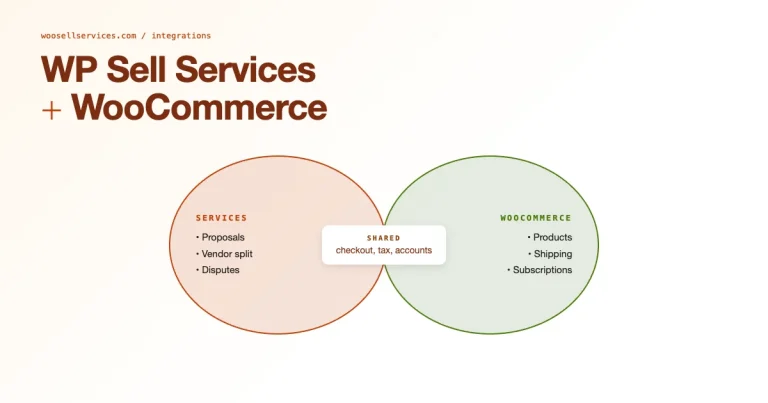
For service-based WooCommerce stores, WooCommerce was built for physical and digital products, not service workflows with milestones, revisions, and client communication. WP Sell Services Pro addresses that gap directly, with Stripe Connect built in as one of its core modules for paying contractors and collaborators automatically.
Key Features:
- Stripe Connect module with automated payouts, built specifically for service marketplaces
- WooCommerce checkout support across 100+ payment gateways
- Vendor analytics dashboard
- S3 and Google Cloud Storage integration for managing client deliverables
- Milestone, revision, and dispute handling built around service work rather than physical shipping
Pros:
- Purpose-built for services and contractor payouts, not retrofitted from a product-catalog plugin
- Clean checkout flows that don’t feel like a mismatched product page
- Storage integration solves a real problem for agencies handling large client files
Cons:
- Focused on services, not a fit if you’re selling physical products alongside them
- Newer product than the established marketplace plugins, so the community and plugin ecosystem around it is smaller
Pricing: From $69 through wbcomdesigns.com.
Best For: Service-based businesses, agencies, and consultants paying contractors or collaborators through WooCommerce.
Comparison Table: Stripe Connect Options
| Plugin | Best For | Connect Type | Free Version | Price From |
|---|---|---|---|---|
| Dokan | Large marketplaces | Express/Custom | Yes (no Connect) | $249/yr |
| WCFM Marketplace | Custom commissions | Express (Split Pay module) | Yes, Split Pay included free | Free core |
| WC Vendors | Simple setup | Express | Yes (no Connect) | $99.50/yr |
| YITH Multi Vendor + Stripe Connect | Premium UX | Express | No | Check yithemes.com |
| MultiVendorX | Free features, clear upgrade path | Express | Yes | ~$299/yr |
| WebKul Multi Vendor Stripe Connect | WebKul marketplace stores | Express | No | ~$79 one-time |
| Official Stripe Gateway | Foundation layer | Via plugins | Yes | Free |
| Split Pay | Payout focus only | Express | Yes, single account | Free / Pro varies |
| Custom Development | Unique needs | Any | N/A | $5,000+ |
| WP Sell Services Pro | Service businesses | Via built-in module | No | From $69 |
How to Choose the Right Stripe Connect Setup
- Building a full marketplace: Dokan or WCFM offer comprehensive solutions.
- Need simpler setup: WC Vendors provides streamlined workflows.
- Premium design matters: YITH Multi Vendor plus YITH Stripe Connect delivers a polished experience.
- Budget-conscious: MultiVendorX’s free core or WCFM’s free Split Pay module offer good starting points.
- Just need split payments: Split Pay or WebKul’s standalone Stripe Connect add-on work without marketplace overhead.
- Selling services: WP Sell Services Pro combines service-specific checkout tools with built-in Stripe Connect for contractor payouts.
Building a Service Marketplace?
If you’re selling services and need to pay service providers, WP Sell Services Pro helps you sell services like products with clean checkout flows and a Stripe Connect module built in, perfect for automated contractor payouts without stitching together three separate plugins.
Frequently Asked Questions
Do I need Stripe Connect for WooCommerce?
Only if you pay multiple sellers or service providers. For single-seller stores, a standard Stripe gateway is sufficient. Stripe Connect is specifically designed for platforms that distribute payments to multiple parties.
What’s the difference between Stripe Connect Express and Custom?
Express accounts use Stripe’s hosted onboarding and dashboard, faster to implement but less customizable. Custom accounts allow full white-label experiences but require more development. Most WooCommerce plugins use Express for simplicity.
Can I use Stripe Connect without a marketplace plugin?
Yes, standalone Stripe Connect plugins like Split Pay or WebKul’s add-on, or custom development, can enable split payments without full marketplace functionality. This works well for simpler multi-seller setups.
How long does vendor onboarding take?
Most vendors complete Stripe’s Express onboarding in 5-10 minutes. Verification typically completes within 24 hours, though some cases may take longer depending on the information provided.
What are Stripe Connect fees?
Stripe charges standard payment processing fees (2.9% + $0.30 in the US) plus Connect fees that vary by account type. Express accounts typically add a small percentage plus a flat fee per payout. Check Stripe’s current pricing page for your region, since these numbers move.
How do refunds work with Stripe Connect?
When you refund a payment, the refunded amount is typically deducted from the vendor’s pending balance or future payouts. Most marketplace plugins let you configure whether the platform or vendor absorbs refund costs.
Can vendors use their existing Stripe accounts?
With Stripe Connect Express, vendors create new connected accounts through your platform. They cannot directly reuse an existing standalone Stripe account, though they can use the same email and bank details during onboarding.
Is Stripe Connect available in my country?
Stripe Connect is available in 40-plus countries. Check Stripe’s country availability page for the most current list, since coverage and feature parity vary by region.
How do I handle taxes with Stripe Connect?
Stripe Connect handles payment splitting, not tax calculation or reporting. Use WooCommerce tax settings or a dedicated tax plugin like TaxJar or Avalara for compliance. Stripe does provide 1099 forms for US vendors meeting the reporting thresholds.
What happens if a vendor’s account gets suspended?
If Stripe suspends a connected account due to compliance issues, payouts to that vendor pause immediately. You’ll need to work with the vendor to resolve the issue directly with Stripe, your plugin can’t override a Stripe-side suspension.
Can I set different commission rates per vendor?
Yes, most marketplace plugins (Dokan, WCFM, WC Vendors Pro) support per-vendor commission rates. You can also set commissions by product category or product type on most of them.
How do instant payouts work?
Stripe Instant Payouts, where available, can send funds to vendors within minutes for an additional fee. Not all marketplace plugins support instant payouts, check the specific plugin’s documentation before promising this to your vendors.
A Note on Choosing Between These Plugins
The temptation with a list like this is to pick whichever plugin has the longest feature list. Resist that. The plugins here split cleanly into two groups: full marketplace platforms (Dokan, WCFM, WC Vendors, YITH Multi Vendor, MultiVendorX) that give you vendor storefronts, product moderation, and dashboards on top of payments, and payment-only tools (Split Pay, WebKul’s add-on, the official Stripe gateway) that assume you already have vendor management sorted out elsewhere or don’t need it.
If you’re not sure which group you belong to, ask yourself one question: do your vendors need their own public storefront pages, product listings, and a dashboard to manage their own inventory? If yes, you need a full marketplace plugin. If no, if you’re really just splitting revenue between yourself and a handful of partners, contractors, or affiliates, a payment-only tool like Split Pay will save you months of unnecessary complexity and a much higher recurring bill.
It’s also worth testing Stripe Connect in test mode before you take a single live payment through any of these. Every plugin here supports Stripe’s sandbox environment, and running through a full onboarding, checkout, split, and payout cycle with fake cards will surface configuration mistakes long before a real vendor or customer does. This is a fifteen-minute investment that has saved more than one store owner from a very awkward support ticket.
Best WooCommerce Marketplace Plugins