16 Best Forum Software Alternatives for 2026 (Free, Self-Hosted, and Paid Options Tested)

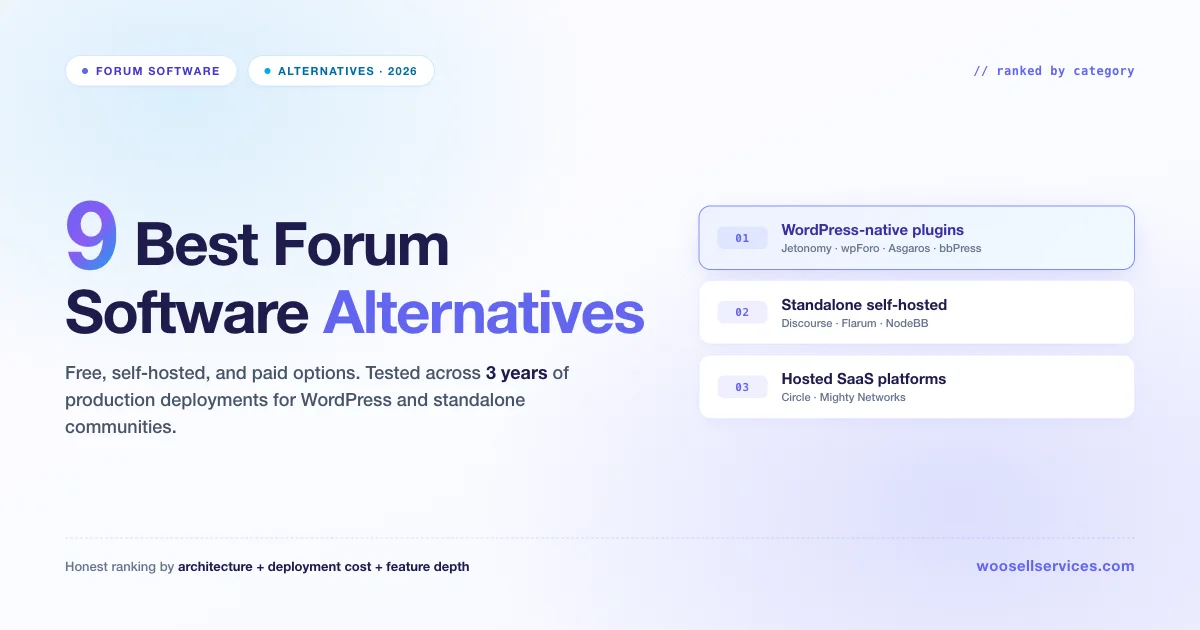
Table of Contents
- Introduction: Choosing the Right Forum Software
- How I’m Ranking These
- WordPress-Native Plugins
- Standalone Self-Hosted Applications
- Hosted SaaS Platforms
- Complete Comparison Table
- How to Pick the Right Forum Alternative
- Building Service-Based Communities
- Forum Migration Best Practices
- Frequently Asked Questions
- Further Reading
“What’s the best forum software in 2026?” is the wrong question.
The right question is: what’s the best forum alternative for my specific shape of community?
I’ve deployed or seriously evaluated every forum platform on this list in the last three years. Some of them I ran on client sites for six months before migrating off. Some of them I tested on staging, decided against, and uninstalled the same day. What I’ve learned is that “best forum software” depends entirely on whether you want an embedded plugin, a standalone application, a hosted SaaS product, or some combination.
This comprehensive guide covers 16 forum alternatives for 2026, grouped by category so you can pick the right one in about five minutes. Whether you’re specifically leaving bbPress, wpForo, phpBB, vBulletin, or any legacy platform and want a modern replacement, these are the options that actually hold up in production.
How I’m Ranking These
A forum is not a forum is not a forum. I’m splitting these by architectural category first, then ranking within each category by which one I’d actually pick today:
- WordPress-native plugins, runs inside your existing WordPress site, uses WordPress users, one admin panel.
- Standalone self-hosted applications, separate app on its own server, connects via SSO.
- Hosted SaaS platforms, someone else runs it, you pay monthly.
I score each on: performance at scale, active development, feature depth, ease of migration, moderation tools, API capabilities, and total cost of ownership over 3 years.
WORDPRESS-NATIVE PLUGINS
1. Jetonomy, My Default Pick for WordPress Forum Projects
Free + Pro · Released March 2026 · By Wbcom Designs
Jetonomy is the forum plugin I install on every new WordPress community project I ship in 2026. It’s the newest plugin on this list (1.0 released March 2026) but it was built specifically to solve the architectural problems that have killed every other WordPress forum plugin at scale.
Key Features:
- 24 custom MySQL tables. Not
wp_posts. Forum content lives in dedicated tables with denormalized counters and cursor-based pagination. Pages stay fast past 50,000 topics with Redis. - Four space types in one plugin. Forum, Q&A with accepted answers, Ideas with a public roadmap, and Social Feed. Most plugins give you one type; this gives you four.
- Six trust levels with auto-promotion. New members rate-limited automatically. As they contribute, they earn abilities. Replaces manual “new account management” rules.
- Theme.json integration. Reads your active theme’s fonts, colors, and spacing automatically. Zero CSS overrides needed on modern block themes.
- 48+ REST API endpoints in free (90+ with Pro). Cursor-based pagination, JSON schema validation. Build a mobile app or headless frontend without writing custom PHP.
- Built-in importers for bbPress, wpForo, and Asgaros. Dry-run mode, batched background imports, resume-on-failure make large migrations far less risky than a manual export/import.
- AI-powered moderation in Pro 1.3.0 with self-hosted Ollama support. Spam detection, content moderation, reply suggestions, and thread summaries.
Pros:
- Purpose-built database architecture that scales
- Four space types cover most community needs
- Trust levels reduce moderation workload
- Modern REST API for custom integrations
- Clean migration path from major WordPress plugins
Cons:
- Newer than bbPress (smaller third-party tutorial ecosystem)
- Pro is sold direct, not via WP.org
Best For: Any WordPress community project. Especially good if you’re migrating from bbPress or wpForo and want the migration to be low-risk.
Pricing: Free + Pro (single license, not per-add-on)
Free download: store.wbcomdesigns.com/jetonomy/
2. BuddyNext, The Social Network Forum
Free + Pro · By Wbcom Designs
BuddyNext is the option to reach for when a plain forum isn’t enough and what you actually want is a social network with a forum inside it. Where Jetonomy is a purpose-built forum engine, BuddyNext is a full community platform, a standalone “Community OS” that wraps discussions in an activity feed, member profiles, and group Spaces. Crucially, it is not built on BuddyPress; it’s a separate, modern architecture designed from scratch, so you’re not inheriting a decade of legacy BuddyPress baggage to get a social layer.
The forum experience lives inside a broader social context. Members get a multi-tab activity feed (For You, Following, Spaces, Network), a composer for text, media, links, and polls, six reactions, threaded comments, reposts and quotes, and hashtags with trending, the kind of Facebook-style engagement layer a traditional forum plugin doesn’t give you. Discussions are organized into Spaces (open, private, or secret) with roles and join flows, and threaded forum-style topics come from the free Jetonomy companion, which BuddyNext integrates with automatically, sharing design tokens and navigation with zero config. So you get real forums and a social feed under one identity system.
Key Features:
- Social feed + forum in one. A four-tab activity feed sits on top of Spaces and Jetonomy-powered discussions, so the community feels like a network, not a bulletin board.
- Standalone architecture. Not a BuddyPress add-on. Purpose-built for 2026 (WP 6.9+, PHP 8.2+) rather than retrofitted onto legacy code.
- Rich member profiles. 13 profile field types with per-field privacy, a completion meter, member directory, following, and connections.
- Deep moderation, free. Reports, strikes, suspensions, shadow-bans, banned words/hashtags/domains/IPs, and auto-hide thresholds, tooling most plugins charge for.
- Built-in onboarding & email. A member onboarding wizard, notifications, and a branded email engine with digests, out of the box.
- 13-app ecosystem. Messaging/media via MediaVerse, forums via Jetonomy, points/badges via WB Gamification, plus an LMS, marketplace, and directories that integrate from day one.
- Developer-ready. Full REST API (no admin-ajax), WP-CLI, 1,000+ hooks, 18 Gutenberg blocks, and PWA support.
- Native Stripe memberships in Pro. Monthly/yearly/one-time tiers, trials, gated Spaces, inline content locks, a customer portal, and an MRR dashboard, plus AI (feed ranking, semantic search, smart replies, AI moderation), WebSocket real-time updates, analytics, and a native mobile app.
Pros:
- Turns a forum into a full social network (feed, profiles, Spaces)
- Standalone and modern, not dependent on BuddyPress
- Deep moderation and self-hosted data ownership in the free version
- Clean paid path to Stripe memberships and monetization
- Pairs automatically with Jetonomy for threaded forum discussions
Cons:
- Heavier than a pure forum plugin if all you need is topics and replies
- Messaging and media rely on the free MediaVerse companion
- Newer platform, distributed from buddynext.com rather than WP.org
Best For: Communities that want a social network experience, activity feeds, profiles, and member connections, with forums built in, rather than a standalone forum on its own.
Pricing: Free + Pro (Personal $149/yr or $399 lifetime; Professional $249/yr; Agency $399/yr with white-label)
Free download: buddynext.com
3. wpForo, The Mature Commercial Alternative
Free + Pro add-ons · By gVectors
wpForo is what most people pick when they outgrow bbPress and want something commercial with a real development team behind it. I ran it in production for 8 months before switching to Jetonomy, and it’s a legitimate choice, just with different tradeoffs.
Key Features:
- Custom database tables for better performance
- 4 layout options (Extended, Simplified, QA, Threaded)
- Built-in reputation system with badges
- Multilingual support via WPML and Polylang
- Built-in bbPress importer
- User mentions and notifications
- Topic tags and categories
Pros:
- Mature, battle-tested codebase
- Active development with regular updates
- Multiple forum layout options
- Strong reputation system
Cons:
- Doesn’t read
theme.json, so theme integration requires CSS work - Meaningful features locked behind paid add-ons (polls, reactions, private messages, advanced moderation)
- Add-ons sold separately, costs add up
Best For: Established forums that want a mature commercial alternative with a known roadmap and don’t care about tight theme integration.
Pricing: Free + multiple paid add-ons ($20-50 each)
4. BuddyBoss Forum, The Social Learning Platform Choice
Part of BuddyBoss Platform · Premium only · By BuddyBoss
BuddyBoss Forum is the forum component built into BuddyBoss Platform, the premium fork of BuddyPress designed for course creators and membership sites. It’s not a standalone plugin, you need BuddyBoss Platform to use it.
Key Features:
- Deep integration with BuddyBoss groups and courses
- Course-specific discussion forums tied to LearnDash
- Group forums with privacy controls
- Native mobile app support (BuddyBoss App)
- Media attachments in forum posts
- Activity stream integration
- Professional themes included
Pros:
- Seamless integration with BuddyBoss ecosystem
- Native mobile app available
- Professional design out of the box
- Strong for course communities
Cons:
- Requires BuddyBoss Platform license ($228+/year)
- Not a standalone forum plugin
- Heavy resource requirements
- Locked into BuddyBoss ecosystem
Best For: Course creators and membership sites already using or planning to use BuddyBoss Platform with LearnDash.
Pricing: Included with BuddyBoss Platform ($228/year single site, $288/year unlimited)
5. Asgaros Forum, The Lightweight Option
Free + Premium add-ons · By Thomas Belser
Asgaros is what I recommend when the requirement is “a clean, simple forum plugin that doesn’t over-engineer.” Custom tables, minimal footprint, clean admin UX.
Key Features:
- Custom database tables for performance
- Clean, minimal admin interface
- User groups and permissions
- Notification system
- SEO-friendly URLs
- Activity widget
- File uploads
Pros:
- Small footprint, fast loading
- Clean admin UI
- Active development
- Genuinely usable free version
- Easy to set up and maintain
Cons:
- Intentionally minimal feature set
- No Q&A mode, no Ideas board, no trust levels
- No advanced moderation tools
- Limited REST API
Best For: Small club forums, hobby communities, internal team forums. Under 1,000 topics, no growth pressure.
Pricing: Free core, paid extensions for niche needs ($14.99-$24.99 each)
6. PeerBoard, The Embedded SaaS Hybrid
Free tier + Paid · By PeerBoard
PeerBoard takes a hybrid approach: it’s a SaaS forum that embeds into your WordPress site. The forum runs on PeerBoard’s infrastructure but appears seamlessly on your domain with WordPress SSO.
Key Features:
- WordPress plugin for seamless embedding
- WordPress user sync and SSO
- Modern, real-time interface
- Spaces (sub-forums) with different post types
- Q&A mode with accepted answers
- Polls, reactions, and rich media
- AI-powered moderation
- Analytics dashboard
Pros:
- Zero server load (runs on PeerBoard infrastructure)
- Modern, polished UI
- Real-time updates
- Strong moderation tools
- Free tier available
Cons:
- Data hosted on third-party servers
- Vendor lock-in concerns
- Limited customization compared to self-hosted
- Free tier has PeerBoard branding
Best For: WordPress site owners who want a modern forum without server management and are comfortable with SaaS data hosting.
Pricing: Free tier (with branding), Starter $29/mo, Growth $79/mo, Enterprise custom
7. bbPress, Still Works for Tiny Forums
Free · Last major release 2020
I’m including bbPress because it’s still the default first choice for most WordPress users, and in one specific scenario it’s still the right answer: a small forum (under 1,000 topics), no growth plans, already running BuddyPress.
Key Features:
- Native WordPress integration
- Uses WordPress users and roles
- BuddyPress compatibility
- Large ecosystem of third-party add-ons
- Simple setup
- Extensive hook system for developers
Pros:
- Completely free, no upsells
- Rock stable, minimal bugs
- Large ecosystem of hooks and add-ons
- Natural BuddyPress integration
Cons:
- Stores content in
wp_posts, causing performance issues past 10,000 topics - No major release since 2020
- No Q&A, no Ideas, no trust levels
- No modern REST API
- Theme integration challenging on block themes
Best For: Very small stable forums. BuddyPress-first sites that need a simple forum layer.
Pricing: Free, no Pro version
8. Simple:Press, The Legacy Option
Free + Pro · By Simple:Press
Simple:Press has been around since 2006, making it one of the oldest WordPress forum plugins still in development. It uses custom database tables and has accumulated a large feature set over the years.
Key Features:
- Custom database tables
- Extensive permission system
- User ranks and badges
- Private messaging
- Multiple forum skins
- RSS feeds
- Spam control tools
Pros:
- Long track record of stability
- Custom database architecture
- Comprehensive permission system
- Active support community
Cons:
- Dated interface design
- Complex setup process
- Not mobile-first responsive
- Steep learning curve
Best For: Existing Simple:Press users who need stability and don’t require modern design. Legacy forums with complex permission requirements.
Pricing: Free core, Pro extensions $25-$100
STANDALONE SELF-HOSTED APPLICATIONS
9. Discourse, The Best Standalone Forum, If You Can Run It
Open source · Self-hosted or $100/mo hosted · By Discourse Inc.
Discourse is arguably the best forum software in the world. Full stop. Every major open-source project runs on it, trust levels are deep and well-tuned, real-time updates, native mobile apps, excellent search. The only reason it’s not #1 on this list is that it’s a fundamentally different operational shape from a WordPress plugin.
Key Features:
- Advanced trust level system (5 levels, highly configurable)
- Real-time updates via WebSockets
- Native iOS and Android apps
- Powerful search with full-text indexing
- Categories, tags, and topic tracking
- Built-in chat alongside forums
- Plugin ecosystem
- Comprehensive moderation tools
- SSO options including WordPress
Pros:
- Deepest feature set in the forum category
- Scales to Reddit-sized deployments
- Active commercial development
- Battle-tested by thousands of communities
- Excellent developer documentation
Cons:
- Separate Ruby on Rails application (separate server, database, admin panel)
- SSO bridge to WordPress breaks when either side updates
- Self-hosted needs 1-2GB VPS + PostgreSQL + Redis + email infrastructure
- Hosted starts at $100/month
Best For: Communities where the forum is the product, not a side feature of a WordPress site. Open-source project communities. Developer communities.
Pricing: Free self-hosted (plus VPS + email costs ~$40-80/mo). $100/mo hosted minimum.
10. Flarum, Modern PHP Self-Hosted Forum
Open source · Self-hosted · By Flarum team
Flarum is Discourse’s PHP equivalent. Built on modern Laravel ecosystem, clean visual design, focused feature set. Runs on shared hosting or a small VPS, way cheaper than Discourse.
Key Features:
- Modern, responsive design
- Built on Laravel framework
- Extension ecosystem
- Tags and categories
- User badges and gamification
- Real-time notifications
- Markdown support
- SEO-friendly
Pros:
- Fast and lightweight
- Best-looking self-hosted forum after Discourse
- Active development
- Runs on cheap PHP hosting
- Open source under MIT license
Cons:
- Not a WordPress plugin
- Extension quality varies by contributor
- Limited moderation tools without extensions
- No built-in Q&A or Ideas modes
Best For: Developers comfortable with PHP hosting who want a modern standalone forum without Discourse’s operational overhead.
Pricing: Free + hosting (~$5-15/mo shared hosting)
11. XenForo, The Professional Forum Platform
Commercial license · Self-hosted · By XenForo Ltd
XenForo is the forum software of choice for large gaming communities, tech forums, and professional communities that migrated from vBulletin. It’s a commercial product with a one-time license fee and optional annual renewals.
Key Features:
- Robust permission system with user groups
- Built-in resource manager (for downloads)
- Media gallery add-on available
- Advanced search with Elasticsearch support
- Responsive design
- Trophy and award system
- Push notifications
- Thread prefixes and tags
- Extensive add-on marketplace
Pros:
- Battle-tested on massive forums (millions of posts)
- Professional-grade moderation tools
- Large third-party add-on ecosystem
- One-time license fee model
- Excellent for gaming/tech communities
Cons:
- Not open source
- Upfront license cost ($160-250)
- Annual renewal required for updates ($55-90/year)
- No WordPress integration without custom development
Best For: Large, established communities (gaming, tech, automotive) that need professional-grade forum software and don’t need WordPress integration.
Pricing: $160 license + $55/year for updates (Forum only). Add-ons extra.
12. NodeBB, The Node.js Option
Open source · Self-hosted or hosted · By NodeBB team
NodeBB is Discourse’s Node.js equivalent. Real-time updates out of the box, modern admin UI, plugin ecosystem. Natural fit if you already run Node.js infrastructure.
Key Features:
- Real-time updates via WebSockets
- Modern, responsive design
- Plugin and theme ecosystem
- Social network integrations
- Two-factor authentication
- Push notifications
- Multiple database support (MongoDB, Redis, PostgreSQL)
- SSO options
Pros:
- Real-time, modern experience
- Modern admin interface
- Active development
- Free open-source plus paid hosted option
Cons:
- Not a WordPress plugin
- Requires Node.js hosting (more expensive than PHP)
- Smaller community than Discourse or Flarum
Best For: Teams already running Node.js infrastructure who want a modern forum stack that matches their existing tooling.
Pricing: Free + Node hosting (~$10-30/mo) or paid hosted starting around $10/mo
13. Invision Community, The Enterprise Choice
Commercial license · Self-hosted or cloud · By Invision Power Services
Invision Community (formerly IP.Board) is enterprise-grade forum software used by large brands, game publishers, and corporate communities. It’s a complete community suite with forums, CMS, commerce, and more.
Key Features:
- Forums with advanced thread options
- Built-in CMS (Pages)
- Commerce/marketplace functionality
- Downloads/file sharing
- Clubs (sub-communities)
- Achievements and leaderboards
- OAuth and SSO support
- REST API
- Mobile-responsive design
Pros:
- All-in-one community platform
- Enterprise-grade features
- Professional support
- Highly scalable
- Strong moderation and admin tools
Cons:
- Expensive ($45-65/month cloud, $175+ self-hosted license)
- Complex setup and administration
- No WordPress plugin
- Overkill for small communities
Best For: Enterprise communities, gaming companies, and large organizations needing a full community suite with professional support.
Pricing: Cloud from $45/month. Self-hosted from $175/6 months.
14. Vanilla Forums, Enterprise SaaS/Self-Hosted
Open source + Enterprise · Self-hosted or hosted · By Higher Logic
Vanilla Forums has two editions: an open-source version you can self-host, and a commercial enterprise cloud version with advanced features. The enterprise version powers communities for major brands like Adobe and eBay.
Key Features:
- Q&A with accepted answers
- Ideas board with voting
- Knowledge base integration
- Gamification (badges, ranks, points)
- Rich text editor
- Categories and tags
- Moderation queue and tools
- SSO integrations
- Extensive API
Pros:
- Clean, modern design
- Open-source option available
- Q&A and Ideas built-in
- Enterprise support available
- Strong API
Cons:
- Open-source version lacks enterprise features
- Enterprise pricing not transparent (contact sales)
- Self-hosted open-source has limited documentation
- No WordPress plugin
Best For: Enterprise customers needing a branded community platform with professional support, or developers wanting a clean open-source PHP forum.
Pricing: Open source free. Enterprise cloud pricing on request (typically $500+/month).
HOSTED SAAS PLATFORMS
15. Circle, The Creator-Focused Hosted Platform
Paid SaaS · By Circle
Circle is the hosted forum alternative for creators, course authors, and SaaS companies running customer communities. Not a WordPress plugin. Lives at its own subdomain, has its own signup flow, and bundles paid membership + courses + live events alongside the forum.
Key Features:
- Spaces for organizing discussions
- Built-in courses and workshops
- Live events and live rooms
- Direct messaging
- Paid memberships and subscriptions
- Mobile apps (iOS/Android)
- Moderation tools
- Analytics and insights
- Custom branding
Pros:
- Zero infrastructure to manage
- Modern visual design
- Built-in live events, courses, video hosting
- Easy for non-technical operators
- Strong monetization features
Cons:
- Expensive (starts at $49/month)
- Closed source, data lives on Circle’s servers
- Vendor lock-in risk
- Separate subdomain from your main site
- Minimal SEO control
Best For: Creators and course sellers running paid community products where monetization features matter more than data ownership.
Pricing: $49-$399/month depending on tier
16. Mighty Networks, The Creator Economy Alternative
Paid SaaS · By Mighty Networks
Mighty Networks is Circle’s main competitor in the hosted creator community space. Same business model, different feature emphasis. Mighty leans a bit more on creator branding and cohort-based programs.
Key Features:
- Spaces and subgroups
- Courses with cohort support
- Events and live streaming
- Polls and questions
- Paid memberships
- Native mobile apps
- Custom branding
- Member directory
- Activity feed
Pros:
- Fully hosted, no server management
- Live events, courses, and paid membership built in
- Mobile app included
- Strong marketing and branding tools
- Cohort-based learning features
Cons:
- Paid, closed, vendor-hosted
- Opinionated product structure
- Expensive at scale
- No self-hosted option
Best For: Creator-led communities monetizing through paid memberships, courses, and cohort-based programs.
Pricing: Starts around $41/month, scales up based on features and members
Complete Comparison Table
| Alternative | Category | Free Tier | Self-Hosted | Best For | 3-Year Cost (10K members) |
|---|---|---|---|---|---|
| Jetonomy | WP Plugin | Yes + Pro | Yes | WordPress communities | ~$0–500 |
| BuddyNext | WP Plugin | Yes + Pro | Yes | Social network + forum in one | ~$0–600 |
| wpForo | WP Plugin | Yes + add-ons | Yes | Mature commercial WP | ~$500–800 |
| BuddyBoss Forum | WP Plugin | No | Yes | Course communities | ~$700–900 |
| Asgaros | WP Plugin | Yes | Yes | Small club forums | ~$0–200 |
| PeerBoard | WP Embed | Yes (limited) | No | Modern no-server forum | ~$1,000–3,000 |
| bbPress | WP Plugin | Yes | Yes | Tiny stable forums | $0 |
| Simple:Press | WP Plugin | Yes | Yes | Legacy forums | ~$100–300 |
| Discourse | Standalone | Yes (self-host) | Yes | Forum as the product | ~$1,500–3,600+ |
| Flarum | Standalone | Yes | Yes | Modern PHP forum | ~$200–500 |
| XenForo | Standalone | No | Yes | Large gaming/tech forums | ~$400–700 |
| NodeBB | Standalone | Yes (self-host) | Yes | Node.js shops | ~$400–800 |
| Invision | Standalone | No | Yes | Enterprise communities | ~$1,600–2,400 |
| Vanilla Forums | Standalone | Yes (limited) | Yes | Enterprise or DIY | ~$500–18,000 |
| Circle | Hosted SaaS | No | No | Monetized creators | ~$1,800–14,000 |
| Mighty Networks | Hosted SaaS | No | No | Cohort-based creators | ~$1,500–10,000 |
Note: 3-year costs are rough estimates for a 10,000-member community and include hosting, licenses, and reasonable add-on expectations.
How to Pick the Right Forum Alternative
Here’s my decision flow:
Q1: Do you run a WordPress site?
- Yes → Pick a WordPress plugin. Skip to Q2.
- No → Skip to Q3.
Q2: Which WordPress plugin?
- Modern, scalable, future-proof: Jetonomy
- Social network experience with forums built in (feed, profiles, Spaces): BuddyNext
- Mature, commercial, proven: wpForo
- Course community with BuddyBoss: BuddyBoss Forum
- Tiny forum, simple needs: Asgaros
- Zero server management, modern UI: PeerBoard
- Already running BuddyPress, forum under 500 topics: bbPress
Q3: Standalone or SaaS?
- Standalone (I want to own the data):
- Best-in-class, you have DevOps capacity: Discourse
- PHP-native, cheaper hosting: Flarum
- Large gaming/tech community: XenForo
- Node.js-native: NodeBB
- Enterprise with support: Invision Community or Vanilla Forums
- Hosted SaaS (I want zero infrastructure):
- Monetized creator community: Circle or Mighty Networks
For 80% of readers arriving here, the answer is a WordPress plugin, because the community is one feature of a larger WordPress site and not the whole product. In that case, Jetonomy is my default pick in 2026.
Building Service-Based Communities
Many communities exist not just for discussion, but to connect service providers with clients. Whether you’re building a freelancer marketplace, coaching platform, or professional services directory, your forum software is just one piece of the puzzle.
For WordPress sites combining community forums with service selling, you might also consider WP Sell Services Pro, which lets members offer and purchase services directly through your site. It integrates naturally with BuddyPress and BuddyBoss communities, creating a complete ecosystem where members can discuss in forums and transact through service listings.
The combination of a solid forum plugin (like Jetonomy or wpForo) with a service marketplace plugin creates a self-sustaining community where members both engage and generate value.
Forum Migration Best Practices
Moving from one forum platform to another requires careful planning. Here are the key considerations:
Before Migration:
- Export a complete backup of your current forum database
- Document your current URL structure for redirects
- Identify which user accounts are active vs. spam
- Note any custom integrations that need rebuilding
During Migration:
- Use dry-run mode if your target platform offers it
- Test with a subset of data first
- Verify user accounts, passwords, and email associations
- Check that attachments and images transfer correctly
After Migration:
- Set up 301 redirects from old URLs to new
- Submit updated sitemap to Google Search Console
- Monitor for 404 errors in the first few weeks
- Communicate changes clearly to your community
Modern plugins like Jetonomy include built-in importers with resume-on-failure and batched processing, making migrations significantly less risky than they used to be.
Frequently Asked Questions
What is the best forum software in 2026?
“Best” depends on your context. For WordPress sites: Jetonomy. For standalone developer communities: Discourse. For monetized creator communities: Circle. For small simple club forums: Asgaros. For large gaming communities: XenForo.
What is the best free forum software?
In the WordPress plugin space, Jetonomy’s free version is the most complete, it includes forum, Q&A, and Ideas space types, trust levels, moderation queue, and 48+ REST API endpoints in the free version. For self-hosted standalone forums, Flarum is free and open source with a small VPS. bbPress is also completely free but architecturally older.
Is there a free alternative to Discourse?
Discourse itself has a free self-hosted version (you pay for VPS hosting and email). For a WordPress-native free alternative, Jetonomy’s free version covers a lot of what Discourse does. For a standalone non-WordPress free alternative, Flarum or NodeBB.
Can I switch from one forum platform to another without losing data?
Yes, usually. Most modern forum plugins include importers from the major competitors. Jetonomy has built-in importers from bbPress, wpForo, and Asgaros with dry-run mode and resume-on-failure. Discourse has an official importer that handles most major standalone forums. Migrations get harder when you’re moving between very different data models (e.g., WordPress plugin to standalone Discourse, possible but requires more work).
What’s the best forum software for a small community?
Under 1,000 members: Asgaros (WordPress) or Flarum (self-hosted) or Jetonomy’s free version. Under 5,000 members: Jetonomy, wpForo, or Flarum. Over 5,000 members: Jetonomy, Discourse, or BuddyBoss depending on architectural fit.
What’s the best forum software for a large community?
For pure scale (Reddit-sized): Discourse self-hosted on dedicated infrastructure or XenForo. For large WordPress communities: Jetonomy or wpForo with Redis + managed WordPress hosting. For monetized creator communities: Circle (scales smoothly with subscription tiers). For enterprise: Invision Community or Vanilla Forums Enterprise.
Which forum alternative has a mobile app?
Discourse has an official native iOS/Android app. BuddyBoss includes a branded mobile app. Circle and Mighty Networks both ship native apps. XenForo has third-party app solutions. Jetonomy, Flarum, NodeBB, and most WordPress plugins rely on responsive web design rather than native apps, which in 2026 on modern browsers feels close to native for most users.
What’s the cheapest forum solution for WordPress?
bbPress is completely free with no paid tiers. Jetonomy and Asgaros both have robust free versions. wpForo’s free version works but locks many features behind paid add-ons. If you factor in long-term maintenance and performance, Jetonomy’s free tier offers the best value since it includes custom database tables and modern architecture.
Should I use a WordPress plugin or standalone forum software?
If you already have a WordPress site and the forum is one feature among many, use a WordPress plugin, you’ll have one admin panel, one user system, and simpler maintenance. If the forum IS the product (like a developer community or support forum), standalone software like Discourse gives you more power and better scaling options.
How do forum plugins affect WordPress site performance?
Plugins that store content in wp_posts (like bbPress) cause performance issues past 10,000 topics because they bloat core WordPress queries. Plugins with custom database tables (Jetonomy, wpForo, Asgaros) have minimal impact on your main site because forum queries are isolated. For high-traffic forums, add Redis object caching regardless of which plugin you choose.
What happened to vBulletin and phpBB?
vBulletin still exists but development has slowed significantly, and most communities have migrated away. phpBB remains actively developed and is a solid free option for standalone forums, though its interface feels dated compared to Discourse or Flarum. Both still have loyal user bases but aren’t recommended for new projects in 2026.
Can I monetize my forum with paid memberships?
Yes. WordPress forum plugins work with membership plugins like Paid Memberships Pro, MemberPress, or Restrict Content Pro to gate forum access. Standalone options like Discourse have membership plugins. Circle and Mighty Networks have monetization built-in. For WordPress service communities, WP Sell Services Pro can add marketplace functionality alongside forums.
Further Reading
- bbPress Review 2026, Honest assessment of the default WordPress forum plugin
- 9 Best WordPress Forum Plugins for 2026, WordPress plugin angle only
- 7 Best Discourse Alternatives in 2026, Discourse-specific alternatives
- 9 Best bbPress Alternatives for 2026, bbPress-specific alternatives
- 7 Best wpForo Alternatives for 2026, wpForo-specific alternatives
- Jetonomy free download, The WordPress-native forum plugin I recommend most