Add a Service Provider Directory to Your WooCommerce Store


Why Your WooCommerce Store Needs a Service Provider Directory
Running a WooCommerce store that connects customers with service providers? Whether you operate in home improvement, professional consulting, health and wellness, or any service-based industry, your customers need a reliable way to discover, evaluate, and connect with qualified professionals.
Think about the last time you needed a plumber, a graphic designer, or a personal trainer. You probably searched online, scrolled through dozens of generic listings, and wished there was a curated, trustworthy directory where you could quickly compare providers based on reviews, location, specialization, and availability. That is exactly what a service provider directory does for your WooCommerce store.
A well-built service directory transforms your store from a simple product catalog into a full-fledged marketplace where service professionals can list their businesses and customers can find exactly what they need. This means more traffic, longer session times, and additional revenue streams through listing fees, featured placements, or commission-based models.
The Business Case for Service Directories
Service directories are not just nice-to-have features. They solve real problems for both store owners and their communities:
- Increased Customer Retention: When customers can find trusted service providers through your platform, they return repeatedly instead of searching elsewhere.
- New Revenue Streams: Charge service providers for premium listings, featured spots, or subscription-based directory access.
- Community Building: A directory creates a network effect where more providers attract more customers, and vice versa.
- SEO Benefits: Each service provider listing adds unique, keyword-rich content to your site, boosting your search engine rankings.
- Competitive Advantage: Most WooCommerce stores only sell products. Adding a service directory differentiates your platform.
Setting Up BuddyPress Business Profile for Service Providers
The BuddyPress Business Profile plugin is purpose-built for creating professional service directories within WordPress and WooCommerce environments. It leverages the BuddyPress community framework to give each service provider a rich, detailed business profile that goes far beyond a basic listing.
Here is what the setup process looks like from the admin dashboard:
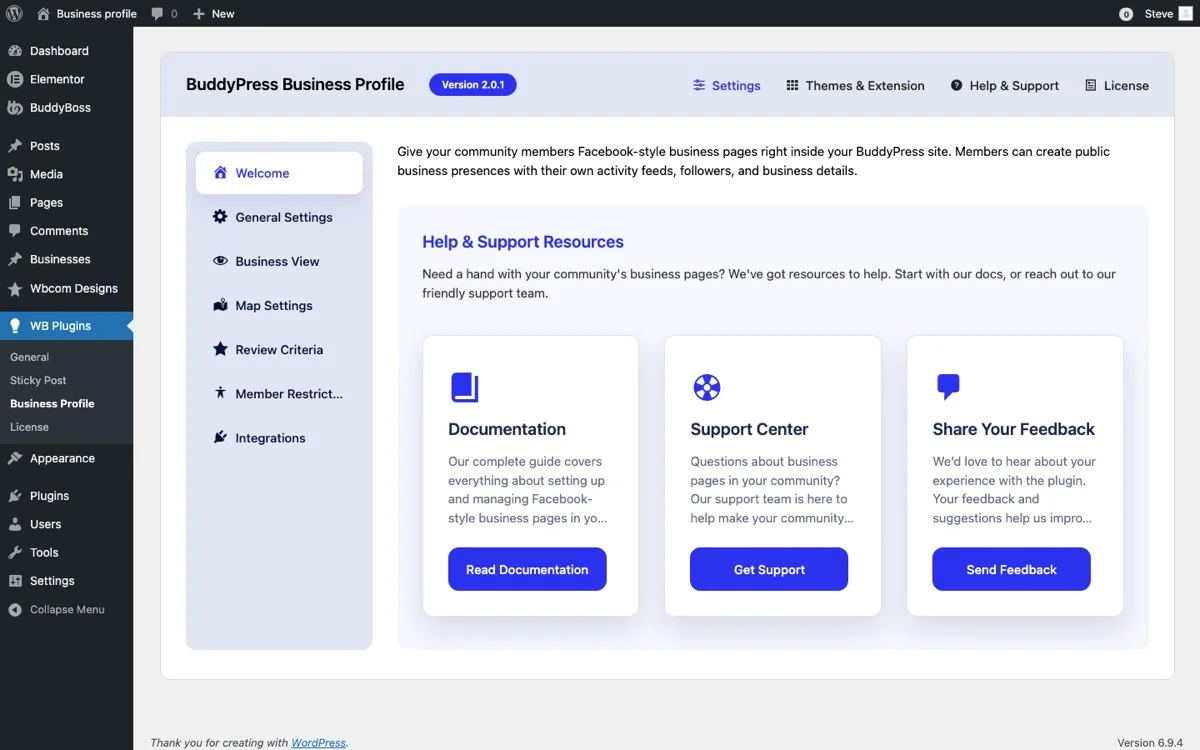
Installation is straightforward. Upload the plugin, activate it, and navigate to the settings panel. You will find options to configure which profile fields are available, how listings display on the front end, and what information service providers must include. The plugin works seamlessly with your existing WooCommerce installation, so there is no need to rebuild anything from scratch.
To build the directory itself on WordPress, Listora is a free, standalone directory plugin with ten listing types (business, service provider, real estate, events, and more), per-listing Schema.org markup for local search, and FULLTEXT search with distance and rating filters. Its maps run on OpenStreetMap with no API key or per-view billing, and providers can claim and maintain their own listings, so the directory stays current without constant manual admin.
Key Configuration Options
During setup, pay attention to these critical settings:
- Required Fields: Decide which information is mandatory. Business name, category, and contact details should always be required.
- Optional Fields: Let providers add extras like social media links, certifications, years of experience, and portfolio links.
- Approval Workflow: Choose whether new listings go live immediately or require admin approval first.
- Display Layout: Select grid or list view for your directory, and customize how much information appears in the preview cards.
Organizing Service Types with Categories
A directory without proper categorization is just a long, unsorted list. Categories are the backbone of any effective service directory because they help customers narrow down their search to exactly the type of service they need.
BuddyPress Business Profile supports hierarchical categories, which means you can create main categories with subcategories beneath them. For example:
- Home Services
- Plumbing
- Electrical
- HVAC
- Landscaping
- Cleaning
- Professional Services
- Accounting
- Legal
- Marketing
- IT Consulting
- Health and Wellness
- Personal Training
- Nutrition
- Mental Health
- Massage Therapy
This hierarchical structure means a customer looking for an electrician does not have to wade through listings for accountants and yoga instructors. They click “Home Services,” then “Electrical,” and see only relevant results.
Best Practices for Category Setup
Keep your categories broad enough to contain multiple providers but specific enough to be useful. Aim for 5 to 10 main categories, each with 3 to 8 subcategories. Too many categories create decision fatigue. Too few make the directory feel generic.
Allow service providers to select multiple categories if their business spans different areas. A marketing consultant who also offers web design should appear in both categories so customers can find them regardless of which path they take.
Reviews and Ratings for Quality Assurance
Reviews are the currency of trust in online directories. Without them, customers have no way to distinguish between a seasoned professional with ten years of experience and someone who just set up their listing yesterday.
BuddyPress Business Profile includes a built-in review and rating system that lets verified customers share their experiences. Each review includes a star rating and written feedback, giving future customers both a quick visual indicator and detailed context about the service provider’s quality.
How Reviews Build Trust
Consider these statistics: over 90% of consumers read online reviews before making a purchase decision, and 84% trust online reviews as much as personal recommendations. By integrating reviews into your service directory, you are giving customers the social proof they need to make confident decisions.
The review system also creates accountability. Service providers know that poor performance will be reflected in their ratings, which naturally drives higher quality across your entire directory. Top-rated providers get more visibility and more business, creating a positive feedback loop that benefits everyone.
Managing Reviews as an Admin
As the directory admin, you have full control over the review system. You can moderate reviews before they go live, respond to disputes, and remove fraudulent or inappropriate content. This level of control ensures your directory maintains its credibility and remains a trusted resource for your community.
Map Integration for Local Service Discovery
For service-based businesses, location matters. A customer searching for a plumber in Chicago does not want results from Phoenix. Map integration makes your directory location-aware, letting customers find service providers in their area with visual, geographic context.
BuddyPress Business Profile supports map integration that displays service provider locations on an interactive map. Customers can zoom in to their neighborhood, see which providers are nearby, and click on map markers to view full business profiles.
Benefits of Map-Based Discovery
- Visual Search: Maps provide an intuitive way to browse providers. Customers can see at a glance who operates in their area.
- Distance Awareness: Knowing how far a provider is helps customers make practical decisions about travel time and service areas.
- Cluster Views: Areas with many providers show clusters, indicating high availability and competition, which is useful for customers comparing options.
- Mobile Friendly: Map views work on mobile devices, which is critical since most local service searches happen on phones.
Each service provider can set their location during profile setup, either by entering an address or by placing a pin on the map. The system geocodes addresses automatically, so providers do not need technical skills to get their location right.
Business Hours for Scheduling and Availability
Nothing frustrates a customer more than calling a service provider only to discover they are closed. Business hours displayed directly on each listing eliminate this problem and set proper expectations before any contact is made.
BuddyPress Business Profile includes a dedicated business hours section where service providers can list their operating hours for each day of the week. They can mark specific days as closed, set different hours for different days, and even note holiday schedules or seasonal availability changes.
Why Business Hours Matter for Service Directories
Unlike product-based ecommerce where orders can be placed at any time, services often require scheduling during specific hours. A hair salon, an auto mechanic, or a tax consultant all have limited availability windows. Displaying these hours upfront helps customers:
- Plan their inquiries for times when the provider is available
- Compare availability between multiple providers
- Identify providers with evening or weekend hours that match their schedule
- Avoid the frustration of reaching voicemail during business hours listed incorrectly elsewhere
For providers, accurate business hours reduce after-hours calls and set client expectations correctly from the start. This leads to better first impressions and fewer missed connections.
The Follower System: Building Ongoing Relationships
One of the standout features of BuddyPress Business Profile is its follower system. Customers can follow their favorite service providers, creating a persistent connection that goes beyond a single transaction.
When a customer follows a service provider, they receive updates about that business. New services offered, schedule changes, special promotions, or portfolio updates all flow through the follower relationship. This keeps the provider top-of-mind and encourages repeat business.
How the Follower System Works
Each business profile includes a “Follow” button. When a logged-in user clicks it, they are added to that provider’s follower list. The provider can see their follower count and, depending on notification settings, receive alerts when new people follow them.
For the customer, followed businesses appear in their activity feed, making it easy to stay updated without actively checking each provider’s profile. This passive discovery model is powerful because it keeps your directory relevant to users even when they are not actively searching for a service.
Leveraging Followers for Business Growth
Service providers with large follower counts gain social proof. A plumber with 500 followers appears more established and trustworthy than one with 10. This visibility metric encourages providers to engage actively on the platform, share updates, and deliver excellent service to grow their following.
As a directory admin, follower data gives you insights into which providers are most popular, which categories are trending, and where your community’s interests lie. Use this data to feature top providers, create promotional campaigns, and optimize your directory’s category structure.
Search and Filter: Helping Customers Find the Right Provider
A directory with hundreds of service providers is only useful if customers can quickly find what they are looking for. BuddyPress Business Profile includes robust search and filter functionality designed for exactly this purpose.
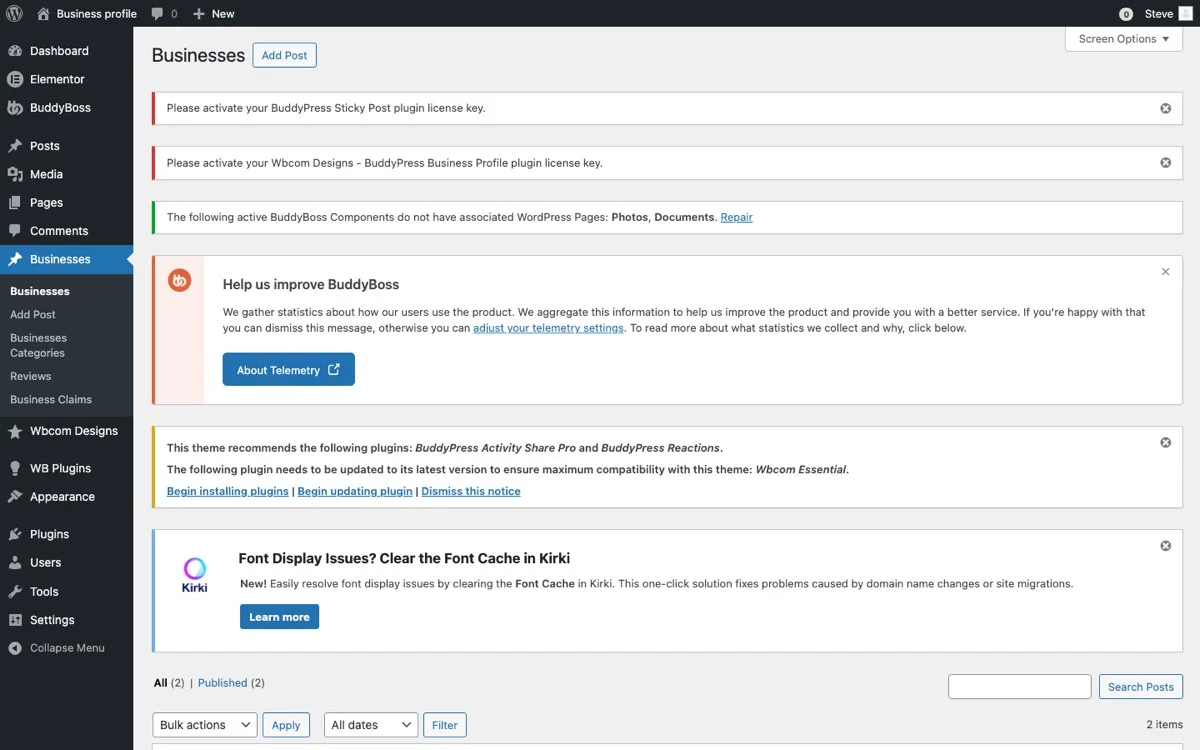
Here is how the admin panel organizes and displays business listings:
Search Capabilities
The search bar accepts keywords, business names, service types, and locations. Customers can type “web designer near downtown” or “emergency plumber” and get relevant results immediately. The search algorithm considers multiple fields, including business name, description, category, location, and tags, to deliver comprehensive results.
Filter Options
Filters let customers narrow down results after searching. Common filters include:
- Category: Filter by service type or specialty.
- Location: Filter by city, zip code, or distance radius.
- Rating: Show only providers with a minimum star rating.
- Availability: Filter by providers who are currently open or available on specific days.
- Price Range: If providers list their rates, customers can filter by budget.
These filters work in combination, so a customer can search for a 4-star-and-above electrician within 10 miles who is available on weekends. This precision saves time and delivers highly relevant results.
Sorting Options
After filtering, customers can sort results by relevance, rating, distance, newest, or alphabetical order. This flexibility accommodates different search behaviors. Some customers want the highest-rated provider regardless of distance. Others want the closest one. Sorting options put the customer in control.
Implementation Checklist for Your Service Directory
Ready to add a service provider directory to your WooCommerce store? Here is a step-by-step checklist to guide your implementation:
- Install and activate the BuddyPress Business Profile plugin on your WordPress site.
- Configure the settings to match your directory’s requirements, including required fields, display options, and approval workflows.
- Create your category structure with main categories and relevant subcategories.
- Set up the review system and decide on moderation policies.
- Enable map integration and configure your mapping API key.
- Test the registration flow by creating a sample provider profile and ensuring all fields display correctly.
- Create landing pages that explain the directory to both providers and customers.
- Invite your first providers to create listings, starting with established businesses you already have relationships with.
- Promote your directory through email marketing, social media, and on-site banners.
- Monitor and optimize based on user feedback, search patterns, and engagement metrics.
Monetization Strategies for Your Service Directory
A service directory is not just a community feature. It can be a significant revenue driver for your WooCommerce store. Here are proven monetization strategies:
Tiered Listing Plans
Offer free basic listings and paid premium listings. Premium listings could include larger photos, video embedding, priority placement in search results, and featured badges. This freemium model attracts many providers with the free tier while generating revenue from those who want more visibility.
Featured Listings
Sell featured spots at the top of category pages or in sidebar widgets. These positions get the most clicks and are worth premium pricing, especially in competitive categories.
Lead Generation Fees
Charge providers per lead or inquiry they receive through the directory. This pay-per-lead model aligns your revenue with the value providers receive, making it easier to justify the cost.
Subscription Access
For B2B directories, consider charging customers for access to the full directory. A construction company looking for subcontractors might pay a monthly fee for unlimited directory access and direct contact capabilities.
Keeping Listings Accurate as the Directory Grows
A directory that launches with fifty carefully vetted providers and grows to five hundred over a year runs into a problem most store owners do not anticipate at launch: stale listings. A provider who closed shop, changed their service area, or simply stopped answering inquiries still shows up in search results looking exactly as active as everyone else, and nothing damages trust in a directory faster than a customer contacting three “available” providers who never respond.
Build a light verification cadence into your admin routine rather than treating the directory as set-and-forget once providers are onboarded. A quarterly pass where you flag any profile with zero activity, no recent reviews, and no login in the last few months, then email the provider to confirm they are still active, catches most of the drift before customers notice it. Providers who do not respond after two follow-ups can be moved to an unlisted or pending-verification state rather than deleted outright, which keeps the door open if they come back while protecting the customer experience in the meantime.
Handling Disputes Between Customers and Providers
Any directory that facilitates real transactions eventually deals with a disagreement: a customer who feels misled by a listing, or a provider who disputes a review as unfair or fabricated. Decide your dispute process before the first complaint arrives rather than improvising under pressure. A workable baseline is a documented response window (48 hours is common), a requirement that the provider be given a chance to respond publicly to any review before it can be escalated for removal, and a clear, narrow definition of what qualifies for takedown, harassment, factually false claims about pricing or services, or content unrelated to an actual transaction, rather than simply “negative.” Publishing that policy on the directory’s help page, not just keeping it as an internal admin note, sets expectations for both sides and reduces the number of disputes that escalate to a public argument in the review section.
One more habit worth adopting early: keep a short internal log of every dispute you resolve, including what was reported and how it was handled. Six months in, that log tells you whether a specific category or provider is generating a disproportionate share of complaints, which is a far more useful signal than any single incident on its own.
Get Started with BuddyPress Business Profile
Adding a service provider directory to your WooCommerce store opens up new opportunities for revenue, community building, and customer engagement. The BuddyPress Business Profile plugin gives you everything you need: categories for organization, reviews for trust, maps for local discovery, business hours for scheduling, a follower system for ongoing relationships, and search and filter tools for efficient browsing.
Whether you are building a directory for home service professionals, consultants, freelancers, or any other service-based industry, this plugin provides the foundation to create a professional, user-friendly directory that serves both providers and customers.
Get BuddyPress Business Profile today and start building your service provider directory.