Running Affiliate Links on a Service-Business Blog Without a Separate Plugin


If your service business runs a WordPress blog, you’re probably pasting raw affiliate URLs straight into posts, or worse, hand-editing a plugin you installed two years ago and haven’t touched since. Running affiliate links on a service-business blog without a separate plugin is possible, and for most sites it’s the better default. Neither approach scales past a handful of links, and both make it painful to answer a question that matters more than people expect it to: which link, in which post, actually earned money last month. Running affiliate links well doesn’t require a dedicated affiliate plugin bolted onto a site that already has a marketplace plugin, a booking system, and a theme doing most of the heavy lifting. It requires a link cloaker, a place to track clicks, and a habit of updating URLs from one location instead of a dozen.
This is the practical, mechanical side of blog monetization: what a service business actually needs to run affiliate links cleanly, without adding a second plugin whose settings screen you’ll forget exists by next quarter.
Why service-business blogs are good affiliate territory
A service marketplace or freelance-adjacent blog, the kind built around selling services through WooCommerce, has a structural advantage most affiliate-focused sites don’t: the readers already trust the brand for something specific. Someone reading a guide on choosing a contractor, comparing invoicing software, or setting up a home office isn’t a stranger who landed via a generic listicle. They’re a reader who came to your site because they’re already solving a problem your business is adjacent to, which makes a well-placed, relevant affiliate recommendation land differently than the same link would on a general content farm.
This is also why affiliate revenue on a service-business blog tends to compound rather than plateau. Every buyer’s guide, every “tools we recommend” post, and every seasonal roundup keeps earning as long as it keeps ranking, with no marginal cost to maintain beyond occasionally checking that the links still resolve and the products are still relevant. Compare that to sponsored vendor placements, which require active sales conversations and renewal cycles, or display ads, which need constant frequency-cap tuning. Affiliate content, once published and well-placed, is close to passive.
The three things a dedicated affiliate plugin actually does
Before deciding you need a separate plugin, it’s worth being precise about what an affiliate plugin is solving. Strip away the marketing copy and it comes down to three jobs: cloaking long, ugly affiliate URLs into clean branded links; redirecting those clean links to the real destination while logging the click; and giving you a dashboard to see which links are getting clicked and, ideally, which ones are converting.
None of those three jobs require software built exclusively around affiliate marketing. They require link management, which is a much more general capability, and one that a well-built WordPress ad and link plugin already covers as part of a broader toolkit rather than a single-purpose one.
Why bolting on a dedicated affiliate plugin usually backfires
The instinct to reach for a single-purpose affiliate plugin is understandable. Search “WordPress affiliate link plugin” and you’ll find a handful of well-reviewed, purpose-built options, and it’s tempting to assume purpose-built means better suited to the job. In practice, on a site that already runs a marketplace plugin, a booking system, a theme with its own settings panels, and whatever SEO plugin is handling meta data, every additional single-purpose plugin adds another surface area for conflicts, another set of update notifications to manage, and another place a future developer has to look when something breaks.
There’s also a subtler cost: dashboard fragmentation. If your ad revenue lives in one plugin’s reporting screen, your affiliate clicks live in a second plugin’s dashboard, and your sponsored placement data lives somewhere else entirely, answering a simple question like “what did this blog earn last month, total” turns into a scavenger hunt across three interfaces that don’t talk to each other. Consolidating link management, ad placements, and click tracking into one tool isn’t just a preference for fewer plugins in principle. It’s what makes the monthly numbers actually checkable in five minutes instead of thirty.
Running affiliate links without a separate plugin
WB Ad Manager ships an affiliate link cloaker in its free tier, which is the part of the plugin most relevant to running affiliate links on a service business blog, even though the product also handles display ads and sponsored placements. The cloaker takes a long affiliate URL, typically something with a tracking ID and a handful of query parameters that would look spammy pasted raw into a blog post, and turns it into a clean, branded redirect link you control from your own site. Instead of linking directly to a raw affiliate URL, you link to something like yoursite.com/go/tool-name, and the plugin handles the redirect and the click logging behind it.
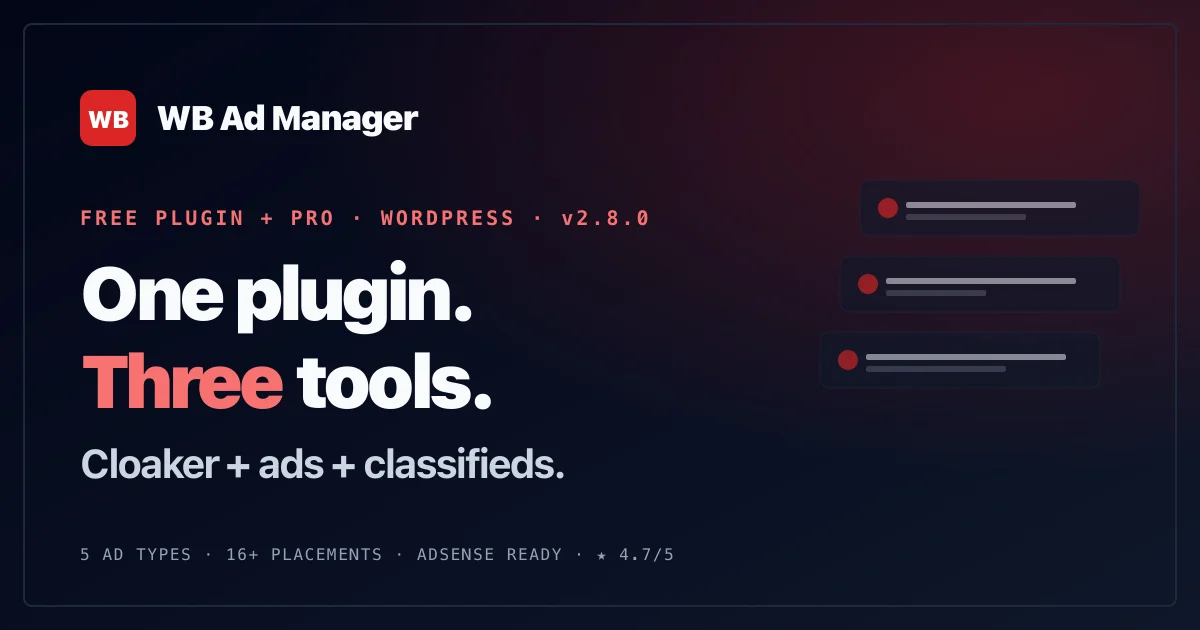
The affiliate link cloaker sits in WB Ad Manager’s free tier alongside its ad and sponsored placement tools.
CSV bulk import for existing affiliate relationships
If you’re migrating off a spreadsheet where you’ve been tracking affiliate programs, commission rates, and raw URLs by hand, the cloaker supports CSV bulk import. This matters more than it sounds like it should the first time you’re staring down forty affiliate relationships accumulated over two years and dreading re-entering every single one manually. Format the spreadsheet with the destination URL, the desired slug, and whatever metadata you’re tracking, import it in one pass, and every link is cloaked and ready to place in content without touching each one individually.
Click tracking without a separate analytics tool
Every cloaked link logs clicks by default, which is the data you actually need to answer the “which link earned money” question from the opening of this post. You don’t need a separate analytics plugin layered on top, and you don’t need to rely on the affiliate network’s own dashboard, which usually reports at the program level rather than the individual-post level. Knowing that your “best project management tools for freelancers” post drove forty-one clicks last month while your “invoicing software comparison” post drove six tells you where to invest more content effort, and where a post is quietly underperforming despite ranking fine in search.
One place to update every link
Affiliate programs change their URL structure more often than anyone expects, whether because of a platform migration, a new tracking system, or a program simply renaming itself. When a destination URL changes, updating it once in the cloaker’s dashboard propagates to every post referencing that cloaked link, rather than requiring you to search your entire site for every place you pasted the old raw URL. This alone is worth the setup time if you’ve ever discovered, months after the fact, that a dozen posts were quietly linking to a dead affiliate URL because nobody thought to check.
Placing affiliate links inside content that doesn’t feel like an ad
The mechanics of cloaking and tracking are the easy part. Where affiliate content actually succeeds or fails is in how naturally the links sit inside the writing. A link that reads like it was inserted by a monetization checklist, rather than recommended by someone who actually uses the product, gets ignored even by readers who would have clicked a more honest version of the same recommendation.
The strongest placements tend to happen inside genuinely useful content rather than content built solely to house links. A guide on writing service descriptions that convert that happens to recommend a specific tool for drafting and A/B testing copy earns a click because the recommendation is embedded in something the reader was already getting value from. A standalone “best tools for freelancers” roundup with no other content around it reads more like an ad from the first sentence, and readers who’ve been burned by low-quality affiliate content before will scroll past it on instinct.
Position matters too. Links dropped into the middle of a paragraph, where the recommendation follows naturally from something the reader was already curious about, outperform links dumped into a bulleted list at the end of a post that nobody scrolls to. If you’re writing a comparison or a buyer’s guide specifically to house affiliate links, structure it so each recommendation comes with a real reason tied to the reader’s actual situation, not a generic feature list copied from the product’s own marketing page.
Disclosure isn’t optional, and it doesn’t have to be ugly
The FTC requires clear and conspicuous disclosure whenever a link earns you money, and burying that disclosure in a footer or a barely-visible affiliate disclaimer page doesn’t satisfy the requirement. The disclosure needs to be near the links themselves, not three clicks away.
The practical version of this doesn’t have to feel heavy-handed. A single sentence near the top of the post (“This post contains affiliate links; if you buy through one, we may earn a commission at no extra cost to you”) covers the legal requirement and, done well, actually builds trust rather than eroding it. Readers who understand a business needs to make money are generally fine with affiliate links as long as the recommendations still feel honest. What damages trust isn’t disclosure, it’s the absence of it followed by a reader later discovering the relationship on their own.
Choosing what to promote in the first place
Affiliate revenue on a service-business blog works best when the products recommended are things the business would recommend even without a commission attached. This isn’t just an ethics point, it’s a practical one: readers can tell the difference between a recommendation made because the writer actually believes in the product and one made because the commission rate was attractive that month, and the second kind converts worse over time as trust erodes.
A useful filter before adding any affiliate link: would you recommend this to a friend running a similar service business, commission or not? If the honest answer is no, the short-term commission isn’t worth the long-term credibility cost, especially on a site where readers are also evaluating whether to trust your marketplace or your service offerings elsewhere on the same domain.
Commission rate is a legitimate factor once you’ve cleared the honesty filter, but it should be the second question, not the first. Two comparable invoicing tools might pay commission rates that differ by a factor of three, and it’s reasonable to lean toward the higher-paying one when both are genuinely good options. What doesn’t hold up is reversing that order: picking the higher-paying tool first and then writing a review that talks yourself into believing it’s the better product. Readers researching invoicing software or project management tools tend to read multiple sources before buying, and a review that doesn’t match the consensus elsewhere online gets caught quickly.
Seasonal and evergreen content both have a role here
Not every piece of affiliate content needs to be a permanent, evergreen guide. Seasonal roundups (year-end tax software comparisons, back-to-business-season equipment guides, holiday client-gift recommendations for service providers) capture a burst of relevant search traffic during a specific window and can be refreshed and republished the following year with updated pricing and product availability. Evergreen guides, by contrast, are the ones worth investing the most editorial effort into, since they compound over years rather than spiking and fading.
A reasonable split for most service-business blogs is roughly three evergreen affiliate guides for every one seasonal piece, since evergreen content is what actually builds the compounding revenue described earlier, while seasonal content is closer to a periodic bonus. Track which category each post falls into so you know which ones need an annual refresh and which ones can mostly be left alone once published.
Where affiliate links fit relative to the rest of your monetization stack
Affiliate links are one layer in a broader strategy for monetizing marketplace and blog traffic beyond commission fees, and they’re usually the lowest-effort layer to start with precisely because they don’t require any new visitor-facing infrastructure. No new ad placements, no vendor sales conversations, just links inside content you’d likely be writing anyway. If your marketplace also runs display ads or sells sponsored vendor slots through the same plugin, affiliate links and those other revenue types can coexist without conflict, since WB Ad Manager handles all of it from one dashboard rather than requiring separate tools for separate revenue streams.
The plugin’s free tier applies no feature restrictions to the cloaker or the click tracking, so this entire workflow is available without a license, and it stays that way regardless of how much affiliate content you eventually publish. There’s no tier where the cloaker starts limiting how many links you can create or how much traffic they can carry.
A realistic setup process
Start by auditing whatever affiliate relationships already exist on the site, even if they’re currently just raw URLs pasted into old posts. Pull them into a spreadsheet with the destination URL, the program name, and the commission structure if you know it. Install the cloaker, bulk-import that list, and go back through the existing posts replacing raw URLs with the new cloaked links, which also gives you a natural opportunity to update any content that’s gone stale since it was written.
Once the existing links are cleaned up, shift to new content. For any new buyer’s guide or tool comparison, cloak the link before it goes into the draft rather than treating it as a step to do after publishing, since that habit is what prevents raw URLs from creeping back in over time. Check click data monthly rather than daily. Affiliate click patterns are noisy week to week and a monthly view is what actually tells you whether a post is worth expanding or a program is worth dropping.
Give the whole process a full quarter before drawing conclusions about which affiliate programs or content types are worth keeping. A guide published in January won’t have meaningfully ranked in search by February, and judging it on six weeks of thin organic traffic tells you almost nothing. The posts worth watching closely in the first quarter are the ones you’ve cloaked and republished from your existing archive, since those already have whatever search ranking they’d built up before you touched them, and any change in click volume is attributable to the new tracking and placement rather than to the content needing time to rank from scratch.
When this stops being enough
The free-tier cloaker and click tracking cover the entire mechanical need for running affiliate links well. What it doesn’t do is tell you which specific affiliate program or placement style converts best, since click tracking shows you clicks, not confirmed sales, unless the affiliate network itself reports that back to you separately.
WB Ad Manager Pro adds a revenue analytics dashboard, which becomes genuinely useful once you’re running enough affiliate links across enough posts that manually cross-referencing click data against affiliate network payout reports starts eating real time. A/B testing with automated winner selection is also relevant here, letting you test two different in-content placements or two different calls to action for the same product and let the data pick a winner. Neither is required to run a functional affiliate program. Both save time once the program has grown past a size where spreadsheets and gut instinct are still enough.
Frequently asked questions
Do I need a separate affiliate plugin if I’m already running WB Ad Manager for ads?
No. The affiliate link cloaker is part of the same free tier that handles display ads and sponsored placements, so a marketplace or service-business blog already using the plugin for one purpose gets affiliate link management without installing anything additional.
How many affiliate links is too many in a single post?
There’s no fixed number, but a useful gut check is whether the post would still be worth reading if every affiliate link were removed. If the content only exists to justify the links, readers notice, and both engagement and conversion suffer. A genuinely useful 2,000-word guide with three or four well-placed links tends to outperform a thin 600-word post stuffed with a dozen.
Should I disclose affiliate relationships even for products I use myself?
Yes. The FTC disclosure requirement applies regardless of whether the recommendation is sincere, and personal usage doesn’t exempt a link from disclosure if a commission is attached. The good news is that genuine usage tends to make the disclosure land better with readers anyway, since the recommendation reads as more credible.
Can I run affiliate links and sponsored vendor placements through the same tool without conflict?
Yes. Both live inside WB Ad Manager’s placement and link system, and they serve different intents: affiliate links inside blog content aimed at organic search traffic, sponsored placements inside marketplace search and category results aimed at buyers actively comparing vendors. Running both doesn’t require choosing between them or juggling separate plugins.
What happens to my affiliate links if I ever switch away from WB Ad Manager?
The cloaked links live on your own domain, which means the redirect structure is yours regardless of what tool manages it behind the scenes. Migrating to a different system would mean re-pointing the redirect logic rather than losing the URLs themselves, since the links readers see and click never actually point directly to the affiliate network.
Is affiliate revenue worth pursuing on a blog that gets under five thousand monthly visitors?
It depends more on content relevance than raw traffic. A smaller blog with tightly focused, high-intent content (readers actively comparing specific tools or services) often converts affiliate links better per visitor than a larger blog with broad, less-targeted traffic. Content quality and topical fit matter more here than volume.
What good affiliate revenue actually looks like at this scale
Set expectations honestly before you start. A service-business blog running affiliate links well is unlikely to replace commission or booking revenue outright, and treating it that way sets up disappointment. What it does well is fill the gap left by traffic that never converts into a marketplace transaction at all, turning content you’d likely be writing anyway into a modest, compounding revenue line that keeps earning long after the post itself stops requiring active attention. Measured against that expectation, a handful of well-placed affiliate links across a dozen genuinely useful guides is a realistic, worthwhile addition to a marketplace’s broader monetization strategy, not a side project that needs to justify itself against commission revenue to be worth running.
The links were already there, just not managed
Most service businesses that run a blog already have affiliate relationships scattered across old posts, half-remembered and rarely audited. Cleaning that up doesn’t require new software layered onto an already-crowded plugin list. It requires treating the links you’re already running as an actual system: cloaked, tracked, and updated from one place instead of hunted down post by post whenever a destination URL changes.