How to Build an Online Marketplace to Sell Services in WordPress (Without WooCommerce) in 2026

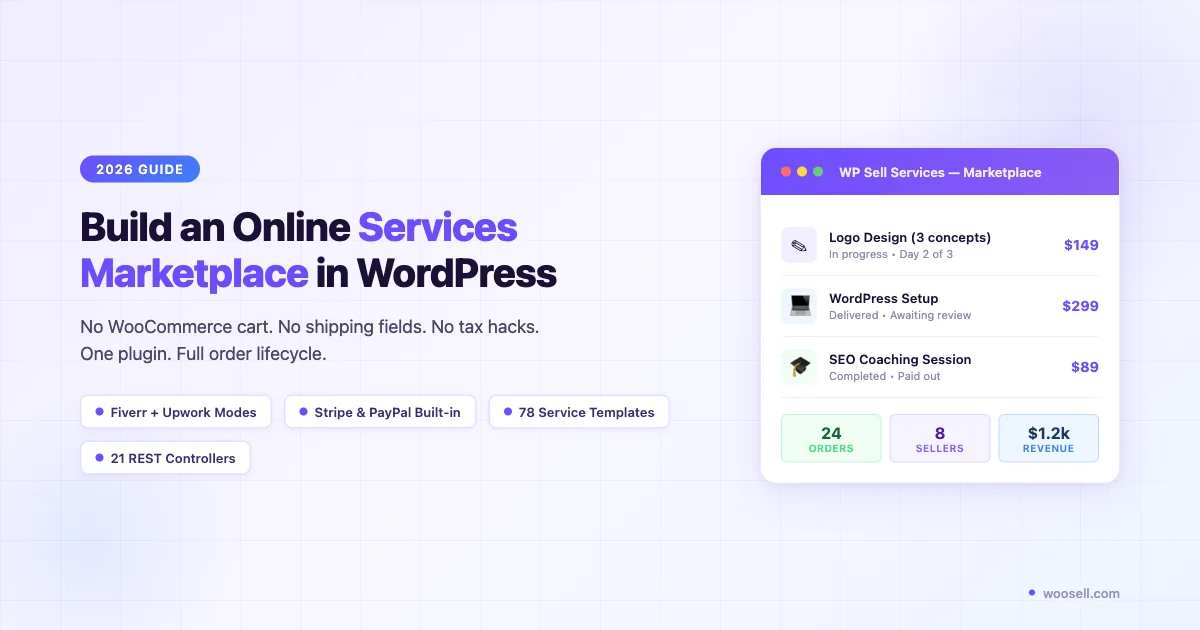
I’ve talked to dozens of freelancers, agency owners, and community builders who tried to sell services through WooCommerce. Almost every one hit the same wall. They spent more time fighting WooCommerce’s product model than building their actual service offerings.
WooCommerce was built for physical goods and digital downloads. The checkout flow assumes shipping addresses, tax rules, and inventory counts. None of that applies when you’re selling a logo design, a coaching session, or a website audit. You end up hacking together virtual products, disabling shipping fields, suppressing tax notices, and still confusing buyers with a cart UI that implies they’re buying a box.
In 2026, there’s a cleaner path. This guide covers how to build an online marketplace to sell services in WordPress without WooCommerce. We’ll look at what a proper services platform needs, and the plugin that covers all of it in one install.
Why WooCommerce Feels Wrong for Service Sellers
Before we get into solutions, let’s name the specific friction points. If you’ve tried WooCommerce for services, you’ve likely hit most of these.
The Cart-and-Checkout Model Doesn’t Fit Services
WooCommerce thinks in terms of: add to cart, enter shipping address, pay, done. A service transaction looks nothing like this. Services often require a requirements brief, a discovery call, milestone approvals, and file delivery. The WooCommerce cart has no native concept of any of that. You can make it work, but you’re patching over a gap that shouldn’t exist.
Tax and Shipping Configuration for Intangibles
Selling intangible services through WooCommerce means extra configuration steps. You need to set up a virtual product type, disable shipping, configure tax exemptions, and test that checkout suppresses irrelevant fields. This is work that should require no configuration at all. For a service seller, these are not edge cases. They are the entire product type.
No Native Buyer-Seller Communication
Every serious services marketplace needs messaging between buyers and sellers. WooCommerce has no built-in messaging. You’d add a third-party plugin, integrate it with orders, and hope it doesn’t conflict with your theme. That’s another plugin dependency and another failure point. Buyers expect to message a seller through the platform. Making them switch to email defeats the point.
No Milestones or Delivery Workflows
Freelance platforms like Fiverr and Upwork work because buyers can track progress. Milestones are set, work is delivered to a shared workspace, and payment releases after approval. WooCommerce orders have no milestone concept. You’d need to build all of that with custom order statuses, meta fields, and frontend templates. And then you’d need to maintain it across every WooCommerce update.
Multi-Seller Support Requires a Separate Plugin
Want multiple service providers on your platform? WooCommerce requires a separate multi-vendor plugin such as Dokan, WCFM, or WC Vendors. These are large plugins with their own learning curve. And they were designed for product vendors, not service providers. Your freelancers are not selling downloadable ZIP files. The mental model is different, and you feel that friction on every screen.
What a Services Marketplace Actually Needs
Before picking a tool, be precise about what a services marketplace requires. Strip away the product assumptions and you get a clear list:
- Service catalog, Providers list services with pricing tiers, delivery time, and requirements.
- Requirements collection, Buyers answer a brief before the order starts.
- Buyer-seller messaging, A dedicated inbox per order, not email threads.
- Milestone tracking, Work divided into stages, each with an approval gate.
- Secure payments, Stripe and PayPal, with funds held until delivery is confirmed.
- Delivery and revision workflow, Seller submits work, buyer approves or requests changes, funds release on approval.
- Reviews, Verified post-delivery reviews from buyers, visible on service listings.
- Multi-provider support, Multiple sellers with their own dashboards and payouts.
This is the feature set of a Fiverr or Upwork clone. Building it on WooCommerce means wiring together 5-8 separate plugins that weren’t designed to work together. Each integration is a risk. Each plugin update is a potential conflict. There is a better approach.
The No-WooCommerce Solution: WP Sell Services
WP Sell Services, built by Wbcom Designs, is a standalone WordPress plugin that handles the full service marketplace workflow. No WooCommerce required. It’s the closest thing WordPress has to a self-hosted Fiverr or Upwork builder.
Here’s what ships in the core feature set:
Two Marketplace Operating Modes
WP Sell Services runs in two modes:
- Fiverr mode, Sellers create fixed-price packages. Buyers browse, purchase, and the order workflow starts automatically. Good for productized services where scope is fixed.
- Upwork mode, Buyers post a project brief, sellers submit proposals, the buyer picks a provider. Good for custom or variable-scope work where requirements vary.
Most platforms force you to pick one model. WP Sell Services lets you enable both. Your marketplace can serve buyers who know exactly what they want, and buyers who need to scope out custom work. This flexibility matters when you’re building a general-purpose services marketplace rather than a niche platform.
Built-in Payments: Stripe and PayPal
Stripe and PayPal are built in. No WooCommerce payment gateway plugins needed. The plugin collects payment at order time, holds funds until delivery is confirmed, then releases to the seller. The platform admin takes a configurable commission percentage from each transaction.
Ten currencies are supported out of the box. You add your local currency through the settings panel without touching code. This is the baseline for any service marketplace that handles real money, and it works on day one.
78 Service Templates
Setting up a service catalog from scratch means writing descriptions, setting requirements, and configuring packages for every service type. WP Sell Services ships with 78 pre-built service templates. They cover writing, design, development, marketing, video, audio, and more.
Import a template, edit the details, and you’re live. For a new marketplace launching fast, this cuts initial setup time significantly. You’re not starting from a blank form; you’re editing a working example that already has the right structure.
233 Developer Hooks and 21 REST API Controllers
For developers building custom platforms, the extension surface matters. WP Sell Services ships with 233 action and filter hooks. They cover every stage of the order lifecycle: creation, requirements, milestones, delivery, revision requests, disputes, and payout triggers.
21 REST API controllers expose every major resource as API endpoints. Services, orders, messages, reviews, seller profiles, and payouts are all accessible via API. Build a headless frontend, a mobile app, or deep integrations without reverse-engineering the database schema. The API is documented and stable.
The Complete Order Workflow
The order flow covers every stage a service transaction needs:
- Buyer places order and fills out the requirements brief.
- Seller gets a notification and starts work.
- Milestone checkpoints with buyer approval gates (optional).
- Seller delivers work through the platform’s delivery interface.
- Buyer reviews delivery, approves or requests a revision.
- On approval, payment releases to the seller, minus platform commission.
- Both parties leave verified reviews.
Disputes, cancellations, and refund workflows are handled inside the platform. No external support tickets needed. The entire transaction lifecycle lives in one place, visible to both parties and the admin.
Pricing: Free Tier, Pro from $69/yr
The free version is on the WordPress plugin directory. It gives you core marketplace features: service listings, order management, messaging, and basic payment integration.
Pro starts at $69/year. It adds Upwork mode (buyer project posting), advanced analytics, extra payment gateways, priority support, and the full template library. For a marketplace handling real transactions, Pro pays for itself fast. The price is low relative to what you’d pay for a comparable hosted solution.
Setup Walkthrough: From Install to First Payout
Here’s a high-level walkthrough for getting WP Sell Services running. It covers the key configuration steps so you know what to expect before you start.
Step 1: Install and Activate
Search “WP Sell Services” in the WordPress plugin directory, or upload the Pro zip from your account at store.wbcomdesigns.com. Activate the plugin. It creates its required pages automatically: service catalog, order management, seller dashboard, buyer dashboard, and checkout. No manual page creation needed.
Step 2: Configure Marketplace Settings
Go to WP Sell Services > Settings. Key decisions here:
- Marketplace mode, Fiverr, Upwork, or both.
- Commission rate, What percentage does the platform keep per transaction?
- Currency, Choose from 10 supported currencies.
- Payment method, Connect Stripe (recommended) or PayPal. Both can be active at once.
- Payout schedule, Immediate on buyer approval, or on a fixed schedule?
These settings take 20-30 minutes to configure. There are no obscure dependencies or conflicting options. The settings panel is direct.
Step 3: Create Your First Service Listing
From the seller dashboard, create a service. You’ll define:
- Service title and description
- Pricing packages (Basic, Standard, Premium)
- Delivery time per tier
- Requirements brief (questions the buyer answers before the order starts)
- Service extras (optional add-ons with their own pricing)
- Gallery images or work samples
Import a template from the 78-template library to pre-fill the structure, then edit to match your actual service. Publish, and the service appears in the catalog immediately. Buyers can find it through the service category browse or direct search.
Step 4: Test the Order Flow
Create a test buyer account, place an order, and walk through the full flow: requirements, seller accepts, delivery, buyer approval, payout. Do this end-to-end before opening to real users. Check that payment arrives in your Stripe test account and that the seller payout triggers correctly on approval. This test takes about an hour and saves you from finding issues in production.
Step 5: Onboard Sellers
WP Sell Services handles seller registration through the WordPress user system. You can require admin approval before a seller can publish services. Each seller connects their own Stripe or PayPal account for direct payouts. No manual bank transfers on your end. The platform handles the split automatically on each approved delivery.
Real Use Cases for WP Sell Services
The plugin covers a wide range of services marketplace types. Here are four that come up most often, with notes on how each one uses the platform’s features.
Freelance Platform
The most direct use case: a Fiverr alternative for a specific niche. WordPress developers, content writers, video editors, translators. Instead of sending your freelancers to Fiverr where they lose 20% in platform fees, you run your own marketplace with your own commission rate. You control the rules. Sellers keep more of what they earn. Buyers pay less than on a mainstream platform.
If you want to go deeper on this use case, read our guide on how to build a freelance service marketplace like Fiverr with WordPress.
Tutoring and Coaching Marketplace
Tutors list sessions by subject or skill level. Buyers book a session, submit their learning goals as the requirements brief, and the milestone system tracks session completion and homework review. Reviews from students give new buyers confidence before booking. The payout flow handles session fees automatically, so tutors just focus on teaching.
Consulting Firm Internal Platform
A consulting firm with multiple practice areas can use WP Sell Services as an internal service request system. Internal clients browse the service catalog and submit project requests with defined requirements. Finance sees costs per project. Delivery teams get structured briefs instead of email requests. The milestone system tracks delivery stages without anyone needing to manage a project in a separate tool.
For the WooCommerce version of this setup, see our guide on how to sell consulting services online.
Corporate Intranet Service Hub
HR, IT, Legal, and Marketing teams list their services for internal requests. Employees submit requests through the buyer flow. The requirements brief replaces the intake form. Milestones track delivery. The payout system can be disabled for internal use or used as a chargeback accounting tool between departments. This is a non-obvious use case, but it maps well to the plugin’s existing features.
WP Sell Services Standalone vs WP Sell Services With WooCommerce Integration
Some readers are already invested in WooCommerce. If you’re selling a mix of products and services, or if your services fit the WooCommerce model (fixed price, no requirements brief, no milestone delivery), there’s a case for staying in WooCommerce and enabling WP Sell Services’ WooCommerce integration (a Pro Personal feature).
Here’s a direct comparison:
| Feature | WP Sell Services (standalone) | WooCommerce + WP Sell Services (integration) |
|---|---|---|
| WooCommerce required | No | Yes |
| Fiverr-style fixed packages | Yes | Yes |
| Upwork-style project bidding | Yes (Pro) | Limited |
| Requirements brief | Yes | Yes |
| Milestone workflow | Yes | Yes |
| Buyer-seller messaging | Yes | Yes |
| Built-in payments (no gateway plugin) | Yes | Requires WooCommerce gateways |
| 78 service templates | Yes | No |
| 233 hooks + 21 REST controllers | Yes | Fewer |
| Best for | Services-only marketplace | Mixed product + service store |
Use WP Sell Services if: your platform is services-only, you want to skip WooCommerce complexity, or you’re building from scratch in 2026.
Use WooCommerce + WP Sell Services’ WooCommerce integration if: you already have a WooCommerce store and want to add service listings alongside physical or digital products.
Key Technical Specs
If you’re evaluating WP Sell Services for a serious build, here are the numbers that matter to developers:
- 233 action and filter hooks, Full lifecycle coverage from order creation to payout release.
- 21 REST API controllers, Every major resource is API-accessible.
- 78 service templates, Pre-built templates for rapid catalog setup.
- 10 currencies, USD, EUR, GBP, CAD, AUD, INR, and more.
- Payment processors, Stripe and PayPal, both natively integrated.
- WordPress multisite compatible, Run multiple marketplaces from one install.
The REST API coverage deserves a closer look. At 21 controllers, WP Sell Services is built for integration-heavy workflows. Connect a CRM, a project management tool, or an external invoicing system without scraping HTML or writing custom database queries. The API covers what you need.
The hook count also matters for long-term maintenance. 233 hooks means you can extend or override almost any behavior without patching core plugin files. Your customizations survive plugin updates. This is the right architecture for a production platform.
How Long Does Setup Take?
Realistic time estimates for a solo builder or small team:
- Install and configure basic settings, 30 minutes
- Connect Stripe or PayPal, 15 minutes (with an existing account)
- Create 10 service listings using templates, 2 to 3 hours
- Theme customization for brand match, Variable; WP Sell Services works with standard WordPress themes
- End-to-end order flow test, 1 hour
- Total for a basic live marketplace, Half a day to one full day
For comparison, setting up WooCommerce + the WP Sell Services WooCommerce integration + a multi-vendor plugin + payment gateways + suppressing the shipping and tax fields typically takes 2 to 3 days. Part of that time goes to debugging plugin conflicts. You’re not just saving time on setup. You’re avoiding ongoing maintenance debt.
What About SEO and Marketing for Your Services Marketplace?
Building the platform is step one. Getting buyers and sellers to find it is step two. WP Sell Services generates clean, crawlable service listing pages for each service on your marketplace. Each listing has its own URL, title, and description. Search engines index these as individual pages, not as items inside a larger application.
For a new services marketplace, the SEO play is to optimize individual service listing pages for long-tail keywords. A logo design service listing can rank for “affordable logo designer for tech startups”. A copywriting listing can rank for “SaaS product description writer”. These are the queries buyers type when they’re ready to hire.
Pair WP Sell Services with a standard WordPress SEO plugin (RankMath or Yoast) and you have full control over meta titles, descriptions, and schema markup for each listing. This is a significant advantage over hosted marketplace platforms like Fiverr, where you have no control over how your service pages appear in search results.
Common Questions Before You Start
Do I need WooCommerce at all?
No. WP Sell Services is completely independent. Install it on a fresh WordPress site and you have a working services marketplace. If you already have WooCommerce installed for other reasons, the two can coexist. WP Sell Services doesn’t depend on it in any way.
How does seller payout work?
Each seller connects their own Stripe or PayPal account. When a buyer approves a delivery, the platform keeps its commission and the remainder goes directly to the seller’s account. No manual payout processing on your end. The split happens automatically on every transaction.
Can I restrict who can become a seller?
Yes. The admin controls seller registration: open, admin-approval-required, or invitation-only. You can also restrict which user roles can create service listings. This matters if you’re running a curated marketplace where quality control is part of your value proposition.
What happens if a buyer disputes an order?
WP Sell Services includes a dispute workflow. The buyer raises a dispute after delivery. The admin mediates with options to issue a refund, release payment to the seller, or split the outcome. All dispute actions are logged on the order record. You have a full audit trail for every transaction.
Does it work with BuddyPress or BuddyBoss?
Yes. Wbcom Designs builds WP Sell Services alongside BuddyPress-compatible products. If you’re running a community site on BuddyPress or BuddyBoss, WP Sell Services integrates naturally. It connects the services marketplace to your existing user profiles and community structure. Your members can browse and purchase services from other members without leaving your platform.
Can I customize the service listing layout?
Yes. WP Sell Services uses WordPress template files that can be overridden in your child theme. The 233 hooks give you control over every rendered component without touching core plugin files. For more advanced layout changes, the REST API lets you build entirely custom frontends.
Getting Started
If you’re building a new services marketplace on WordPress in 2026, the stack I’d recommend is simple: WordPress, a clean lightweight theme (Astra, Kadence, or GeneratePress), and WP Sell Services as the marketplace engine. No WooCommerce required. No multi-vendor plugin bolted on. One plugin that covers the full service transaction lifecycle.
The free version gives you enough to test your concept with real users before committing to the Pro tier. If you’re building for real transactions, Pro at $69/year is a low entry cost for a platform that would take weeks and thousands of dollars to build custom.
Get the plugin directly from Wbcom Designs:
The setup takes less than a day. The WooCommerce alternative you’ve been looking for is mature, actively maintained, and ready for production use in 2026. Start with the free version, test the full order flow, and upgrade when you’re ready to go live with real transactions.