Corporate Intranet Service Request Platform: WP Sell Services for Internal Teams

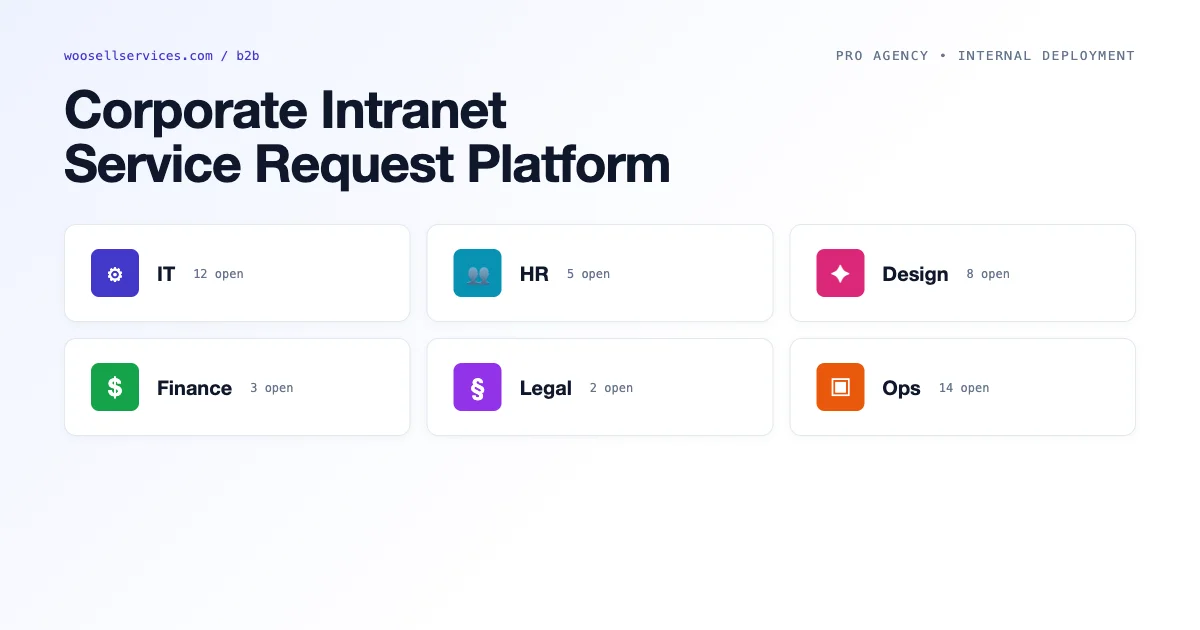
WP Sell Services was built for public-facing service marketplaces, but its architecture maps cleanly onto internal corporate use cases: IT service requests, HR self-service, design and content request workflows, and finance approvals. This guide covers how to configure WP Sell Services as a corporate intranet service request platform, with department-as-vendor mapping, internal SLA tracking, and the white-label configuration available in Pro Agency.
Why WP Sell Services Works for Internal Service Platforms
A corporate service request platform has the same functional requirements as a public marketplace: requesters (buyers) submit requests with requirements, providers (vendors/departments) accept and fulfill the requests, both parties need communication tools and status visibility, and management needs reporting on request volume, resolution time, and backlog.
The key adaptation for internal use: payments are replaced by internal charge-back accounting (optional) or simply disabled. SLA timers replace delivery deadline tracking. Department heads replace vendor administrators. WordPress roles handle access control between employee levels.
Department-as-Vendor Architecture
In the WP Sell Services internal configuration, each department becomes a “vendor”. The IT department has a vendor profile listing its services (laptop setup, software license request, VPN access, server provisioning). HR has its own profile with services (offer letter generation, onboarding setup, policy documentation request). Design has its service list. Each department’s manager has the vendor role in WordPress and manages their team’s request queue.
This structure gives each department head visibility into their own queue without access to other departments’ requests. The platform admin (IT operations or facilities management) sees all requests across all departments. Employees requesting services see only their own request history.
Setting Up Department Vendor Accounts
- Create a WordPress user for each department head with the vendor role
- Create a vendor profile for each department with logo, description, and service catalog
- Assign the department’s services to the department’s vendor account
- Configure the WordPress role for employees to allow order placement but not vendor access
- Disable public vendor registration – all vendor accounts are admin-created
SLA Tracking via Delivery Deadlines
WP Sell Services uses delivery time (days) as a package configuration option. In the corporate context, this becomes SLA commitment: IT standard requests resolve within 3 business days, high-priority requests within 1 day. Configure service packages with delivery times that reflect your SLA tiers.
The dispute resolution system maps to SLA escalation. When a request misses its delivery deadline, employees can open a “dispute” (which in the internal context is an escalation). The dispute triggers notification to the department head and the platform admin, creating the same visibility as a formal escalation without additional tooling.
For more granular SLA tracking, use the wss_order_placed and wss_order_deadline hooks to write order creation time and target completion time to a custom table, then generate SLA compliance reports via a custom admin page or integrate with your existing internal reporting tools.
Disabling Payments for Internal Use
WP Sell Services Pro Agency supports a free-service mode that disables payment processing entirely. Orders are placed at $0 and proceed directly to vendor acceptance without a payment step. This is the correct configuration for internal service platforms where cost is tracked via internal accounting codes rather than real payments.
If your organization wants to implement internal charge-back accounting (IT recharges departments for infrastructure services), you can configure services with nominal pricing and use the commission system in reverse – departments are “charged” via the internal accounting integration. This requires a custom integration with your ERP or accounting system using the wss_order_completed hook to write charge records to the accounting system.
Access Control: Employee, Manager, and Admin Roles
The WP Sell Services role hierarchy maps well to corporate hierarchy. Three roles cover most corporate deployments:
- Employee (buyer role): Can browse the service catalog, submit requests, view their own request history, and communicate with the fulfilling department. Cannot see other employees’ requests.
- Department head (vendor role): Can view and manage all requests in their department’s queue, update delivery status, submit completions, and respond to escalations. Cannot see other departments’ queues.
- Platform admin: Full visibility across all departments, can reassign requests, manage the service catalog, and generate cross-department reports.
Configure WordPress to auto-assign the employee role to all new users created via Active Directory or SSO integration. This allows seamless onboarding: new employees are added to Active Directory, synced to WordPress via a directory sync plugin (WP LDAP, Okta SCIM, or similar), and immediately have access to the service request portal without manual role assignment.
Approval Workflows via Dispute Resolution
Some corporate service requests require manager approval before fulfillment begins: budget requests over a threshold, headcount additions, software licenses with annual cost. WP Sell Services does not have a native multi-step approval workflow, but the dispute system can be repurposed.
The pattern: configure high-value requests to be placed in a “pending approval” state by default using the wss_before_order_placed hook. The department head (vendor) cannot accept the order until the manager opens and resolves a “dispute” that represents the approval decision. This is a workaround – purpose-built approval workflows require customization, but for straightforward one-level approval it works without additional plugins.
White-Label Configuration with Pro Agency
WP Sell Services Pro Agency includes white-label options that remove WP Sell Services branding and replace it with your organization name. This matters for internal deployments where employees should see the tool as an internal platform (“Acme IT Service Portal”) rather than a third-party product.
White-label configuration in Pro Agency: custom platform name (replaces all instances of “WP Sell Services” in the UI), custom email sender name and address, custom admin menu label, and the option to remove the “Powered by” footer link. Combined with a WordPress theme matching your internal intranet design, the result is a fully branded internal portal that employees experience as an in-house tool.
IT Ticketing and Design Request Use Cases
Two of the highest-volume corporate service request categories are IT support and design/content requests. Both benefit significantly from structured intake forms (the “requirements” field in WP Sell Services) that guide the requester to provide the right information upfront.
For IT requests, a good intake form captures: device type and serial number, operating system version, description of the issue, urgency level, and last known working date. For design requests: project name, deliverable format (print/digital), dimensions, brand guidelines link, and deadline. Add these as custom fields using the wss_proposal_fields filter. With proper intake forms, IT and design teams spend less time asking follow-up questions and more time fulfilling requests.
For organizations also running external service marketplaces alongside their internal platform, keeping them on separate WordPress installations is strongly recommended. Configuration conflicts between internal (free, SSO-auth) and external (paid, Stripe Connect) modes are difficult to manage on a single installation. See the full guide on WordPress marketplace plugins for selling services for the external marketplace architecture. For HR and payroll service workflows, the guide on installment payment options covers deferred payment models relevant to consulting and retainer engagements.
Capacity Planning Using Service Request Data
Internal marketplaces generate data that external HR systems do not have: granular service request volumes by department, average time-to-completion by service type, and seasonal demand patterns. A corporate communications department that receives 40 document design requests in Q4 but only 12 in Q1 has predictable staffing needs that the service request data makes visible. Use WP Sell Services order data, exported monthly to CSV or queried via the REST API, to build capacity forecasts for shared service teams.
The capacity planning calculation is straightforward: take the average time-to-complete for each service type from historical order data, multiply by the projected monthly request volume (based on previous year’s pattern), and compare against the available hours in the shared service team. When projected demand exceeds available capacity by more than 20%, that is a staffing signal for the next budget cycle. This is not complex analytics – it is the application of data that the internal marketplace generates automatically as a byproduct of its operation.
Handling IT and HR Requests With Different Urgency Profiles
IT service requests (hardware failure, access loss, system outages) have an emergency urgency profile that HR service requests (onboarding, policy questions, benefit administration) do not. A single internal marketplace that serves both departments needs urgency tiers built into the request intake process. Configure WP Sell Services package tiers to reflect urgency: a Standard IT support package with a 48-hour SLA alongside an Emergency IT package with a 4-hour SLA and a price premium.
- Standard request: 48-hour SLA, standard delivery package, regular queue position
- High-priority request: 24-hour SLA, priority package tier, department-head flagged on submission
- Emergency request: 4-hour SLA, emergency package, immediate Slack notification via wss_order_placed hook
For genuine emergencies, the WP Sell Services notification system can be configured to send immediate Slack or Teams notifications when an emergency-tier order is placed. Use the wss_order_placed hook to check the package tier and, if it is the emergency tier, send a message to the on-call channel via the Slack API. This ensures emergency IT requests surface immediately to the on-call team rather than waiting for a scheduled inbox check.
Transition From Email-Based Requests to Marketplace Requests
The organizational change management challenge of deploying an internal service marketplace is as significant as the technical implementation. Employees who are accustomed to emailing requests directly to a colleague in IT or HR resist switching to a structured request form on a marketplace platform. The transition strategy that works: start with one shared service team as a pilot, make the marketplace request process visibly faster than email (publish average response times), and build a light onboarding session for the first group of requesters.
The “visibly faster” requirement is critical. If the internal marketplace’s first users experience the same or slower response times than email, adoption fails. Ensure the pilot shared service team is committed to demonstrating the SLA advantage before launch. Once the pilot team shows measurably faster resolution times, adoption by other departments follows with minimal additional change management. Employees respond to demonstrated outcomes, not process explanations. For organizations also running an external service marketplace alongside this internal platform, see the guide on WordPress marketplace plugins for selling services for the external architecture. The installment payment guide covers deferred payment models relevant to consulting and retainer engagements on the external marketplace side.
Reporting for Internal Service Platforms
Internal service marketplaces generate reporting data that informs staffing, SLA benchmarking, and department performance reviews. The most useful metrics for corporate service request platforms are: request volume by department (which teams generate the most service requests), average time-to-acceptance by fulfilling department (how quickly departments respond), average time-to-completion (how long service delivery takes), and open request backlog by department (how many requests are unresolved at any point in time).
Generate these reports using WP Sell Services order data combined with WordPress’s database. Query the WP Sell Services order table filtered by vendor (department), calculate time deltas between status transitions from the order status history, and display the results in a custom admin page or export to CSV for import into your internal analytics tool. The wss_get_orders() function with appropriate filters provides the data needed for these calculations without requiring direct database queries.
Security and Data Privacy for Corporate Deployments
Corporate intranet deployments require stricter data governance than public-facing marketplaces. Service request data often includes sensitive employee information: HR requests contain personal details, IT requests contain device information, legal requests contain compliance-sensitive material. Configure WordPress user roles to enforce strict data isolation: employees can only see their own request history, department managers can only see their department’s queue, and only platform admins can access cross-department data.
Implement access control using WordPress capabilities rather than relying on WP Sell Services’s default role structure. Add a custom capability check to the WP Sell Services order query filter (wss_get_orders_args) that limits results based on the requesting user’s department assignment stored in user meta. This prevents employees from constructing direct URL queries to see other employees’ request details. For organizations subject to GDPR or similar data protection regulations, document the categories of personal data processed through the platform and ensure retention periods align with your organization’s data governance policy.
Mobile Access for Field Employees
Field employees (facilities management, field sales, remote workers) need mobile access to submit service requests and check request status. WP Sell Services does not include a native mobile app, but the platform’s responsive WordPress theme means the request portal is accessible from any mobile browser. For organizations that need a native app experience, the WP Sell Services REST API provides the backend for a custom mobile app that maintains the same request workflow through a native interface.
A middle ground between full mobile app development and browser-only access: configure the internal service portal as a Progressive Web App (PWA) using a WordPress PWA plugin. The PWA adds an install-to-homescreen prompt, offline caching for the service catalog, and push notifications for request status updates. Field employees who install the PWA get a near-native app experience without the development cost of a custom app. For organizations already running an internal platform, see the guide on WordPress marketplace plugins for selling services for external marketplace architecture options. The installment payment guide covers deferred payment models relevant to consulting and retainer engagements on external marketplace deployments.
Common Rollout Mistakes to Avoid
A few patterns show up repeatedly when organizations deploy an internal service marketplace without a dedicated change management plan. Launching to the entire company at once, rather than a single pilot team, means any early friction gets amplified across hundreds of employees simultaneously instead of contained to a group that can give direct feedback. Skipping the SSO integration and requiring employees to remember a separate login is a small technical decision that quietly kills adoption, since a second password is exactly the kind of friction that pushes people back to email.
The other recurring mistake is treating the internal marketplace as a one-time IT project rather than an owned product. Someone in the organization needs to be responsible for reviewing SLA performance, updating the service catalog as departments change, and fixing the workflow gaps that only become visible after real usage. Without that ownership, the platform quietly drifts out of date the same way an unmaintained internal wiki does.
Internal Service Request Platform: Feature Comparison
WP Sell Services is not the only option for corporate service request management. Understanding how it compares to purpose-built alternatives helps IT and operations teams make an informed platform decision.
| Platform | Best For | Customization | Cost Model |
|---|---|---|---|
| WP Sell Services Pro Agency | Organizations already on WordPress | High (WordPress hooks + plugins) | One-time license + hosting |
| Jira Service Management | Software/IT teams | Medium (Jira ecosystem) | Per-agent subscription |
| ServiceNow | Enterprise IT operations | Very high (custom apps) | Enterprise contract |
| Freshservice | Mid-market IT and HR | Medium (templates + workflows) | Per-agent subscription |
WP Sell Services’s advantage in the corporate intranet context is its cost model and flexibility for organizations already running WordPress. The one-time license plus hosting cost is substantially lower than per-agent subscriptions for platforms like Jira Service Management or Freshservice for teams under 100 agents. The WordPress ecosystem’s customization depth via hooks, plugins, and theme modifications gives IT teams the ability to build exactly the experience internal users need without vendor lock-in. The disadvantage is setup time: purpose-built ITSM tools ship with IT process templates, ITIL frameworks, and ready-made approval workflows that take weeks to configure from scratch in WordPress.


