Location-Based Optimization of Your Services Keywords: Why It Matters and How to Do It Right

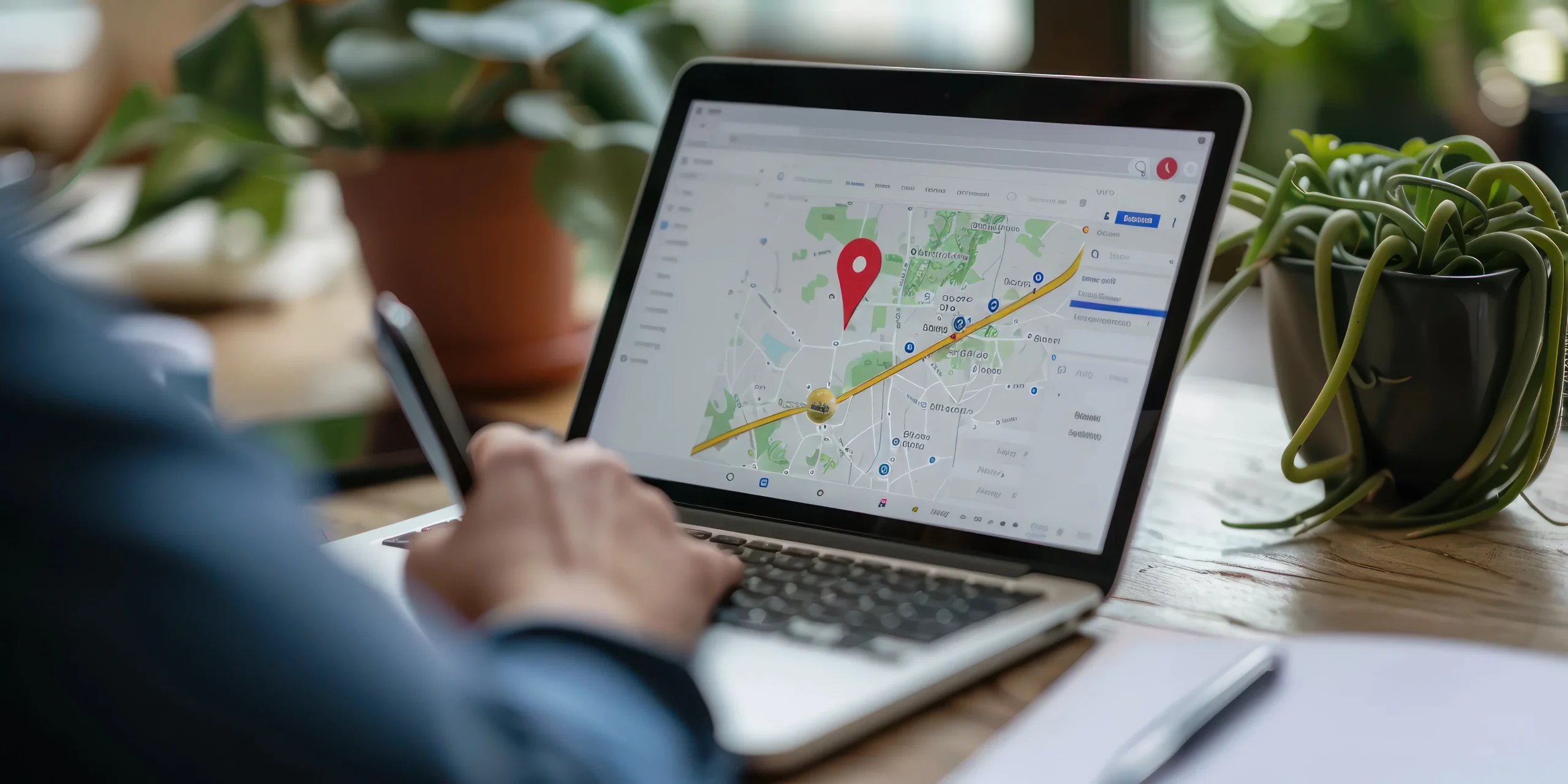
In an era where your competitors are just a click away, visibility is everything. No matter how great your service is, you’re invisible if you don’t show up in local search results when someone Googles phrases like “web design Los Angeles” or “best plumber in Austin.”
That’s where location-based service keyword optimization comes in. It’s an SEO strategy designed to connect your offerings with the people searching nearby, at the exact moment they need you. Whether you’re a boutique agency, a regional contractor, or a national franchise with city-specific pages, location-based SEO can unlock real growth, and it’s one of the few SEO strategies where the return on effort stays measurable month over month rather than fading into vague brand-awareness metrics.
This guide dives deep into how and why to implement location-specific optimization, including how Google interprets location intent, real keyword strategy examples, how to apply this to your services, pages, blog posts, and Google Business Profile, common mistakes to avoid, and how to track whether any of it is actually working.
“People don’t just search for services, they search for services near them. If you’re not optimizing for that behavior, you’re missing leads daily.”
Rachel Kim, Local SEO Specialist in Los Angeles

Why Location-Based SEO Matters for Services
Imagine this: someone types “custom web design services in Los Angeles” into Google. Now imagine your website appears in the top three organic results, with a city-focused service page tailored exactly to that search.
That’s not coincidence, that’s strategy.
Search intent has become hyperlocal. Mobile-first behavior, voice search, and “near me” modifiers have trained Google to prioritize geographic relevance. If your service keywords aren’t aligned with where your customers actually are, you won’t show up when it matters most.
What the Data Says
Roughly 46% of all Google searches carry local intent. Among local mobile searches, a large majority result in some form of offline action, a call, a visit, or a purchase, within a day. And businesses that rank in the Google 3-Pack, the three map listings shown above organic results, capture the overwhelming majority of clicks on that search page.
Whether you’re a solo consultant or a fifty-person agency, location-based SEO turns your website into a lead-generation asset that keeps working without a daily ad spend behind it.
What Is a Location-Based Keyword?
A location-based service keyword combines your core offering with a geographic marker. Examples: “web design Los Angeles,” “wedding photography in San Diego,” “best dentist near Williamsburg Brooklyn,” “PPC agency Austin TX.”
These aren’t just long-tail keywords, they’re high-intent search phrases from users who are ready to hire, schedule, or buy. They’ve already decided what they want. Now they want to know who nearby can deliver it best.
The Three Tiers of Location Keywords
Not every location keyword carries equal weight, and treating them all the same is a common mistake. City-level keywords (“web design Los Angeles”) tend to have the highest search volume and the most competition, since every agency in a metro is chasing the same term. Neighborhood-level keywords (“web design Silver Lake” or “web design DTLA”) have lower volume but convert at a noticeably higher rate, because the searcher is often further along in their decision and specifically wants someone who understands that pocket of the city. Metro-area or regional keywords (“web design Southern California”) cast the widest net but attract the least qualified traffic, useful for brand visibility but rarely the keyword you should be building a dedicated landing page around first.
A sound strategy usually starts at the city level to establish authority, then branches into neighborhood-level pages once the city page is ranking and generating consistent traffic. Trying to build twenty neighborhood pages before the city page has any authority is a common way agencies waste months of content budget.
Case in Point: “Web Design Los Angeles” as a Strategy
Let’s look at a page that implements this effectively: a hypothetical article titled “Web Design Los Angeles: How to Choose the Right Agency.”
This kind of article doesn’t just list agencies. It taps into the mindset of LA-based business owners, the creative culture of the city, specific neighborhoods and industries, and key trust-building elements like portfolios, CMS experience, and SEO expertise.
It’s optimized not only for the keyword “web design Los Angeles” but also for why someone in LA would be seeking a local partner in the first place.
That’s the secret to location-based SEO success: you’re not just adding a city name, you’re aligning your content with local behavior, tone, and need.
“We tripled our local leads once we separated our Los Angeles and Orange County pages. Each one now speaks directly to that region’s design needs.”
Maria R., Digital Agency Owner
How to Optimize Your Website for Local Search Intent
1. Create Dedicated Service + Location Pages
If you offer services in multiple areas, don’t cram them all into one page. Instead, build unique landing pages for each major city or region. Example structure: /web-design-los-angeles, /web-design-san-diego, /custom-logo-design-dallas.
Each page should use a local keyword in the H1 tag, include geo-specific service descriptions, mention local landmarks or customer types, and feature testimonials or client names from that area. The mistake most businesses make here isn’t skipping location pages entirely, it’s building them and then writing identical copy across all of them with only the city name swapped. Google’s algorithms are specifically built to detect and discount that pattern.
2. Optimize Your Google Business Profile
Your Google Business Profile is critical for local SEO. It’s the card that appears on the right side of Google search or in the Map Pack when someone searches for local services.
Key optimizations: use your full business name plus location (for example, “BrightPixel Web Design Los Angeles”), choose the right primary category (“Website Designer” rather than the broader “Marketing Consultant”), add location-specific service descriptions and business hours, use real photos of your office, team, or projects, and collect reviews that naturally include local keywords (“best web designer in Culver City”).
Google rewards complete, active, and accurate listings. These listings often outrank websites entirely, which is why a business with a mediocre website but an excellent, active GBP can still beat a competitor with a beautifully designed but neglected profile.
3. Use Localized Content in Your Blog Strategy
Beyond your core service pages, write content tailored to local search behavior. Examples: “Top Web Design Trends in Los Angeles This Year,” “How Local SEO Impacts Ecommerce in Santa Monica,” “Why DTLA Startups Are Investing Heavily in UX Design.”
These blogs do two things. They keep your website fresh for Google’s crawlers, and they capture long-tail traffic from informational searches. They also serve as internal linking hubs to your service pages, strengthening SEO across the site rather than in isolated pockets.
4. Add Location in Key On-Page Elements
Your title tags, meta descriptions, headers, and image alt text should all reflect your targeted location without keyword stuffing.
Good example title: “Affordable Custom Web Design in Los Angeles – Book Your Consultation.” Good example meta: “Looking for a web design partner in Los Angeles? We build fast, responsive websites for LA startups, creatives, and retailers.”
Use semantic variations too: L.A., DTLA, Venice Beach design studio, Los Angeles web development team. Natural variation reads better to human visitors and avoids the repetitive, mechanical feel that hurts both conversion and rankings.
5. Build Local Backlinks and Citations
Local backlinks tell Google this business is connected to the local ecosystem. Ways to earn them: guest blogging for local publications, getting listed in regional directories, partnering with chambers of commerce, sponsoring local events or podcasts.
Tools like BrightLocal and Whitespark can help build structured citations that reinforce your location authority, and both offer citation-tracking dashboards that flag inconsistent NAP data across the directories that matter most for your industry.

How Google Prioritizes Location-Based Queries
Google uses three primary signals for local ranking: proximity, how close the business is to the searcher; relevance, how well the business matches the query; and prominence, how well-known or authoritative the business is.
By combining clear on-page optimization, verified map data, and local reviews and backlinks, you signal to Google that your business isn’t just relevant, it’s the local expert.
Advanced Strategies: Multi-City Optimization Without Cannibalization
If your business serves multiple regions, avoid duplicating content. Google penalizes thin or repetitive location pages, and even short of an outright penalty, near-duplicate pages compete against each other in search results rather than reinforcing one another, a problem known as keyword cannibalization.
Instead, customize each page’s copy to reflect that city’s tone, audience, and industries, include testimonials or case studies from clients in that region, embed maps with office pins or project locations, and add schema markup for local business information on every location page individually, not just the homepage.
You’re not just targeting locations, you’re building regional landing pages with genuine intent behind each one.
A Practical Framework for Scaling to Many Locations
Businesses expanding past three or four service areas often ask how to scale without the content becoming formulaic. The answer is a hybrid template: keep roughly 40% of each page’s structure consistent (the service description, the process overview, the pricing framework) and make the remaining 60% genuinely unique to that location, real client names from that area, specific neighborhood references, local regulatory or climate factors that affect the service, and location-specific FAQs pulled from actual customer questions in that market. This keeps production efficient without crossing into the templated, thin-content pattern that gets pages suppressed.
How This Plays Out Differently by Service Type
Location-based keyword strategy isn’t one-size-fits-all across service categories, and applying the exact same playbook everywhere leaves value on the table. A law firm competing for “personal injury attorney Los Angeles” is fighting a genuinely different battle than a wedding photographer targeting “wedding photographer San Diego.” Legal and medical service keywords tend to carry the highest cost-per-click in paid search, which means the organic local pages around those same terms face intense, well-funded competition; winning there usually requires deep topical authority (detailed practice area pages, case results, attorney bios with real credentials) stacked on top of the basic location optimization.
Creative and consulting services, by contrast, often win more on portfolio strength and personality than on raw keyword density. A location page for a branding studio benefits more from showcasing actual client work from that city and naming real local businesses served than from repeating the city name in every paragraph. Home services (plumbing, HVAC, landscaping) sit at the opposite end: these searches are typically urgent, so Google Business Profile completeness, review recency, and Local Service Ads eligibility often outweigh blog content entirely. Knowing which lever matters most for your category prevents wasted effort on the wrong tactic.
Choosing the Right Tools for the Job
A handful of tools cover most of what a service business needs to execute this strategy without hiring a full agency. For keyword research specific to local intent, Semrush’s Local pack and Google’s own Keyword Planner both surface city-level search volume. For citation building and NAP consistency checks, BrightLocal and Whitespark remain the industry standards, both flag duplicate or inconsistent listings across dozens of directories in one scan. For rank tracking by location, tools like Local Falcon go a step further than standard rank trackers by showing exactly how visibility shifts across a grid of points around a city, useful for businesses that need to know whether they’re strong in one neighborhood but invisible three miles away. None of these tools replace the actual content work, but they remove the guesswork about where to focus it.
Mistakes to Avoid
Too often, local SEO is treated like a checklist instead of a strategy. Here’s what not to do: don’t keyword-stuff every paragraph with your city name, don’t create twenty pages that say the same thing but swap out city names, don’t ignore mobile speed since local searches are disproportionately mobile, don’t fake reviews or claim office locations you don’t actually have, and don’t neglect user experience, because a high bounce rate undercuts local rankings just as much as it undercuts conversions.
“One of our clients had fifty location pages with boilerplate text, and none ranked. After rewriting five pages with unique copy and local proof, traffic increased 340%.”
James T., Local SEO Consultant
Tracking Success: Metrics to Monitor
You can’t improve what you don’t track. Key metrics to watch: local keyword rankings via tools like Ahrefs, Semrush, or BrightLocal; Google Business Profile insights covering views, calls, and map clicks; traffic to location-specific landing pages measured individually rather than as an aggregate; form submissions or calls broken out by region; and review growth alongside rating averages over time.
Over time, you’ll notice a direct link between better local visibility and more conversions, and that link is exactly what justifies continued investment when a client or a boss asks whether the SEO spend is working.
How Long Location-Based SEO Takes to Show Results
Realistic expectations matter here. A newly built location page typically needs 60 to 90 days of indexing and initial signal-gathering before it shows any meaningful ranking movement. Competitive metros like Los Angeles, New York, or Miami can take four to six months before a new page cracks the first page for its primary keyword, while smaller or less contested markets can move noticeably faster. Businesses that expect page-one rankings within a few weeks of publishing a new location page are setting themselves up for disappointment regardless of how well the page is built.
Frequently Asked Questions
How many location pages should I build if I serve a dozen cities?
Start with your two or three highest-revenue markets and build those out properly before expanding. A handful of genuinely strong, unique pages will outperform a dozen thin ones, both in rankings and in how they read to an actual visitor deciding whether to trust you.
Should I use a subdomain or a subfolder for location pages?
Subfolders (yoursite.com/web-design-los-angeles) are almost always the better choice. They consolidate domain authority under one root domain rather than splitting it across subdomains, which Google can sometimes treat as semi-separate properties.
Does location-based SEO still matter if most of my business comes from referrals?
Yes, because referral-driven businesses still lose potential clients to competitors who show up first when a referred prospect Googles the business name plus location to verify legitimacy before reaching out. A strong local presence reinforces trust even when it isn’t the primary discovery channel.
What happens if two of my location pages start competing with each other in search results?
That’s keyword cannibalization, and it usually shows up when two nearby city pages target overlapping search terms with similar content. The fix is differentiation, not deletion: sharpen each page’s focus around genuinely distinct neighborhoods, client types, or service variations so Google has a clear reason to rank one over the other for a given query rather than splitting relevance between them.
Final Thoughts: Local Is the New Global
If you offer services in a specific city, optimizing your keywords for that location isn’t optional, it’s critical. In a search world shaped by convenience, mobile behavior, and proximity-based results, your services need to show up where your customers actually are.
Done right, location-based SEO becomes one of the most cost-effective, high-converting marketing strategies you’ll ever implement.
“We used to get random traffic from everywhere. Now, 80% of our leads are local, and our close rate doubled. That’s the power of local intent.”
Ashley G., Branding Studio Co-Founder
Whether you’re targeting “web design Los Angeles,” “plumbing services in Atlanta,” or “life coaching in Portland,” the strategy remains the same: be visible, be relevant, and be local.
Interesting Read:
Free vs Paid UI Design Tools: What’s Best for You?
5 Best Woo Product Inquiry and Quote Plugin for WooCommerce
Web Designing Meets Ecommerce: Finding the Best Ecommerce Platform