Tiered Service Packages: Price Like Fiverr, No Fiverr


Fiverr’s Basic, Standard, and Premium columns look simple enough that most people never stop to ask why they work. Three prices, side by side, one of them highlighted as the popular choice. It looks like a display trick. It isn’t. It’s one of the more carefully studied pricing patterns in ecommerce, and the reason it survives on nearly every gig platform is that it solves a problem single-price listings can’t: it lets the same buyer self-select into paying more, without ever having to negotiate.
You don’t need to sell on Fiverr to use the pattern. Tiered service packages are a pricing structure, not a platform feature, and they work exactly as well on a service page you own as they do inside someone else’s marketplace. The mechanics are worth understanding properly before building your first set of tiers, because most people who copy the format skip the parts that actually make it convert.
Why Tiered Service Packages Beat One Price
A single flat price forces every buyer into the same decision: yes or no. Some of those buyers would have happily paid more for a faster turnaround or extra revisions, and a flat price leaves that money on the table because there was never a way to ask for it. Other buyers who’d say yes to a cheaper, lighter version of the service instead say no to the only option available, because it doesn’t match what they actually needed. Three tiers fix both problems at once. The buyer who wants the fastest, most complete version has a Premium option built for them. The buyer with a smaller budget or simpler need has Basic. And the buyer in between, which is most buyers, has Standard, sitting right where a well-built pricing table wants their eye to land.
The Decoy Effect Is Doing More Work Than the Price Itself
Tiered service packages show up everywhere pricing gets studied seriously, not just on gig marketplaces. None of this is unique to online services either. Restaurants price wine lists the same way, streaming platforms price subscription tiers the same way, and software companies have run the same three-column pricing page for two decades. Behavioral pricing research has a name for what happens when Standard sits between two other options: the compromise effect. A buyer uncertain about which tier to choose defaults to the middle option because it feels like the safe, moderate choice, neither cheap enough to seem low quality nor expensive enough to seem excessive. The mere presence of a Premium tier, even one relatively few buyers actually purchase, makes Standard look more reasonable by comparison, and makes Basic look more limited than it would if it were the only option on the page. This is why removing the Premium tier usually hurts Standard sales more than it helps Basic sales. The three-tier structure isn’t three independent products. It’s one pricing decision, engineered so the middle option wins by default.
How Tiered Packages Actually Work in WP Sell Services
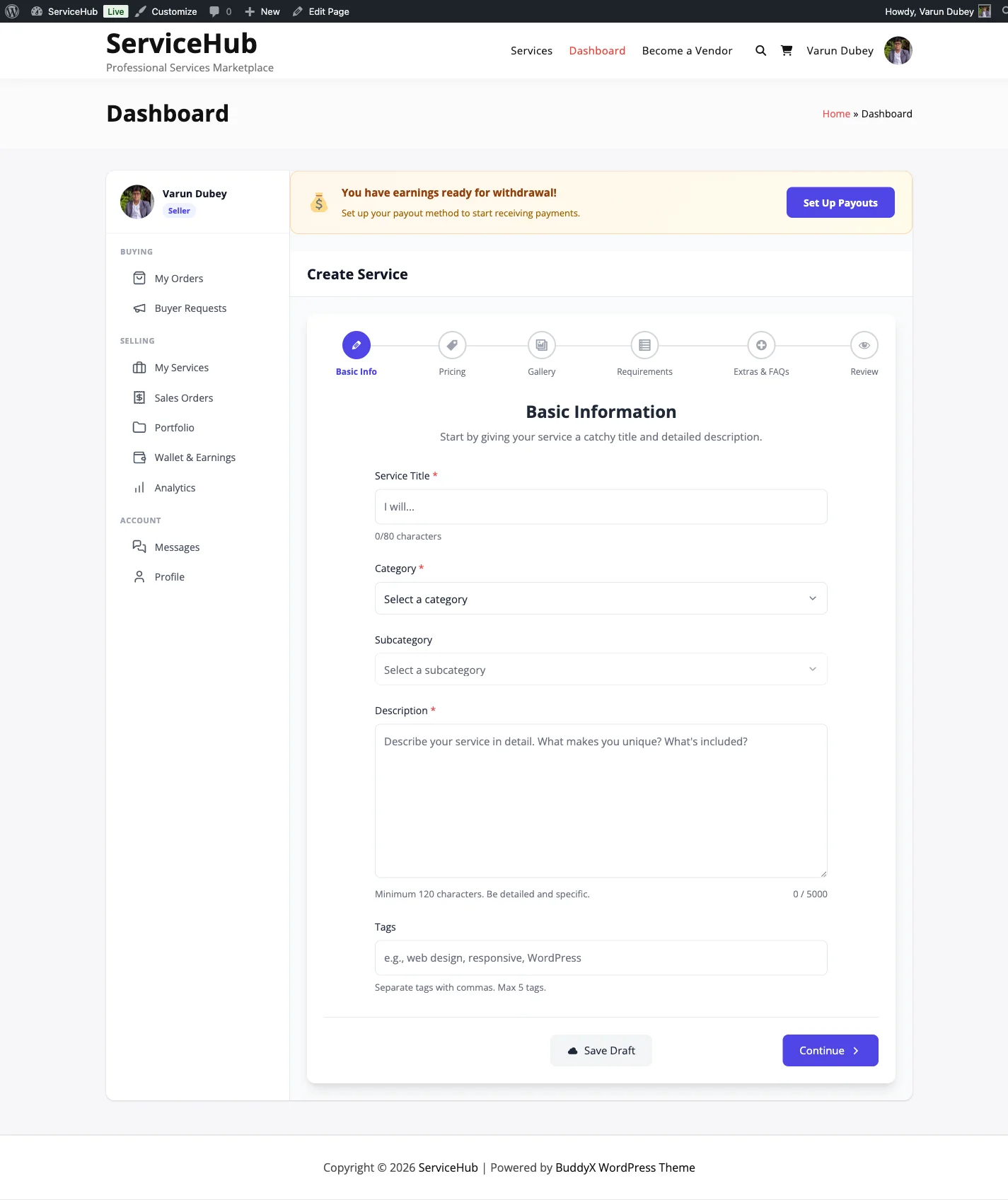
WP Sell Services builds this structure directly into every service listing. Every service uses a 3-tier pricing setup, Basic, Standard, and Premium, and Basic is the only one that’s required. Standard and Premium are optional additions a vendor turns on once they’re ready to offer more, which means a new seller can launch with a single tier and expand later without rebuilding the listing.
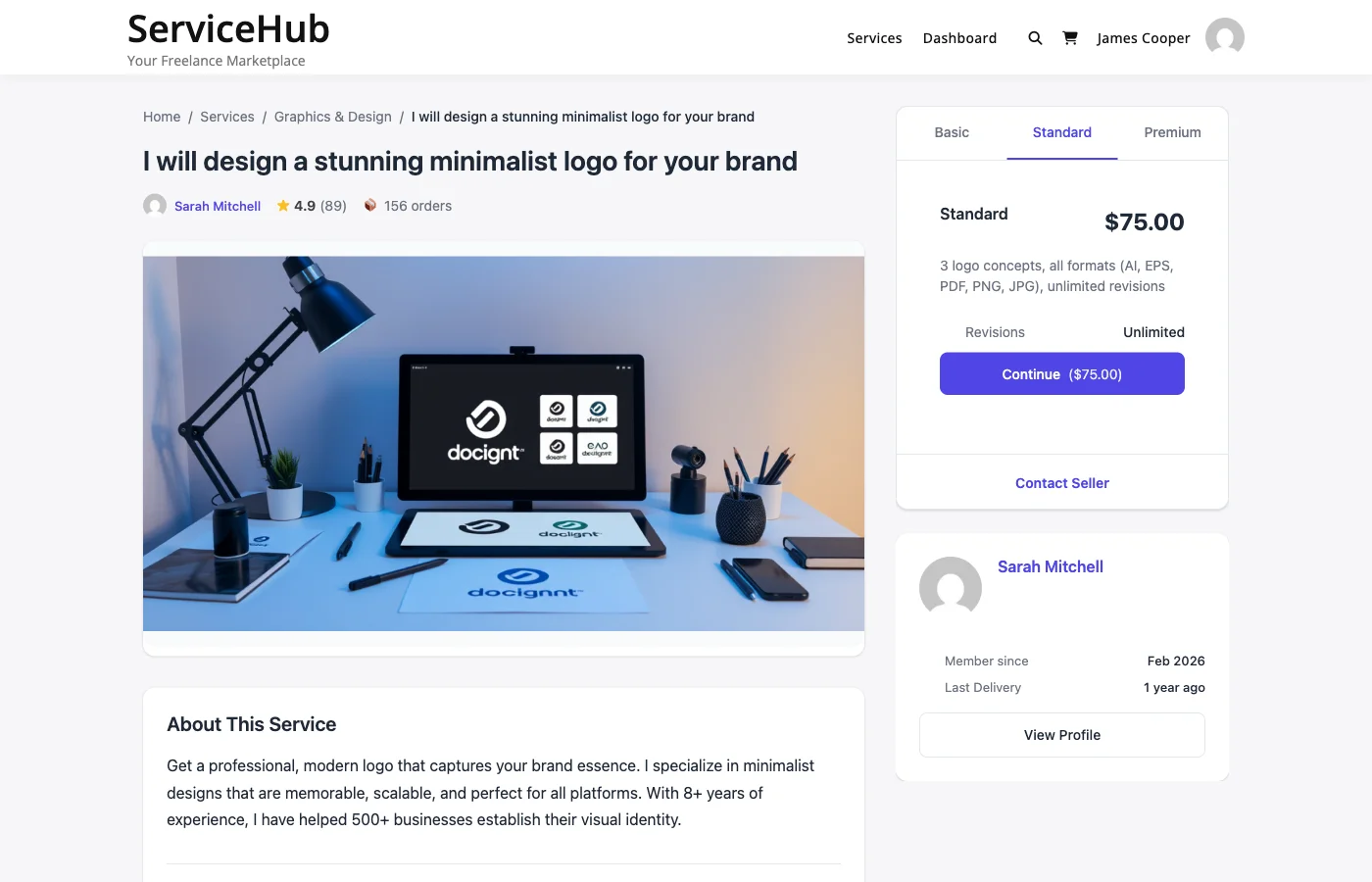
Each package carries the same set of fields regardless of tier: a name (defaulting to Basic, Standard, or Premium, though vendors can rename them to whatever fits the service), a short description of what’s included, a price with a $5 minimum on Basic, a delivery time between 1 and 30 days, a revision count from 0 up to 5 or unlimited, and a feature checklist listing the specific deliverables. On the buyer-facing page, all three packages sit side by side in a comparison view, each one showing its price, delivery timeline, and revision count clearly, with a Select button that carries the buyer straight to checkout.
Setting Prices That Actually Differentiate
The most common mistake in tiered pricing isn’t picking the wrong numbers, it’s picking numbers that are too close together. If Basic is $50 and Standard is $60, there’s no real incentive to choose Standard, the jump doesn’t buy enough. If Basic is $50 and Premium is $400, the jump feels arbitrary and buyers stop trusting the scale entirely. A workable starting ratio: Standard sits at roughly 1.5x to 2x the Basic price, and Premium sits at roughly 2.5x to 3.5x. A $100 Basic package pairs naturally with a $150 Standard and a $300 Premium. Those aren’t arbitrary numbers, they reflect enough of a jump between tiers that each one feels like a genuinely different purchase, while still keeping the ratio between them predictable enough that buyers can reason about what they’re getting for the extra spend.
Three Ways to Actually Differentiate a Tier
Numbers alone don’t create a tier. What’s inside each one does, and there are three common approaches worth choosing between deliberately rather than mixing without a plan.
Fixed deliverable, different quantity. The type of work stays the same, the amount changes. A logo package might offer one concept at Basic, three at Standard, and five plus a full brand guideline document at Premium. This works well for design and creative services where quantity is an easy thing for a buyer to understand and compare.
Feature tiers. Each level adds capability, not just volume. A content package might be a 500-word blog post at Basic, a 1,500-word post with SEO optimization at Standard, and a 3,000-word post with SEO and social media graphics at Premium. This suits services where the deliverable itself grows more sophisticated at higher tiers, not just bigger.
Speed-based tiers. The deliverable stays identical, only the turnaround changes. Basic ships in 7 days, Standard in 3, Premium in 24 hours. This works especially well for services where speed genuinely costs the vendor something, rush work usually means clearing a schedule or working after hours, and buyers with urgent deadlines will reliably pay a premium to skip the queue.
Most successful listings pick one of these as the primary axis and layer a second dimension on top, revisions, source files, or a specific add-on, rather than trying to vary everything at every level simultaneously. A buyer scanning three columns needs to understand the difference in about five seconds. If the differentiation requires a paragraph to explain, it’s too complicated.
Revisions Belong in the Pricing Table, Not as an Afterthought
Revision count is one of the most overlooked levers in a tiered pricing structure, and it’s also one of the most consequential. Set it too low across every tier and disputes climb, because buyers who don’t get a chance to course-correct escalate instead. Set it to unlimited everywhere and vendors quietly resent the arrangement, because an unhappy buyer with unlimited revisions can turn a fixed-price project into an open-ended one. The tiered structure gives you a natural place to price this tradeoff instead of applying one blanket policy to every order. A workable pattern: one revision on Basic, three on Standard, unlimited on Premium. That gives budget buyers a real but bounded safety net, gives most buyers enough room to get the work right, and reserves the truly open-ended commitment for the tier that’s actually paying for it.
A Worked Example: Web Design, Tier by Tier
Abstract advice about differentiation is easier to apply with a concrete example sitting next to it. Take a web design service, a category where the temptation to make every tier feel arbitrary is strong, and where a clear structure makes a real difference in conversion.
Basic covers a 5-page site, one revision round, a contact form, and a 7-day delivery. Standard covers 10 pages, three revisions, the same contact form, a blog setup added on top, and a 10-day delivery, priced around 1.5x Basic. Premium covers 20 pages, unlimited revisions, the contact form and blog carried over, full ecommerce functionality added, and a 14-day delivery, priced around 3x Basic. Notice what’s happening across the columns: nothing in Standard or Premium contradicts what came before it, each tier is a strict superset of the one below plus something new. A buyer scanning the table doesn’t have to reconcile confusing tradeoffs, more pages here, fewer revisions there, they just see more, consistently, as the price goes up. That consistency is what makes a three-tier table feel trustworthy instead of arbitrary. Buyers can tell, almost instinctively, when a pricing table was reverse-engineered to justify a number versus when it actually reflects more real work at each step.
The delivery time moving from 7 to 10 to 14 days in this example is deliberate too, and worth calling out because it runs against a common instinct. It would be tempting to make every tier deliver faster as the price goes up, but a 20-page ecommerce build genuinely takes longer than a 5-page brochure site, and pretending otherwise sets up a broken promise. Tiered pricing should reflect real effort, not just signal premium-ness for its own sake. A Premium tier that quietly overpromises on speed is a Late order and a bad review waiting to happen.
How Niche Changes What Belongs in Each Tier
The web design example works because pages and features are naturally countable. Not every category has that luxury, and the pricing structure has to bend to fit what actually varies in that line of work.
For a consulting or advisory service, the natural axis is usually time: a 30-minute session at Basic, a 90-minute session plus a written summary at Standard, and a full-day engagement with a follow-up call at Premium. For video editing, it’s often complexity: a straight cut with no effects at Basic, color grading and basic motion graphics at Standard, and full sound design plus custom animation at Premium. For SEO or content services, it’s frequently depth and volume together: a single optimized article at Basic, a small content cluster with internal linking at Standard, and a full content calendar with ongoing optimization at Premium. The common thread across every one of these is that the tier structure follows what the buyer actually values in that specific category, not a template copied from an unrelated industry. A photographer’s Premium tier probably isn’t about speed. A rush-delivery specialist’s Premium tier probably is. Building tiers by asking “what would make someone in this exact market willing to pay three times more” produces a table that converts. Building tiers by copying whatever a template suggested produces one that doesn’t.
Best Practices Worth Following, In Order of Impact
Round numbers convert better than precise ones for services. A $100 package reads as a clean decision; a $97 package reads like it was engineered to feel cheaper, and buyers of professional services generally see through that. Save the psychological pricing tricks for consumer retail, they don’t fit a marketplace where buyers are evaluating a working relationship, not an impulse purchase. List features in order of importance within each tier, not chronological or alphabetical order. Buyers skim, and the first two or three bullet points usually get read closely while the rest get scanned. Put whatever matters most to the buyer’s decision right at the top. Keep descriptions short. A tier description isn’t the place for the full sales pitch, that belongs in the service description above the pricing table. Each package’s copy just needs to answer “what am I getting at this price,” cleanly and specifically. Set delivery times that are actually achievable. A pattern worth watching for: vendors who set aggressive delivery windows to look competitive, then miss them constantly, which drags down on-time delivery rate and, over time, seller level. A realistic 5-day delivery beaten consistently builds more trust than an optimistic 2-day delivery missed half the time.
Make Standard the Best Value, On Purpose
Most buyers land on the middle option, which means the middle option deserves the most design attention, not the least. If Standard has the best value-to-price ratio of the three, it becomes the tier buyers actively recommend to each other, and it becomes the tier that pulls the most weight in your average order value without requiring any additional marketing. This doesn’t mean making Basic deliberately bad, a tier that quietly shortchanges revisions is exactly the setup that turns into friction once a buyer hits the limit and still wants changes. A weak Basic tier reads as manipulative and erodes trust in the whole pricing table. It means making sure Standard is the option that would win an honest, fully-informed comparison, so that buyers who do the math themselves land where you wanted them to land anyway.
Testing and Adjusting Without Starting Over
Tiered pricing isn’t a one-time setup. The right ratios, feature splits, and price points depend on what buyers in a specific category actually respond to, and that’s something you learn from watching real orders come in, not something you can fully predict in advance. If Basic is getting nearly all the orders, the gap to Standard is probably too large, or Standard isn’t offering enough over Basic to justify it. If almost nobody picks Basic at all, it might be priced too close to Standard to feel like a meaningfully different choice. Because packages live on the service listing itself rather than being baked into checkout logic, adjusting a price, a revision count, or a feature line is a quick edit, not a rebuild. Treat the first few weeks of a new listing as a live test, watch which tier wins, and adjust the ones that aren’t pulling their weight.
Add-ons: The Fourth Lever Most People Forget
Tiers aren’t the only way to capture more revenue from a buyer who’s already decided to hire you. Add-ons sit alongside the three packages as extras a buyer can attach to whatever tier they picked, an extra fast delivery option, an additional revision beyond what the tier includes, source files, a commercial usage license, a rush fee. The distinction matters because it separates two very different buyer decisions. The tier decision is “how much of this service do I need.” The add-on decision is “what else, specifically, do I want on top of what I already picked.” Buyers who’d never upgrade from Standard to Premium wholesale will often happily add a single $15 extra, because it’s a smaller, more specific commitment than jumping an entire tier. A well-built add-on list can lift average order value nearly as much as the tier structure itself, and it does it without forcing anyone into an all-or-nothing upgrade decision.
Frequently Asked Questions
Do I have to offer all three pricing tiers?
No. Basic is the only required package. Standard and Premium are both optional, and a vendor can launch with just Basic and add the other tiers later once they’re ready to offer more options.
What’s the minimum price I can set for a package?
Basic packages have a $5 minimum. Standard and Premium have no fixed minimum beyond needing to be priced higher than the tier below them to make sense as an upgrade.
How many revisions should each tier include?
There’s no universal number, but a common, workable pattern is a small fixed number on Basic (often one), a moderate number on Standard (often three), and unlimited on Premium. The right numbers for your category depend on how much back-and-forth that type of work typically requires.
Should every tier offer a completely different type of deliverable?
Not necessarily. The clearest tiers usually vary along one primary axis, quantity, feature depth, or speed, rather than changing everything at every level. A buyer should be able to understand the difference between tiers in a few seconds of scanning.
What happens if a buyer wants more revisions than their tier includes?
Once a package’s included revisions are used up, the buyer can accept the work as-is, negotiate an additional paid revision directly with the vendor, or open a dispute if the delivered work doesn’t meet the original requirements. Vendors can also offer extra revisions as a goodwill gesture even after the included limit is reached.
Can I change my pricing tiers after a service is already live and taking orders?
Yes. Existing orders keep the terms they were placed under, but new prices, delivery times, and feature lists apply to any order placed after the change, which makes it straightforward to test and refine tiers based on real buyer behavior.
Should add-ons replace a fourth pricing tier?
Generally yes. A fourth tier adds confusion, most pricing research shows conversion actually drops once buyers have to compare more than three options at once. Add-ons let you capture the same incremental revenue without asking a buyer to re-evaluate the whole table for one extra feature.
Where does tiered pricing fit if I’m building a niche marketplace rather than a single service page?
The same structure applies to every vendor on a multi-seller marketplace, each one sets their own three tiers independently. For the broader thinking on why a focused marketplace outperforms a generalist one, this piece on building a niche service marketplace instead of competing on Fiverr covers the positioning side that pairs with the pricing side covered here.
The Table Does the Selling Before You Say a Word
A good three-tier pricing table doesn’t need a sales pitch bolted on top of it. It makes the decision for the buyer just by existing: cheap enough to feel accessible at the low end, complete enough to feel worth it at the high end, and a middle option engineered to look like the obvious choice to anyone standing between the two. Get that structure right once, on a listing you actually own, and it keeps converting long after the work of building it is finished, quietly nudging the next buyer toward Standard while you’re busy doing the work the last one already paid for.