10 Best WooCommerce Barcode Plugins (2026): Complete Guide


Updated: August 2026
Best WooCommerce Barcode Plugins for 2026
WooCommerce barcode plugins make inventory, order fulfillment, and warehouse scanning faster and more accurate. If you manage dozens (or thousands) of SKUs, barcodes reduce picking errors, speed up stock updates, and help you run a professional, scalable store. The right plugin can generate barcodes, print labels, enable scanning for orders, and integrate with POS systems, saving hours every week.
This guide compares the best WooCommerce barcode plugins for 2026 with practical pros/cons, a comparison table, and clear selection advice. If you sell services as well as products, we’ll also show how Woo Sell Services fits into a streamlined fulfillment workflow.
I’ve set up barcode workflows for stores ranging from a two-person Etsy-to-WooCommerce migration to a warehouse shipping four hundred orders a day, and the mistake I see most often isn’t picking the wrong plugin, it’s picking a plugin more powerful than the store actually needs. A full inventory suite with barcode scanning is overkill for a store with sixty SKUs and no physical warehouse. Match the tool to your actual order volume, not to what looks most impressive in a comparison table.
Table of Contents
- → Quick Picks (Top 3)
- → Detailed List of Best Plugins
- • ATUM Inventory Management
- • WooCommerce Product Barcode
- • WooCommerce POS
- • WooCommerce Order Barcode
- • EAN for WooCommerce
- • WPFactory Barcode & SKU Tools
- • Stock Manager + Barcode Integration
- • Barcode Scanner Apps (Mobile)
- • Custom Barcode/QR Plugins
- • WooCommerce + Service Workflows
- → Comparison Table
- → How to Choose the Right Plugin
- → Barcode Hardware You’ll Actually Need
- → Implementation Checklist
- → FAQs
- → Conclusion
Quick picks (Top 3)
- Best overall for inventory workflows: ATUM Inventory Management + barcode add-on
- Best for simple barcode generation: WooCommerce Product Barcode (lightweight)
- Best for POS + in-store scanning: WooCommerce POS with barcode support
Detailed list of the best WooCommerce barcode plugins
1) ATUM Inventory Management + Barcode Add-on
ATUM is one of the most popular inventory management systems for WooCommerce, and its barcode add-on adds robust barcode generation and scanning. You can generate barcodes for products and variations, print labels, and scan during fulfillment. It’s a strong choice if you want a complete inventory platform.
Beyond barcodes, ATUM’s core strength is its stock control dashboard, purchase orders, supplier management, and low-stock alerts all live in one screen instead of scattered across the default WooCommerce product list. For a store managing more than a couple hundred SKUs, that dashboard alone often justifies the plugin regardless of the barcode feature.
Pros: Full inventory suite, barcode scanning, label printing, purchase order management.
Cons: Some features are paid add-ons, and the interface has a learning curve for stores used to the default WooCommerce products screen.
2) WooCommerce Product Barcode
This lightweight option focuses on generating and displaying barcodes for products. It’s ideal if you just need barcode output for labels or internal tracking without a full inventory system.
The appeal here is speed of setup, activate, choose a barcode type, and codes start generating against existing SKUs within minutes. There’s no purchase order workflow, no supplier database, just clean barcode output you can print and stick on physical stock.
Pros: Simple setup, low overhead, good for small stores.
Cons: Limited workflow features (no advanced scanning tools or purchase order tracking).
3) WooCommerce POS (with barcode scanning)
If you run a hybrid online + physical store, a POS solution with barcode scanning is essential. WooCommerce POS tools let you scan items at checkout, reduce errors, and sync inventory in real time.
The real value for hybrid stores is the sync itself: an item sold at the register instantly decrements the same stock count your website checks before allowing an online purchase. Without that live sync, you’re stuck manually reconciling two separate inventories at the end of every day, which is exactly the kind of task that eventually gets skipped and causes an oversold item.
Pros: Real-time inventory sync, fast retail workflows, works on standard tablets.
Cons: POS systems can be more expensive, and receipt printer/cash drawer hardware compatibility varies by vendor.
4) WooCommerce Order Barcode (for packing & shipping)
This plugin generates barcodes for orders, which is helpful for packing stations and shipping workflows. You can scan an order barcode to pull the order instantly and reduce manual lookups.
In a multi-person packing operation, this is the difference between a picker manually typing an order number into a search box (and occasionally transposing digits) and a single scan that pulls up the exact packing slip. For stores shipping more than fifty orders a day, that time savings compounds fast.
Pros: Faster packing workflows, lower human error.
Cons: Focused on orders, not full inventory, so you’ll likely pair it with a separate product-barcode tool.
5) EAN for WooCommerce
EAN plugins are designed to add standardized EAN/UPC codes to products, which is helpful for marketplace listings and external barcode labeling. If you sell on Amazon or other marketplaces, EAN support is critical.
Marketplaces like Amazon generally require a GTIN (EAN, UPC, or ISBN depending on category) before they’ll list a new product, and buying individual GS1 barcodes for a small catalog gets expensive fast. A dedicated EAN field plugin at least gives you a clean, centralized place to store and validate the codes you do purchase, rather than scattering them across custom meta fields with no format checking.
Pros: EAN/UPC compliance, marketplace-friendly.
Cons: Not a full scanning or inventory system, and it doesn’t generate valid GTINs for you, you still need to obtain those from GS1 or a reseller.
6) WPFactory Barcode & SKU Tools
WPFactory offers SKU and barcode utilities that help generate codes and export product data. It’s useful for stores that want to manage codes in bulk. WPFactory affiliate link.
Pros: Bulk tools, export/import support.
Cons: More technical setup for non-developers.
7) Stock Manager + Barcode Integration
Some stock manager plugins integrate barcode scanning for faster stock checks. These are good for small warehouses or store rooms where you want a faster audit process.
A quarterly (or even monthly) physical stock count is where these tools earn their keep. Instead of a staff member cross-referencing a printed spreadsheet against shelf labels, they scan each item and the count reconciles against the system total automatically, flagging discrepancies as they happen rather than after the count is finished.
Pros: Faster stock audits, easy scanning.
Cons: Not a full label printing solution.
8) Barcode Scanner Apps (mobile-based)
If you don’t want dedicated hardware, mobile barcode scanner apps can integrate with WooCommerce through API or POS plugins. This is a budget-friendly option for smaller teams.
Modern phone cameras are genuinely good enough for this now, most camera-based scanning apps read a standard Code 128 or EAN barcode reliably from a foot away in normal lighting. The tradeoff is speed and battery life compared to a dedicated laser scanner, fine for a store doing twenty scans a day, less fine for someone scanning continuously through an eight-hour shift.
Pros: Low-cost setup, flexible devices, no separate hardware purchase.
Cons: Depends on device reliability and integrations, and battery drain adds up on high-volume days.
9) Custom Barcode/QR Plugins
Some stores use QR codes instead of barcodes, especially for digital products or event-based use cases. QR plugins can be useful when you want to store more data in each code or link to a custom URL.
The practical difference: a traditional barcode (Code 128, EAN-13) is designed to be read by a laser or camera scanner and typically encodes just a short numeric or alphanumeric string, the product SKU. A QR code can encode a full URL, so scanning one with a phone camera can send a customer straight to a product page, a warranty registration form, or a digital download link. That makes QR codes better suited to customer-facing use than warehouse picking.
Pros: Flexible use cases, modern customer-facing use.
Cons: Not ideal for high-speed warehouse workflows, and not all warehouse scanners read QR codes as reliably as 1D barcodes.
10) WooCommerce + Service Workflows (Woo Sell Services)
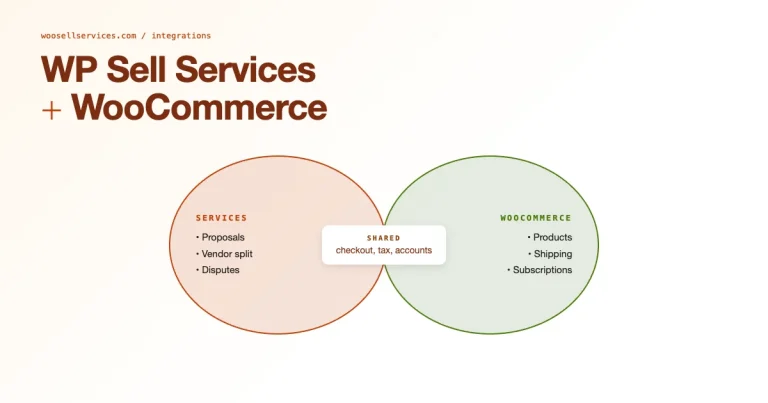
If you sell services alongside physical products, barcode management can still matter for physical deliverables or inventory tracking. Pairing WooCommerce with Woo Sell Services lets you handle service orders while keeping physical inventory workflows organized.
A common example: a store that sells installation kits (physical product, needs a barcode for warehouse picking) bundled with a professional installation appointment (a service, needs booking and scheduling logic, not a barcode). Running both through the same WooCommerce checkout avoids maintaining two separate systems, and it means your barcode-driven fulfillment reports only need to track the physical side of the order.
Pros: Great for hybrid product + service stores.
Cons: Requires a service-based setup process alongside your existing product catalog.
Comparison table
| Plugin/Tool | Best for | Pricing | Standout features |
|---|---|---|---|
| ATUM + Barcode Add-on | Full inventory workflows | Free / Paid | Scanning + label printing |
| Product Barcode | Simple barcode generation | Free / Paid | Lightweight setup |
| WooCommerce POS | Retail + online stores | Paid | POS scanning + sync |
| Order Barcode | Faster packing | Free / Paid | Order lookup by scan |
| EAN for WooCommerce | Marketplace listing | Free / Paid | EAN/UPC fields |
How to choose the right WooCommerce barcode plugin
- Define your workflow: Inventory-only, order-picking, or retail POS scanning?
- Decide barcode type: EAN/UPC vs. custom barcode vs. QR code.
- Check label printing: If you ship products, label printing matters.
- Consider scalability: A full inventory system is better for growing catalogs.
- Test compatibility: Make sure it works with your theme and WooCommerce setup.
- Match the tool to your actual SKU count: A full ATUM setup for forty products is more overhead than most small stores need, start lightweight and upgrade when the catalog actually grows past what a spreadsheet can track comfortably.
Barcode Hardware You’ll Actually Need
Plugin selection only solves half the problem, physical hardware determines how fast and reliable your scanning workflow actually is day to day.
Scanners
USB and Bluetooth barcode scanners (from brands like Zebra, Honeywell, and Tera) act like a keyboard, they “type” the scanned code directly into whatever text field has focus, no special driver required. This is why most WooCommerce barcode plugins don’t need custom hardware integration code: the scanner simulates keystrokes, and the plugin just listens for that input in the right field. Wired USB units are cheaper and never need charging; Bluetooth units give staff more freedom to move around a warehouse floor.
Label Printers
Thermal label printers (Zebra’s ZD and GK series, DYMO LabelWriter, Brother QL series) are the standard for printing barcode labels without needing ink or toner. Zebra printers tend to be the professional default for high-volume warehouses because of their driver support and label-size flexibility; DYMO and Brother units are more affordable and better suited to lower-volume stores printing a few dozen labels a week.
Choosing Between 1D and 2D Scanners
A 1D (laser) scanner reads traditional linear barcodes like Code 128, Code 39, and EAN-13, and it’s the cheaper, faster option for straightforward SKU scanning. A 2D (imager) scanner reads those same formats plus QR codes and Data Matrix codes, useful if any part of your workflow touches QR-coded shipping labels or manufacturer barcodes that happen to be 2D. If you’re not sure which you need, a 2D imager covers both cases for a modest price difference and is the safer default purchase.
Rough Hardware Budget
For a small store setting up its first barcode workflow, a realistic starting budget looks something like this: a wired USB scanner runs roughly $30 to $80 for a reliable entry-level unit, a small thermal label printer like a DYMO LabelWriter starts around $130 to $180, and rolls of blank thermal labels cost a few dollars per hundred depending on size. That’s a one-time investment well under $300 to get a functioning scan-and-print workflow running, before any plugin licensing costs. Warehouses scanning at higher volume will want to budget more for a Zebra-grade scanner and industrial label printer, but there’s no reason a small store needs to start there.
Implementation checklist
- Choose barcode format (EAN/UPC or custom).
- Generate codes for all SKUs and variations.
- Print labels and test with scanner hardware or mobile apps.
- Train your team on scanning workflows.
- Run a test order to validate the full flow.
- Document the process, even a one-page printed guide taped near the packing station saves onboarding time for new staff.
FAQs
1) Do I need barcode plugins if I only sell online?
If you manage inventory or large catalogs, barcodes can still reduce packing errors and speed up operations, even for online-only stores.
2) Can barcode plugins work with WooCommerce variations?
Yes. Many barcode tools support variations, letting each size or color have its own barcode.
3) Do barcode plugins help with POS systems?
Yes. Most WooCommerce POS systems include barcode scanning for fast in-store checkout.
4) Should I use EAN/UPC codes?
Use EAN/UPC if you sell on marketplaces or need standardized codes for supply chain systems.
5) Can I use QR codes instead of barcodes?
Yes, but QR codes are better for marketing or customer-facing use, not high-speed warehouse workflows.
6) Do barcode plugins integrate with fulfillment services?
Some do, but it depends on the plugin and your fulfillment provider. Test workflows before scaling.
7) What barcode format should I choose for my store?
For most WooCommerce stores, Code 128 or Code 39 formats work well for internal use. If you sell on marketplaces like Amazon or eBay, you’ll need EAN-13 or UPC-A codes. For warehouse operations, consider 2D barcodes like Data Matrix for more data density.
8) Can I print barcode labels directly from WooCommerce?
Yes, several plugins like ATUM and dedicated label printing extensions support direct printing to thermal label printers (Zebra, DYMO, Brother). You’ll need a compatible printer and the right plugin configuration for your label size.
9) How do I scan barcodes for inventory management?
You can use USB barcode scanners, Bluetooth scanners, or mobile apps with your phone’s camera. USB scanners work like keyboards, they input the code directly. For mobile solutions, apps like Barcode Scanner integrate with WooCommerce through APIs or dedicated plugins.
10) Are there free WooCommerce barcode plugins?
Yes. Several options have free versions including ATUM (core), WooCommerce Product Barcode, and EAN for WooCommerce. Free versions typically cover basic barcode generation, while paid add-ons unlock scanning, label printing, and advanced inventory features.
11) How do I add barcodes to existing products in bulk?
Most barcode plugins support bulk generation through CSV import/export or built-in bulk tools. ATUM and WPFactory both offer bulk SKU and barcode generation. You can also use WooCommerce’s native import/export with a barcode column if your plugin supports it.
12) Do barcode plugins slow down my WooCommerce store?
Lightweight barcode generators have minimal impact. However, full inventory management systems like ATUM add more overhead. For best performance, choose a plugin that matches your actual needs, don’t install a full warehouse system if you only need label printing.
13) What’s the actual difference between a barcode and a SKU?
A SKU (stock-keeping unit) is an internal reference code you define yourself, it can be any format your business chooses, like “SHIRT-BLU-M.” A barcode is a scannable representation of a code, and it can encode your SKU directly, or it can encode a standardized GTIN like an EAN or UPC assigned through GS1. Many WooCommerce barcode plugins let you choose whether the generated barcode encodes your existing SKU or a separate assigned number, matching your SKU is usually simpler for internal-only warehouse use.
Conclusion
WooCommerce barcode plugins are essential for scaling inventory and order fulfillment. ATUM offers the most complete inventory workflows, while lightweight barcode generators work for smaller stores. If you run a retail operation, WooCommerce POS with barcode scanning is a strong choice. And if you sell services alongside products, Woo Sell Services helps you manage service orders without sacrificing inventory efficiency.
Related reading: WooCommerce Product Addons and Customize the WooCommerce Shop Page.