12 Best WooCommerce Flash & Private Sales Plugins in 2026

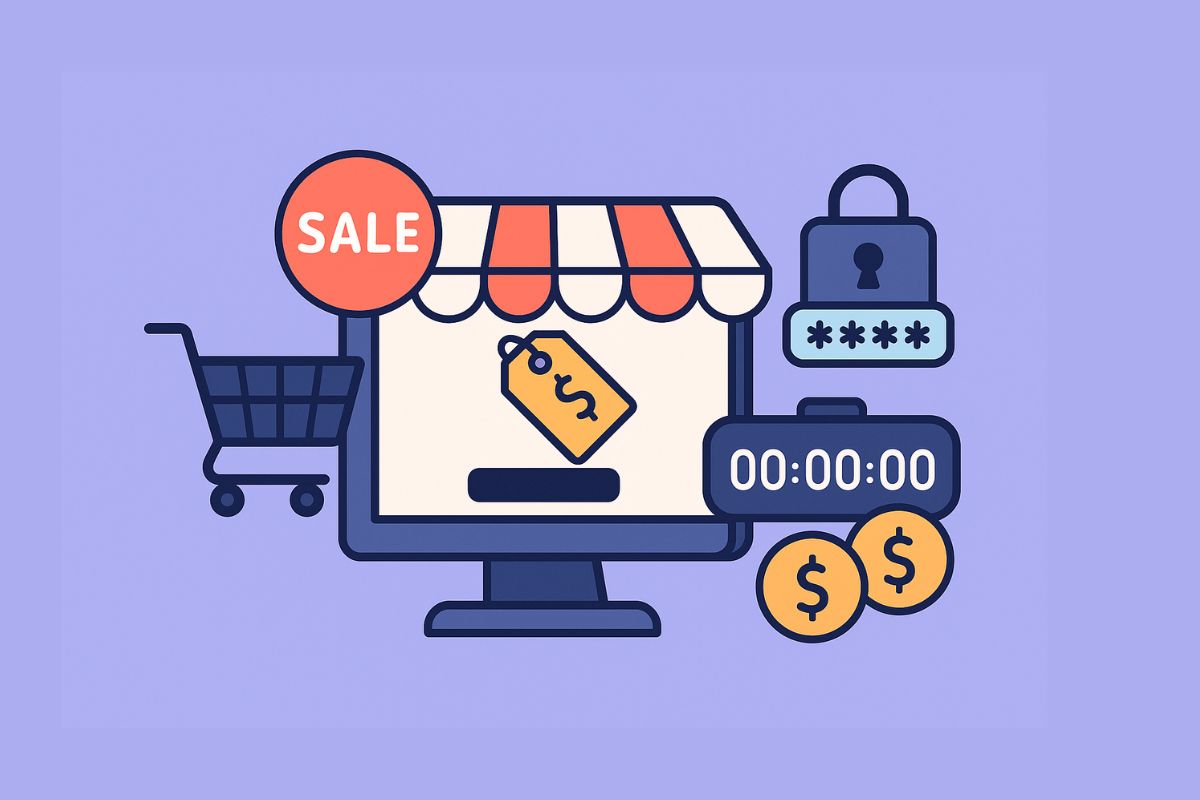
Flash and private sales create powerful urgency, drive rapid conversions, and build customer loyalty through exclusivity. When your WooCommerce store is equipped with the right tools, you can run lightning-fast promotions, member-only deals, and time-sensitive offers that significantly boost revenue. Whether you’re clearing seasonal inventory, rewarding VIP customers, or launching limited-time promotions, WooCommerce Flash & Private Sales Plugins provide the functionality to execute these strategies effectively.
This comprehensive guide explores the 12 best WooCommerce flash and private sales plugins in 2026, covering everything from countdown timers and scheduled discounts to role-based pricing and password-protected shops. We’ll break down key features, pros and cons, pricing, and help you choose the right plugin for your store’s needs.
📑 Table of Contents
- →Quick Picks (2026)
- →Why Flash & Private Sales Matter
- →How to Choose a Flash/Private Sales Plugin
- →12 Best WooCommerce Flash & Private Sales Plugins
- •WooCommerce Dynamic Pricing & Discounts
- •YITH WooCommerce Catalog Mode
- •Advanced Coupons
- •WooCommerce Role Based Pricing
- •WooCommerce Private Store
- •Sales Countdown Timer
- •Product Bundles
- •BOGO/Buy X Get Y Plugins
- •WooCommerce Waitlist
- •Discount Rules for WooCommerce
- •WooCommerce Smart Coupons
- •Sales Flash Badge
- →Comparison Table
- →Frequently Asked Questions
Quick Picks (2026)
- Best for time-boxed deals: Sales Countdown Timer + Discount Rules for WooCommerce
- Best for VIP pricing: WooCommerce Role Based Pricing + YITH Catalog Mode
- Best for bundles & BOGO: Product Bundles + Advanced Coupons
- Best for password-protected shops: WooCommerce Private Store
- Best all-in-one solution: WooCommerce Dynamic Pricing & Discounts
Why Flash & Private Sales Matter
Flash sales and private offers aren’t just marketing tactics, they’re proven revenue drivers that tap into fundamental consumer psychology. Here’s why they work:
- Urgency Creates Action: Limited-time offers trigger FOMO (fear of missing out), prompting immediate purchasing decisions rather than cart abandonment.
- Exclusivity Builds Loyalty: VIP-only deals and member pricing make customers feel valued, increasing repeat purchases and brand advocacy.
- Inventory Management: Flash sales are perfect for clearing seasonal stock, slow-moving inventory, or overstocked items without permanent price reductions.
- Traffic Spikes: Well-promoted flash sales drive significant traffic surges that can introduce new customers to your brand.
- Higher AOV: Bundle deals and tiered discounts during sales events typically increase average order value.
- Email List Growth: “Notify me” waitlists and exclusive access requirements grow your subscriber base.
How to Choose a Flash/Private Sales Plugin
Selecting the right plugin depends on your specific sales strategy. Consider these factors:
- Access Control: Do you need password-protected pages, role-based visibility, or membership integration?
- Scheduling: Look for precise start/end time controls, timezone handling, and recurring sale capabilities.
- Urgency Elements: Countdown timers, stock counters, and “X items left” displays increase conversion rates.
- Discount Types: Percentage off, fixed amount, BOGO, tiered pricing, or category-wide discounts?
- Compatibility: Ensure the plugin works with your existing coupons, cart rules, checkout flow, and theme.
- Performance: Flash sales drive traffic spikes, choose plugins optimized for high-concurrency scenarios.
12 Best WooCommerce Flash & Private Sales Plugins
1. WooCommerce Dynamic Pricing & Discounts
WooCommerce Dynamic Pricing & Discounts is a comprehensive solution for creating sophisticated pricing rules, flash sales, and promotional campaigns. It supports bulk discounts, user-role pricing, cart-based deals, and scheduled promotions, all from one plugin.
Key Features:
- Product, category, and cart-based pricing rules
- Scheduled discounts with precise start/end times
- Role-based and user-specific pricing
- Quantity-based tiered discounts
- BOGO and buy X get Y deals
- Exclude sale items or specific products
- Compatible with WooCommerce Subscriptions
Pros:
- All-in-one pricing and discount solution
- Highly flexible rule builder
- Schedule sales in advance
- Works with most WooCommerce extensions
- Regular updates and good support
Cons:
- Complex rule setup can be overwhelming
- Premium pricing for full features
- May conflict with other discount plugins
Pricing: Starting at $79/year for single site; multi-site licenses available.
Best For: Stores needing comprehensive, scheduled promotional campaigns with multiple discount types.
2. YITH WooCommerce Catalog Mode / Private Shop
YITH WooCommerce Catalog Mode transforms your store into a catalog-only or private shop experience. Hide prices and add-to-cart buttons from non-logged users, create member-only shopping experiences, and run exclusive VIP sales without exposing deals to the public.
Key Features:
- Hide prices from guests or specific user roles
- Disable add-to-cart for non-members
- “Request a Quote” button replacement
- Role-based visibility controls
- Schedule catalog mode activation
- Custom message displays
- WPML compatible
Pros:
- Perfect for B2B and wholesale stores
- Easy VIP/member-only pricing setup
- Integrates with YITH plugin suite
- Clean, professional implementation
Cons:
- Limited standalone flash sale features
- Best used with other YITH plugins
- Annual subscription required for updates
Pricing: €79/year for single site; bundles available with other YITH plugins.
Best For: B2B stores, wholesale operations, and VIP member-only shopping experiences.
3. Advanced Coupons
Advanced Coupons extends WooCommerce’s native coupon system with powerful features for flash sales, BOGO deals, loyalty programs, and scheduled promotions. It’s one of the most feature-rich coupon plugins available.
Key Features:
- BOGO deals (buy one get one)
- Scheduled coupon activation/expiry
- Auto-apply coupons based on cart conditions
- Store credits and loyalty points
- URL-triggered coupons for flash sale links
- Cart conditions (minimum spend, products, categories)
- One-click coupon application
Pros:
- Extends native WooCommerce coupons
- Excellent BOGO implementation
- Auto-apply reduces friction
- Free version available
- Excellent documentation
Cons:
- Premium needed for advanced scheduling
- Many features require premium tier
- Can be complex for simple needs
Pricing: Free version available; Premium from $59/year for single site.
Best For: Stores running coupon-based promotions, BOGO deals, and loyalty programs.
4. WooCommerce Role Based Pricing
WooCommerce Role Based Pricing enables different pricing for different customer groups, perfect for wholesale, VIP members, staff discounts, or tiered membership programs. Show exclusive prices only to logged-in users with specific roles.
Key Features:
- Set prices per user role
- Percentage or fixed discounts by role
- Hide prices from guests
- Category and product-level rules
- Compatible with membership plugins
- Tax-inclusive/exclusive pricing options
Pros:
- Simple, focused functionality
- Easy role-price mapping
- Works with existing user roles
- Lightweight performance
Cons:
- No built-in countdown timers
- Requires separate scheduling solution
- Limited to role-based logic
Pricing: Starting at $49/year for single site.
Best For: Wholesale stores, membership sites, and B2B pricing structures.
5. WooCommerce Private Store
WooCommerce Private Store by Barn2 creates a password-protected or login-required store. Perfect for wholesale portals, member-only shops, or private flash sale events accessible only to invited customers.
Key Features:
- Password-protect entire store or categories
- Login-only access requirement
- Custom login/password pages
- Multiple password support
- Category-level privacy controls
- Unlock duration settings
- Integration with membership plugins
Pros:
- Simple password protection setup
- Multiple access control methods
- Works with any theme
- From trusted Barn2 developers
Cons:
- No dynamic pricing features
- SEO considerations for hidden content
- Requires separate discount plugins
Pricing: Starting at $79/year for single site.
Best For: Private flash sale events, wholesale portals, and member-only access stores.
6. Sales Countdown Timer
Sales Countdown Timer adds urgency-driving countdown displays to your products, showing exactly how much time remains before sale prices expire. It’s essential for flash sales where time pressure increases conversions.
Key Features:
- Countdown timer on product pages
- Shop/archive page timer displays
- Evergreen (recurring) countdown option
- Customizable timer styles and colors
- Stock quantity countdowns
- Scheduled sale integration
- Mobile-responsive design
Pros:
- Strong urgency creation
- Multiple timer styles
- Works with WooCommerce sale schedules
- Evergreen option for continuous urgency
Cons:
- Timer display only, no pricing rules
- Requires separate discount setup
- Some styles need CSS customization
Pricing: Free version available; Premium from $39/year.
Best For: Adding visual urgency to existing flash sales and scheduled promotions.
7. Product Bundles
Product Bundles is the official WooCommerce extension for creating bundled products with special pricing. Perfect for flash sale bundles, clearance packages, and “complete the look” deals.
Key Features:
- Create assembled product bundles
- Bundle discounts (percentage or fixed)
- Optional and required bundle items
- Quantity settings per bundle item
- Virtual and physical product support
- Subscriptions compatibility
- Inventory management
Pros:
- Official WooCommerce plugin
- Excellent bundle creation flexibility
- Integrates with all WooCommerce features
- Professional support
Cons:
- Premium pricing
- No scheduling features built-in
- Complex bundles need planning
Pricing: $79/year for single site from WooCommerce.com.
Best For: Creating bundle deals, kits, and package discounts for flash sales.
8. BOGO/Buy X Get Y Plugins
BOGO (Buy One Get One) plugins enable classic promotional offers like “Buy 2 Get 1 Free” or “Buy X from Category A, Get Y from Category B.” These deal types are highly effective during flash sales and clearance events.
Key Features:
- Buy X get Y free or discounted
- Same product or different product deals
- Category-based BOGO rules
- Quantity triggers and limits
- Auto-add free products to cart
- Display promotional messages
Pros:
- High-converting deal type
- Clears inventory effectively
- Easy customer understanding
- Multiple rule combinations
Cons:
- Can reduce margins if not planned
- Complex rules need testing
- May conflict with other discounts
Pricing: Varies by plugin; Advanced Coupons includes BOGO from $59/year.
Best For: Clearance sales, inventory reduction, and attention-grabbing promotions.
9. WooCommerce Waitlist + Back in Stock
WooCommerce Waitlist captures customer interest when products are out of stock or before exclusive sales launch. Send automated notifications when items become available or when private sales begin.
Key Features:
- Waitlist signup on out-of-stock products
- Automated back-in-stock notifications
- Pre-launch product interest capture
- Email customization
- Waitlist analytics and reports
- Integration with email marketing
Pros:
- Captures lost sale opportunities
- Builds anticipation for flash sales
- Grows email subscriber list
- Automated notifications
Cons:
- Requires email deliverability setup
- No discount features included
- Needs integration with sale plugins
Pricing: Free versions available; Premium from $49/year.
Best For: Building pre-sale buzz and capturing interested customers for exclusive launches.
10. Discount Rules for WooCommerce
Discount Rules for WooCommerce by Flycart is a powerful discount engine supporting bulk discounts, percentage/fixed discounts, cart rules, and scheduled promotions, ideal for comprehensive flash sale campaigns.
Key Features:
- Percentage and fixed discounts
- Bulk/tiered pricing tables
- Cart-based discount rules
- Scheduled start/end dates
- User role-based discounts
- Category and product-specific rules
- Free shipping promotions
Pros:
- Comprehensive free version
- Visual rule builder
- Excellent documentation
- Active development
Cons:
- Advanced features require Pro
- Many similar-sounding options
- Can slow large catalogs
Pricing: Free version available; Pro from $69/year.
Best For: Stores needing flexible, scheduled discount rules without complexity.
11. WooCommerce Smart Coupons
Smart Coupons is WooCommerce’s official advanced coupon extension. It supports gift cards, store credits, coupon restrictions, bulk generation, and URL coupons, perfect for exclusive flash sale access links.
Key Features:
- Gift cards and store credits
- Bulk coupon generation
- URL-based coupon application
- Coupon restrictions and conditions
- Auto-apply on specific products
- Send coupons via email
- Subscription compatibility
Pros:
- Official WooCommerce extension
- Gift card functionality included
- URL coupons for flash sale links
- Comprehensive coupon management
Cons:
- Higher price point
- Overlapping features with Advanced Coupons
- Learning curve for all features
Pricing: $99/year from WooCommerce.com.
Best For: Stores wanting official WooCommerce coupon extensions with gift card support.
12. Sales Flash Badge / Sale Badges
Sale badge plugins add visual “Sale,” “Flash Sale,” or “Limited Time” labels to product images. These eye-catching badges help products stand out in catalogs and reinforce urgency during promotions.
Key Features:
- Custom sale badge designs
- Percentage-off display badges
- “Limited Time” and “Flash Sale” labels
- Category and product targeting
- Scheduled badge activation
- Multiple badge positions
- Custom text and colors
Pros:
- Visual attention grabbing
- Easy to implement
- Works with any discount method
- Multiple free options available
Cons:
- Display only, no discount logic
- Needs coordination with actual sales
- Style conflicts with some themes
Pricing: Free to $39/year depending on plugin.
Best For: Adding visual impact to existing flash sale promotions.
Comparison Table
| Plugin | Best For | Key Feature | Scheduling | Countdown | Price From |
|---|---|---|---|---|---|
| Dynamic Pricing & Discounts | All-in-one promotions | Flexible rule builder | Yes | No | $79/yr |
| YITH Catalog Mode | Private/VIP pricing | Hide prices by role | Yes | No | €79/yr |
| Advanced Coupons | BOGO & coupon deals | Auto-apply coupons | Yes | No | Free/$59/yr |
| Role Based Pricing | Member-only prices | Role-price mapping | No | No | $49/yr |
| Private Store | Password protection | Whole-store privacy | No | No | $79/yr |
| Countdown Timer | Urgency creation | Visual countdowns | Yes | Yes | Free/$39/yr |
| Product Bundles | Bundle deals | Assembled products | No | No | $79/yr |
| BOGO Plugins | Buy X Get Y | Free product deals | Varies | No | $59/yr |
| Waitlist | Pre-sale buzz | Email capture | No | No | Free/$49/yr |
| Discount Rules | Flexible discounts | Visual rule builder | Yes | No | Free/$69/yr |
| Smart Coupons | Gift cards & credits | URL coupons | Yes | No | $99/yr |
| Sale Badges | Visual labels | Custom badges | Yes | No | Free/$39/yr |
Recommended Plugin Combinations
For maximum flash sale impact, consider combining plugins:
- Time-Limited Flash Sales: Discount Rules + Countdown Timer + Sale Badges
- VIP Member Sales: Role Based Pricing + Private Store + YITH Catalog Mode
- Bundle Clearance: Product Bundles + Advanced Coupons + Countdown Timer
- Pre-Launch Hype: Waitlist + Countdown Timer + Smart Coupons (for exclusive access URLs)
Running Service-Based Flash Sales?
If your flash deals include services, packages, or appointments, WP Starter Sites helps you sell services like products with clean checkout flows, perfect for limited-time consulting packages or seasonal service promotions.
Frequently Asked Questions
Can I run private sales only for VIP members?
Yes, use role-based pricing plugins (like WooCommerce Role Based Pricing) or private store plugins to restrict deals to specific user roles. Combine with a membership plugin to automatically assign VIP roles to qualifying customers.
Do flash sale plugins affect SEO?
They can if they hide products entirely from search engines. Private store plugins that password-protect content may prevent indexing. Use careful visibility rules, consider hiding prices rather than products, or use scheduled access windows that still allow Google to crawl during public periods.
What’s the best plugin combination for urgency?
Combine Countdown Timer plugins with Discount Rules for WooCommerce and Sale Badges. This creates visual urgency (countdown), real savings (discounts), and attention-grabbing labels, all three psychological triggers that drive conversions.
How do I schedule a flash sale to start automatically?
Use plugins with built-in scheduling like Discount Rules for WooCommerce or WooCommerce Dynamic Pricing. Set your start and end dates/times, and the discounts will activate automatically. Pair with Countdown Timer to display the remaining time to customers.
Can I run flash sales on specific categories only?
Yes, most discount plugins (Advanced Coupons, Discount Rules, Dynamic Pricing) support category-based rules. You can create flash sales for specific categories while keeping regular pricing on others.
What’s the difference between flash sales and private sales?
Flash sales are time-limited promotions available to all customers (or all who have the link). Private sales restrict access to specific customer groups, VIP members, wholesale accounts, or invitation-only lists. You can combine both: a private flash sale for VIPs only.
How do I prevent discount stacking during flash sales?
Most discount plugins include options to exclude products already on sale or prevent coupon combinations. In WooCommerce settings, you can also disable coupon stacking. Configure your rules carefully to protect margins.
Can countdown timers show different times for different time zones?
Premium countdown timer plugins typically handle timezone display, showing countdown times converted to the visitor’s local time. Check specific plugin features for timezone handling, this is important for international stores.
How do I measure flash sale performance?
Use WooCommerce Analytics to compare sales during the flash sale period versus normal periods. Track metrics like conversion rate, average order value, units sold, and revenue. Most discount plugins also provide their own reports showing coupon usage and discount amounts.
Should I email my list before a flash sale?
Building anticipation increases flash sale success. Send a “coming soon” email 1-3 days before, a “starts now” email at launch, and a “last chance” reminder before it ends. Use waitlist plugins to capture interested subscribers for future sales.
How long should a flash sale last?
Flash sales typically run 24-72 hours. Shorter sales (4-12 hours) create more urgency but may miss customers in different time zones. Longer “flash sales” (1 week+) lose the urgency element and become regular promotions. Test different durations for your audience.
Can I run flash sales on WooCommerce Subscriptions?
Yes, several plugins support subscription products. Dynamic Pricing & Discounts and Product Bundles both work with WooCommerce Subscriptions. Be careful with recurring discounts, decide if the flash sale price applies only to the first payment or ongoing.
Best WooCommerce Auction Plugins