10 Best WooCommerce Multiple Shipping Addresses Plugins in 2026


Updated January 2026. Multiple shipping addresses are essential for B2B orders, gifts, and team purchases. This list covers the best WooCommerce plugins to allow multiple shipping addresses in a single order, along with the setup details and edge cases that decide whether the feature actually works smoothly at checkout or creates more support tickets than it solves.
Why a Single-Address Checkout Breaks Down for Real Orders
WooCommerce ships by default with one shipping address per order, which is a reasonable default for a typical consumer store but a real limitation the moment your customer base includes office managers ordering supplies for multiple branch locations, gift buyers sending items to several recipients at once, or B2B accounts placing bulk orders that need to be split across regional warehouses. Without a multi-address plugin, these customers either place several separate orders (annoying for them, and it fragments your order data and analytics) or contact support to manually split a single order after the fact, which is slow and error-prone on your end. The plugins below solve this at checkout, before the order is even placed, which is the only point where it’s cheap to fix.
10 Best WooCommerce Multiple Shipping Address Plugins in 2026
1. WooCommerce Multiple Shipping Addresses (Official)
The official extension from WooCommerce.com lets customers split a single cart across multiple shipping destinations directly at checkout, assigning specific line items to specific addresses rather than shipping the entire order to one place. It’s the safest starting point for most stores because it’s maintained by the WooCommerce core team, which matters for long-term compatibility as WooCommerce itself updates.
Key Features: Per-item address assignment at checkout, address book for repeat customers, order-splitting for fulfillment.
Best For: General-purpose stores wanting official support and long-term compatibility.
Setup note: Test thoroughly with your specific shipping method plugin before launch, since interactions between multi-address splitting and third-party shipping calculators are the most common source of checkout bugs in this category.
2. Flexible Shipping Locations
This plugin focuses on letting customers choose from a set of saved locations (home, office, warehouse) rather than typing a fresh address every time, which meaningfully speeds up checkout for repeat B2B buyers who ship to the same handful of locations every order.
Key Features: Saved location profiles per customer account, quick-select at checkout, admin-managed default locations for wholesale accounts.
Best For: B2B stores where the same customer accounts order repeatedly to a known, limited set of destinations.
3. WooCommerce Advanced Shipping Packages
Rather than splitting by destination address directly, this plugin lets you define shipping “packages” (rule-based groupings of products) that can each be routed differently, which is a more flexible underlying mechanism if your real need is complex packing logic rather than simple destination splitting.
Key Features: Rule-based package grouping, per-package shipping method selection, compatible with most major shipping calculation plugins.
Best For: Stores with complex fulfillment logic beyond simple multi-address needs, like mixed freight and parcel shipments.
4. Order Split / Split Order Plugins
These plugins take a different approach: rather than customer-facing address splitting, they let your fulfillment team split an already-placed order into multiple shipments after the fact, which is useful when the multi-destination need is discovered during fulfillment rather than declared at checkout.
Key Features: Post-purchase order splitting from the admin dashboard, separate tracking numbers per split shipment, automatic customer notification for each partial shipment.
Best For: Warehouse and fulfillment teams who need flexibility after an order is already placed.
5. Multi-Address Checkout for WooCommerce
A lighter-weight alternative to the official extension, built specifically for stores that don’t need the full complexity of per-item address assignment but do need customers to be able to specify two or three destinations for a single cart.
Key Features: Simplified multi-address form at checkout, lower price point than the official extension, straightforward setup for smaller catalogs.
Best For: Smaller stores that need basic multi-address support without the overhead of a full-featured enterprise plugin.
6. Shipping Address per Product
This plugin is purpose-built for the gift-shopping use case: a customer buying five different gifts in one cart can specify a different recipient address for each individual product line, which the general multi-address plugins above don’t always handle as cleanly at the per-line-item level.
Key Features: Per-product address fields directly on the product or cart page, gift-message support per address, works well for holiday and occasion-driven stores.
Best For: Gift shops, flower delivery, and any store where “send different items to different people” is the primary use case rather than the exception.
7. Customer Address Book
Not a shipping-splitting plugin on its own, but a genuinely useful companion: it lets logged-in customers save and manage multiple addresses in their account, which speeds up checkout for any of the multi-address plugins above by letting customers select from saved entries instead of retyping addresses every order.
Key Features: Unlimited saved addresses per customer account, default address selection, integrates with most checkout customization plugins.
Best For: Any store with repeat customers, as a companion to whichever multi-address splitting plugin you choose.
8. WooCommerce Shipping Zones by Drawing
This tool doesn’t split addresses within one order, but it solves an adjacent and frequently confused problem: defining shipping zones by drawing a custom boundary on a map rather than relying on WooCommerce’s default zip-code and state-based zones, which matters for stores with irregular delivery areas (local delivery radius, for instance) that don’t map cleanly to political boundaries.
Key Features: Visual map-based zone drawing, distance-based shipping rate calculation, works alongside multi-address plugins for stores needing both features.
Best For: Local delivery businesses with an irregular service area rather than clean zip-code boundaries.
9. WooCommerce Table Rate Shipping
A general-purpose shipping rate calculator that becomes relevant to multi-address setups because splitting an order across destinations often means each destination needs its own accurately calculated shipping cost, not a single flat rate applied to the whole cart regardless of how it’s split.
Key Features: Rate calculation based on weight, price, or item count per destination, works per-package when combined with a splitting plugin.
Best For: Stores needing accurate per-destination shipping costs rather than one flat rate applied across a split order.
10. Vendor Shipping Modules (for marketplaces)
If you’re running a multi-vendor marketplace (Dokan, WCFM, WC Vendors) rather than a single-seller store, the multi-address problem takes a different shape: each vendor may need to ship a portion of one customer’s order from their own location. Marketplace plugins typically have their own vendor-specific shipping modules to handle this rather than relying on a generic multi-address plugin built for single-seller stores.
Key Features: Per-vendor shipping calculation and label generation, split fulfillment across vendor locations, vendor-specific tracking.
Best For: Multi-vendor marketplaces where order splitting happens by vendor location, not customer preference.
How to Choose
- Checkout UX: must be simple and fast, test the multi-address flow yourself as a customer before launching, since a confusing address-assignment interface is the single biggest cause of abandoned carts in this category.
- Order splitting: useful for warehouse and fulfillment teams, but confirm the plugin generates separate, trackable shipments rather than just a note in the order for staff to manually act on.
- Compatibility: works with your shipping methods, verify compatibility with your specific carrier integration (real-time rates from a carrier API behave differently under a multi-address split than a flat-rate setup).
A Worked Example: Setting Up a Gift-Shopping Multi-Address Flow
Take a common scenario: a home goods store wants customers to be able to buy five items in one cart and ship each to a different recipient for the holidays. Using Shipping Address per Product as the base plugin, the setup looks like this: enable per-product address fields on the checkout page, configure a gift-message field alongside each address entry (a near-universal request for this use case), and test the specific edge case of a customer buying two items for the same recipient, the plugin should let them reuse one address entry rather than forcing a duplicate address form for each line item, which is a common UX failure point that frustrates repeat gift-givers.
The other detail worth testing explicitly: shipping cost display. If each recipient’s package ships separately, the checkout total needs to clearly show a per-destination shipping charge rather than one ambiguous combined number, or customers get a surprising total at the final confirmation step and abandon the purchase.
Common Mistakes When Adding Multi-Address Shipping
- Not testing with a real shipping carrier’s rate API. Multi-address plugins that work perfectly with flat-rate shipping can behave unpredictably when paired with a live carrier rate lookup for each individual split destination. Test with your actual carrier integration before launch, not just with flat-rate shipping in a staging environment.
- Overcomplicating the checkout UI. Adding five address fields to a checkout page that previously had one is a genuine UX regression if most orders still only need a single destination. Consider showing the multi-address option only when the cart actually contains multiple eligible items, rather than always displaying it.
- Ignoring tax implications of multi-state shipping. Shipping to multiple states in one order can trigger different tax nexus and calculation rules per destination. Verify your tax plugin correctly recalculates per split address rather than applying one blanket tax rate to the whole order.
- Not communicating split shipments clearly in confirmation emails. A customer who ordered five gifts to five addresses needs a confirmation email that clearly breaks down what’s going where, not a single generic “your order has shipped” message that leaves them unsure whether Aunt Carol actually got her gift.
Pre-Launch Testing Checklist
Before enabling any multi-address plugin on a live store, run through this checklist with a real test order (not just a staging cart) to catch the issues that don’t show up in a quick demo:
- Place an order with three different destinations and confirm each generates a correct, separate shipping label with the right item contents. A mismatched packing slip (wrong items going to the wrong recipient) is the single most damaging failure mode for a gift-shopping use case specifically.
- Verify the order confirmation email clearly itemizes what’s shipping where. A generic “your order has shipped” email doesn’t tell a gift-giver whether each recipient actually received their item, which generates unnecessary support inquiries.
- Test a partial refund on one split shipment only. Confirm the refund correctly applies to just that destination’s items and shipping cost, not the entire order.
- Check how the plugin handles an out-of-stock item that’s part of a multi-address order. Does it hold the entire order, or ship what’s available and back-order the rest to the correct destination? This behavior needs to match your actual fulfillment capability before launch.
- Confirm tax calculation is correct per destination if you ship across state or country lines, since a single blanket tax rate applied to a genuinely multi-state order is both a compliance risk and a customer-facing pricing error.
Comparison Table
| Plugin | Best For | Key Feature |
|---|---|---|
| WooCommerce Multiple Shipping Addresses (Official) | General-purpose stores | Official support, per-item assignment |
| Flexible Shipping Locations | Repeat B2B buyers | Saved location profiles |
| Advanced Shipping Packages | Complex fulfillment logic | Rule-based package grouping |
| Order Split Plugins | Fulfillment teams | Post-purchase splitting |
| Shipping Address per Product | Gift shops | Per-item recipient address |
| Customer Address Book | Repeat buyers | Saved addresses |
Pricing: What These Plugins Typically Cost
The official WooCommerce Multiple Shipping Addresses extension typically runs in the $49-79/year range for a single site, which is broadly consistent with other official WooCommerce.com extensions. Third-party alternatives like Multi-Address Checkout for WooCommerce or Shipping Address per Product tend to price somewhat lower, often $29-59/year, reflecting a narrower feature set focused on one specific use case rather than the broader per-item assignment flexibility of the official extension. Order-splitting plugins aimed at fulfillment teams (post-purchase splitting rather than customer-facing) sometimes bundle into broader shipping/fulfillment suites rather than being sold standalone, so check whether you already have this capability inside a shipping plugin you’ve licensed for other reasons before purchasing a dedicated tool.
Marketplace-specific shipping modules (for Dokan, WCFM, WC Vendors) are usually included in the marketplace plugin’s own paid tier rather than sold as a separate add-on, so if you’re running a multi-vendor store, check your marketplace plugin’s existing shipping capabilities before adding a third-party multi-address plugin on top, since the two systems can conflict if they’re both trying to manage shipment splitting independently.
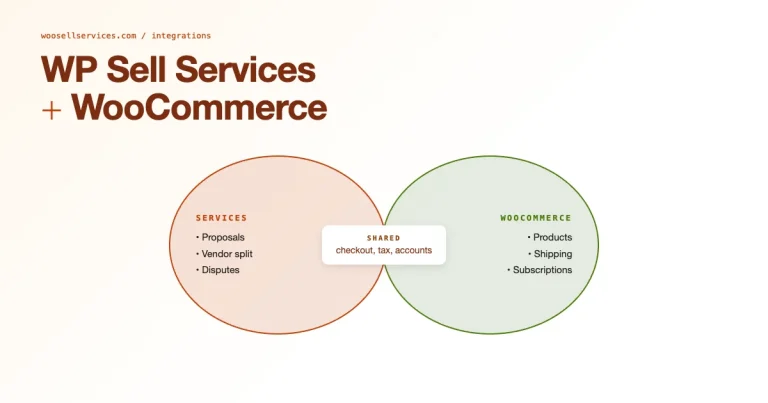
Sell Services with WooCommerce
If you sell services, Woo Sell Services helps you package service deliverables with WooCommerce checkout.
FAQs
Can one order ship to multiple addresses?
Yes, these plugins allow customers to split one cart across multiple shipping destinations, either at checkout (customer-facing splitting) or after purchase (admin-managed order splitting), depending on which plugin you choose.
Does this work with table-rate shipping?
Most do, but test with your specific shipping plugin, particularly if you’re using live carrier rate lookups rather than flat or table rates, since per-destination rate calculation adds a layer of complexity that flat-rate setups don’t have.
Will multi-address shipping slow down my checkout?
It can, if implemented poorly with an interface that always shows multiple address fields regardless of cart contents. Configure the plugin to only surface the multi-address option when the cart actually contains multiple items eligible for split shipping.
How do returns work when an order ships to multiple addresses?
This varies significantly by plugin. Confirm whether returns are tracked per split shipment (recommended) or only at the parent order level, since a return processed at the wrong level can create confusing refund and inventory discrepancies.
Is multi-address shipping worth it for a small store?
If gift-giving or B2B multi-location ordering is a meaningful part of your sales, yes, since the alternative (customers placing separate orders manually) fragments your order data and creates a worse customer experience. If it’s a rare edge case, a simpler “contact us to split your order” manual process may be sufficient until volume justifies a dedicated plugin.
Can I limit multi-address shipping to specific product categories?
Most of the plugins above support category or product-level rules, letting you enable split shipping only for gift-eligible items or a specific product line rather than exposing the feature across your entire catalog. This is worth configuring explicitly rather than leaving multi-address checkout available for every product by default, since it keeps the checkout simple for the majority of single-destination orders.
Do these plugins work with local pickup as one of the “addresses”?
Support varies by plugin. Some let you mix a shipped address and a local pickup option within the same split order (useful for a customer buying items for themselves to pick up plus a gift to ship elsewhere), while others require every split destination to be a shippable address. Check this specifically if local pickup is a meaningful part of your fulfillment mix before committing to a plugin.
Conclusion
Choose a multiple-address plugin based on your checkout flow and fulfillment setup rather than feature count alone. For most general-purpose stores, the official WooCommerce extension is the safest choice; for gift-driven stores, a per-product address plugin fits the actual use case more precisely; and for marketplaces, rely on your multi-vendor plugin’s own shipping modules rather than bolting on a generic single-seller tool.