5 Best WooCommerce Gift Card Plugins

Gift cards are an excellent way to increase revenue, attract new customers, and enhance customer engagement. If you’re using WooCommerce, integrating the right WooCommerce Gift Card Plugins can be a game-changer for your store. These plugins offer a range of features that make it easy to sell and manage gift cards, whether they’re digital, physical, or customizable. In this article, we’ll explore the top 5 WooCommerce Gift Card Plugins, highlight their key features, pros, and cons, and help you determine which one is best for your business.

What Are WooCommerce Gift Card Plugins?
WooCommerce Gift Card Plugins are tools designed to help WooCommerce store owners sell and manage gift cards. These plugins integrate seamlessly with your WooCommerce store, allowing you to easily set up digital or physical gift cards, customize designs, manage card balances, and automate delivery. Gift cards are a powerful way to increase your revenue, attract new customers, and boost brand loyalty.
Why Do You Need the Best WooCommerce Gift Card Plugins?
There are several reasons why WooCommerce Gift Card Plugins are essential for your online store:
- Boost Revenue: Gift cards often encourage customers to spend more than their face value.
- Attract New Customers: Customers purchasing gift cards may introduce new people to your store.
- Flexibility: Gift cards provide your customers with an easy, customizable gift-giving option.
- Enhanced Customer Experience: Offering high-quality gift cards creates a positive shopping experience.
By incorporating WooCommerce Gift Card Plugins into your store, you streamline gift card creation, delivery, and management, all while boosting your sales and customer loyalty.
Key Features to Look for in WooCommerce Gift Card Plugins
When selecting a WooCommerce Gift Card Plugin, you want to ensure it includes these features:
- Customizable Templates: Personalize gift cards to match your brand.
- Multiple Delivery Options: Provide customers with options like email delivery or printable gift cards.
- Scheduled Delivery: Allow customers to set a specific delivery date.
- Tracking and Reporting: Analyze sales, balances, and redemptions with built-in analytics.
- Integration with WooCommerce: Ensure smooth compatibility with your store’s existing system.
The Top 5 WooCommerce Gift Card Plugins You Need to Know About
1. YITH WooCommerce Gift Cards
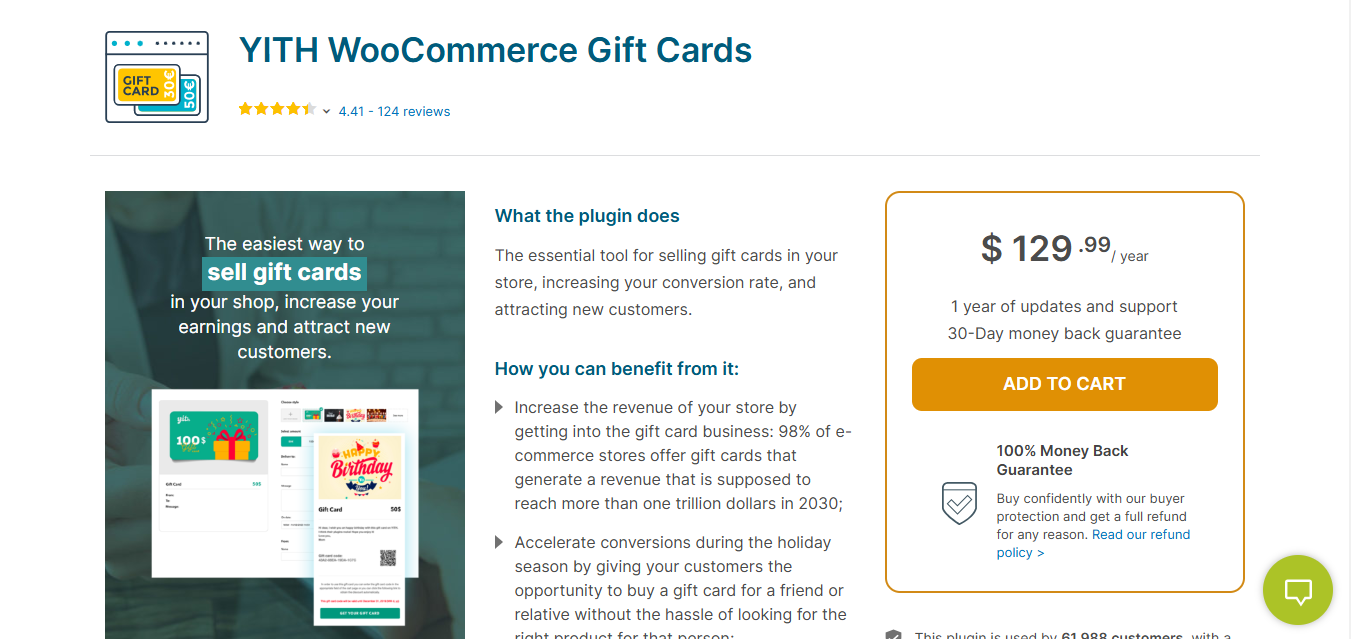
YITH WooCommerce Gift Cards is a versatile and powerful plugin for creating gift cards tailored to your store’s needs. It offers flexibility and ease of use, making it one of the most popular premium plugins available.
Key Features
- Customizable gift card templates.
- Options for email or PDF delivery.
- Customers can upload their images for personalized cards.
- Supports multiple languages and currencies.
Pros
- Easy to set up and manage.
- Comprehensive customization options.
- Suitable for businesses of all sizes.
Cons
- Advanced features require the premium version.
Why It Stands Out
YITH WooCommerce Gift Cards combines simplicity with advanced features, offering a seamless experience for both store owners and customers.
Also Read: 10 Best WooCommerce Review Reminder Plugins
2. WooCommerce Gift Card Plugin by WooCommerce
WooCommerce Gift Card Plugin by WooCommerce provides a straightforward and reliable way to add gift cards to your store. Being the official plugin, it ensures compatibility and consistent performance.
Key Features
- Full WooCommerce integration.
- Customizable card designs.
- Automated email notifications for recipients.
- Flexible minimum and maximum card values.
Pros
- Backed by WooCommerce support.
- Simple and easy setup process.
Cons
- Lacks advanced features compared to other plugins.
Why It Stands Out
Its reliability and seamless integration with WooCommerce make it a perfect choice for straightforward gift card management.
3. WooCommerce Smart Coupons
WooCommerce Smart Coupons is a premium plugin that excels in combining gift card functionality with promotional campaigns.
Key Features
- Fully customizable gift cards and coupons.
- Email and physical delivery options.
- Integration with WooCommerce Subscriptions.
- Automated scheduling for gift card delivery.
Pros
- Ideal for running promotions.
- Advanced coupon management features.
Cons
- Higher price compared to alternatives.
Why It Stands Out
Its dual capability to handle gift cards and coupons efficiently makes it a standout option for stores running marketing campaigns.
4. WooCommerce Gift Cards by VillaTheme
WooCommerce Gift Cards by VillaTheme offers a user-friendly interface and advanced features for both digital and physical gift card management.
Key Features
- Flexible gift card values.
- Scheduled delivery options.
- Integration with WooCommerce and other popular plugins.
- Beautiful, customizable card designs.
Pros
- Reliable customer support.
- Extensive customization features.
Cons
- Premium features are exclusive to the paid version.
Why It Stands Out
The high-quality designs and excellent support offered by VillaTheme make it an ideal choice for businesses seeking a polished gift card solution.
Also Read: 10 Best WooCommerce Save Cart for Later Plugins
5. WooCommerce Ultimate Gift Cards
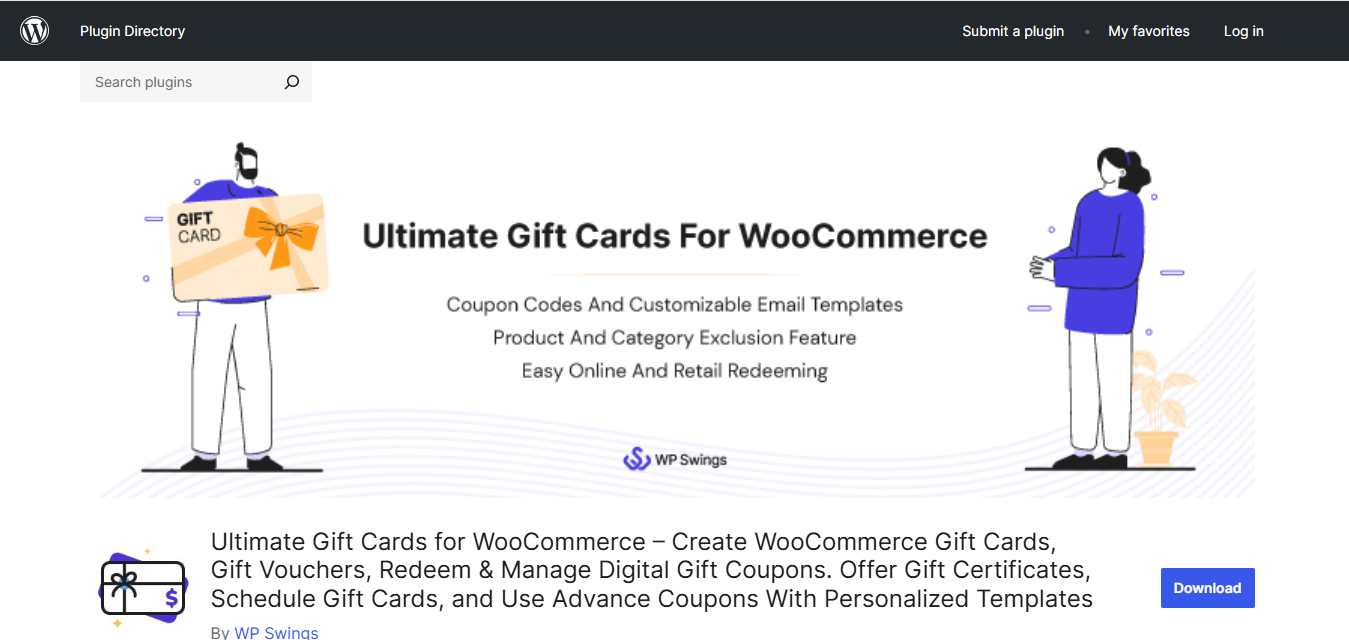
WooCommerce Ultimate Gift Cards is a comprehensive plugin for creating and managing gift cards with a focus on scalability and customization.
Key Features
- Pre-designed and customizable templates.
- QR code functionality for gift cards.
- Scheduled email delivery.
- Automatic syncing with WooCommerce.
Pros
- Highly customizable.
- Ideal for subscription-based stores.
Cons
- May require time to master for beginners.
Why It Stands Out
This plugin’s advanced features and flexibility make it a top choice for businesses looking to scale their gift card offerings.
Comparison Table
| Name of Tool | Best For | Standout Feature | Pricing |
|---|---|---|---|
| YITH WooCommerce Gift Cards | Versatile gift card management with extensive customization | Customizable gift card templates and support for multiple languages | Premium version required for advanced features |
| WooCommerce Gift Card Plugin by WooCommerce | Reliable and straightforward gift card management | Full WooCommerce integration with customizable card designs | Moderately priced, backed by WooCommerce support |
| WooCommerce Smart Coupons | Combining gift cards with promotional campaigns | Customizable gift cards and advanced coupon management | Higher price compared to other plugins |
| WooCommerce Gift Cards by VillaTheme | User-friendly interface with advanced features | Beautiful customizable card designs and scheduled delivery | Premium features available in the paid version |
| WooCommerce Ultimate Gift Cards | Comprehensive gift card management with scalability | Pre-designed templates with QR code functionality | Flexible pricing based on features |

Why Premium Gift Card Plugins Matter
Investing in premium WooCommerce Gift Card Plugins ensures that your store has access to the best features, enhanced reliability, and dedicated support. Whether you’re a small store or a large business, plugins like YITH WooCommerce Gift Cards and WooCommerce Gift Card Plugin by WooCommerce offer unmatched customization and ease of use. With premium plugins, you can transform gift card management into a seamless process that delights your customers while boosting revenue.
Support quality matters more with gift card plugins than with most other WooCommerce extensions, since a bug in balance calculation or redemption logic touches real money rather than just a display glitch. Before committing to a premium plugin, check its support forum activity and response times on WordPress.org or the vendor’s own help desk, since a plugin with fast, substantive responses to bug reports is worth more than one with a longer feature list and a stagnant support queue.
How to Choose the Right Gift Card Plugin for Your Store Size
A five-product boutique store and a thousand-SKU catalog have different gift card needs, even though both are technically “selling gift cards.” A small store just launching gift cards usually gets the most value from the free tier of a well-supported plugin, testing whether customers actually buy them before paying for premium features like scheduled delivery or custom card art. There is no point paying for QR code redemption and multi-currency support before you have sold a single gift card.
A store doing consistent gift card volume, particularly around holidays, benefits more from the premium tiers that add automated balance tracking and expiration management, since manually reconciling gift card balances in a spreadsheet becomes unmanageable past a few dozen active cards. If your store already runs WooCommerce Subscriptions or a loyalty points system, prioritize the plugin that documents official compatibility with those extensions, since gift card and subscription logic can conflict at checkout if the two were never tested together.
Common Gift Card Setup Mistakes to Avoid
Forgetting to exclude gift cards from your own promotions. A storewide 20% off sale that accidentally applies to gift card purchases themselves means you are selling $100 of store credit for $80, which erodes margin in a way that is easy to miss until someone reviews the numbers weeks later. Most gift card plugins let you exclude the gift card product category from sitewide coupon rules, and it is worth double-checking this setting before your next sale.
Not testing the redemption flow from a customer’s perspective. Store owners often test the purchase side of a gift card, buying one and confirming the email arrives, but skip testing what happens when that code gets typed into checkout on a real order. Walk through a complete purchase using a test gift card code before launch, including a partial redemption where the order total exceeds the card balance, to confirm the remaining charge processes correctly.
Leaving expiration policy vague or unset. Some US states and several countries regulate gift card expiration, and a handful prohibit it outright. Check your local regulations before setting an expiration date, and if you do set one, state it clearly on the product page and in the delivery email so customers are not surprised months later.
Digital vs Physical Gift Cards: Which Should You Offer First?
Digital gift cards win on cost and speed for most online-only stores. There is no printing, no shipping, no inventory of blank cards sitting in a drawer, and delivery happens in seconds rather than days. For a store selling primarily online, digital should be the default and, for many smaller stores, the only option worth building in the first version of a gift card program.
Physical cards make more sense when a meaningful share of your customers shop in person, or when gift cards are being sold as an impulse item near a checkout counter. A boutique with a retail location benefits from a small physical card display near the register even if the card itself is redeemed digitally online, since physical presence at the point of sale drives impulse purchases that a digital-only option never sees. If you are weighing whether to build physical fulfillment at all, start digital-only, measure how many customers ask for a physical option, and add it only once that demand is proven rather than assumed.
Frequently Asked Questions
What are WooCommerce gift card plugins?
WooCommerce gift card plugins are extensions that allow store owners to create, sell, and manage digital or physical gift cards directly within their WooCommerce store. These plugins handle everything from gift card design and customization to delivery, balance tracking, and redemption at checkout. They integrate seamlessly with WooCommerce, treating gift cards as products that customers can purchase and send to recipients.
How do digital gift cards work in WooCommerce?
Digital gift cards in WooCommerce work through a simple process: a customer purchases a gift card, enters the recipient’s email address and an optional personal message, and completes the checkout. The system generates a unique gift card code and sends it to the recipient via email. When the recipient shops at your store, they enter this code at checkout to apply the gift card balance toward their purchase. The remaining balance (if any) is tracked for future use.
Can customers send gift cards via email?
Yes, most WooCommerce gift card plugins support email delivery as a primary feature. Customers can enter the recipient’s email address during checkout, add a personalized message, and even schedule the delivery for a specific date (like a birthday or holiday). The recipient receives a beautifully formatted email containing the gift card code, amount, sender’s message, and instructions for redemption.
Do gift card plugins support physical cards?
Many premium WooCommerce gift card plugins support physical gift cards alongside digital options. Plugins like YITH WooCommerce Gift Cards and WooCommerce Ultimate Gift Cards allow you to create printable PDF versions that customers can physically give as presents. Some plugins also support printing physical cards with QR codes or barcodes for in-store redemption if you have a brick-and-mortar location.
Can I customize gift card designs?
Absolutely. All top WooCommerce gift card plugins offer extensive design customization options. You can typically choose from pre-designed templates or create your own designs that match your brand. Customization options usually include colors, images, fonts, and layouts. Some plugins even allow customers to upload their own images for truly personalized gift cards, adding an extra special touch to their gifts.
How do recipients redeem gift cards?
Recipients redeem gift cards by entering their unique gift card code during the WooCommerce checkout process. Most plugins add a dedicated field on the cart or checkout page where customers can input their code. Once entered, the gift card value is applied to the order total. If the order total exceeds the gift card balance, the customer pays the difference. If the gift card value exceeds the order total, the remaining balance stays on the card for future purchases.
Can gift cards have expiration dates?
Yes, most WooCommerce gift card plugins allow store owners to set expiration dates for gift cards. You can configure cards to expire after a certain number of days, months, or years from the purchase date. However, keep in mind that gift card expiration laws vary by country and state, so check your local regulations before setting expiration dates. Many stores choose not to set expiration dates to provide better customer experience.
Do gift cards work with WooCommerce Subscriptions?
Some gift card plugins, particularly WooCommerce Smart Coupons, offer full integration with WooCommerce Subscriptions. This allows customers to use gift cards toward subscription payments, either for the initial payment or recurring charges. However, not all plugins support this feature, so if subscription compatibility is important for your store, verify this functionality before choosing a plugin.
Can I sell gift cards with variable amounts?
Yes, most WooCommerce gift card plugins support variable amount gift cards. You can configure gift cards with preset denominations (like $25, $50, $100) or allow customers to enter any custom amount within a range you define (such as $10 minimum and $500 maximum). This flexibility lets customers purchase gift cards in the exact amount they want to give, making them more versatile as gifts.
How do I track gift card balances?
WooCommerce gift card plugins include administrative dashboards where you can track all gift card activity. This typically includes viewing original balances, current balances, transaction history, redemption details, and expiration dates. Most plugins also send email notifications when gift cards are purchased, redeemed, or running low. Some plugins offer exportable reports for accounting and reconciliation purposes.
Are gift card sales taxable?
In most jurisdictions, gift card purchases themselves are not taxable because the actual goods or services haven’t been purchased yet. Tax is typically collected when the gift card is redeemed and used to purchase products. However, tax laws vary by location, so consult with a tax professional or accountant to understand the specific regulations in your area. WooCommerce gift card plugins typically handle the tax-exempt nature of gift card sales automatically.
Can customers check their gift card balance online?
Most WooCommerce gift card plugins include a balance check feature. You can add a balance check form to your website (often via shortcode or widget) where customers enter their gift card code to see the remaining balance. This saves customer service time and provides a convenient self-service option. Some plugins also display the balance when a customer enters their code at checkout before completing a purchase.
What happens to an unused gift card balance if the store closes or changes plugins?
Gift card balances live in your WooCommerce database, tied to the plugin that issued them, so switching gift card plugins can strand existing balances if the new plugin cannot import the old plugin’s data format. Before migrating away from a gift card plugin, export a full list of active codes and balances, and check whether the new plugin offers an import path or whether you will need to manually recreate outstanding balances as store credit during the transition.
5 Best WooCommerce Wishlist Plugins