Top 12 WooCommerce Security & Access Plugins to Protect Your Online Store in 2026

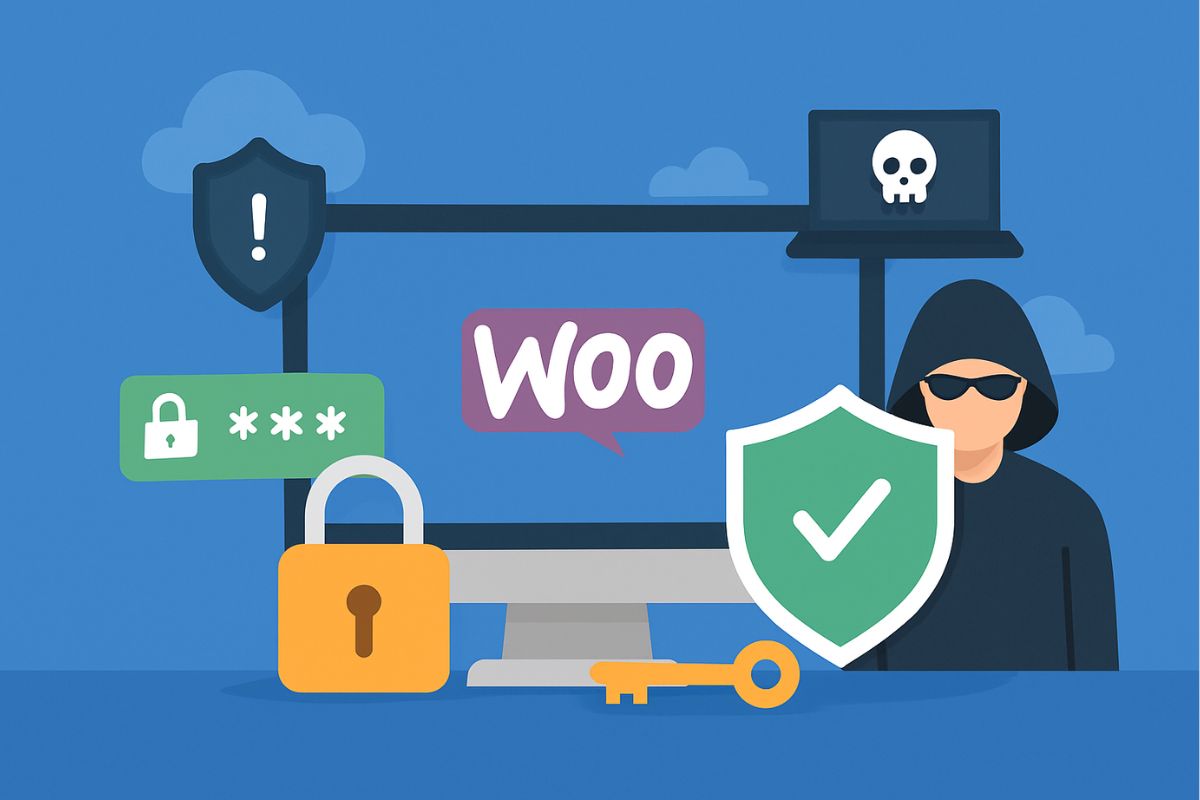
Picture a mid-size WooCommerce store that’s never had a security incident, run by an owner who assumes “nothing’s happened yet” means the site is fine. A credential-stuffing bot doesn’t care about that assumption – it works through login lists leaked from unrelated breaches years ago, testing them against thousands of stores a day, and it doesn’t need a sophisticated targeted hack to get in. It just needs a store with no login-attempt limit and no alert on repeated failures, so the attempts run for days before anyone notices. That’s the realistic threat model most WooCommerce owners are up against in 2026: not a hacker who wants your store specifically, but automated tooling that found the door unlocked.
A WooCommerce store carries more attack surface than a plain WordPress site because it holds something worth stealing: saved addresses and order histories on one side, admin accounts with the power to redirect payouts or create fraudulent discount codes on the other. Meeting GDPR or CCPA obligations and keeping PCI scope narrow both come down to the same starting point – a security and access layer that goes beyond WordPress’s bare-minimum login form, so you don’t lose a weekend to cleanup after a breach that a login limit would have stopped.
That’s the job a WooCommerce Security & Access plugin does. It hardens the login and checkout paths and manages who inside your team can see or touch what. It also watches for the file changes and traffic patterns that signal something’s wrong, mostly without the customer ever noticing it’s there.
This guide covers twelve WooCommerce security and access plugins for 2026: what each one defends against, what it costs, plus who it fits best. Let’s get your store locked down properly.

What Is a WooCommerce Security & Access Plugin?
A WooCommerce Security & Access Plugin is a specialised WordPress extension designed to protect your online store from digital threats and unauthorised activity. Unlike general WordPress security plugins, these tools are built with eCommerce-specific vulnerabilities in mind, such as fraudulent user account creation, unauthorised order access, checkout manipulation, and backend exploitation.
These plugins work by adding layers of protection around login forms, checkout pages, admin panels, and critical files within your WooCommerce environment. Depending on the plugin, they can offer advanced features including two-factor authentication (2FA), IP whitelisting and blacklisting, login throttling, user role access management, and real-time file integrity scanning. Many also include activity monitoring dashboards so you can audit user behaviour, plugin changes, and login attempts across your store.
Another key function is access control. This allows you to restrict visibility and actions based on user roles such as customer, store manager, and admin, ensuring that sensitive store functions are never accessible to unauthorised users. Some plugins also track login location anomalies and send alerts or lock accounts automatically.
Put simply, this category of plugin turns a store that relies on WordPress’s default username-and-password gate into one with enforced rules and layered monitoring – plus a record of who did what, when something needs tracing back.
Why You Need WooCommerce Security & Access Plugins
Every WooCommerce store faces digital risk regardless of order volume, because the automated bots scanning for vulnerable checkouts don’t check your monthly revenue before attacking. Hackers target eCommerce sites for the financial data sitting in the database – saved addresses and account credentials at minimum, sometimes card data too if your PCI scope isn’t tightly controlled. Once a store is compromised, the fallout usually outlasts the breach itself: customers who lose trust in a store rarely come back, even after the vulnerability is patched.
A WooCommerce Security & Access Plugin addresses this by creating automated defences that prevent unauthorised access, track login attempts, and enforce user-specific permissions. None of this requires deep technical knowledge to run day to day, which matters for the majority of store owners who manage their own sites without a dedicated security team. These tools also support compliance with data protection regulations by logging user activity and limiting how much sensitive data any one role can see.
There’s a quieter benefit too. Internal threats – a staff account with more access than it needs, a freelancer who never had their login revoked – get caught by the same role management and activity logging that stops external attackers. Small stores tend to overlook this because the mental model of “hacker” points outward, but a two-person team with shared admin logins is its own kind of exposure.
None of this is optional anymore. It’s operational infrastructure, the same category as backups or an SSL certificate – something you don’t think about until the day you desperately need it to have already been there.
How These WooCommerce Security & Access Plugins Work
A WooCommerce Security & Access Plugin adds multiple layers of protection to your store, working behind the scenes to defend against unauthorised access, malicious attacks, and suspicious activity. Here is how they typically function:
- Brute Force Attack Prevention
These plugins limit failed login attempts from the same IP address to prevent bots from guessing admin passwords. - Two Factor Authentication (2FA)
Users must confirm their identity using a second device, such as a mobile authenticator app, before logging in, reducing the risk of unauthorised access. - Role-Based Access Management
Store owners can assign specific permissions to user roles, controlling who can view, edit, or manage areas of the WooCommerce backend. - Login and Session Monitoring
Tracks user sessions in real time, showing which users are logged in, their location, and session duration. - File Integrity Scanning
Detects and reports unauthorised changes to WordPress and WooCommerce core files to catch malware early. - Activity Logging
Maintains logs of user actions such as logins, product edits, plugin installations, and settings changes. - Real Time Alerts and Notifications
Sends instant alerts via email or dashboard when high-risk or unusual activity is detected.
These combined features ensure that your WooCommerce store remains secure, compliant, and operational even when you are not actively monitoring it.
12 Best WooCommerce Security & Access Plugins
The right WooCommerce Security & Access Plugins provide a proactive shield against emerging digital threats. From login security to fraud detection and user role control, these tools are essential for keeping your online store secure in 2026.
1. YITH WooCommerce Anti-Fraud
YITH WooCommerce Anti-Fraud is a fraud prevention plugin built specifically for WooCommerce. It detects suspicious orders by scoring them against configurable fraud rules. The plugin helps protect your store from chargebacks and fake transactions by analysing each order in real time. You can flag, block, or require manual approval for orders based on their risk level. In practice, this plugin catches the pattern that costs stores the most in the long run: a stolen card tested with a small order, followed by a much larger one once the first goes through unnoticed.
Key Features:
- Fraud scoring system with customizable thresholds
- Rule-based analysis using billing details, IP location, and user activity
- Automatic order status changes for flagged orders
- Ability to block or manually review suspicious users
- Clear fraud score indicators in the WooCommerce orders panel
- Compatibility with major payment gateways
Pricing: Starts at €89.99 per year for a single site license, including updates and support.
Best For: Stores handling international payments or facing frequent chargeback risks.
2. Security for WooCommerce
Security for WooCommerce is an official WooCommerce extension that combines access protection, backups, activity monitoring, and brute force defence in one solution. It is designed for stores that want enterprise-level security without a complex setup. Cloud-based malware scanning and instant alerts protect your store around the clock. The backup piece deserves its own mention – if a breach does get through, a same-day restore point is often the difference between an afternoon of cleanup and a week of it.
Key Features:
- Automated daily backups with one-click restore
- Real-time malware scanning and threat detection
- Brute force login protection
- Downtime monitoring with instant notifications
- Jetpack VaultPress integration for WordPress and WooCommerce
Pricing: Starts at $10 per month, billed annually, with scalable plans.
Best For: Store owners looking for an all-in-one WooCommerce security solution with automatic backups.
3. iThemes Security Pro- WooCommerce Security & Access Plugin
iThemes Security Pro is a robust plugin focused on access control, file protection, and vulnerability detection. It enforces strong passwords, enables two-factor authentication, monitors malicious login attempts, and scans for file changes while supporting secure database backups. The temporary-access feature is worth a specific mention for agencies: you can grant a developer login credentials that expire automatically, instead of remembering to revoke access manually once a project wraps.
Key Features:
- Two-factor authentication and strong password enforcement
- File change detection and database backups
- Brute force protection with reCAPTCHA integration
- Malware scanning and local brute force limits
- Custom user roles and temporary access permissions
Pricing: Starts at $199 per year for unlimited sites with updates and support.
4. Wordfence Premium- WooCommerce Security & Access Plugin

Wordfence Premium is a leading WordPress and WooCommerce security solution offering real-time firewall protection, malware scanning, IP blocking, and login hardening. It uses an active threat intelligence feed to block emerging attacks. The premium tier’s edge over the free version is timing – free users get the same firewall rules roughly 30 days after premium subscribers, which is a meaningful gap when a new WooCommerce vulnerability is being actively exploited within days of disclosure.
Key Features:
- Endpoint firewall and malware scanner
- IP blocking based on real-time threat intelligence
- Brute force protection with CAPTCHA support
- Country blocking and real-time alerts
- Plugin, theme, and file change monitoring
Pricing: Premium license for a single site starts at $119/year, with discounts available for multiple sites.
5. Sucuri Security- WooCommerce Security & Access Plugin
Sucuri delivers enterprise-grade security as a managed service, with integrated site scanning, malware removal, and firewall protection. It shields WooCommerce sites from threats like SQL injection, XSS, and DDoS attacks while ensuring swift incident response. The firewall sits in front of your server rather than inside WordPress, which means malicious traffic gets filtered before it ever reaches your hosting, easing the load a DDoS attempt would otherwise put on your server.
Key Features:
- Cloud-based web application firewall
- Scheduled malware scanning and blacklist monitoring
- Post hack cleanup and expert remediation
- SSL validation, DDoS mitigation, and patch response
- Security auditing and file change alerts
Pricing: Starts at $199.99 per year, with optional premium incident response services available.
6. All In One WP Security and Firewall- WooCommerce Security & Access Plugin
A free, user-friendly plugin that offers layered protection for WordPress and WooCommerce sites. It includes login lockdown, reCAPTCHA, file integrity checks, and firewall rules without complicating access control. For a store just getting past the “I’ve never thought about security” stage, this is usually the first plugin worth installing – free, no learning curve, and it closes the most common attack paths without touching anything else on the site.
Key Features:
- Lockdown protection for files, databases, and login pages
- Basic brute force attack prevention
- Built-in firewall with categorised security levels
- User account monitoring with email alerts
- Frontend and backend hiding options
Pricing: Completely free, with optional paid support and premium modules.
7. Two Factor Authentication by WP 2FA
WP 2FA is a dedicated two-factor authentication plugin designed for WooCommerce backends. It strengthens login security using mobile authenticator apps or email-based one-time passwords. It also supports backup codes and role-based enforcement. Making 2FA mandatory for admin and shop-manager roles specifically, while leaving customer accounts alone, is usually the right balance – it closes the highest-value target without adding login friction to people just trying to buy something.
Key Features:
- TOTP via Google Authenticator, Microsoft Authenticator, or email OTP
- Backup codes and role-based two-factor enforcement
- Customisable enforcement rules and grace periods
- Email or mobile-based OTP delivery
- Easy-to-use setup wizard
Pricing: Free core version. Pro plans start at $49 per year and include premium support and advanced integrations.
8. Limit Login Attempts Reloaded- WooCommerce Security & Access Plugin
A lightweight plugin focused on preventing brute force attacks. It restricts login attempts by IP address and blocks suspicious behaviour for configurable periods, making it a strong companion to other security tools. It doesn’t try to be a full security suite, which is exactly why it pairs well with something like Wordfence or Sucuri – each plugin does one job instead of three tools fighting over the same login form.
Key Features:
- Limits failed login attempts per IP address
- Temporary or permanent IP blocking
- Customisable lockout durations
- Email notifications for administrators
- Multisite and REST API compatibility
Pricing: Fully free and open source, maintained with regular updates.
9. WP Cerber Security- WooCommerce Security & Access Plugin
WP Cerber Security delivers advanced login protection with invisible reCAPTCHA, intelligent login attempt controls, malware scanning, traffic limiting, and scheduled file integrity checks. The invisible reCAPTCHA is the detail that matters most day to day – it screens out bot traffic without ever putting a checkbox in front of a real customer trying to log in and reorder.
Key Features:
- Advanced login security with optional two-factor authentication
- Malware detection and file integrity monitoring
- Customisable access rules by IP address
- Login attempt tracking and audit logs
- Spam protection for forms and comments
Pricing: Fully functional free tier available. Pro version starts at $69 per year with priority support and updates.
10. Hide My WP Ghost WooCommerce Security and Access Plugin
Hide My WP Ghost secures WooCommerce stores by obscuring the WordPress footprint. It hides login URLs, admin paths, version details, and default directories to reduce exposure to automated attacks. This is a “reduce the target” strategy rather than a “block the attack” one – a huge share of automated bot traffic never gets past the first step because it’s scripted to hit /wp-admin and /wp-login.php by default, and those paths simply don’t exist anymore once this plugin is active.
Key Features:
- Customisable login, admin, and plugin paths
- Removes WordPress version information from source code
- Protection against XML RPC and readme file exploits
- Bot detection and login access restrictions
- Malicious request blocking and 404 cloaking
Pricing: Starts at $29 per year for a single site, with multisite licenses available.
11. WP Activity Log WooCommerce Security and Access Plugin
WP Activity Log enables store owners to monitor all user activity, including logins, product updates, plugin changes, and cart actions. It provides full visibility into backend activity for auditing and compliance. When something does go wrong – a price accidentally changed, a coupon code that shouldn’t exist – this is the plugin that answers “who did this and when” instead of leaving you guessing.
Key Features:
- Real-time logging of WooCommerce and WordPress events
- Alerts for suspicious or unusual activities
- Advanced filtering, reporting, and search tools
- User and role-based activity logs
- Integration with Slack, Microsoft Teams, and data export tools
Pricing: Free version available. Premium licenses start at $89 per year with advanced alerts and reporting.
12. Defender Pro by WPMU DEV- WooCommerce Security & Access Plugin
Defender Pro is a comprehensive security suite that combines hardening, firewall protection, login security, and automated scanning. It includes file monitoring, IP blocking, reCAPTCHA, and admin-level obfuscation. It’s bundled inside the broader WPMU DEV membership, so the real value calculation depends on whether you’re already using or considering their other tools rather than on Defender Pro’s price tag alone.
Key Features:
- WordPress core hardening and firewall protection
- Login limits, reCAPTCHA, and hidden login URLs
- File change monitoring and vulnerability snapshots
- Automated security reports and alerts
Pricing: Included with WPMU DEV membership at $49 per month, covering all tools and support.

Matching Security to Your Store’s Threat Model
A five-product store running on shared hosting and a twelve-warehouse operation processing thousands of orders a day don’t face the same risks, and treating them identically wastes either money or protection. The plugin list above only pays off once it’s matched against what you’re actually defending.
A small store’s biggest exposure is usually the simplest kind: an admin account with a weak, reused password and no login-attempt limit. That’s the scenario that opened this guide, and it’s still the most common way small stores get compromised. If that’s your starting point, All In One WP Security and Firewall or Limit Login Attempts Reloaded closes the gap for free in under an hour, and WP 2FA on top of it removes most of what’s left of the risk.
A high-traffic store carries a different set of problems. Order volume makes fraud detection worth its price tag – YITH WooCommerce Anti-Fraud starts paying for itself the moment it blocks one stolen-card order that would have triggered a chargeback and a processor penalty. Traffic volume also makes a server-level firewall like Sucuri’s more valuable than a WordPress-only plugin, since it filters malicious requests before they ever load a page and eat server resources.
Stores with a team beyond one person face an access-control problem that solo operators mostly don’t. Role-based permissions and an activity log stop mattering once you’re the only person with a login, but the moment you add a shop manager, a support contractor, or a seasonal hire, WP Activity Log or iThemes Security Pro’s temporary-access controls become the tool that prevents an old contractor login from turning into next year’s breach.
Budget rarely has to be the blocker it seems like. A layered free stack – All In One WP Security paired with WP 2FA and Limit Login Attempts Reloaded – covers the highest-frequency attack vectors at zero cost. Paid tools earn their keep by adding what free plugins genuinely can’t: managed incident response and fraud scoring against live payment data, plus firewall rules that update faster than a volunteer-maintained free plugin realistically can.
Which Plugin Should You Choose?
Running an eCommerce business today requires more than listing products and processing payments. It also requires protecting your store, your data, and your customers at every level. With rising cyber threats, fraud attempts, and data breaches, default WordPress security is no longer enough.
WooCommerce Security and Access Plugins work in layers. Some prevent brute force login attempts, others scan for malware, and several monitor user activity inside the admin dashboard. Plugins like YITH WooCommerce Anti-Fraud focus on transaction security, while Security for WooCommerce delivers a complete protection and backup system. Combining these with tools such as Wordfence, Sucuri, or Defender Pro ensures fuller coverage, from firewall protection to real-time alerts.
The right combination depends on your store size, risk exposure, budget, and internal resources. Small stores can rely on free solutions like All In One WP Security or Limit Login Attempts Reloaded. Larger or high-traffic stores should invest in premium plugins to gain stronger threat intelligence and detailed reporting, plus more advanced access control.
Frequently Asked Questions
Do I really need a dedicated security plugin if my host already offers “security features”?
Hosting-level security usually covers server hardening and basic firewalling, but it rarely touches WooCommerce-specific risks like fraud scoring on orders, role-based access inside your admin dashboard, or activity logs tied to your store’s data. Treat host-level protection as the foundation, not the whole structure – a dedicated plugin fills in what the hosting layer was never built to see.
Can I run more than one security plugin at the same time?
You can, but overlap causes real problems. Two plugins each running their own firewall or file scanner will sometimes flag each other’s activity as suspicious, and running two 2FA plugins at once can lock a legitimate admin out. The safer pattern is one full-suite plugin (Wordfence, Sucuri, or Security for WooCommerce) paired with a narrowly scoped tool that does something the suite doesn’t, such as WP Activity Log for detailed audit trails.
Will two-factor authentication annoy my customers at checkout?
Not if it’s scoped correctly. 2FA belongs on admin and shop manager accounts, and any other staff account with backend access – not on customer accounts, where it adds friction to a purchase decision that’s already fragile. WP 2FA and most of the other tools on this list let you enforce 2FA by user role specifically for this reason.
How do I know if my store has already been compromised?
Watch for unexplained admin accounts, product prices or coupon codes that changed without anyone on your team touching them, a spike in failed login attempts in your logs, or a sudden jump in server resource usage. Plugins with file integrity scanning, such as Wordfence or iThemes Security Pro, will also flag unauthorised changes to core files automatically, which is usually the first real signal something’s wrong.
Is a free security plugin actually enough, or am I taking a real risk by not paying?
For a small store with low order volume, a well-configured free stack meaningfully reduces risk versus running nothing. Where free plugins fall short is speed and depth: premium tools get new threat-intelligence updates faster, and features like fraud scoring or managed incident response genuinely don’t exist in free tiers because they require ongoing infrastructure to run. The honest answer is that free is a reasonable starting point, not a permanent ceiling.
What’s the single highest-impact change I can make if I only do one thing today?
Turn on two-factor authentication for every admin and shop manager account, and set a login-attempt limit. That one change closes the attack vector responsible for the majority of small-store compromises – credential stuffing and brute-force login attempts – and it takes under fifteen minutes with a free plugin.
Interesting Reads:
Best WooCommerce Plugins Anti-Fraud to Protect Your Online Store