10 Best WooCommerce Subscriptions Plugins


A subscription box that ships every month, a SaaS tool billed annually, a private coaching group that renews on the 1st – all three run on the same underlying mechanic: WooCommerce charging a saved payment method on a schedule without anyone touching the order screen. That mechanic is what separates a store with predictable monthly revenue from one that starts every month at zero. Recurring billing is not a nice add-on anymore; for a growing slice of WooCommerce stores it is the entire business model.
None of that happens by default. WooCommerce handles one-time purchases well but has no native concept of a renewal, a failed-card retry, or a customer-facing “pause my subscription” button. A WooCommerce Subscriptions plugin is what bolts that machinery onto your store: it creates the recurring order, charges the card again on schedule, retries a declined payment before giving up, and gives the customer a account page to manage what they’re paying for.
Get this layer wrong and the cost shows up quietly. A subscription plugin with weak retry logic loses renewals to expired cards that a better plugin would have recovered automatically. One with no self-service portal turns every pause request into a support ticket. The plugins below differ in exactly these ways, and the differences matter more the longer a customer stays subscribed.
This guide walks through ten WooCommerce subscription plugins: what each one does well, where it falls short, and what that shortfall costs you in lost renewals. Whether you’re launching a subscription box this quarter or bolting recurring billing onto an existing catalog, the goal is to help you pick a plugin that fits your billing model instead of fighting it.

WordPress security plan
What Are WooCommerce Subscriptions Plugins?
WooCommerce Subscriptions plugins are extensions that add recurring-billing product types to a WooCommerce store. Instead of a single checkout charge, a subscription product creates a renewal schedule tied to the customer’s saved payment method, then generates a fresh order automatically each time that schedule comes due. The plugin also owns everything around that schedule – trial periods and sign-up fees on one side, proration and declined-card handling on the other.
Under the hood, most of these plugins hook into WooCommerce’s order and payment-token system rather than replacing it. That’s why gateway support matters so much when comparing them – a plugin that can’t store and reuse a tokenized card with your payment processor can’t actually automate renewals, it can only remind customers to pay manually. The good plugins in this list handle that token storage and the retry logic when a charge fails. They also give customers a self-service area to see, pause, or cancel what they’re on without emailing support.
Why Do You Need WooCommerce Subscriptions Plugins?
Manually re-invoicing customers every billing cycle doesn’t scale past a handful of accounts, and it’s where most DIY subscription attempts quietly die. A subscription plugin automates the billing and renewal cycle so growth in subscriber count doesn’t turn into a growth in admin workload. It also opens up pricing structures a one-time checkout can’t, from tiered plans and free trials that convert to paid, to discounts for committing annually instead of monthly.
There’s a retention effect too. A customer who has to actively repurchase every month churns at a much higher rate than one whose card is charged automatically until they choose to cancel. That’s the entire economic case for subscription commerce – it shifts the default from “customer must act to keep buying” to “customer must act to stop.” A subscriptions plugin is the piece of infrastructure that makes that default possible, along with the dunning emails and payment retries that recover revenue you’d otherwise lose to an expired card.
Key Features to Look for in WooCommerce Subscriptions Plugins
When choosing the best WooCommerce Subscriptions Plugins, here are some key features to consider:
- Recurring Billing: The plugin should support automatic recurring payments at customizable intervals.
- Flexible Subscription Options: Look for plugins that offer different billing cycles (e.g., weekly, monthly, yearly).
- Trial Periods and Sign up Fees: The plugin should allow free trials and discounts for new customers.
- Subscription Management: Customers should have the ability to easily manage their subscriptions, such as pausing or upgrading their plans.
- Payment Gateway Integration: The plugin should work seamlessly with popular payment processors like PayPal and Stripe.
- Analytics & Reporting: The plugin should provide detailed subscription reports to track performance and optimize your strategy.
10 Best WooCommerce Subscriptions Plugins for Your Online Store
1. YITH WooCommerce Subscription

YITH WooCommerce Subscription is an excellent plugin designed to help WooCommerce store owners create and manage subscription based products. It enables recurring payments and flexible billing cycles, making it ideal for businesses offering products or services on a subscription basis. Store owners who already use other YITH extensions tend to gravitate here first, since the settings screens follow the same layout and the plugin plays cleanly with YITH’s own cart and wishlist tools.
Key Features
- Subscription Plans: Create multiple subscription options with different pricing and durations.
- Recurring Payments: Supports automatic renewal of subscriptions via multiple payment gateways.
- Trial Periods: Allows offering trial periods to attract new customers.
- Customizable Options: Manage subscription details like pause, resume, or cancel subscriptions.
Pros
- Increases customer retention and revenue predictability.
- Seamless integration with WooCommerce and payment gateways.
- User friendly interface for managing subscriptions.
Cons
- Advanced features require the premium version.
- Limited options for customization in the free version.
Why It Stands Out
YITH WooCommerce Subscription is a robust solution for businesses venturing into subscription models. With features like flexible billing and trial periods, it helps businesses grow recurring revenue streams while enhancing customer experience.
Also Read: 10 Best WordPress Themes for Affiliate Marketing
2. WooCommerce Memberships

WooCommerce Memberships is a powerful membership plugin that can be combined with WooCommerce Subscription Plugins to offer a complete solution for subscription-based content and services. On its own it doesn’t process a single payment – it handles the access side of the equation, gating content, downloads, or discounts behind a membership status. Pair it with WooCommerce Subscriptions and the billing renewal automatically keeps that access current, dropping it the moment a payment lapses.
Key Features
- Integration with WooCommerce Subscriptions.
- Restrict content and provide exclusive discounts to members.
- Recurring billing for memberships and subscription products.
Pros
- Seamlessly integrates with WooCommerce Subscriptions.
- Great for content based subscription models.
- Excellent for businesses offering exclusive memberships.
Cons
- Requires WooCommerce Subscriptions to work properly.
- More complex setup than basic subscription plugins.
Why It Stands Out
If you’re running a membership site or content based subscription model, this plugin provides a powerful way to manage both memberships and recurring payments. Worth flagging: this is strictly about paid access to content and discounts on your store – it’s not a community platform, and it doesn’t add forums, groups, or social profiles. If what you actually want is a members-only community rather than gated content billed on a schedule, that’s a different category of tool entirely.
3. All Products for WooCommerce Subscriptions

All Products for WooCommerce Subscriptions is a powerful plugin designed to help WooCommerce store owners turn any product into a subscription-based offering. Whether you’re selling physical goods, digital downloads, or services, this plugin gives you the ability to create subscription plans with ease, offering recurring payments for your customers. It’s an add-on to WooCommerce Subscriptions rather than a standalone tool, and that’s precisely the point: instead of building separate subscription products, you attach a subscription option to products you’re already selling as one-time purchases.
Key Features
- Subscription for All Products: Turn any product into a subscription based item with just a few clicks.
- Flexible Subscription Plans: Set up recurring payments with flexible billing intervals and durations.
- Automatic Renewals: Subscriptions renew automatically, reducing the need for manual intervention.
- Works with Simple and Variable Products: Easily applies to both simple products and more complex variable ones.
Pros
- User friendly: Easy to set up and use for store owners with no technical expertise.
- Scalable: Ideal for both small businesses and larger enterprises.
- Flexible billing: Offers great flexibility in setting up billing intervals, trial periods, and more.
Cons
- Limited Free Features: Some advanced features require the premium version.
- Dependence on WooCommerce Subscriptions: Requires the WooCommerce Subscriptions plugin for full functionality.
Why It Stands Out
What makes the All Products for WooCommerce Subscriptions plugin stand out is its simplicity and versatility. It allows businesses to seamlessly convert any product into a subscription model, making it an excellent choice for store owners looking to generate consistent, recurring revenue from a wide range of products. A coffee roaster with an existing catalog of one-off bag sizes, for instance, could add a “subscribe and save” option to each product page without rebuilding the catalog from scratch.
4. Subscriptio, WooCommerce Subscription Plugin
Subscriptio is an easy to use plugin for WooCommerce, designed to help store owners create and manage subscriptions. It supports flexible subscription durations and integrates well with your existing WooCommerce store. Unlike the annual-license model most competitors on this list use, it’s sold as a one-time purchase, which changes the long-run math for a store that plans to run subscriptions for years rather than months.
Key Features
- Automatic recurring billing.
- Customizable subscription lengths and intervals.
- Integration with PayPal, Stripe, and other popular payment gateways.
Pros
- One time affordable purchase.
- Intuitive setup and user friendly interface.
- Great for both physical and digital products.
Cons
- Lacks some advanced features seen in premium plugins.
- Limited customer support options.
Why It Stands Out
For small businesses or those just getting started with WooCommerce, Subscriptio provides great value at an affordable price. It’s straightforward, simple, and perfect for basic subscription models where you need reliable renewals more than an elaborate feature set.
5. WooCommerce Subscriptions by WebToffee

WebToffee’s WooCommerce Subscriptions plugin is a budget friendly yet feature rich option for adding subscription functionality to your store. It integrates seamlessly with WooCommerce to enable recurring billing and subscription management, and like Subscriptio it’s sold as a one-time license rather than a recurring fee – a detail worth weighing since you’re already asking your customers to commit to recurring payments, and it’s a little ironic to pay a subscription fee yourself just to offer one.
Key Features
- Flexible subscription intervals and recurring payments.
- Compatibility with major payment gateways like PayPal and Stripe.
- Automatic subscription renewals and payment retries.
Pros
- Affordable one time payment.
- Feature rich with built in analytics.
- Easy integration with your existing WooCommerce store.
Cons
- Lacks some advanced features found in premium plugins.
- Support could be faster and more responsive.
Why It Stands Out
WebToffee’s plugin is an excellent solution for small businesses that need a simple yet effective way to manage WooCommerce subscriptions at an affordable price.
Also Read: 10 Best AI Tool to Create Vector Art
6. Stripe for WooCommerce
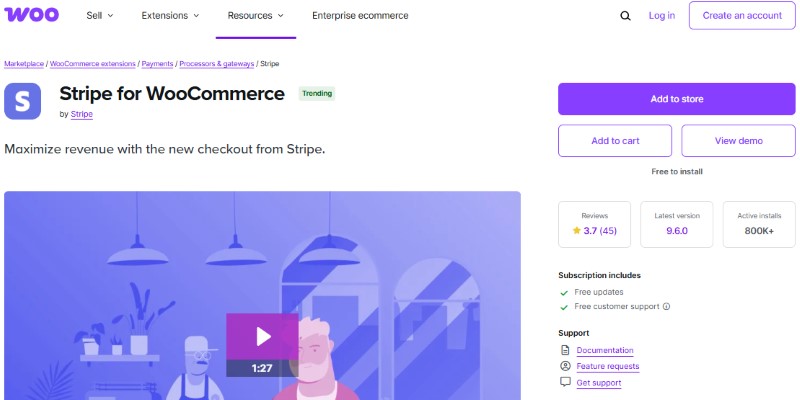
The Stripe for WooCommerce Subscriptions plugin integrates Stripe as your payment gateway for subscription based products. It’s a great solution if you want a secure, reliable payment processor for recurring billing. This isn’t a subscription-management plugin in the same sense as YITH or Subscriptio – it’s the payment layer underneath one, handling the card charge and tokenization while a subscriptions plugin still owns the product setup and customer-facing renewal schedule.
Key Features
- Recurring billing with automatic renewals.
- Multiple payment options (credit cards, ACH, etc.).
- Easy integration with WooCommerce.
Pros
- Trusted, secure payment processor.
- Minimal setup and easy to use interface.
- Handles automatic subscription renewals and payment retries.
Cons
- Limited features for subscription management beyond payment processing.
- Processing fees may be high for large stores.
Why It Stands Out
Stripe’s secure and widely trusted payment system makes this plugin perfect for those who want to integrate subscription payments without the need for advanced subscription management tools.
7. PayPal Subscriptions for WooCommerce
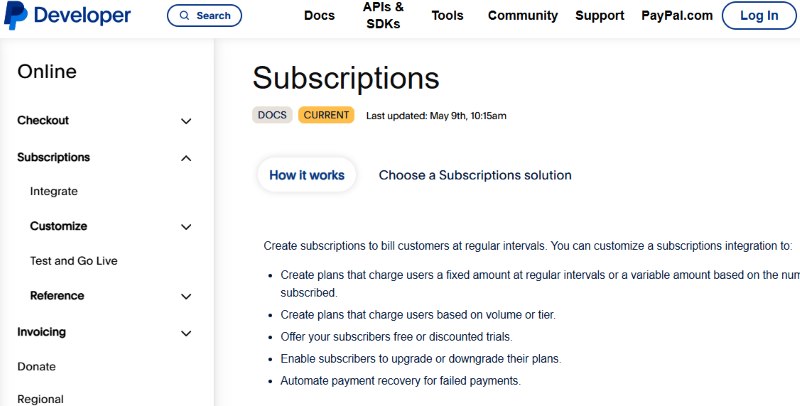
PayPal Subscriptions for WooCommerce allows store owners to add subscription based billing with PayPal, a global leader in online payment processing. It’s perfect for businesses that want a simple solution for recurring payments. The appeal here is mostly about the customer, not the store owner: shoppers who already trust PayPal and don’t want to hand a new merchant their card number will complete checkout with it when they’d otherwise abandon a card form, which matters more for international or higher-ticket subscriptions than for a $5 monthly box.
Key Features
- Recurring payments via PayPal.
- Supports free trials and sign up fees.
- Easy integration with WooCommerce.
Pros
- Trusted payment processor.
- Easy for customers to use.
- Supports global transactions with PayPal.
Cons
- Limited to PayPal as the payment gateway.
- Requires a business PayPal account.
Why It Stands Out
PayPal Subscriptions is a great choice for businesses looking to implement a recurring payment system using PayPal, providing a reliable and secure way to process subscription payments.
8. Recurring Payments for WooCommerce
Recurring Payments for WooCommerce offers an easy to use solution for managing subscription based products in WooCommerce. It’s perfect for stores that need a straightforward subscription model. There’s no trial-period support and no sign-up fee option here, which is a deliberate trade-off – the plugin stays lean and free rather than bolting on every billing scenario, which suits a store that just needs “charge this card every month” without the configuration overhead of a fuller-featured tool.
Key Features
- Support for physical and digital products.
- Flexible subscription durations.
- Subscription management tools for both store owners and customers.
Pros
- Simple and easy to use.
- Great for small stores with basic subscription needs.
- Low cost solution for recurring payments.
Cons
- Lacks advanced features like free trials or sign up fees.
- Limited customization options.
Why It Stands Out
This plugin is ideal for store owners who want a simple and cost effective way to implement subscriptions without overwhelming complexity.
9. Subscriptions for WooCommerce by Paid Memberships Pro

For businesses that focus on membership subscriptions, Paid Memberships Pro integrates seamlessly with WooCommerce to offer a comprehensive subscription management solution. Where this differs from plain WooCommerce Subscriptions is the depth of access control – it was built as a membership platform first and a WooCommerce connector second, so the content-gating rules and level-based pricing tend to run deeper than what a pure billing plugin offers.
Key Features
- Integration with WooCommerce for seamless subscription management.
- Advanced membership features like content protection and member only discounts.
- Multiple payment gateway support.
Pros
- Great for membership based businesses.
- Advanced features for content protection and member management.
- Powerful analytics and reporting tools.
Cons
- May require additional setup and configuration.
- Requires a membership focused business model.
Why It Stands Out
Paid Memberships Pro is the ideal solution for membership based businesses that need to combine subscription billing with access control and content protection.
Also Read: 10 Best WordPress Themes for Coffee Shops
10. MemberPress WooCommerce Subscriptions Add on

MemberPress is best known as a standalone membership plugin, and its WooCommerce Subscriptions add-on is for stores that already run MemberPress for courses or gated content and want WooCommerce’s checkout and product catalog wired into the same billing records instead of running two disconnected systems side by side.
How the Ten Compare
| Plugin | Best For | Standout Feature | Price |
|---|---|---|---|
| YITH WooCommerce Subscription | Medium to large stores offering subscription products | Flexible billing cycles, trial periods, subscription management | Free & Premium (€79/year) |
| WooCommerce Memberships | Membership based content sites | Restricts content, provides member discounts | Premium ($199/year) |
| All Products for WooCommerce Subscriptions | Stores that want to convert any product into a subscription | Works with simple and variable products, flexible billing | Premium ($79/year) |
| Subscriptio | Small businesses needing simple subscription management | One-time purchase, automatic recurring billing | One time $69 |
| WooCommerce Subscriptions by WebToffee | Small stores on a budget | Flexible subscription intervals with payment retries | One time $49 |
| Stripe for WooCommerce | Stores focused on secure payment processing | Stripe integration for automatic recurring payments | Free |
| PayPal Subscriptions for WooCommerce | Stores preferring PayPal as a payment gateway | Recurring payments via PayPal with trials and sign-up fees | Free |
| Recurring Payments for WooCommerce | Small stores needing simple subscription functionality | Supports basic recurring payments for products | Free |
| Subscriptions for WooCommerce by Paid Memberships Pro | Membership based businesses | Advanced membership and content protection tools | Premium ($297/year) |
| MemberPress WooCommerce Subscriptions Add-on | Content driven subscription businesses | All-in-one subscription and membership management | Requires MemberPress ($179/year+) |

Matching a Subscription Model to Your Business
The plugin comparison above answers “what does this tool do.” A separate question is which billing model actually fits what you’re selling, and that decision should come first – the wrong model with the right plugin still produces the wrong outcome.
A physical subscription box – coffee, skincare, snacks, whatever ships in a labeled package every cycle – needs a plugin that handles shipping recalculation on renewal and address changes between cycles, plus a customer portal where someone can skip a month without cancelling outright. All Products for WooCommerce Subscriptions or YITH WooCommerce Subscription cover this well, since both were built around physical inventory moving on a schedule rather than pure digital access.
Software or SaaS-style access sold through WooCommerce – a plugin license, an API key, a software seat – cares less about shipping and more about instant provisioning and clean proration when a customer upgrades mid-cycle. Stripe for WooCommerce paired with a core subscriptions plugin tends to be the leaner setup here, since the licensing logic usually lives in your own product code and the plugin only needs to keep the payment token current.
Membership or gated-content subscriptions – a paywalled course, a private resource library, a paid newsletter archive – are a different animal again. Here the billing plugin is secondary to the access-control plugin. WooCommerce Memberships or Paid Memberships Pro do the actual gating; a subscriptions plugin just keeps the renewal running underneath. It’s worth repeating that this is about paywalled content and downloads specifically, not about running a public or private community with forums and member profiles – that’s a separate kind of product entirely, and bolting a subscription plugin onto a community isn’t going to get you group discussions or activity feeds.
Budget shapes the decision as much as use case does. A store testing a subscription model before committing real marketing spend to it is better off starting with a free or one-time-purchase plugin like Stripe for WooCommerce, PayPal Subscriptions, or Subscriptio, then upgrading to a feature-heavier annual-license plugin once renewal volume justifies the cost.
Choosing the Right WooCommerce Subscriptions Plugin for Long-Term Growth
Implementing a subscription based model in your WooCommerce store can significantly improve your revenue consistency and customer engagement. However, success in recurring billing depends heavily on the tools you use. The right WooCommerce Subscriptions plugin will not only automate billing and renewals but also offer flexibility in managing trials, payment schedules, and failed-payment handling.
As we’ve seen in this guide, plugins range from official solutions like WooCommerce Subscriptions by WooCommerce.com to flexible alternatives such as Subscriptio and YITH WooCommerce Subscription. Each plugin brings different advantages depending on your business model – a physical subscription box and a gated-content membership pull toward very different tools on this list.
Before selecting a plugin, evaluate factors such as:
- Integration with your current payment gateways.
- Support for variable billing periods and trial options.
- Automation features like email reminders and retry rules.
- Compatibility with your existing WooCommerce setup and other plugins.
A well integrated subscription system enhances retention and lifts lifetime value without adding to your acquisition costs. The right plugin should let you focus on growing the subscriber base, not on chasing failed payments by hand.
Frequently Asked Questions
Do I need WooCommerce Subscriptions specifically, or will any plugin on this list work on its own?
Several of these plugins run independently of the official WooCommerce Subscriptions extension – Subscriptio and WebToffee’s plugin both handle billing without it, and so does Recurring Payments for WooCommerce. Others, like All Products for WooCommerce Subscriptions and WooCommerce Memberships, are explicitly add-ons that need the core Subscriptions extension installed first. Check a plugin’s requirements before buying if you’re trying to avoid stacking licenses.
Can customers pause a subscription instead of cancelling it outright?
It depends on the plugin, not on WooCommerce itself. YITH WooCommerce Subscription and the official WooCommerce Subscriptions extension both support pause and resume from the customer’s account page. Leaner plugins like Recurring Payments for WooCommerce typically don’t, offering only cancel and restart, which usually means losing whatever discount or trial terms applied originally.
What happens when a customer’s card gets declined on a renewal date?
A properly built subscriptions plugin retries the charge on a schedule – commonly a few attempts spaced over several days – and emails the customer to update their payment method before marking the subscription as failed or on-hold. This retry logic is one of the biggest differences between free and premium plugins; weaker free tools sometimes cancel on the first failed attempt, which quietly costs you renewals that a retry would have recovered.
Do I need a separate plugin for free trials, or does that come standard?
Trial support varies a lot across this list. YITH WooCommerce Subscription and PayPal Subscriptions for WooCommerce both support trial periods natively, as does Paid Memberships Pro. Recurring Payments for WooCommerce doesn’t, which is one of its stated trade-offs for staying simple and free. If trials are central to your acquisition strategy, confirm this before committing to a plugin rather than assuming it’s universal.
Is it worth paying for a premium subscriptions plugin if I’m just testing the model?
Usually not right away. Start with a free option like Stripe for WooCommerce or PayPal Subscriptions to validate that customers will actually commit to a recurring purchase, then move to a fuller-featured paid plugin once you have real renewal data showing where customers want pause, trial, or plan-switching options you can’t offer yet.
Will a subscriptions plugin slow down my checkout or affect other payment methods?
Well-built ones shouldn’t meaningfully affect checkout speed for one-time purchases sold alongside subscriptions in the same cart. The bigger practical constraint is gateway support – not every payment method your store accepts will support tokenized recurring charges, so confirm your subscriptions plugin works with the specific gateways you already use before assuming every existing payment option will carry over to subscription products.