12 Powerful Analytics and Statistics Plugins for WooCommerce in 2026

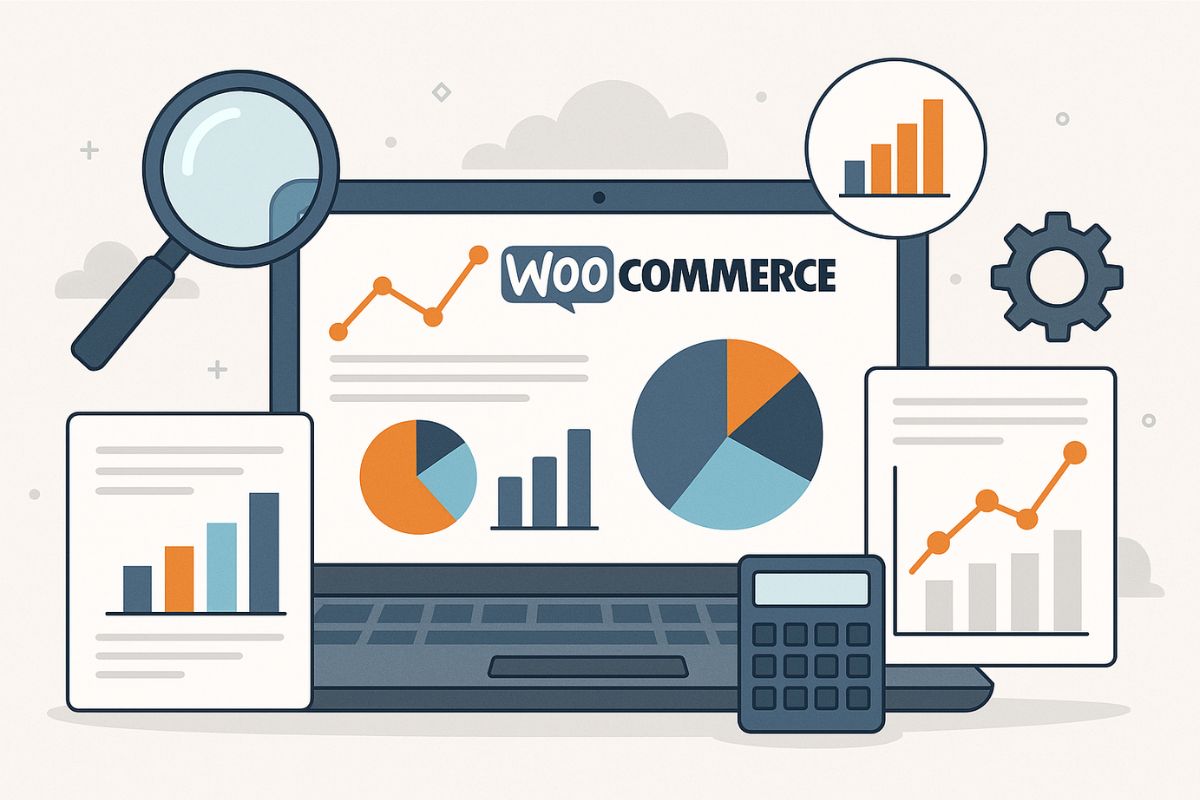
As digital storefronts become more competitive and customer expectations continue to rise, data isn’t just an advantage; it’s a necessity. For online store owners leveraging WooCommerce, having access to actionable insights is critical for growth and performance. That’s where the best analytics and statistics plugins for WooCommerce in 2026 come into play. These plugins empower merchants to understand customer behavior, optimize product offerings, and boost conversions.
By integrating reliable analytics tools, WooCommerce store owners can unlock comprehensive data visualizations, streamline decision-making, and refine marketing strategies.
Why You Need Analytics and Statistics Plugins for WooCommerce
WooCommerce, while robust, doesn’t provide in-depth analytics by default. Store owners who want to drive data-backed decisions must incorporate plugins that dig beneath surface-level data. Analytics and Statistics Plugins for WooCommerce allow you to measure KPIs like sales trends, cart abandonment rates, product performance, and customer lifetime value with ease.
In 2026, the competitive landscape is tougher than ever. Relying on gut feeling alone can leave massive growth potential untapped. Integrating a powerful analytics plugin ensures you’re not just collecting data, but transforming it into meaningful action.
Top 12 WooCommerce Analytics and Statistics Plugins
These plugins are not just tools, they’re strategic assets. Each one brings unique capabilities to monitor, interpret, and act on eCommerce data effectively.
1. MonsterInsights for WooCommerce
One of the most popular choices among WordPress users, MonsterInsights offers a dedicated WooCommerce integration that simplifies complex analytics. It provides automated tracking of key eCommerce metrics and displays them in a user-friendly dashboard within WordPress.
MonsterInsights is ideal for business owners who want a snapshot of their store’s performance without having to navigate Google Analytics manually. It also supports affiliate tracking, form submissions, and detailed product-level analysis.
2. WooCommerce Google Analytics Pro
If you’re looking to supercharge your Google Analytics setup, this plugin is essential. WooCommerce Google Analytics Pro bridges the gap between your WooCommerce store and Google’s powerhouse analytics platform. It supports enhanced eCommerce tracking, giving store owners data on product views, button clicks, checkout behavior, and more.
By installing this plugin, users gain detailed insights into how visitors interact with their store from first visit to final conversion. It’s especially useful for tracking the performance of marketing campaigns, promotions, and A/B tests.
3. Metorik, the Ultimate Dashboard Experience
Metorik leads the pack with its beautifully designed dashboard and robust analytical capabilities. Seamlessly integrated with WooCommerce, it provides real-time reports on revenue, orders, products, and customers. Its segmentation features are particularly valuable, allowing users to analyze cohorts and target specific customer groups with precision.
Store owners who prioritize data visualizations will appreciate Metorik’s intuitive interface. Moreover, it supports team collaboration and integrates with platforms like Google Analytics and Slack, enhancing both internal workflow and external insights.
4. WP Statistics
WP Statistics is a comprehensive analytics plugin for those who prefer to keep their data within WordPress. It doesn’t rely on third-party services, making it a go-to option for privacy-conscious store owners.
While it isn’t WooCommerce-specific out of the box, its extensibility allows for integration that tracks eCommerce events. With customizable reports and geolocation data, WP Statistics is ideal for stores that serve diverse audiences across multiple regions.
5. Enhanced eCommerce Google Analytics Plugin
Another excellent option for those using Google Analytics, this plugin focuses heavily on detailed eCommerce reports. It tracks product impressions, add-to-cart actions, and checkout steps, allowing users to identify exactly where customers drop off.
The plugin also supports funnel visualization, a must-have for any serious WooCommerce store aiming to reduce cart abandonment and increase checkout conversions.
6. Conversios.io, Google Analytics & Ads Integration
Conversios.io goes beyond standard analytics. It offers a fully automated Google Analytics 4 and Google Ads setup, making it easier for WooCommerce users to gain advanced insights without technical hurdles.
Its unique features include automated event tracking, ad conversion data, and product-level attribution. For store owners running performance marketing campaigns, Conversios.io can be a genuine time-saver.
7. Klaviyo for WooCommerce
Klaviyo is best known as an email and SMS marketing platform, but its WooCommerce integration doubles as a genuinely useful behavioral analytics tool. It tracks individual customer actions (product views, cart activity, purchase history) and rolls them into customer profiles you can segment on, so you can see not just aggregate store performance but exactly what a specific customer did before converting or churning.
For stores that want analytics tied directly to marketing action, flows triggered by browse abandonment, win-back campaigns based on purchase recency, Klaviyo bridges the gap between watching the data and acting on it in the same platform.
8. Heap Analytics Integration for WooCommerce
Heap is a sophisticated analytics tool known for auto-capturing user interactions. With its WooCommerce integration, users can analyze how customers engage with products, navigation, and checkout processes without setting up complex tracking events.
The plugin offers real-time insights and advanced funnel tracking. It’s especially useful for developers and growth marketers who want deep dives into user behavior without compromising speed or site performance.
9. Metrilo, CRM + Analytics + Email
Metrilo is more than just an analytics plugin. It’s a growth platform combining customer relationship management, eCommerce analytics, and email marketing in one. For WooCommerce users aiming to unify their marketing stack, Metrilo is a compelling choice.
It tracks sales performance, customer journeys, and retention metrics in real time. Moreover, it helps you convert insights into action by allowing direct email campaign creation within the same platform.
10. Glew.io for WooCommerce
Glew.io offers in-depth analytics tailored for WooCommerce stores. It focuses on business intelligence and offers granular reporting across sales, marketing, and inventory metrics.
What sets Glew.io apart is its ability to identify top-performing products, high-value customers, and marketing channels that generate the most ROI. This plugin is well-suited for established businesses that need comprehensive dashboards to guide strategic planning. As with any specialized SaaS analytics tool, confirm current plan availability and pricing directly on their site before committing, since packaging on tools in this category tends to shift over time.
11. Putler, Multi-Store Analytics and Forecasting
Putler helps store owners get a bird’s-eye view of multiple WooCommerce stores through one intuitive dashboard. It aggregates data from various platforms, enabling performance tracking across multiple touchpoints.
Putler also supports forecasting, giving you the ability to predict trends and plan inventory accordingly. This plugin is a favorite among businesses with expansive product lines or multiple digital storefronts.
12. WooCommerce Admin (Now Core Built-In)
Formerly a plugin, WooCommerce Admin is now part of WooCommerce core. It offers basic but essential analytics features like revenue tracking, product performance, and customer insights. While not as detailed as third-party solutions, it serves as a solid foundation for beginners.
It continues to be a reliable starting point before upgrading to more advanced WooCommerce Analytics & Statistics Plugins.
WooCommerce Reporting Plugins Comparison Table
Here’s a quick comparison of all 12 plugins to help you make the right choice for your store:
| Plugin Name | Best For | Real-time Data | Export Options | Price |
|---|---|---|---|---|
| MonsterInsights | Beginners, GA integration | Yes | PDF, Email | $99.60/yr |
| WooCommerce GA Pro | Enhanced eCommerce tracking | Yes | Via GA4 | $79/yr |
| Metorik | Beautiful dashboards, teams | Yes | CSV, PDF, API | $50/mo+ |
| WP Statistics | Privacy-focused stores | Yes | CSV, XML | Free / $99/yr |
| Enhanced eCommerce GA | Funnel analysis | Yes | Via GA4 | Free / Premium |
| Conversios.io | GA4 + Google Ads | Yes | CSV, Via GA4 | Free / $99/yr |
| Klaviyo | Behavioral segmentation + marketing | Yes | CSV, API | Free tier / usage-based |
| Heap Analytics | Auto-capture, developers | Yes | CSV, API | Free / Custom |
| Metrilo | CRM + Analytics + Email | Yes | CSV, PDF, API | $119/mo+ |
| Glew.io | Business intelligence | Yes | CSV, Excel, PDF | $79/mo+ |
| Putler | Multi-store, forecasting | Yes | CSV, PDF | $20/mo+ |
| WooCommerce Admin | Basic reporting, beginners | Yes | CSV | Free (Core) |
Choosing the Right Plugin for Your WooCommerce Store
Selecting the ideal analytics solution depends on your business goals, technical comfort, and growth ambitions. If you’re running marketing campaigns and need advanced user tracking, MonsterInsights or Conversios.io are excellent. For CRM and email integration, Metrilo or Klaviyo stand out. Privacy-first store owners might lean toward WP Statistics, while large businesses often favour Glew.io or Putler for their advanced reporting and forecasting capabilities.
Ultimately, the best Analytics and Statistics Plugins for WooCommerce are those that align with your operational needs while providing insights that lead to actionable change. The right plugin doesn’t just collect data, it tells a story and drives decisions.
Which Metrics Actually Matter Versus Which Ones Just Look Good on a Dashboard
Every plugin on this list can generate a dashboard full of numbers, but not every number deserves your attention every week. Traffic and pageviews are the easiest metrics to obsess over because they update constantly and feel like progress, but they rarely correlate directly with revenue on their own. A store that doubles its traffic while conversion rate is cut in half hasn’t actually improved anything financially, it’s just moved the same problem to a bigger audience. Prioritize conversion rate, average order value, and customer lifetime value over raw traffic, since those three numbers tell you whether the store is actually getting healthier, not just busier.
Cart abandonment rate deserves a similar caveat. A high abandonment rate sounds alarming, but industry-wide averages for WooCommerce stores commonly sit between 65% and 75%, so a number in that range isn’t automatically a crisis, it’s closer to normal. What matters more is the trend over time and whether abandonment concentrates at a specific checkout step (a shipping cost reveal, a mandatory account creation field) that a targeted fix can address, rather than treating the aggregate percentage as the problem to solve directly.
Setting Up a Simple Weekly Analytics Review
The plugins on this list are only as useful as the habit built around checking them. A short, repeatable weekly review beats an occasional deep dive that only happens when something feels off. A workable version takes about fifteen minutes: check revenue and order count against the same week last month (not just last week, since week-over-week alone can hide seasonal patterns), scan for any single product whose conversion rate moved more than a few points in either direction, and glance at the top three traffic sources to confirm nothing has quietly broken (a tracking pixel that stopped firing looks identical to a genuine traffic drop until you check the source directly).
Assign this review to one specific person rather than leaving it as a shared responsibility nobody owns, analytics review tends to get skipped precisely because it’s easy to assume someone else is watching the numbers. Pair the weekly check with a monthly deeper pass where you actually act on what the weekly reviews surfaced, adjusting a product page, testing new checkout copy, revisiting an underperforming campaign, since noticing a trend and doing something about it are two different habits that both need to happen for the analytics investment to pay off.
Frequently Asked Questions
What are WooCommerce reporting plugins?
WooCommerce reporting plugins are tools that extend the default analytics capabilities of WooCommerce. They provide detailed insights into sales, customer behavior, product performance, and marketing effectiveness. These plugins help store owners make data-driven decisions to improve conversions and revenue.
Why do I need analytics beyond default WooCommerce reports?
Default WooCommerce reports offer basic metrics like total sales and order counts. Advanced analytics plugins provide deeper insights including customer segmentation, funnel analysis, cart abandonment tracking, lifetime value calculations, and predictive forecasting. These insights are essential for scaling your business strategically.
What metrics should I track in WooCommerce?
Key metrics to track include: conversion rate, average order value (AOV), customer lifetime value (CLV), cart abandonment rate, revenue by product/category, customer acquisition cost, repeat purchase rate, and top-performing traffic sources. Focus on metrics that directly impact your business goals rather than vanity metrics like raw pageviews.
Can I export WooCommerce reports to Excel?
Yes, most analytics plugins support exporting reports to CSV or Excel formats. Plugins like Metorik, Glew.io, and Putler offer comprehensive export options. Even the built-in WooCommerce Admin allows CSV exports for basic reports. Premium plugins often include scheduled automated exports.
Do reporting plugins work with Google Analytics?
Many reporting plugins integrate seamlessly with Google Analytics 4. Plugins like MonsterInsights, WooCommerce Google Analytics Pro, and Conversios.io are specifically designed for GA integration. They enable enhanced eCommerce tracking, event monitoring, and unified reporting across platforms.
What is the best free WooCommerce reporting plugin?
The built-in WooCommerce Admin is the best completely free option for basic reporting. For more features, WP Statistics offers a generous free tier with privacy-focused analytics. Enhanced eCommerce Google Analytics Plugin and Conversios.io also have free versions with essential tracking features.
How do I track customer lifetime value in WooCommerce?
Plugins like Metrilo, Metorik, Klaviyo, and Glew.io automatically calculate customer lifetime value (CLV). They track purchase history, order frequency, and average spend per customer. This data helps identify your most valuable customers and optimize retention strategies accordingly.
Can I create custom reports in WooCommerce?
Yes, several plugins offer custom report builders. Metorik and Glew.io provide drag-and-drop report creation with custom metrics and filters. Putler allows combining data from multiple stores. For advanced users, plugins with API access enable building completely custom reporting solutions.
Do reporting plugins slow down my store?
Quality analytics plugins are designed with performance in mind. Cloud-based solutions like Metorik and Glew.io process data on external servers, minimizing impact on your store. Avoid plugins that run heavy queries on page load. Always test plugin performance before full deployment.
What’s the difference between analytics and reporting plugins?
Analytics plugins focus on tracking user behavior and interactions (page views, clicks, conversions). Reporting plugins aggregate and present business data (sales, orders, revenue). Many modern plugins combine both functions. The distinction matters when choosing tools for specific business needs.
Should I worry if my cart abandonment rate looks high?
Not automatically. WooCommerce stores commonly see abandonment rates in the 65 to 75 percent range, which is close to the industry norm rather than a sign of a broken checkout. Focus on whether the rate is trending up or down over time, and whether abandonment clusters at a specific step in checkout, rather than treating the raw percentage alone as a crisis.
How do I track product performance in WooCommerce?
Most analytics plugins track product-level metrics including views, add-to-cart rates, conversion rates, and revenue contribution. Plugins like Enhanced eCommerce GA and Metorik show product performance trends over time. This data helps optimize inventory, pricing, and promotional strategies.
Combining a Cloud Dashboard With Google Analytics Rather Than Choosing One
A question that comes up often when comparing this list: do you need Google Analytics-based tools like MonsterInsights alongside a dedicated cloud dashboard like Metorik or Glew.io, or does one make the other redundant? In practice they answer different questions well. Google Analytics-based tools are the stronger choice for understanding how visitors arrive at your store, which marketing channel, which ad campaign, which organic search term, since that acquisition-side data lives natively in GA4. Cloud commerce dashboards like Metorik, Glew.io, and Putler are built specifically around order and customer data, they answer “who is my best customer” and “which product actually drives repeat purchases” faster and more precisely than GA4’s commerce reporting does on its own.
Running both isn’t redundant for most growing stores, it’s complementary: acquisition-side questions go to the GA4 tool, customer and order-side questions go to the commerce dashboard. Where it does become wasted spend is running two tools that both try to answer the same acquisition question, two SEO-focused trackers, or two behavioral session-recording tools, since that overlap rarely surfaces insight the first tool hadn’t already captured.
Unlock eCommerce Growth with WooCommerce Analytics
In 2026, eCommerce success goes far beyond offering quality products and competitive pricing, it’s about deeply understanding customer behavior and acting on real data faster than your competitors. Investing in the right WooCommerce Analytics & Statistics Plugins empowers store owners to move from guesswork to insight-driven strategy.
These advanced analytics tools reveal how customers discover your store, what influences their buying decisions, where they drop off, and which products truly drive profitability. With access to real-time dashboards, conversion tracking, customer segmentation, and performance forecasting, businesses can refine marketing strategies, personalize shopping experiences, and maximize lifetime customer value.
Whether you’re scaling a fast-growing startup or fine-tuning a well-established brand, WooCommerce analytics plugins provide the clarity and intelligence needed to adapt, optimize, and grow confidently. In an increasingly data-driven digital landscape, informed decisions aren’t just an advantage, they’re the foundation of sustainable eCommerce success.
Interesting Reads
10 Best Software to Record Desktop