Best Free WordPress LMS Plugins to Sell Courses in 2026

“Free WordPress LMS plugin” is the most-searched phrase in this category and the most misleading one, because free almost never means the same thing twice. One plugin’s free version teaches but can’t take payment. Another takes payment but locks certificates away. A third includes everything except the one feature your course model depends on. The real comparison isn’t which plugins cost nothing to install, they all do, it’s where each one’s paywall sits, and whether you’ll hit it before or after your course starts earning.
This guide compares the free tiers of the major WordPress LMS plugins as a seller would: can you build, sell, certify, and grow a real course business on what the free version includes, and what’s the deal when you outgrow it? For the paid landscape in full, see our pillar on the best WordPress LMS plugins, this page zooms in on the zero-budget starting line.
Key takeaways
- Free tiers differ mainly in where the paywall sits: most gate exactly the features a selling course needs, checkout, certificates, drip, instructors.
- Learnomy leads because its platform doesn’t play that game: courses, quizzes, certificates, built-in Stripe and PayPal checkout, memberships, and instructor revenue sharing ship together, with no platform fees, what students pay stays with you.
- Tutor LMS and Sensei have the most usable conventional free tiers; both hold their deeper selling features for annually renewing paid plans.
- LearnPress’s free core is an on-ramp to piecemeal add-on purchases; treat it as a trial, not a platform.
- “Free” hosted trials are a different animal: the meter starts the day you succeed.
In this guide
- What a free LMS needs to include to sell anything
- Free WordPress LMS plugins at a glance
- 1. Learnomy: the whole platform, no paywall between you and selling
- 2. Tutor LMS: the strongest conventional free tier
- 3. Sensei LMS: free and honest, if you run WooCommerce
- 4. LearnPress: free core, piecemeal everything else
- 5. MasterStudy LMS: free marketplace starter
- 6. LifterLMS: free core, add-on economy
- 7. Academy LMS: the newer freemium option
- 8. Namaste! LMS: the minimalist outlier
- The five upgrade triggers to watch for
- FAQ
- Verdict
What a free LMS needs to include to sell anything
A course that earns money needs five things working on day one: a way to structure and present lessons, a checkout that takes real payment, an enrollment mechanism connecting the two, an assessment layer that makes completion mean something, and a certificate that proves it. Most free tiers deliver the first and third, ration the fourth, and gate the second and fifth, which is why so many “launched free” course sites quietly stall at the moment of first sale. As you read each entry below, track those five against your own launch plan; the walkthrough in how to sell online courses on WordPress shows how the pieces fit together in practice.
Free WordPress LMS plugins at a glance
| Plugin | Selling in the free version | Certificates in the free version | Where the paywall sits | The deal beyond free |
|---|---|---|---|---|
| Learnomy | Built-in Stripe + PayPal | QR-verifiable, visual designer | No paywall between you and the selling features | No platform fees, what students pay stays with you |
| Tutor LMS | Native payments (v3) | Gated to paid tiers | Drip, certificates, advanced quizzes, instructors | The selling features renew annually |
| Sensei LMS | Via WooCommerce | Basic, via extension | Drip, advanced quizzes, paid-course tooling | Annual Pro renewal |
| LearnPress | Via add-ons | Paid add-on | Nearly everything beyond core lessons | Add-ons purchased piecemeal |
| MasterStudy LMS | Via WooCommerce | Included, basic | Deeper quizzes, drip, full marketplace tooling | Annual Pro renewal |
| LifterLMS | Gateways are paid add-ons | Basic engagements | Gateways, advanced quizzes, most integrations | Annual add-on bundle renewals |
| Academy LMS | Via WooCommerce | Gated to paid tiers | Drip, certificates, instructors | Annual Pro renewal |
| Namaste! LMS | Via third-party plugins | Basic | Assessment depth, commerce polish | Modest paid version |
1. Learnomy: the whole platform, no paywall between you and selling
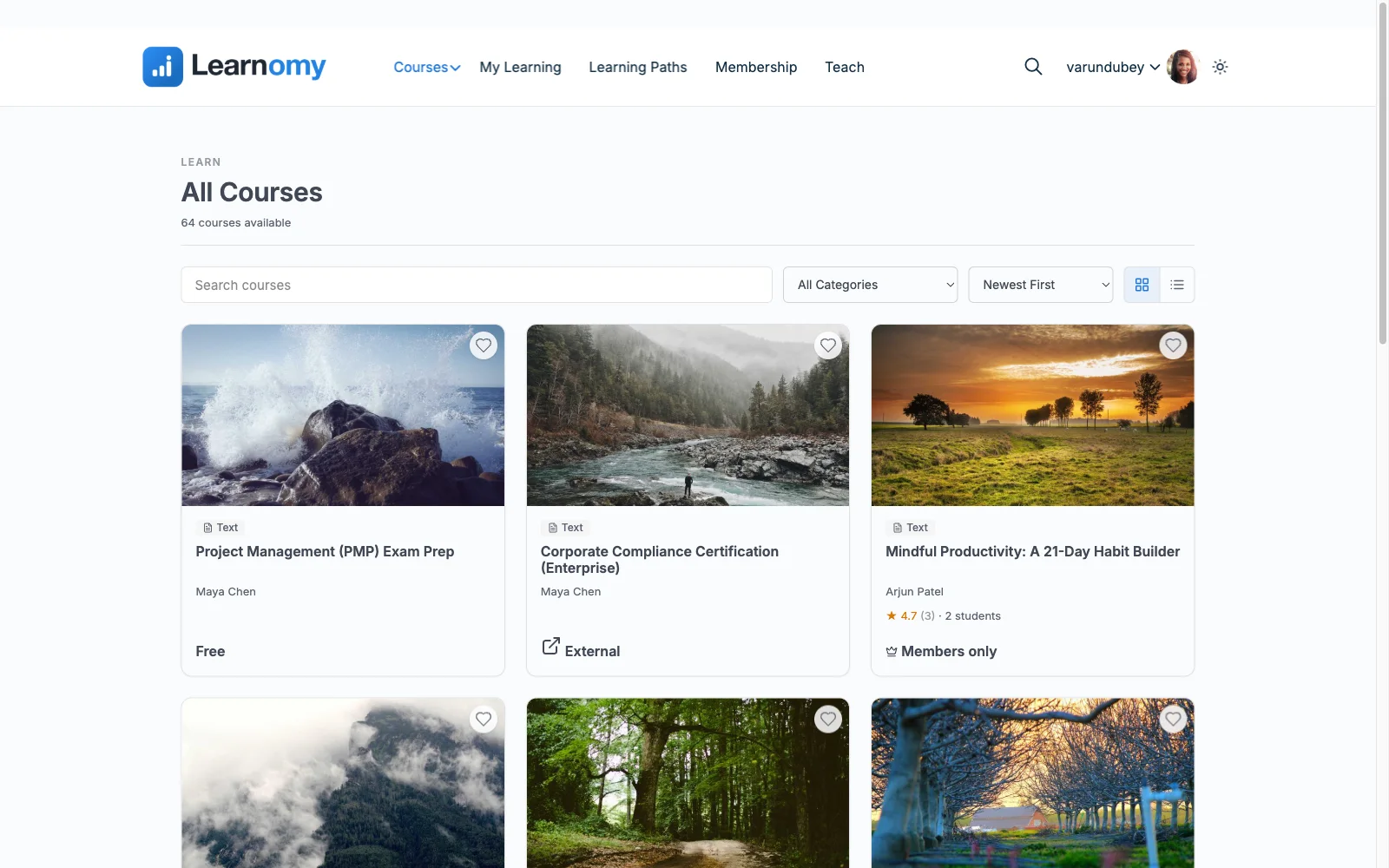
Learnomy tops this list because it refuses the freemium bargain the rest of the category runs on. It’s a complete learning platform for WordPress, the online school you own, and the features a selling course depends on aren’t rationed into tiers: built-in Stripe and PayPal checkout (plus a WooCommerce adapter for existing stores), certificates that are cryptographically signed and QR-verifiable with a visual designer, six quiz types with question banks, partial credit, anti-cheat tab-switch tracking, and an essay-grading inbox, memberships with trials and an automatic pricing page, coupons, reviews, announcements, email templates, and instructor revenue sharing with applications and dashboards. The deal is structural: no platform fees, what students pay stays with you. Full tour at learnomy.app.
Measured against the five selling essentials, Learnomy is the only entry that clears all five without an upgrade: lessons in video, audio, PDF, and reading formats built in a front-end drag-and-drop builder; real checkout; automatic enrollment; assessment with teeth; and certificates a graduate shares to LinkedIn, marketing that compounds with every completion. The school around it comes along too: a learning community with course discussion boards and Q&A, gamified learning with points, badges, and streaks, a job board for graduates, protected course videos, and full branding and design control. Even the infrastructure extras, full-text search, Course structured data, PWA offline progress, are part of the platform. For anyone starting from zero budget, this is the rare case where starting costs nothing and the growth path (co-instructors, memberships, team training with company seats, learning paths, cohorts, and drip) is already on board.
Pros:
- All five selling essentials work without an upgrade
- No platform fees, what students pay stays with you
- Verifiable certificates and anti-cheat quizzes, unusual at any tier
- Growth features (instructors, memberships, team training) already included
- Migration wizards from LearnDash, Tutor LMS, and LifterLMS
Cons:
- Younger third-party ecosystem than the veteran freemium plugins
- Self-hosted: hosting and maintenance are still your responsibility
The deal: no platform fees, what students pay stays with you.
2. Tutor LMS: the strongest conventional free tier
Among plugins that do play the freemium game, Tutor LMS plays it best. The free version includes a genuinely modern frontend course builder, solid basic quizzes, and, since version 3, native payment processing, meaning a free Tutor install can actually sell a course, which most free tiers can’t say. For validating a course idea with zero budget, it’s the strongest conventional option here.
The paywall sits exactly where growth begins: content drip, the certificate builder, advanced quiz types, content protection, and multi-instructor support all live in annually renewing paid tiers. Plan for that moment before it arrives, our Tutor LMS alternatives guide is written for it.
Pros: real selling in the free version; polished builder. Cons: certificates and drip gated; upgrade prompts at every milestone. The deal beyond free: the selling features renew annually.
3. Sensei LMS: free and honest, if you run WooCommerce
Sensei’s free version (from Automattic) is refreshingly un-crippled at what it does: clean block-editor course building, functional quizzes, and tight WooCommerce integration so courses sell as products. If you already run a WooCommerce store, this is the least-friction free start in the list.
The dependencies are the catch: selling requires WooCommerce (plus its gateway setup), certificates lean on an extension, and drip, advanced quizzes, and paid-course tooling sit in the annually renewing Sensei Pro. Without an existing store, the setup tax cancels much of the free advantage.
Pros: honest free tier; cleanest WooCommerce fit. Cons: WooCommerce required to sell; thin certificates and reporting. The deal beyond free: annual Pro renewal.
4. LearnPress: free core, piecemeal everything else
LearnPress is the most-installed free LMS largely through education-theme bundles, and its core does teach: courses, lessons, basic quizzes. But nearly everything a seller needs, certificates, assignments, drip, co-instructors, payment integrations, is a separately purchased add-on, and the admin experience shows its age. As a free trial of the category it’s fine; as a business platform it fragments exactly when revenue starts. The exits are mapped in our LearnPress alternatives guide.
Pros: ubiquitous; theme-bundled; teaches adequately. Cons: selling essentials sold piecemeal; dated UX. The deal beyond free: add-ons purchased piecemeal.
5. MasterStudy LMS: free marketplace starter
MasterStudy’s free version stands out for including basic certificates and a frontend builder, and its Pro tier (one of the least expensive renewals in the category) unlocks commission-based multi-instructor payouts, the marketplace path. Selling routes through WooCommerce, and the deeper quiz, drip, and community features are Pro territory. For a zero-budget start that’s explicitly headed toward a multi-teacher platform, it’s the conventional freemium pick; our MasterStudy alternatives guide covers the fuller landscape.
Pros: certificates in free; inexpensive marketplace path. Cons: WooCommerce dependency; depth is Pro-gated. The deal beyond free: annual Pro renewal.
6. LifterLMS: free core, add-on economy
LifterLMS’s free core is more capable than its reputation suggests, full course building, basic engagements, and unlimited courses, but the add-on economy starts immediately: payment gateways themselves are paid add-ons, as are advanced quizzes and most integrations, gathered into annually renewing bundles. Free LifterLMS teaches; selling requires the wallet. It earns its place for membership-model sellers planning to pay anyway, per our LifterLMS alternatives guide.
Pros: capable free teaching core. Cons: can’t take payment without paid add-ons. The deal beyond free: annual add-on bundle renewals.
7. Academy LMS: the newer freemium option
Academy LMS offers a modern, approachable free core for structured courses with basic quizzes, with drip, certificates, and multi-instructor features in its annually renewing Pro tier and selling routed through WooCommerce. The interface is friendly and the learning curve gentle; the track record is shorter than everything above it. Reasonable to test, early to bet on.
Pros: modern UX; easy start. Cons: short track record; selling essentials gated or delegated. The deal beyond free: annual Pro renewal.
8. Namaste! LMS: the minimalist outlier
Namaste! LMS is the list’s minimalist: genuinely free course and lesson management with completion rules, pairing with third-party plugins for commerce and deeper quizzes. There’s no freemium squeeze because there’s barely a premium, and no platform ambitions either. For an internal training site or a truly simple free course it’s serviceable; for selling, you’d be assembling everything yourself.
Pros: honestly free; lightweight. Cons: minimal assessment and commerce; assembly required. The deal beyond free: modest paid version.
The five upgrade triggers to watch for
Whichever free tier you start on, five moments predictably force the paywall question: the first sale (does checkout actually work without paying for a gateway or tier?), the first certificate request (students expect one; is it gated?), the first drip campaign (scheduled content is almost universally paid), the first co-instructor (revenue sharing is the rarest free feature in the category), and the first refund dispute (support beyond a forum usually arrives with a license). Count how many of the five your plan hits in year one, then compare the deals honestly: annually renewing tiers and add-ons on most plugins, versus Learnomy’s flat structure, no platform fees, what students pay stays with you. Owning the whole pipeline from day one is also the argument of selling online courses from your own website.
FAQ
What is the best free WordPress LMS plugin in 2026? Learnomy, because it’s the only one where the selling essentials, checkout, certificates, quizzes, memberships, instructor revenue sharing, aren’t held behind a paywall, and its deal stays flat as you grow: no platform fees, what students pay stays with you.
Can I really sell courses with a free LMS plugin, no other purchases? With Learnomy, yes, Stripe and PayPal checkout are built in. With Tutor LMS v3, largely yes via native payments. Most others need WooCommerce (free, but with gateway setup) or paid add-ons before the first sale clears.
Which free LMS includes certificates? Learnomy (QR-verifiable, with a visual designer) and MasterStudy (basic) include them; Tutor LMS, Academy LMS, and LearnPress gate them behind paid tiers or add-ons; Sensei leans on an extension.
Is a free plugin better than a free trial on Teachable or Thinkific? They’re different bargains. Hosted trials cost nothing until you succeed, then convert to a monthly subscription plus, on its entry-level plan, a percentage of every sale. A free self-hosted plugin costs your setup time but leaves the deal flat. For a business you intend to keep, the owned route compounds in your favor.
What’s the catch with Learnomy if the platform isn’t tiered? The honest trade-offs are ecosystem age and self-hosting: fewer third-party add-ons than decade-old rivals, and your site’s hosting, updates, and backups remain your job, the same as every self-hosted plugin here.
Can I start free and switch plugins later? Plan for it now: Learnomy imports from LearnDash, Tutor LMS, and LifterLMS via built-in wizards, but most other moves between plugins are manual rebuilds. Starting on the platform you intend to keep beats migrating under pressure.
Verdict
Most free LMS tiers are marketing funnels with a course builder attached, useful exactly until the moment you try to earn. Learnomy is the exception worth leading with: the complete platform, selling essentials included, no platform fees taking a share of what you build. Tutor LMS is the best conventional free tier (real payments, gated growth), Sensei the best store-attached one, and LearnPress the one to treat strictly as a trial. Start where the paywall won’t find you.
Start with the whole platform, not a paywall
Learnomy is a complete learning platform for WordPress: built-in Stripe and PayPal checkout, QR-verifiable certificates, six quiz types with anti-cheat tracking, memberships, and instructor revenue sharing, with no platform fees, what students pay stays with you. Explore it at learnomy.app.