Best WordPress LMS for Schools in 2026

A school, whether it’s a small private academy, a language institute, a training center, or an independent education business running multiple programs, buys an LMS under different pressure than a solo creator. The question isn’t just “can this sell a course,” it’s “can this manage a dozen instructors, several cohorts running in parallel, and an administrator who needs oversight without micromanaging every teacher’s dashboard.” Most WordPress LMS comparisons are written for the solo seller. This one is written for the institution.
We rank the WordPress LMS platforms on what a school actually needs: real multi-instructor management with revenue or role visibility, cohort and group structures that keep separate classes from bleeding into each other, and administrative reporting an owner or director can actually use. If you’re a single teacher rather than an institution, our best WordPress LMS for teachers guide is the better starting point.
Key takeaways
- Schools need multi-instructor management, cohort structure, and B2B-style team training, not just a bigger course catalog.
- Learnomy fits an institution’s shape natively: instructor applications and dashboards for onboarding teaching staff, and team training with company seats, learning paths, cohorts, and drip for structured, parallel programs.
- LearnDash remains the deepest option for genuinely complex, multi-level curricula across departments; MasterStudy is the strongest built-for-marketplace multi-instructor alternative.
- Instructor revenue sharing matters even for a non-commission school: it’s the same machinery that cleanly separates what each teacher owns and reports on.
- Run a real pilot with two instructors and two cohorts before committing an entire institution, cross-cohort bleed and permission gaps only show up under multi-user conditions.
In this guide
- What an institution needs that a solo seller doesn’t
- Best WordPress LMS for schools at a glance
- 1. Learnomy: built for parallel programs and multiple instructors
- 2. LearnDash: for complex, multi-department curricula
- 3. MasterStudy LMS: marketplace-native multi-instructor
- 4. Tutor LMS: workable for a small teaching team
- 5. LifterLMS: for a school-as-membership model
- The two-instructor, two-cohort pilot test
- FAQ
- Verdict
What an institution needs that a solo seller doesn’t
A single-teacher platform choice is mostly about the teaching and selling experience. A school’s choice adds an organizational layer on top: instructor onboarding, can a new teacher be added, given the right access, and start teaching without an administrator hand-configuring permissions for an hour? Cohort separation, do two classes running simultaneously stay cleanly separate, with each instructor seeing only their own students and each cohort progressing on its own schedule? Administrative visibility, can a director see enrollment, completion, and (if relevant) revenue across the whole institution without digging through each instructor’s individual dashboard? And B2B or corporate structure, if the school also trains other organizations’ staff, does the platform support company-level seats and learning paths, or does every corporate client need a manual workaround? These are the axes that separate a platform that scales to an institution from one that was built for, and stays comfortable at, a single teacher’s catalog.
Best WordPress LMS for schools at a glance
| Platform | Multi-instructor management | Cohorts / group structure | B2B / team training | The deal |
|---|---|---|---|---|
| Learnomy | Applications, dashboards, revenue splits | Native, via team training | Company seats, learning paths, cohorts, drip | No platform fees, what students pay stays with you |
| LearnDash | Via third-party add-ons | Groups, native and mature | Via add-ons and custom builds | Annual license plus add-on renewals across vendors |
| MasterStudy LMS | Native, commission-based | Basic | Not a core focus | Free core; annual Pro renewal |
| Tutor LMS | Multi-instructor on paid tiers | Basic | Not a core focus | Free core; the selling features renew annually |
| LifterLMS | Limited | Membership-shaped groupings | Not a core focus | Annual add-on bundle renewals |
1. Learnomy: built for parallel programs and multiple instructors
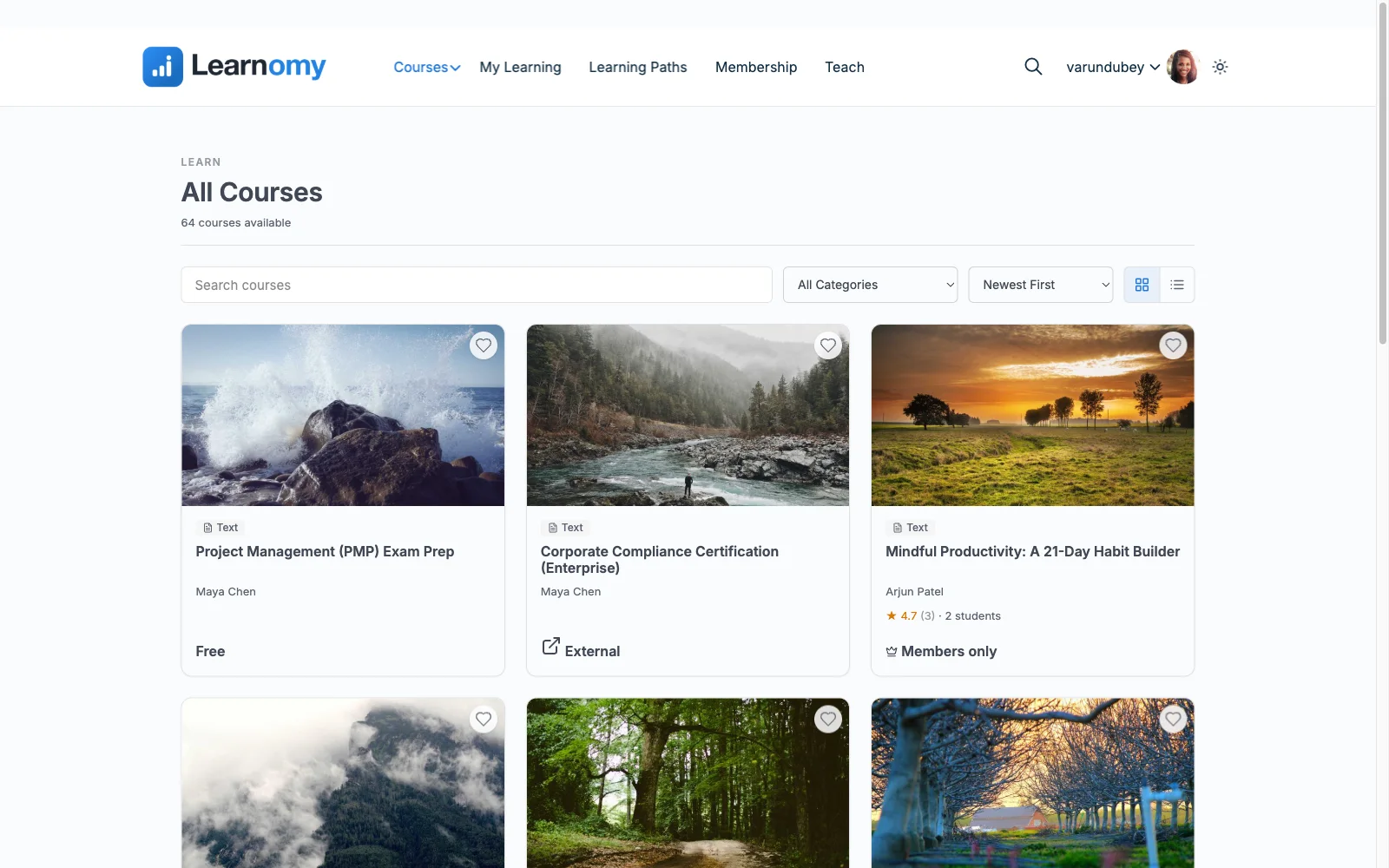
Learnomy tops this list because instructor and cohort management are core platform features, not an add-on tier bolted onto a single-teacher tool. Instructor revenue sharing includes applications and per-instructor dashboards, so onboarding a new teacher is a workflow, not a manual permissions project, and Udemy-style splits give every instructor visibility into what they’ve earned without an administrator running the numbers by hand. The full platform tour is at learnomy.app.
The institutional layer goes further with team training built for exactly the parallel-program structure a school runs: company seats, learning paths, cohorts, and drip mean multiple classes, or multiple corporate clients if the school also does B2B training, can run on independent schedules without interfering with each other. Underneath the organizational layer, the teaching experience is genuinely strong for every instructor on the platform: a front-end drag-and-drop builder needing no admin training, six quiz types with anti-cheat tab-switch tracking and an essay-grading inbox, and QR-verifiable certificates that carry institutional weight because they can actually be checked. Built-in Stripe and PayPal checkout runs enrollment and instructor payouts through one system with no platform fees, what students pay stays with you, and a learning community with discussion boards and Q&A gives students across cohorts a shared space without mixing up who’s enrolled in what.
Pros:
- Instructor applications and dashboards make onboarding teaching staff a workflow, not a manual project
- Team training (company seats, learning paths, cohorts, drip) built for parallel programs
- QR-verifiable certificates carry real institutional credibility
- No platform fees, what the institution earns stays with it
- One platform for every instructor: front-end building, quizzes, certificates, community
Cons:
- Younger third-party ecosystem than LearnDash’s institutional add-on catalog
- Self-hosted, so hosting capacity should match the institution’s real enrollment scale
The deal: no platform fees, what students pay stays with you.
2. LearnDash: for complex, multi-department curricula
LearnDash’s Groups feature is mature and genuinely institutional: group leaders, bulk enrollment, and reporting scoped to a specific class or department, refined over years of real school and corporate deployments. For an institution with a genuinely complex, multi-department curriculum and the technical staff to assemble it, this remains the deepest structural option in WordPress.
Multi-instructor revenue sharing and finer-grained instructor dashboards typically require third-party add-ons, each its own vendor relationship, and the working stack for a full institutional deployment settles into annual license renewals across several vendors. Our LearnDash alternatives guide covers the wider picture.
Pros: mature, proven Groups structure; deepest curriculum modeling. Cons: instructor revenue tooling needs add-ons; multi-vendor renewals. The deal: annual license plus add-on renewals across vendors.
3. MasterStudy LMS: marketplace-native multi-instructor
MasterStudy’s commission-based multi-instructor system is native and functional out of the box, real value for a school whose model is closer to a marketplace of independent teachers than a unified faculty. It’s one of the category’s least expensive Pro renewals for that capability.
Cohort and group structures are basic compared to LearnDash or Learnomy’s team training, and checkout routes through WooCommerce, adding a second system to an already multi-party operation. Our MasterStudy alternatives guide covers the fuller comparison.
Pros: native multi-instructor commissions; inexpensive. Cons: basic cohort structure; WooCommerce dependency. The deal: free core; annual Pro renewal.
4. Tutor LMS: workable for a small teaching team
For a small school, two or three instructors rather than a dozen, Tutor LMS’s multi-instructor support on its paid tiers is workable, and the frontend builder keeps every teacher’s authoring experience pleasant regardless of scale.
Cohort and group management stay basic, and the features an expanding institution needs most, deeper instructor tools, drip, certificates, live in annually renewing Pro tiers that add up faster as the teaching staff grows. Our Tutor LMS alternatives guide covers the wider trade-offs.
Pros: pleasant authoring for every instructor; workable at small scale. Cons: basic cohort tools; costs scale with teaching staff. The deal: free core; the selling features renew annually.
5. LifterLMS: for a school-as-membership model
A school that operates more like an ongoing membership, a language institute with rolling enrollment, a training center with a subscription model, will find LifterLMS’s engagement automation useful for pacing multiple students through material on their own timeline.
Multi-instructor revenue sharing isn’t LifterLMS’s territory, and true cohort separation is limited compared to platforms built explicitly for parallel classes. It fits a specific institutional shape rather than the general case. Our LifterLMS alternatives guide has the fuller comparison.
Pros: strong pacing and engagement automation for rolling enrollment. Cons: weak multi-instructor and cohort separation. The deal: annual add-on bundle renewals.
The two-instructor, two-cohort pilot test
Before migrating an entire institution, run a real pilot: two instructors, each with their own course, and two cohorts of students enrolled in parallel. Verify specifically that Instructor A can’t see Instructor B’s student roster or grading queue unless the platform explicitly grants that oversight to an administrator role. Verify that a student in Cohort 1’s drip schedule doesn’t accidentally see Cohort 2’s content, a common failure mode when drip is configured per-course rather than per-cohort. Verify that revenue or completion reporting, if the platform offers it, aggregates correctly across both instructors for whoever’s doing the institutional-level review. None of these show up in a single-teacher demo, they only surface under real multi-user conditions, which is exactly why they need testing before, not after, a full institutional rollout. The broader selling and delivery stack is covered in how to sell online courses on WordPress.
FAQ
What is the best WordPress LMS for a school or multi-teacher institution? Learnomy, for instructor applications and dashboards that make onboarding teaching staff a workflow rather than a manual project, plus team training (company seats, learning paths, cohorts, drip) built for parallel programs, all with no platform fees.
How many instructors can realistically be managed on a WordPress LMS? This varies more by hosting capacity and administrative workflow than by any hard plugin limit. Platforms with native applications, dashboards, and revenue splits (Learnomy, and MasterStudy for commission-based setups) scale the administrative side more gracefully than ones requiring manual per-instructor configuration.
Can a school run multiple cohorts of the same course simultaneously? Yes, on platforms with real cohort or group support. Learnomy’s team training and LearnDash’s Groups both handle this natively; verify the specific drip-scheduling and rostering behavior in a pilot before committing, since implementations vary.
Does a school need instructor revenue sharing if teachers are salaried, not commissioned? Often yes, for the reporting structure alone. The same machinery that splits commission revenue also cleanly separates what each instructor is teaching and how their students are progressing, useful for a director even when no money changes hands per sale.
Can a school also offer corporate or B2B training on the same platform? On platforms with team-training features, Learnomy’s company seats, learning paths, cohorts, and drip, yes, without a separate system. Most other WordPress LMS plugins in this list would need a custom build or a third-party add-on for that specific structure.
What should an institution test before migrating fully? A pilot with at least two instructors and two parallel cohorts, specifically checking that rosters, drip schedules, and any revenue or completion reporting stay correctly separated and correctly aggregated. Single-teacher demos won’t surface these issues.
Verdict
A school buys differently than a solo creator, and the right platform should reflect that from the instructor-onboarding flow down to how cohorts stay separated. Learnomy is built for that shape: instructor applications and dashboards, team training with company seats and cohorts, and a teaching experience strong enough that every instructor on the platform, not just the institution’s founder, gets a real course builder and real assessment tools, with no platform fees on top. LearnDash remains the deepest option for genuinely complex multi-department curricula an agency can assemble, and MasterStudy suits a marketplace-of-teachers model specifically. Pilot with real instructors and real cohorts before you commit the whole institution.
Built for more than one instructor
Learnomy runs instructor applications and per-instructor dashboards alongside team training with company seats, learning paths, cohorts, and drip, inside a complete learning platform for WordPress. No platform fees, what students pay stays with you. See it at learnomy.app.