Best LMS for Course Creators in 2026

Updated September 2026. Search “best LMS” and most lists mix two different buyers into one ranking: a university comparing enterprise procurement software, and a solo creator trying to sell a course without hiring a developer. The features that matter to those two buyers barely overlap. A university cares about single sign-on and compliance reporting. A freelancer, coach, or independent creator cares about whether they can build a course on a Sunday afternoon, sell it without giving up a cut of every sale, and issue a certificate that actually helps the next course sell itself.
This list is written for that second buyer. Every entry gets judged against the same question: does this help one person, or a very small team, run a course business without becoming a systems integrator first. That rules out generic “top 10 LMS” filler and points toward a shorter, more honest shortlist.
Learnomy sits at the top of that shortlist, not as a narrow WordPress LMS plugin, but as a complete learning platform built around exactly this kind of creator: courses, quizzes, certificates, checkout, and instructor revenue sharing, all built in from day one. The rest of this guide covers the WordPress LMS plugins creators compare it against, LearnDash, Tutor LMS, LifterLMS, and MasterStudy LMS, plus the hosted platforms, Kajabi and Teachable, that creators often start on before deciding whether renting a school still makes sense.
Key takeaways
- The right LMS for a solo course creator is judged on ownership and workflow, not on how many enterprise features it lists.
- Learnomy is a complete learning platform built into one plugin: courses, quizzes with anti-cheat tracking, verifiable certificates, direct checkout, and instructor revenue sharing, with no platform fee on what a creator’s own students pay.
- LearnDash, Tutor LMS, LifterLMS, and MasterStudy LMS each solve a piece of the same problem inside WordPress, but a creator usually ends up adding separate tools for certificates, checkout, or community along the way.
- Kajabi and Teachable trade setup speed for a recurring fee and, on most plans, a cut of every sale, with the course living on their domain and inside their database.
- A migration wizard only exists between certain WordPress LMS plugins. Moving off a hosted platform is a manual export-and-rebuild job, not a one-click switch.
In this guide
- What “best” means when you’re a solo creator, not a university
- Best LMS for course creators in 2026 at a glance
- 1. Learnomy: the complete learning platform a creator actually owns
- 2. LearnDash: full control for WordPress builders
- 3. Tutor LMS: a lighter LMS for first-time creators
- 4. LifterLMS: membership-style course bundles
- 5. MasterStudy LMS: multi-instructor course marketplaces
- 6. Kajabi: a hosted all-in-one platform
- 7. Teachable: a hosted platform for quick launches
- How to choose by creator type: coach, cohort-runner, solo educator
- Common mistakes course creators make choosing an LMS
- Frequently asked questions
- The LMS that fits a creator who plans to stay
Learnomy is the complete learning platform built for exactly this kind of creator: a school owned outright, on a site the creator already controls.
What “best” means when you’re a solo creator, not a university
Most LMS comparison content gets written for IT departments, so it ranks platforms on single sign-on, LTI compliance, and seat-based licensing. None of that decides whether a freelancer’s course actually sells. For a solo creator, coach, or independent educator, four things matter far more than any enterprise checklist.
The first is a front-end course builder. A creator without a developer on retainer needs to build and edit a course from the same screen students see, not from a settings panel buried three menus deep in wp-admin. The second is certificates that double as marketing. A generic “certificate of completion” PDF does nothing for a graduate. A certificate a student can verify with a QR code and share on LinkedIn quietly advertises the course to that student’s entire network, and often becomes the reason the next cohort signs up.
The third is instructor revenue sharing that shows up before it’s needed. Most solo creators start alone and stay that way for a while, right up until a former student becomes a co-instructor for one module, or a creator brings on a teaching assistant to grade essay questions. An LMS that only supports one instructor account forces a rebuild at exactly the moment a course business is starting to grow. The fourth is a checkout with no per-transaction platform fee. A creator selling directly to their own audience, through their own marketing, on their own domain, has already done the hard part. Paying a percentage of every sale to the software that just processes the payment is the one cost that scales against a creator the more successful they become.
Every platform in this guide gets measured against those four things first, and against the usual course-builder checklist (quizzes, drip content, certificates, community) second.
Best LMS for course creators in 2026 at a glance
Skim this table for the structural differences, then read the entry that matches how you actually plan to run your course business.
| Platform | Best for | Built-in checkout | Certificates | Instructor revenue sharing | Front-end course builder |
|---|---|---|---|---|---|
| Learnomy | Solo creators who want one owned platform | Direct Stripe + PayPal, no platform fee | QR-verifiable, LinkedIn-shareable | Built in, Udemy-style splits | Yes, no wp-admin required |
| LearnDash | Developers and agencies wanting deep control | Via WooCommerce or EDD | Built in, PDF-based | Via third-party add-ons | Backend-focused |
| Tutor LMS | First-time creators wanting a lighter setup | Via WooCommerce, EDD, or PMP | Visual builder | Add-on, multi-instructor support | Frontend builder on paid tiers |
| LifterLMS | Coaches bundling courses into memberships | Via WooCommerce or native gateways | Achievement-triggered | Limited, membership-oriented | Backend-focused |
| MasterStudy LMS | Multi-instructor course marketplaces | Via WooCommerce | Built in | Commission-based, marketplace style | Frontend builder included |
| Kajabi | Creators who want one hosted dashboard | Native, hosted checkout | Built in | Limited to higher plans | Hosted editor, not WordPress |
| Teachable | Fast, no-code course launches | Native, hosted checkout | Built in | Limited | Hosted editor, not WordPress |
1. Learnomy: the complete learning platform a creator actually owns
Learnomy is not an LMS plugin with a checkout bolted on. It’s a complete learning platform built for the online school a creator owns outright: courses, quizzes with anti-cheat tracking, verifiable certificates, direct checkout, memberships, and instructor revenue sharing, all shipped as one coherent system instead of a plugin plus five add-ons from five different vendors.
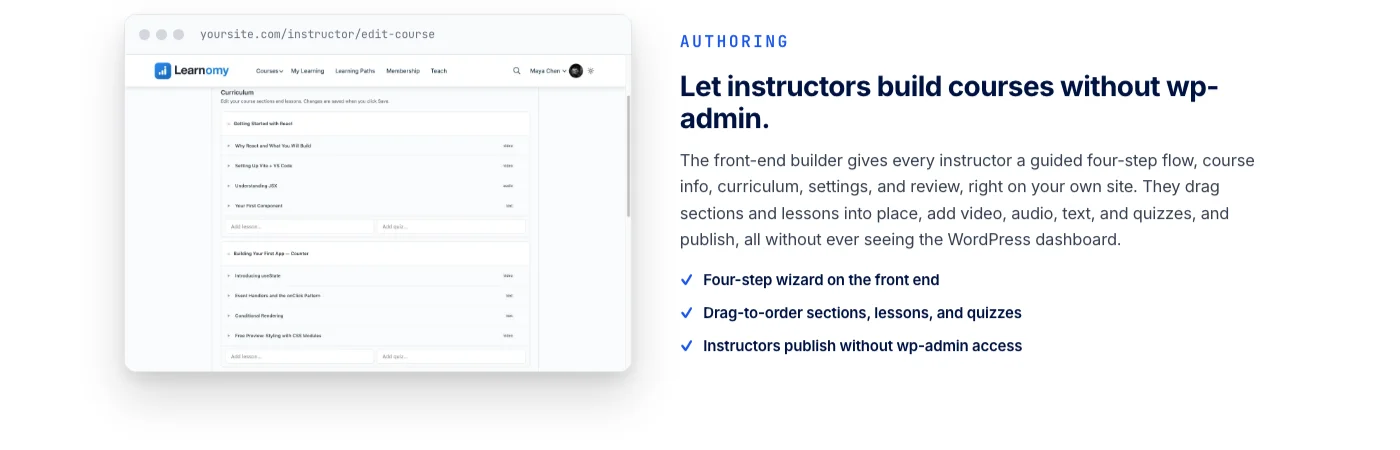
For a solo creator specifically, the workflow starts with the front-end course builder. Courses get built, edited, and published from the same screen a student eventually sees, using a drag-and-drop editor that never requires opening wp-admin. A freelancer running their business from a laptop between client calls can structure a full course, video by video, without learning a separate backend interface first. Course content supports video, audio, PDF, and plain reading lessons, so the format follows what the material actually needs.
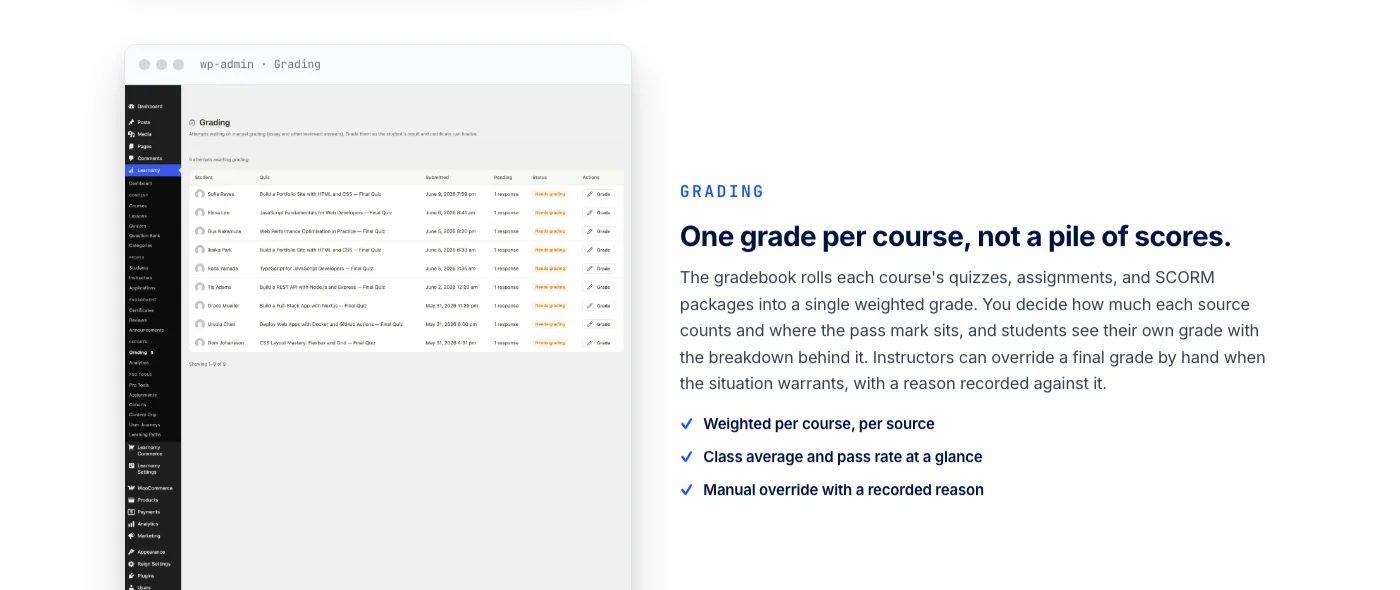
Assessment holds up under real use. Six quiz types cover more than multiple choice, partial credit rewards a student who got most of the way there, and a question bank means a quiz doesn’t have to be rebuilt from scratch for every cohort. Tab-switch tracking flags the most obvious way a student cheats an online quiz, and an essay-grading inbox gives a creator, or a teaching assistant, one place to review and score written answers instead of hunting through email attachments.
Certificates are where Learnomy earns the “sells the next course” claim directly. Every certificate is cryptographically signed, carries a QR code linked to a public verification page, and can be shared straight to LinkedIn from the completion screen. A student who posts a verifiable certificate is doing free marketing for the course that issued it, in front of an audience the creator never had to pay to reach. A visual certificate designer means that badge looks like the creator’s brand, not a generic template shared with every other course on the same plugin.
Checkout runs directly through a creator’s own Stripe and PayPal accounts, with a WooCommerce adapter available for anyone who already runs a store. There is no platform fee taken on top of what a student pays. That distinction matters more as a course succeeds, not less: a percentage-based platform fee grows right alongside revenue, while an owned checkout keeps that growth with the person who built the course. Memberships with trial periods and an automatically generated pricing page are part of the same install, useful for a creator testing subscription pricing against one-time sales without waiting on a plugin upgrade to unlock the option.
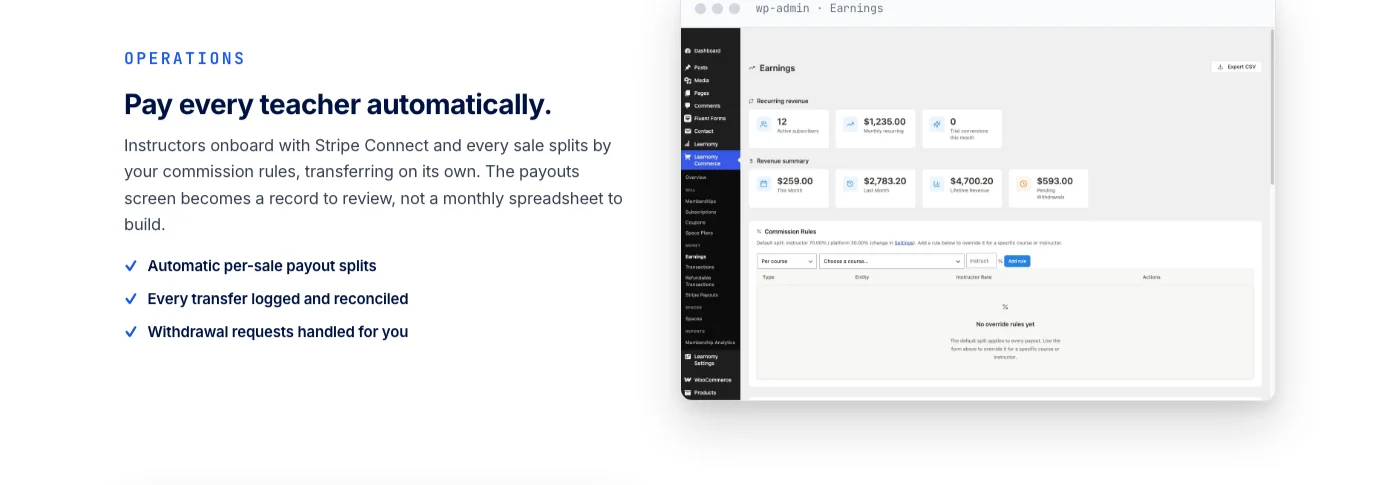
Instructor revenue sharing is the feature that matters the day a solo operation stops being solo. When a creator adds a co-instructor for one module, brings on a guest expert for a bonus lesson, or hires a teaching assistant who deserves a cut of the course they help run, Learnomy’s Udemy-style revenue splits, instructor applications, and instructor dashboards handle that transition without a rebuild.
Learnomy doesn’t stop at courses and selling. The same platform grows into a learning community around a creator’s school, with course discussion boards and Q&A sitting next to the lessons instead of student questions landing in an inbox nobody else can see. Gamified learning, points, badges, and streaks, gives students a reason to come back after lesson one. A job board connects graduates with the opportunities their training was preparing them for. Course videos can be protected against casual downloading, and the whole school runs on a real design layer, so it looks like a creator’s own brand rather than a template shared across a hosted platform’s entire catalog.
Creators migrating an existing course business get a direct path if they’re currently running LearnDash, Tutor LMS, or LifterLMS: Learnomy includes a built-in migration wizard for exactly those three platforms. Anyone coming from a hosted platform instead should plan on a manual export-and-rebuild, since no hosted provider offers a one-click handoff to a self-hosted alternative.
2. LearnDash: full control for WordPress builders
LearnDash has been the default answer to “what LMS plugin should I use” inside WordPress for long enough that most course-building tutorials assume it. Courses, lessons, topics, and quizzes are all built in, drip content lets lessons unlock on a schedule, and certificates generate automatically once a course is completed.
The tradeoff shows up once a creator wants to sell, not just teach. LearnDash itself doesn’t process payments directly the way a checkout-first platform does. Selling a course usually means pairing LearnDash with WooCommerce or Easy Digital Downloads, which works, but adds a second plugin, a second settings screen, and a second thing that can break when either one updates. Instructor revenue sharing for multi-teacher setups typically means a third-party add-on rather than a built-in feature. For a developer or an agency comfortable assembling a stack piece by piece, that flexibility is the appeal. For a solo creator who wants to build a course this weekend and sell it by Monday, it’s an extra weekend of setup before the first sale happens.
LearnDash also leans backend-first. Building a course generally happens inside wp-admin, not on a front-end editor a creator without WordPress experience would recognize immediately. Anyone coming from a LearnDash install and wanting a lighter, all-in-one alternative has a direct migration path into Learnomy without losing course content or student records.
3. Tutor LMS: a lighter LMS for first-time creators
Tutor LMS built its reputation on being the easier LMS plugin to get started with, and for a first course, that reputation holds up. Course creation, quizzes, and a certificate builder are included, and the interface feels less like enterprise software than some of its WordPress competitors.
The catch for a growing course business is where the useful features live. A true front-end course builder, deeper quiz types, and multi-instructor support are typically reserved for paid add-ons layered on top of the base plugin, which means the lightweight feeling at signup doesn’t always carry through once a creator needs the features that make a course business scale past one person. Selling still routes through WooCommerce, Easy Digital Downloads, or Paid Memberships Pro rather than a checkout built into the LMS itself, so a creator is again managing at least two plugins to go from “course built” to “course sold.”
Tutor LMS works well for a creator testing a single low-stakes course who doesn’t yet know if they’ll build a second one. It asks more of a creator the moment that first course actually succeeds and needs certificates that market themselves, a second instructor, or a checkout that doesn’t require a separate ecommerce plugin to function.
4. LifterLMS: membership-style course bundles
LifterLMS was built with a specific creator in mind: someone selling courses as part of an ongoing membership rather than as one-off products. Drip-feed content, achievement-triggered certificates, and automated email engagements built around student milestones all reflect that focus.
For a coach who wants to bundle several courses into a single membership price, that’s a genuinely good fit. For a creator selling individual courses one at a time, LifterLMS’s checkout and instructor tools feel less complete than platforms built around single-course sales first. Selling typically routes through WooCommerce for a full storefront experience, and multi-instructor revenue sharing isn’t a core strength the way it is for a marketplace-style plugin. Certificates function as one engagement type among several rather than a standalone marketing tool with public verification.
A creator already committed to a membership-first business model, and comfortable running WooCommerce alongside it, will find LifterLMS does that specific job well. A creator who wants certificates a graduate would actually share, or revenue sharing that doesn’t require custom development, will hit LifterLMS’s edges faster.
5. MasterStudy LMS: multi-instructor course marketplaces
MasterStudy LMS is built around a different shape of business than most solo-creator plugins: a marketplace with multiple instructors selling courses under one roof, closer to a mini version of a course marketplace than a single-teacher school. A front-end course builder and commission-based instructor payouts come built in, which matches that marketplace framing directly.
For a creator who’s genuinely planning to onboard other instructors right away, that head start is valuable. For a solo creator with no near-term plan to run a marketplace, MasterStudy’s marketplace-first design adds complexity that doesn’t map to a one-person course business. Checkout runs through WooCommerce rather than a direct integration, and the certificate and community tooling, while present, reads as secondary to the marketplace mechanics that are clearly the plugin’s main focus.
MasterStudy is worth shortlisting specifically for a creator whose plan is “recruit other teachers onto my platform,” and worth skipping for a creator whose plan is “sell my own expertise, possibly with a co-instructor down the line.”
6. Kajabi: a hosted all-in-one platform
Kajabi’s pitch is genuine simplicity: courses, coaching products, email marketing, landing pages, and a community area, all inside one hosted dashboard with nothing to install and no plugins to keep updated. For a creator who wants to avoid touching WordPress entirely, that’s a real advantage, and the platform’s course-building and marketing tools are polished.
The structural cost is the same one every hosted platform carries. The course lives on Kajabi’s infrastructure, under a recurring subscription, with student and revenue data sitting inside Kajabi’s own systems rather than a database the creator controls. Certificates and instructor tools are built in, but multi-instructor revenue sharing is generally reserved for higher subscription tiers rather than available from day one. A creator who outgrows the platform, or simply decides to stop paying for it, is migrating an entire school off infrastructure they never owned in the first place, not just canceling a subscription for software they were running locally.
Kajabi suits a creator who values a single hosted dashboard over owning the underlying platform, and who has budgeted for that convenience as a permanent, recurring cost rather than a one-time setup.
7. Teachable: a hosted platform for quick launches
Teachable earned its reputation as the fastest way for a creator to go from “I have an idea for a course” to “I have a course for sale,” and that speed is still accurate. Course creation, a hosted checkout, and basic certificates are included from the start, with a setup process built specifically for someone who has never sold anything online before.
That speed comes from the same tradeoff every hosted platform makes. The course sits on Teachable’s domain unless a creator upgrades for a custom one, and on most plans a transaction fee applies on top of the subscription, taken from every sale regardless of how well the course performs. Design customization is limited compared to a full CMS, since every course shares the same underlying template system. Instructor revenue sharing for multi-teacher courses is limited, and quiz depth trails what a dedicated WordPress LMS plugin, or Learnomy’s built-in assessment tools, offer out of the box.
Teachable remains a reasonable place to validate a single course with zero technical setup. For a creator whose course is actually selling, the ongoing subscription plus transaction cut, and the fact that the audience, domain authority, and student data all live on Teachable’s side of the relationship, are worth weighing honestly against the alternative. For the fuller version of that argument, see why freelancers should own their course platform instead of renting one from Teachable.
How to choose by creator type: coach, cohort-runner, solo educator
“Best LMS” depends heavily on which kind of course business a creator is actually running. These three creator types cover most of the audience shopping for an LMS in 2026, and each one should weigh the same feature list differently.
The coach selling one-to-many alongside one-to-one work. A coach’s course is usually an extension of existing client work, not a standalone product built from scratch. Priorities here are a front-end builder that doesn’t eat a whole weekend, certificates that give clients something to show off, and a checkout that doesn’t compete with the coach’s existing service pricing. A coach already running a services business on WordPress benefits from keeping the course on the same domain and the same customer list rather than routing new buyers through a separate hosted platform. Selling a course alongside client work is exactly the kind of second revenue stream freelancers add without replacing their existing service income, and the LMS choice should support that, not complicate it.
The cohort-runner selling a scheduled, group-based program. Drip content, discussion between students in the same cohort, and a way to tell who’s engaged versus who’s quietly fallen behind all matter more here than they do for a self-paced course. A platform with a learning community and discussion boards built in gives a cohort somewhere to talk to each other without a separate community plugin. Certificates matter less as a marketing tool for cohort-based programs and more as proof of completion for programs tied to a professional outcome.
The solo educator building a self-paced course library. Volume matters here more than cohort dynamics. A solo educator building several courses over time needs a platform that doesn’t charge more, or add friction, as the course catalog grows: unlimited courses, a checkout that doesn’t take a bigger cut as revenue increases, and certificates and quizzes that don’t need to be rebuilt for every new title. A creator in this category, including anyone building out a tutoring or subject-specific catalog, benefits from the same infrastructure decisions covered in how to start an online tutoring business on your own website, since the bookings-plus-payments logic and the course-plus-checkout logic are solving the same underlying problem.
Across all three types, the same four questions from earlier in this guide still apply: does the platform have a front-end builder, does it produce certificates worth sharing, does it support a second instructor without a rebuild, and does it avoid taking a growing cut of a growing business.
Common mistakes course creators make choosing an LMS
- Picking based on setup speed alone. The fastest platform to sign up for is rarely the cheapest one to run once a course is actually selling. Setup speed is a one-time cost. A platform fee or an under-featured plugin is a recurring one.
- Ignoring what happens when a second instructor joins. Most creators start alone and assume they’ll stay that way. The ones who grow past one instructor and picked a single-teacher tool end up rebuilding their revenue-sharing setup from scratch at the worst possible time, right when the business is finally working.
- Treating certificates as an afterthought. A certificate nobody can verify, and nobody wants to share, does nothing for word of mouth. A certificate a graduate posts to LinkedIn is free marketing that a generic PDF template never delivers.
- Assuming a migration wizard exists where it doesn’t. Moving between certain WordPress LMS plugins can be handled by a built-in migration tool. Moving off a hosted platform like Kajabi or Teachable is a manual export-and-rebuild process every time, regardless of which platform a creator is moving to.
- Underestimating what a percentage-based fee costs at scale. A small transaction fee feels irrelevant on a creator’s first few sales. It stops feeling irrelevant once a course is generating steady, meaningful revenue, because a percentage-based fee grows in lockstep with success instead of staying fixed.
- Choosing a marketplace-style plugin for a single-teacher business. Tools built for multi-instructor marketplaces add real complexity that a solo creator doesn’t need yet, and may never need at all.
Frequently asked questions
What is the best LMS for course creators who are just starting out?
For a first course with no existing WordPress site, a hosted platform like Teachable removes technical setup entirely and gets a course live quickly. For a creator who already runs a WordPress site for their business, building the course on the same domain with Learnomy avoids splitting an audience across two separate properties from the very first sale.
Do I need a WordPress LMS plugin if I already use WooCommerce?
WooCommerce handles selling physical or digital products, not course structure, lesson sequencing, quizzes, or certificates. A dedicated LMS still handles the actual teaching and assessment; some plugins connect to WooCommerce for checkout, while Learnomy offers a WooCommerce adapter as an option alongside its own direct Stripe and PayPal checkout.
Can I switch from LearnDash, Tutor LMS, or LifterLMS without losing my content?
Yes, for those three platforms specifically. Learnomy includes a built-in migration wizard for LearnDash, Tutor LMS, and LifterLMS. Moving from a different platform, including any hosted provider, requires a manual export and rebuild rather than an automated migration.
How important are certificates for a course that isn’t professionally regulated?
More important than most creators assume. A certificate isn’t only proof of completion, it’s a shareable artifact a graduate posts to LinkedIn or forwards to a manager. A QR-verifiable certificate a student is proud to share functions as free marketing in front of an audience the creator never had to pay to reach, regardless of whether the course sits in a regulated field.
What happens if I add a co-instructor later? Do I need to switch platforms?
Only if the platform doesn’t support multi-instructor revenue sharing to begin with. Platforms built around a single teacher, including several WordPress LMS plugins in their base form, often require a third-party add-on or a rebuild to add a second paid instructor. Choosing a platform with revenue sharing built in from the start avoids that migration entirely.
Is a hosted platform or a self-hosted LMS easier to maintain long-term?
A hosted platform removes server maintenance, in exchange for an ongoing subscription and, on most plans, a transaction fee on every sale. A self-hosted LMS on WordPress requires the same routine maintenance, plugin and core updates, backups, that a creator’s existing website already needs, with no recurring platform cut on revenue.
Does the best LMS for course creators always mean the one with the most features?
No. A marketplace-focused plugin loaded with multi-instructor tools is not “better” for a solo creator selling one course, it’s mismatched to the job. The right LMS is the one whose feature set matches how the creator actually plans to run the business, not the one with the longest feature list on its sales page.
Can I sell courses and services from the same website?
Yes, and doing so is increasingly common among freelancers and coaches who want a second revenue stream without abandoning client work. Running both on the same WordPress site keeps one audience, one domain’s worth of SEO equity, and one customer list, instead of splitting traffic between a services site and a separate hosted course platform.
The LMS that fits a creator who plans to stay
Every platform in this guide can technically host a course. The real question for a freelancer, coach, or independent creator is which one still fits once the course is actually working: once a second instructor joins, once a graduate wants a certificate worth sharing, and once monthly revenue is high enough that a percentage-based platform fee stops being a rounding error.
LearnDash, Tutor LMS, LifterLMS, and MasterStudy LMS each solve a real piece of that puzzle inside WordPress, and any of them can work well for the specific shape of business they were built around. Kajabi and Teachable trade ownership for setup speed, which is a fair trade for a creator still validating an idea. Learnomy was built to remove that tradeoff entirely: a complete learning platform, on a creator’s own site, with checkout, certificates, and instructor revenue sharing built in from the start, not bolted on after the fact.
Build your school on a platform you actually own
Learnomy gives a course creator a complete learning platform on their own WordPress site: a front-end course builder, quizzes with anti-cheat tracking, certificates worth sharing, direct Stripe and PayPal checkout, and instructor revenue sharing for the day a co-instructor joins. No platform fee, no rented subdomain, no separate plugin for every feature.