Best Document Management Software in 2026: 10 Top DMS Picks


Updated June 2026. Document management has changed quickly in the last 18 months. AI-assisted search, automated metadata tagging, and tighter compliance controls (GDPR, HIPAA, the EU AI Act) are now table stakes, not premium add-ons. If your team is still juggling shared drives and email attachments in 2026, you are likely losing hours every week to lost files, version conflicts, and audit headaches.
The best document management software in 2026 brings AI-powered retrieval, granular permissions, workflow automation, and secure cloud access into one platform. This refreshed guide compares 10 leading DMS tools, with current 2026 product names, features, and use cases, so you can pick the right fit for your business size and industry. We also cover the questions that tend to get skipped in a rushed evaluation, migration effort, hidden storage costs, and how to actually roll a new system out without losing a week of productivity.
Most teams evaluating a DMS spend the bulk of their research time comparing feature lists and pricing tiers, and then get blindsided six months in by a migration that took twice as long as planned, or a permission model that didn’t scale the way the sales demo suggested. This guide tries to front-load those less glamorous considerations alongside the standard feature comparison, so the decision holds up past the first quarter of actual use.

Key Features to Look for in Document Management Software
Selecting the right document management software in 2026 requires evaluating several core features. Cloud storage and accessibility are crucial, ensuring files sync across devices and stay reachable for hybrid teams. A user-friendly interface is equally important, it cuts training time and drives adoption.
Collaboration tools like version control, real-time co-editing, and workflow automation now ship with built-in AI summaries and review routing. Security and compliance are non-negotiable: end-to-end encryption, role-based access, audit logs, and adherence to GDPR, HIPAA, SOC 2, and ISO 27001. Integration capabilities with Microsoft 365, Google Workspace, Salesforce, Slack, and your CRM/ERP stack matter just as much.
Other critical factors include AI-driven search and indexing (semantic search, OCR, auto-tagging), workflow automation for approvals and retention, and scalability so the platform grows with your headcount and document volume.
The 10 Best Software for Document Management in 2026
Here is a detailed comparison of the top document management software solutions available in 2026:
1. Microsoft SharePoint

SharePoint remains the enterprise default in 2026, deeply tied into Microsoft 365 and Copilot for AI-assisted document workflows.
Key Features:
- Seamless integration with Microsoft 365 and Copilot
- Customizable workflow automation via Power Automate
- Enterprise-grade security, retention labels, and compliance
- AI-powered search, summarization, and indexing
Pros:
- Excellent for enterprise use
- Deep Microsoft ecosystem integration
- Robust security and governance features
Cons:
- Steep learning curve
- Can be expensive for small businesses
2. Google Drive for Business (Google Workspace)
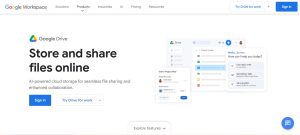
Now bundled into Google Workspace with Gemini AI baked into search, summaries, and drafting.
Key Features:
- Cloud storage with scalable Workspace plans
- Real-time document collaboration in Docs, Sheets, and Slides
- Gemini-powered search and document summaries
- Granular sharing and shared drive access control
Pros:
- Affordable and scalable
- User-friendly interface
- Deep Google Workspace integration
Cons:
- Limited offline functionality compared to desktop-first DMS
- Permission management gets noisy at scale
3. Dropbox Business

A versatile cloud-based file management system with strong collaboration features and Dropbox Dash AI search.
Key Features:
- File sync across devices with smart sync
- Advanced security and compliance controls
- Team collaboration via Paper and shared folders
- Dropbox Dash AI universal search
Pros:
- Intuitive interface
- Reliable cloud syncing
- Strong third-party app integrations
Cons:
- Limited free storage
- Higher pricing for advanced and AI tiers
4. M-Files

A metadata-driven DMS with strong AI tagging, popular in regulated industries like legal, finance, and life sciences.
Key Features:
- AI-powered document classification and indexing
- Strong security and compliance features
- Seamless integration with Microsoft 365, Salesforce, and SAP
- Custom workflow automation
Pros:
- Excellent search and retrieval via metadata
- Highly scalable
- Strong security framework
Cons:
- Can be complex to set up
- Higher learning curve
5. DocuWare
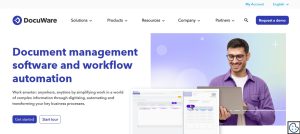
A cloud-based DMS offering enterprise-level document automation and compliance features, with a strong focus on invoice processing and HR.
Key Features:
- Smart document archiving and retrieval
- Automated workflows and task management
- Secure encryption and compliance tools
- Mobile accessibility
Pros:
- Strong automation capabilities
- User-friendly interface
- Excellent customer support
Cons:
- Pricing may be high for small businesses
- Requires customization for advanced use
6. Zoho WorkDrive

Note: Zoho Docs was retired and replaced by Zoho WorkDrive, Zoho’s current document management platform. It is a cost-effective fit for small and mid-sized businesses already using the Zoho ecosystem.
Key Features:
- Cloud-based team folders with secure encryption
- Real-time collaboration via Zoho Writer, Sheet, and Show
- Mobile and desktop TrueSync access
- Zia AI search and integration with the Zoho ecosystem
Pros:
- Affordable pricing
- User-friendly interface
- Strong security and team folder model
Cons:
- Best fit when paired with Zoho One
- Less mature than SharePoint or M-Files for large enterprises
7. Box for Business

A secure cloud content platform with robust collaboration tools and Box AI for document Q&A and summarization.
Key Features:
- Enterprise-grade security and compliance (HIPAA, FedRAMP, GDPR)
- Box AI for content Q&A and summarization
- Seamless third-party integrations (Microsoft 365, Google, Salesforce)
- Custom workflow automation via Box Relay
Pros:
- Strong security and compliance posture
- Excellent collaboration features
- Scalable for enterprises
Cons:
- Higher pricing for premium and AI plans
- Can be complex for beginners
8. Evernote Teams
Now owned by Bending Spoons, Evernote Teams (formerly Evernote Business) remains a flexible document and note management solution for professionals and small teams.
Key Features:
- Advanced document organization and tagging
- Cloud-based storage and cross-device access
- Shared spaces for team collaboration
- Integration with productivity apps and AI search
Pros:
- Ideal for personal and small business use
- Simple and intuitive interface
- Strong full-text and OCR search
Cons:
- Limited workflow automation
- Not suited for large-scale enterprise DMS needs
9. Revver (formerly eFileCabinet)

Rebranded from eFileCabinet, Revver is a secure document management system focused on document-driven work for accounting, HR, and finance teams.
Key Features:
- Automated document workflows
- Secure file sharing and storage
- AI-powered search and indexing
- Compliance with industry regulations (SOX, HIPAA, GDPR)
Pros:
- Excellent security and compliance tools
- Strong automation features
- Scalable for growing businesses
Cons:
- Higher learning curve
- More suited for mid-market and enterprise
10. LogicalDOC

An open-source document management system offering flexibility and customization, a good fit for teams that want self-hosted control.
Key Features:
- On-premise and cloud deployment options
- Advanced document indexing and search
- Workflow automation and collaboration tools
- REST API integration
Pros:
- Highly customizable
- Open-source flexibility
- Cost-effective for businesses needing customization
Cons:
- Requires technical expertise to deploy
- Not as polished as cloud-first competitors
How We Evaluated These Tools
Rather than ranking purely on feature checklists, this comparison weighs four things that tend to matter most once a document management system is actually in daily use: how quickly a new hire can find a file without asking IT, how well the permission model holds up once a company crosses fifty or so users, whether compliance certifications are current rather than years-stale, and how painful migration off the platform would be if you ever needed to leave. A tool that scores well on features but locks documents into a proprietary format that’s hard to export loses points here, even if the day-to-day experience is polished.
We also looked at how each platform handles the unglamorous middle of a document’s lifecycle, not just creation and initial storage, but version conflicts when two people edit offline copies, retention and deletion policies that satisfy compliance auditors, and how gracefully search performance holds up once a company has accumulated tens of thousands of files rather than a few hundred. A DMS that feels instant in a sales demo with twenty sample documents can behave very differently three years and two hundred thousand files later.
Benefits of Using a Document Management System
Using the best software for document management in 2026 delivers measurable wins: faster file retrieval thanks to AI search, tighter security through encryption and role-based access, better collaboration with real-time co-editing, regulatory compliance for GDPR, HIPAA, and SOC 2, and meaningful cost savings by cutting paper, print, and storage overhead.
How to Choose the Right Software for Your Business
Pick the right document management software by matching it to your business size, industry regulations, existing tool stack, budget, and ease-of-use needs. Small businesses often lean toward Google Workspace, Dropbox, or Zoho WorkDrive. Mid-market teams gravitate to Box, M-Files, or DocuWare. Enterprises typically standardize on SharePoint or M-Files. Compliance-heavy industries (healthcare, legal, finance) should weigh certifications and audit logs heavily, while teams running on Microsoft 365 or Google Workspace should prioritize native integration.
Migration: The Step Most Teams Underestimate
Picking the software is the easy part. Actually moving years of files, folder structures, and permission rules into a new system is where most rollouts run into trouble. A few things worth planning for before you commit to a switch date:
- Audit before you migrate. Duplicate files, outdated versions, and abandoned folders multiply over the years. Migrating everything as-is just moves the mess to a new platform.
- Map your permission structure first. Most DMS platforms use a different permissions model than the shared drive you’re leaving. Recreating access levels from scratch, rather than trying to auto-import them, usually produces a cleaner result.
- Run a pilot with one department. Rolling out to the whole company on day one tends to surface problems at the worst possible time. A two-week pilot with a single team catches most issues early.
- Budget for training, not just licensing. The subscription cost is rarely the biggest expense. Lost productivity during a clumsy rollout usually costs more than the software itself.
Which DMS Fits Which Industry
Feature lists only tell part of the story. In practice, certain platforms tend to fit certain industries better, mostly because of compliance requirements and workflow habits specific to that field.
Legal and professional services tend to gravitate toward M-Files or SharePoint, largely because of matter-centric organization and the audit trail requirements that come with client confidentiality. Metadata-driven retrieval matters more here than in most industries, since a case file might need to surface across dozens of possible search terms.
Healthcare and life sciences generally need HIPAA-compliant storage with detailed access logs. Box and M-Files both carry the relevant certifications, and DocuWare’s strength in structured workflow automation suits the approval chains common in clinical documentation.
Accounting and finance teams lean toward Revver or DocuWare, where invoice processing and structured retention schedules are core use cases rather than an afterthought bolted onto general file storage.
Startups and small agencies usually do best starting with whatever productivity suite they already pay for, Google Workspace or Microsoft 365, rather than adding a dedicated DMS before they have the document volume to justify it. Zoho WorkDrive is a solid middle ground for teams that have outgrown a shared drive but aren’t ready for enterprise pricing.
Organizations wanting full control over where data lives, whether for regulatory reasons or general caution about vendor lock-in, are the natural fit for LogicalDOC’s self-hosted option, accepting a heavier setup lift in exchange for not depending on a third party’s infrastructure. This tradeoff matters more than it looks on paper: a self-hosted platform means your IT team owns patching, backups, and uptime, rather than a vendor’s SLA, which is either a feature or a liability depending on how much internal capacity you actually have.
Security Questions Worth Asking Every Vendor
Beyond the compliance certifications listed on a pricing page, a few direct questions tend to reveal how seriously a vendor actually treats security in practice, rather than just on paper.
- Is data encrypted both at rest and in transit, and can you get specifics rather than a vague “yes”?
- Where are the data centers physically located, and does that matter for your industry’s data residency rules?
- What’s the actual breach notification timeline in the contract, not just the marketing promise?
- Can you export a full audit log of who accessed or modified a given document, and how far back does that history go?
- What happens to your data if you cancel, is there a defined deletion timeline, or does it linger indefinitely on their servers?
Vendors confident in their security posture answer these quickly and specifically. Vague or evasive answers are worth treating as a warning sign, regardless of how polished the sales deck looks.
Hidden Costs to Watch For
Sticker price rarely tells the whole story. Storage overages beyond the included quota, per-user add-on fees for AI search or advanced workflow features, and API call limits on integrations can all push the real monthly cost well past the advertised plan price. It’s worth requesting a realistic usage estimate from any vendor, based on your actual document volume and user count, rather than trusting the marketing page’s starting price.
Support tiers are another quiet cost driver. Standard plans on several of these platforms route support tickets through a queue that can take days to respond, while priority support with guaranteed response times often sits behind a separate add-on fee. For a team that depends on the DMS for daily operations, factoring in the cost of faster support upfront usually beats discovering the gap during an actual outage.

FAQs: Document Management Software in 2026
What is the best document management software for small businesses in 2026?
For small businesses in 2026, Google Workspace (Drive), Dropbox Business, and Zoho WorkDrive offer the best balance of price, ease of use, and AI-powered search. Choose the one that aligns with your existing productivity suite.
Is SharePoint still worth it in 2026?
Yes, SharePoint remains the leading enterprise DMS in 2026, especially for organizations already on Microsoft 365. Copilot integration, retention labels, and Power Automate workflows make it a strong choice for governance-heavy teams.
What replaced Zoho Docs?
Zoho WorkDrive replaced Zoho Docs and is now Zoho’s official document management platform. It offers team folders, real-time collaboration, Zia AI search, and tight integration with the broader Zoho suite.
How long does a typical DMS migration take?
For a small team under twenty people with a modest document volume, migration usually takes one to three weeks including a pilot phase. Larger organizations with complex permission structures and decades of archived files should plan for one to three months, particularly if compliance requirements demand a full audit trail of what moved where.
Can I switch document management systems later without losing data?
Most reputable DMS platforms support bulk export in standard formats, but the folder structure, metadata tags, and version history don’t always transfer cleanly between systems. Before committing to any platform, it’s worth checking what an export actually includes, not just whether one exists.
Do I need a dedicated DMS if I already use Microsoft 365 or Google Workspace?
Not necessarily, at least not right away. Both suites include reasonably capable document storage and search out of the box. The point where a dedicated DMS starts paying for itself is usually when document volume grows past what basic folder structures can organize cleanly, when compliance requirements demand audit trails the base suite doesn’t provide, or when multiple departments need meaningfully different permission structures.
What’s the difference between a DMS and general cloud storage?
Cloud storage, at its simplest, is a place to put files. A document management system adds structure on top of that: version control that actually tracks changes over time, metadata-driven search instead of relying purely on folder names, workflow automation for approvals, and audit logs that satisfy compliance requirements. Plain cloud storage can function as a lightweight DMS for a small team, but it starts showing its limits once retention policies, granular permissions, or regulatory audits enter the picture.
Interesting Reads
10 Best Software for Electronic Signature on Documents
5 Best WooCommerce Analytics Plugins
10 Best AI Builders for Shopify
10 Best Project Management Tools for Ecommerce Teams in 2026


