13 Best WooCommerce Bulk Product Editing Plugins (2026)


Managing a WooCommerce store with hundreds or thousands of products can quickly become overwhelming. Editing product details one by one, updating prices, changing stock statuses, modifying descriptions, eats into hours that could be spent growing your business. WooCommerce Bulk Product Editing Plugins solve this problem by letting you update multiple products simultaneously from a single interface.
In this comprehensive guide, we’ll explore the 13 best WooCommerce bulk product editing plugins available in 2026, compare their features side-by-side, and help you choose the right one for your store’s specific needs.
Table of Contents
- What Are WooCommerce Bulk Product Editing Plugins?
- Why Your Store Needs a Bulk Product Editing Plugin
- Key Features to Look for in Bulk Editing Plugins
- 13 Best WooCommerce Bulk Product Editing Plugins
- 1. YITH WooCommerce Bulk Product Editing
- 2. Smart Manager for WooCommerce
- 3. Bear – Bulk Editor and Products Manager
- 4. WooCommerce Advanced Bulk Edit
- 5. Bulk Table Editor for WooCommerce
- 6. WP Sheet Editor for WooCommerce
- 7. WooCommerce Product Bulk Editor by ELEX
- 8. Setary – WooCommerce Bulk Editor
- 9. PW WooCommerce Bulk Edit
- 10. N-Media WooCommerce PPOM Bulk Pricing
- 11. Stock Manager for WooCommerce
- 12. Woobewoo Product Tables
- 13. Flavor – WooCommerce Bulk Edit
- Comparison Table
- How to Choose the Right Bulk Editing Plugin
- Frequently Asked Questions
- Final Recommendations

What Are WooCommerce Bulk Product Editing Plugins?
WooCommerce Bulk Product Editing Plugins are tools that allow store owners to modify multiple products at once instead of editing them individually. These plugins provide interfaces, often spreadsheet-style or table-based, where you can select dozens or hundreds of products and apply changes to all of them with a few clicks.
Common bulk editing tasks include:
- Price updates – Apply percentage increases, fixed discounts, or set new prices across product categories
- Stock management – Update stock quantities, change stock statuses, or enable/disable backorders
- Category and tag changes – Reassign products to different categories or add/remove tags in bulk
- Attribute modifications – Update product attributes like size, color, or material for multiple items
- SEO updates – Modify meta titles, descriptions, and slugs across products
- Shipping settings – Change shipping classes, weights, and dimensions
- Visibility controls – Toggle products between published, draft, or private status
Why Your Store Needs a Bulk Product Editing Plugin
Without a bulk editing solution, managing a growing WooCommerce store becomes increasingly difficult. Here’s why these plugins are essential:
Time Savings
Updating 500 products individually might take 8-10 hours. With a bulk editor, the same task takes 15-30 minutes. For seasonal sales, supplier price changes, or inventory updates, this time difference is significant.
Consistency and Accuracy
Manual editing introduces human error. When you’re updating products one by one, it’s easy to miss items or enter inconsistent data. Bulk editors apply uniform changes across all selected products, ensuring consistency.
Better Inventory Management
Large stores need to update stock levels frequently. Bulk editors let you import updated stock data from suppliers or sync inventory across multiple sales channels quickly.
Seasonal and Promotional Flexibility
Running a flash sale? Need to apply holiday pricing? Bulk editors make it possible to adjust hundreds of prices in minutes and revert them just as quickly when the promotion ends.
Efficient Product Data Migration
When restructuring your catalog, changing categories, updating product attributes, or standardizing descriptions, bulk editing is the only practical approach.
Key Features to Look for in Bulk Editing Plugins
Not all bulk editors are created equal. When evaluating WooCommerce Bulk Product Editing Plugins, prioritize these features:
1. Comprehensive Field Support
The best plugins allow editing of all WooCommerce product fields: prices (regular and sale), stock, SKUs, descriptions, categories, tags, attributes, shipping details, and custom fields. Limited field support means you’ll still need manual editing for some tasks.
2. Advanced Filtering and Search
Being able to filter products by category, price range, stock status, product type, or custom attributes is crucial. Good filters let you target exactly the products you need to edit without wading through your entire catalog.
3. Undo and Revision History
Mistakes happen. Look for plugins that offer undo functionality or maintain a history of changes so you can revert if something goes wrong.
4. Import/Export Capabilities
CSV import and export allows you to work with product data in external tools like Excel or Google Sheets, then import the updated data back into WooCommerce. This is especially useful for large-scale updates.
5. Scheduled Updates
Some plugins let you schedule bulk changes for a future date and time, perfect for timed promotions or coordinated launches across time zones.
6. Variable Product Support
If your store sells variable products, ensure the plugin handles variations properly. Some plugins only edit parent products, leaving you to update variations manually.
7. Performance with Large Catalogs
Plugins should handle large product counts (5,000+ products) without timing out or crashing. Check reviews from users with similar catalog sizes.
13 Best WooCommerce Bulk Product Editing Plugins
1. YITH WooCommerce Bulk Product Editing
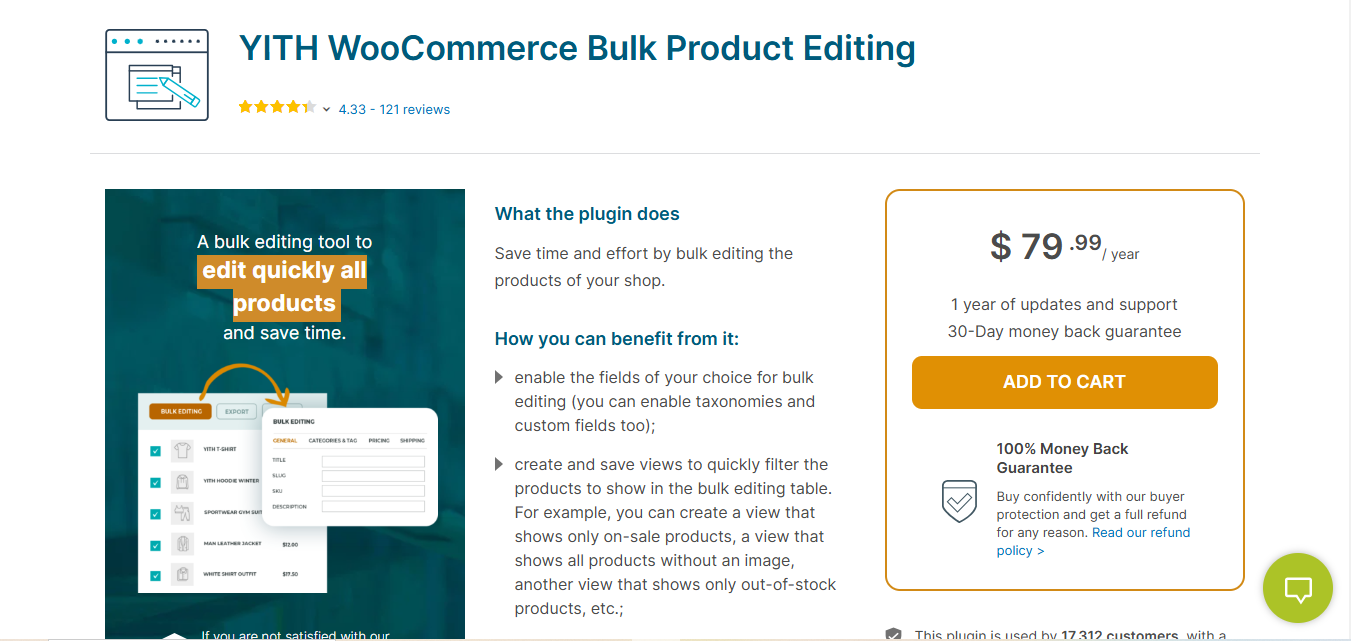
YITH WooCommerce Bulk Product Editing is one of the most popular choices among WooCommerce store owners. YITH has built a strong reputation in the WordPress ecosystem, and this plugin lives up to their standards with a clean, intuitive interface that makes bulk editing accessible even to non-technical users.
Key Features
- Inline editing: Edit product data directly in a table view without opening separate screens
- Smart filters: Filter by product type, category, tag, stock status, price range, and custom taxonomies
- Bulk price adjustments: Apply percentage or fixed-value changes to regular and sale prices
- Category and tag management: Add, remove, or replace categories and tags across multiple products
- Custom field support: Edit meta fields including those created by other plugins
- CSV import/export: Work with product data in external spreadsheet applications
Pros
- Clean, modern interface that’s easy to learn
- Excellent documentation and video tutorials
- Regular updates and active development
- Handles variable products and their variations well
- Good performance with medium to large catalogs
Cons
- Free version has limited functionality
- Premium license required for advanced features like scheduling and custom fields
- Can be slower with very large catalogs (10,000+ products)
Best For: Store owners who want a reliable, well-supported solution with a gentle learning curve. Ideal for stores with 100-5,000 products.
Pricing: Free version available. Premium starts at $99.99/year.
Also Read: 10 Best WooCommerce Product Import Plugins
2. Smart Manager for WooCommerce
Smart Manager for WooCommerce takes a spreadsheet-first approach to product management. If you’re comfortable working in Excel or Google Sheets, you’ll feel right at home with Smart Manager’s interface. It’s designed for power users who need to make large-scale changes efficiently.
Key Features
- Excel-like spreadsheet interface: Familiar rows-and-columns layout for editing
- Inline editing: Click on any cell to edit it directly
- Batch update: Select multiple products and apply the same change to all of them
- Advanced search: Combine multiple search conditions to find specific products
- Duplicate products: Clone products with all their data for quick product creation
- Delete in bulk: Remove multiple products at once (with confirmation)
- Order and customer management: Also edit orders and customer data, not just products
Pros
- Very fast interface, even with large product counts
- Handles orders and customers in addition to products
- Excellent keyboard navigation for power users
- Works well with variable products and variations
- Print and export options for reports
Cons
- Steeper learning curve than simpler plugins
- Interface can feel overwhelming for simple tasks
- Premium version is necessary for most useful features
Best For: Power users and store managers who prefer spreadsheet-style interfaces. Great for stores with large catalogs (5,000+ products) that need speed.
Pricing: Free version available. Premium starts at $149/year.
3. Bear – Bulk Editor and Products Manager
Bear – Bulk Editor and Products Manager is a feature-rich bulk editing plugin that has gained significant popularity in the WordPress repository. With over 30,000 active installations, it offers a comprehensive set of tools for managing WooCommerce products at scale.
Key Features
- Comprehensive field support: Edit 50+ product fields including prices, stock, attributes, and custom fields
- Multi-condition filtering: Create complex filters using AND/OR logic
- Bulk operations: Delete, duplicate, and update products in batches
- History log: Track all changes with timestamps and user information
- Profile system: Save filter and column configurations for repeated use
- Variation management: Full support for editing variable product variations
- Meta field editing: Edit custom meta fields from any plugin
Pros
- Free version includes many premium-level features
- Active development with frequent updates
- Excellent filtering capabilities
- Good documentation and tutorials
- Responsive support team
Cons
- Interface can be complex for beginners
- Some advanced features require premium
- Performance can slow with very large datasets
Best For: Store owners who need extensive filtering and want a feature-rich free option. Good for medium-sized stores (1,000-10,000 products).
Pricing: Free version available. Premium starts at $49/year.
4. WooCommerce Advanced Bulk Edit
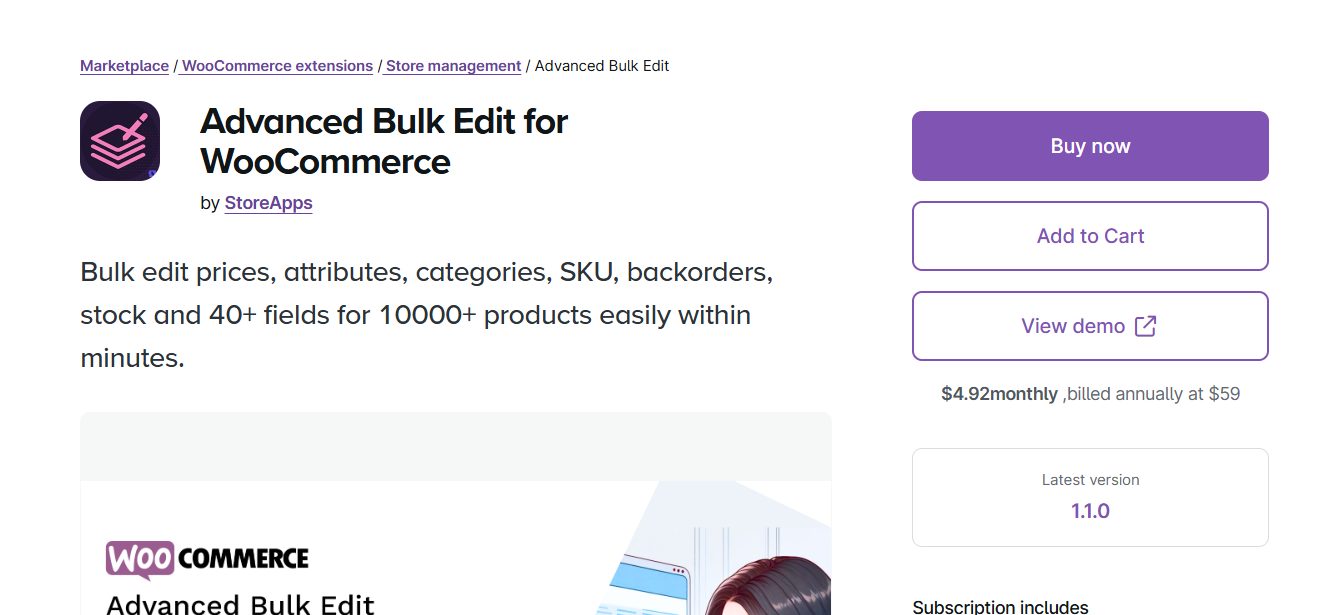
WooCommerce Advanced Bulk Edit offers a balanced approach, powerful enough for complex edits but simple enough for everyday tasks. It’s developed by a team focused solely on WooCommerce plugins, ensuring tight integration with WooCommerce core.
Key Features
- Comprehensive field editing: Prices, stock, descriptions, categories, tags, attributes, and shipping details
- Multi-condition filters: Combine filters with AND/OR logic to target specific products
- Undo functionality: Revert recent bulk changes if you make a mistake
- Variation support: Edit product variations independently or in bulk
- Scheduled changes: Set changes to apply at a future date and time
- Change log: Track what changes were made and when
Pros
- Well-organized interface with clear workflow
- Reliable undo feature provides peace of mind
- Good balance of power and usability
- Handles variable products effectively
Cons
- Premium-only plugin with no free version
- Interface could use visual modernization
- Limited custom field support compared to competitors
Best For: Store owners who want a reliable, all-in-one bulk editing solution without needing extensive customization. Good for stores of all sizes.
Pricing: Premium only. Starts at $49.99/year.
5. Bulk Table Editor for WooCommerce
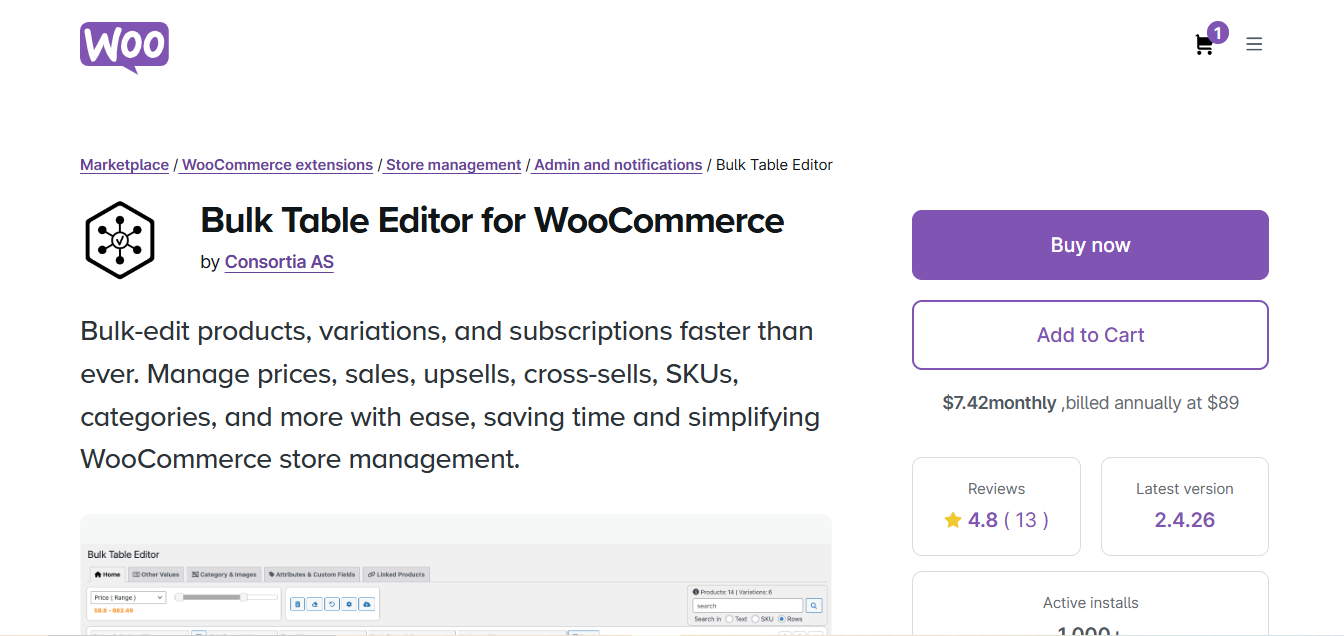
Bulk Table Editor for WooCommerce focuses on simplicity and speed. Its clean table-based interface makes it easy to scan through products and make quick edits without getting lost in complex menus.
Key Features
- Clean table interface: Products displayed in a sortable, filterable table
- Quick inline editing: Edit values directly in table cells
- CSV import/export: Bulk update products via spreadsheet files
- Category filtering: View and edit products by category
- Stock management tools: Quick stock updates and out-of-stock notifications
- Image gallery editing: Manage product images in bulk
Pros
- Clean, uncluttered interface
- Fast performance with medium-sized catalogs
- Good CSV import/export functionality
- Affordable pricing
Cons
- Fewer advanced features than competitors
- Limited filtering options
- Variable product support could be better
Best For: Store owners who prioritize simplicity over advanced features. Good for small to medium stores (under 2,000 products) with straightforward editing needs.
Pricing: Premium only. Starts at $39/year.
6. WP Sheet Editor for WooCommerce
WP Sheet Editor for WooCommerce brings true spreadsheet functionality to WordPress. Beyond just WooCommerce products, it can edit posts, users, and custom post types, making it versatile for stores that need to manage various types of content.
Key Features
- True spreadsheet experience: Familiar spreadsheet interface with cell editing, copy/paste, and formulas
- Bulk editing: Select cells and apply changes across them
- Advanced search and replace: Find and replace text across multiple products
- Custom post type support: Edit any WordPress content type, not just products
- Import from Google Sheets: Pull data directly from Google Sheets
- Formula support: Use spreadsheet formulas for calculated values
- REST API integration: Connect with external systems
Pros
- Most spreadsheet-like experience available
- Excellent for users who live in Excel/Google Sheets
- Highly customizable column layout
- Works with custom post types beyond WooCommerce
- Active development and good support
Cons
- Can feel overwhelming for simple tasks
- Premium version needed for most WooCommerce features
- Learning curve for users unfamiliar with spreadsheets
Best For: Spreadsheet power users who want maximum flexibility. Ideal for stores that also need to manage other WordPress content types.
Pricing: Free version available. Premium starts at $69/year.
Also Read: 10 Best WooCommerce Product Size Chart Plugins
7. WooCommerce Product Bulk Editor by ELEX
WooCommerce Product Bulk Editor by ELEX is a comprehensive solution from a developer known for WooCommerce shipping and logistics plugins. This bulk editor benefits from their deep WooCommerce expertise.
Key Features
- All-fields editing: Edit prices, stock, SKUs, descriptions, categories, tags, attributes, and custom fields
- Powerful filtering: Filter by product type, category, tag, stock status, price range, and custom attributes
- Undo/redo: Built-in undo functionality for mistake recovery
- Scheduled updates: Plan changes to go live at specific times
- CSV operations: Import and export product data
- Variation editing: Full support for variable product variations
- Price rules: Create rules for automatic price adjustments
Pros
- Comprehensive feature set covering all editing needs
- Strong variation support for complex products
- Good performance with large catalogs
- Competitive pricing for the features offered
Cons
- Interface takes time to learn
- Documentation could be more detailed
- Some users report occasional performance issues with very large imports
Best For: Store owners with complex products (many variations) who need comprehensive editing capabilities. Good for medium to large stores.
Pricing: Premium only. Starts at $49/year.
8. Setary – WooCommerce Bulk Editor
Setary takes a different approach by offering a cloud-based bulk editing solution. Instead of running on your WordPress server, Setary connects to your store via API and handles editing in their cloud environment.
Key Features
- Cloud-based editing: Doesn’t consume your server resources
- Real-time sync: Changes sync instantly to your WooCommerce store
- Spreadsheet interface: Familiar Excel-like editing experience
- Multi-store support: Manage multiple WooCommerce stores from one dashboard
- Collaborative editing: Multiple team members can edit simultaneously
- Version history: Track and revert changes over time
- AI-assisted editing: AI features for generating descriptions and optimizing data
Pros
- No server load, won’t slow down your store
- Clean, modern interface
- Excellent for managing multiple stores
- Team collaboration features
- Automatic backups and version history
Cons
- Monthly subscription pricing (no one-time purchase)
- Requires API connection to your store
- Some users prefer on-site solutions for data privacy
- Higher cost for large catalogs
Best For: Agencies managing multiple stores or teams that need collaborative editing. Good for stores where server resources are limited.
Pricing: SaaS pricing. Starts at $19/month for small stores.
9. PW WooCommerce Bulk Edit
PW WooCommerce Bulk Edit is a free plugin that punches above its weight. Developed by Pimwick, it offers solid bulk editing functionality without requiring a premium purchase.
Key Features
- Free core functionality: Essential bulk editing features available for free
- Field editing: Edit prices, stock, SKUs, descriptions, and categories
- Filter products: Filter by category, product type, and stock status
- Preview changes: See changes before applying them
- Variation support: Edit variable product variations
- Lightweight: Minimal impact on site performance
Pros
- Free with no feature limitations on core editing
- Clean, simple interface
- Lightweight and fast
- Good for basic to medium complexity editing
- Active community support
Cons
- Fewer advanced features than premium alternatives
- Limited filtering options
- No scheduled updates
- Basic import/export functionality
Best For: Budget-conscious store owners or those just getting started with bulk editing. Excellent for small stores or testing bulk editing workflows before investing in premium solutions.
Pricing: Free. Pro version available at $59/year for additional features.
10. N-Media WooCommerce PPOM Bulk Pricing
N-Media WooCommerce PPOM offers a unique approach to bulk editing with a focus on pricing and custom product options. While primarily known for product add-ons, its bulk pricing features make it valuable for stores that need advanced pricing controls.
Key Features
- Bulk price editing: Update prices across products based on conditions
- Conditional pricing rules: Set dynamic pricing based on quantities, user roles, or other conditions
- Tiered pricing: Bulk set quantity-based pricing discounts
- Role-based pricing: Apply different prices for wholesale vs. retail customers
- Price import/export: Manage complex pricing via CSV
- Product options integration: Works with custom product fields
Pros
- Strong focus on pricing flexibility
- Good for B2B and wholesale stores
- Integrates well with product customization workflows
- Regular updates and active support
Cons
- Primarily focused on pricing, not general bulk editing
- Learning curve for conditional rules
- Not ideal for simple bulk editing needs
Best For: Stores with complex pricing structures, wholesale operations, or tiered pricing needs. Good for B2B WooCommerce stores.
Pricing: Free version available. Premium starts at $39/year.
11. Stock Manager for WooCommerce
Stock Manager for WooCommerce is a specialized bulk editing plugin focused specifically on inventory management. If stock updates are your primary concern, this plugin offers a streamlined experience.
Key Features
- Stock-focused interface: Optimized specifically for inventory management
- Quick stock updates: Update quantities across products rapidly
- Variation stock management: Manage stock for variable product variations
- Stock status controls: Bulk toggle in stock/out of stock status
- Low stock alerts: Identify products that need restocking
- CSV stock import: Import stock levels from supplier spreadsheets
- Export stock reports: Generate inventory reports for analysis
Pros
- Purpose-built for stock management
- Fast and lightweight
- Free version covers most stock editing needs
- Simple learning curve
- Excellent for stores that primarily need stock updates
Cons
- Limited to stock-related fields only
- Can’t edit prices, descriptions, or other product data
- Need additional plugin for complete bulk editing
Best For: Stores where inventory management is the primary bulk editing need. Ideal for retailers with frequent stock updates but stable product information.
Pricing: Free. Premium available at $49/year for advanced features.
12. Woobewoo Product Tables
Woobewoo Product Tables combines frontend product tables with backend bulk editing. This dual functionality makes it unique among bulk editing plugins, serving both administrative and customer-facing needs.
Key Features
- Backend bulk editing: Edit products in a table interface
- Frontend product tables: Display products in customizable tables for customers
- Inline editing: Quick edits directly in the table view
- Filtering and sorting: Organize products for easier editing
- Custom columns: Display and edit custom fields
- Variation management: Handle variable products and variations
- Quick view integration: Preview products while editing
Pros
- Two-in-one solution (admin editing + customer tables)
- Modern, responsive interface
- Good for stores needing product comparison tables
- Regular updates and responsive support
Cons
- More complex than pure bulk editors
- May be overkill if you don’t need frontend tables
- Premium required for advanced editing features
Best For: Stores that need both admin bulk editing and customer-facing product tables. Good for wholesale stores or B2B operations with table-based ordering.
Pricing: Free version available. Premium starts at $45/year.
13. Flavor – WooCommerce Bulk Edit
Flavor is a newer entrant to the bulk editing space that brings a modern, user-friendly approach. Its clean design and intuitive workflow make it particularly appealing for users who find older plugins overwhelming.
Key Features
- Modern interface: Clean, contemporary design that’s pleasant to use
- Smart filters: Easy-to-use filtering without complex logic
- Batch operations: Apply changes to selected product groups
- Real-time preview: See changes before committing them
- Variation support: Edit variable products and their variations
- Mobile-friendly: Responsive design works on tablets
- Quick actions: One-click actions for common tasks
Pros
- Modern, intuitive interface
- Easy to learn quickly
- Good for teams with varying technical skills
- Active development with new features regularly
Cons
- Newer plugin with smaller user base
- Fewer advanced features than established competitors
- Limited third-party integration options
Best For: Store owners who value user experience and want a modern tool. Good for small to medium stores and teams with mixed technical abilities.
Pricing: Free version available. Premium starts at $59/year.
Comparison Table: WooCommerce Bulk Product Editing Plugins
| Plugin | Best For | Interface | Variations | Undo | Scheduled | Pricing |
|---|---|---|---|---|---|---|
| YITH Bulk Editing | Ease of use | Table | Yes | Limited | Yes | Free/$99/yr |
| Smart Manager | Power users | Spreadsheet | Yes | Yes | No | Free/$149/yr |
| Bear Bulk Editor | Feature-rich free | Table | Yes | Yes | No | Free/$49/yr |
| Advanced Bulk Edit | Reliability | Form-based | Yes | Yes | Yes | $49.99/yr |
| Bulk Table Editor | Simplicity | Table | Basic | No | No | $39/yr |
| WP Sheet Editor | Spreadsheet fans | Spreadsheet | Yes | Yes | No | Free/$69/yr |
| ELEX Bulk Editor | Complex products | Table | Yes | Yes | Yes | $49/yr |
| Setary | Multi-store/Teams | Cloud | Yes | Yes | Yes | From $19/mo |
| PW Bulk Edit | Budget-friendly | Table | Yes | No | No | Free/$59/yr |
| N-Media PPOM | Pricing rules | Form-based | Yes | No | No | Free/$39/yr |
| Stock Manager | Inventory only | Table | Yes | No | No | Free/$49/yr |
| Woobewoo Tables | B2B/Wholesale | Table | Yes | No | No | Free/$45/yr |
| Flavor | Modern UX | Modern | Yes | Yes | No | Free/$59/yr |
How to Choose the Right Bulk Editing Plugin
Selecting the best WooCommerce bulk product editing plugin depends on your specific situation. Use this decision framework:
Consider Your Catalog Size
- Under 500 products: PW Bulk Edit, Bulk Table Editor, or Flavor offer simplicity without unnecessary complexity
- 500-5,000 products: YITH, Bear, Advanced Bulk Edit, or ELEX provide the balance of features and performance
- 5,000+ products: Smart Manager or Setary handle large catalogs more efficiently
Match Your Technical Comfort Level
- Beginner: YITH, Flavor, or Bulk Table Editor have the gentlest learning curves
- Intermediate: Bear, Advanced Bulk Edit, or ELEX offer more features without overwhelming complexity
- Power user: Smart Manager or WP Sheet Editor provide maximum control
Think About Your Product Types
- Simple products only: Any plugin will work well
- Many variable products: YITH, Smart Manager, Bear, or ELEX handle variations best
- Subscription products: Check plugin documentation for subscription product compatibility
Consider Your Primary Editing Needs
- Mainly stock updates: Stock Manager for WooCommerce is purpose-built
- Complex pricing: N-Media PPOM excels at pricing rules
- General editing: YITH, Bear, or Smart Manager cover all fields
Budget Considerations
- Free option needed: PW Bulk Edit, Bear, or free versions of YITH/WP Sheet Editor
- Best value premium: ELEX or Bulk Table Editor offer competitive pricing
- Ongoing subscription okay: Consider Setary for cloud benefits
Team Requirements
- Solo store owner: Any plugin works
- Multiple editors: Setary’s collaborative features are valuable
- Multiple stores: Setary or Smart Manager handle multi-store management

Beyond Product Editing: Managing Service-Based WooCommerce Stores
While bulk product editing plugins excel at managing physical and digital products, many WooCommerce stores also sell services, consultations, appointments, custom work, or professional services. If your store includes service offerings alongside products, you might need specialized tools like WP Sell Services Pro to handle service-specific features such as booking management, service requests, and custom pricing that standard bulk editors don’t address.
Frequently Asked Questions
What is the best free WooCommerce bulk product editing plugin?
PW WooCommerce Bulk Edit and Bear – Bulk Editor are the best free options. PW Bulk Edit offers essential editing features in a clean interface, while Bear provides more advanced filtering and field support in its free version. For stores needing spreadsheet-like editing, the free version of WP Sheet Editor is also worth considering.
Can I bulk edit WooCommerce product variations?
Yes, most bulk editing plugins support variable product variations. YITH, Smart Manager, Bear, ELEX, and WP Sheet Editor all allow you to edit variations either alongside their parent products or independently. When choosing a plugin, verify that it explicitly supports variation editing if you rely heavily on variable products.
Will bulk editing plugins slow down my store?
Most bulk editing plugins only run in the WordPress admin area, so they won’t affect frontend store performance. However, performing very large bulk operations (editing thousands of products at once) can temporarily consume server resources. For stores on shared hosting with limited resources, cloud-based solutions like Setary offload processing to external servers.
Can I undo bulk edits if I make a mistake?
Several plugins offer undo functionality. WooCommerce Advanced Bulk Edit, Smart Manager, Bear, ELEX, and Flavor include undo features. For plugins without built-in undo, create a backup before major bulk operations, either a full site backup or a CSV export of your products that you can reimport if needed.
How do bulk editors handle product images?
Most bulk editors focus on text and numeric data rather than images. You can typically update image URLs or gallery IDs in bulk, but you won’t get visual image management. For image-heavy operations (replacing images, reordering galleries), you may need dedicated media management tools alongside your bulk editor.
Can I schedule bulk price changes for sales?
YITH (Premium), WooCommerce Advanced Bulk Edit, ELEX, and Setary all support scheduled updates. This allows you to set sale prices to activate at a specific date and time, useful for Black Friday sales, holiday promotions, or coordinated launches. Verify this feature before purchasing if scheduling is important to your workflow.
Do these plugins work with WooCommerce Subscriptions?
Compatibility varies by plugin. Most bulk editors can modify subscription products’ basic fields (titles, descriptions, categories), but editing subscription-specific fields (pricing, intervals, sign-up fees) may require additional support. Check the plugin documentation or contact support to confirm compatibility with WooCommerce Subscriptions.
Which bulk editor works best for stores with 10,000+ products?
Smart Manager and Setary are optimized for very large catalogs. Smart Manager handles operations efficiently within WordPress, while Setary’s cloud-based approach avoids straining your server entirely. For extremely large catalogs (50,000+ products), consider Setary or ensure your hosting can support the memory and processing requirements of on-site bulk editing.
Can I use multiple bulk editing plugins together?
Yes, you can combine specialized plugins for different tasks. For example, use Stock Manager for inventory updates and a general plugin like YITH for other editing. However, avoid running multiple general-purpose bulk editors simultaneously as they may conflict. Most stores only need one comprehensive bulk editing solution.
How do I bulk edit custom fields created by other plugins?
YITH (Premium), Bear, Smart Manager, and WP Sheet Editor support editing custom meta fields. The key is ensuring the bulk editor can recognize and display the meta keys created by your other plugins. Most premium bulk editors let you add custom columns for any product meta field.
Final Recommendations
For most WooCommerce stores, here are my top picks:
- Best overall: YITH WooCommerce Bulk Product Editing, excellent balance of usability and features
- Best free option: Bear – Bulk Editor, feature-rich free version with extensive field support
- Best for power users: Smart Manager, spreadsheet interface with maximum efficiency
- Best budget premium: PW WooCommerce Bulk Edit Pro, solid features at affordable pricing
- Best for large stores: Setary, cloud-based performance without server strain
- Best for complex products: ELEX Bulk Editor, strong variation handling and price rules
- Best for inventory focus: Stock Manager, purpose-built for stock management
- Best modern interface: Flavor, clean UX that’s easy to learn
Start with a free option or trial to test the workflow before committing to a premium license. The best bulk editing plugin is the one that fits how you work, not necessarily the one with the most features.