10 Best WooCommerce Product Size Chart Plugins


When running an eCommerce store on WooCommerce, one crucial feature you should consider is providing accurate size charts. WooCommerce Product Size Chart Plugins are essential tools for enhancing your customers’ shopping experience. By adding size charts to your product pages, you can help shoppers make informed decisions, reduce returns, and increase sales.

In this article, we’ll dive into the 10 Best WooCommerce Product Size Chart Plugins to help you find the perfect solution for your store. These plugins are user-friendly, customizable, and optimized for a seamless customer experience. Let’s get started!
Table of Contents
What are WooCommerce Product Size Chart Plugins?
WooCommerce Product Size Chart Plugins are tools designed to integrate size charts into your WooCommerce store. These plugins help customers easily view detailed sizing information for different products, whether it’s clothing, shoes, or accessories. Size charts can display product measurements, conversion charts, and sizing guides, giving your customers the confidence to buy the right products without guesswork. The best part? These WooCommerce Product Size Chart Plugins are fully customizable to match your store’s design, ensuring a smooth and consistent user experience.
Why Do You Need WooCommerce Product Size Chart Plugins?
Size charts are vital for any eCommerce store selling products that require size specifications. WooCommerce Product Size Chart Plugins are essential because they help customers easily find the right fit, which can significantly reduce product returns. By providing clear and detailed size guides, you allow your customers to make more informed purchase decisions, leading to a better shopping experience.
Without proper WooCommerce Product Size Chart Plugins, customers may face confusion or frustration when determining the correct size, leading to abandoned carts or returns. Furthermore, integrating size charts into your store can give you a professional, trustworthy appearance, which can help increase customer loyalty.
Key Features to Look for in WooCommerce Product Size Chart Plugins
When choosing the best WooCommerce Product Size Chart Plugins, make sure they have these key features:
- Ease of Integration: A good plugin should be simple to install and integrate with your WooCommerce store without needing complex setup.
- Customizability: The plugin should allow customization of the size chart’s appearance to fit your store’s branding.
- Mobile Responsiveness: Since many customers shop on mobile devices, choose a plugin that ensures charts are easy to read on smaller screens.
- Multiple Display Options: Whether you prefer pop-ups, tabs, or inline charts, the plugin should offer flexibility in how the size charts are displayed.
- Multilingual Support: If your store caters to an international audience, make sure the plugin offers multilingual support.
Now, let’s explore the top 10 WooCommerce Product Size Chart Plugins that can elevate your store’s user experience.
1. YITH Product Size Charts for WooCommerce
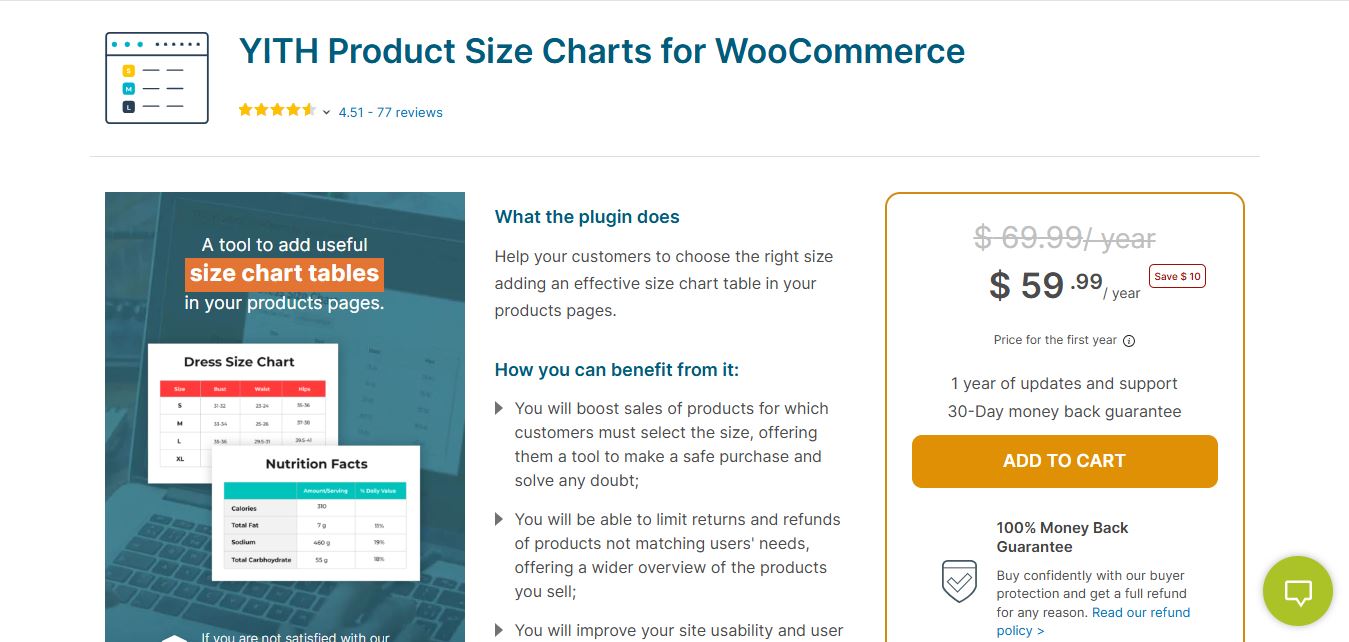
YITH Product Size Charts for WooCommerce is a premium plugin designed to help store owners present clear and customizable size charts for their products. This WooCommerce size chart plugin is ideal for apparel, footwear, and other size-dependent items, reducing returns and improving customer satisfaction.
Key Features
- Create unlimited size charts for different products and categories.
- Display size charts as pop-ups or within product pages.
- Advanced customization options, including table formats and design tweaks.
- Supports conditional display based on product attributes.
- User-friendly interface for quick setup and management.
Pros
- Reduces return rates by providing accurate sizing information.
- Enhances the shopping experience with clear size guides.
- Fully compatible with WooCommerce themes.
Cons
- Limited pre-designed templates for complex charts.
- Requires manual input for detailed size data.
Why It Stands Out
This plugin ensures that customers make informed decisions by providing detailed size charts tailored to each product. Its intuitive design and flexible options make it a must-have for any WooCommerce store offering size-sensitive products.
Also Read: WooCommerce vs Wix
2. WooCommerce Measurement Price Calculator
The WooCommerce Measurement Price Calculator plugin is a versatile tool that extends beyond basic size charts. It allows you to calculate prices based on product measurements, which is perfect for stores selling custom or made-to-order products.
Key Features
- Calculates prices based on measurements
- Variable product compatibility
- Flexible chart displays
- Multi-unit support (inches, centimeters, etc.)
Pros
- Ideal for stores with custom products
- Detailed price calculations based on size
- Easy to configure
Cons
- May be more complex than basic size chart plugins
- Requires premium version for advanced features
Why it Stands Out
The WooCommerce Measurement Price Calculator plugin is excellent for stores offering custom products, allowing customers to calculate prices based on size and measurement.
3. Product Size Chart for WooCommerce
The Product Size Chart for WooCommerce plugin helps you create and display detailed size charts across your store. It provides an intuitive interface to customize and manage size charts, making it perfect for stores with a variety of products.
Key Features
- Customizable chart templates
- Multiple size format support
- Clean design
- Fully responsive
Pros
- Easy to use and set up
- Multiple product type support
- Mobile-responsive
Cons
- Free version has limited features
- Advanced customization requires the premium version
Why it Stands Out
With its simple setup and versatile chart options, Product Size Chart for WooCommerce is perfect for store owners who need to add size charts to multiple product types easily.
4. WooCommerce Size Chart Ultimate
The WooCommerce Size Chart Ultimate plugin offers an easy way to integrate detailed size charts into your product pages. It features automatic size chart integration based on product categories, reducing the time needed to manually add charts.
Key Features
- Auto-detection of product categories for chart display
- Multilingual support
- Customizable size chart templates
- Fully responsive design
Pros
- Supports global size standards
- Automatic product category-based chart integration
- Multilingual support
Cons
- Some advanced features require the paid version
- Can be complex for beginners
Why it Stands Out
WooCommerce Size Chart Ultimate simplifies the process of integrating size charts by automatically detecting product categories, making it perfect for global stores that sell a variety of products.
5. WooCommerce Custom Product Tabs Lite
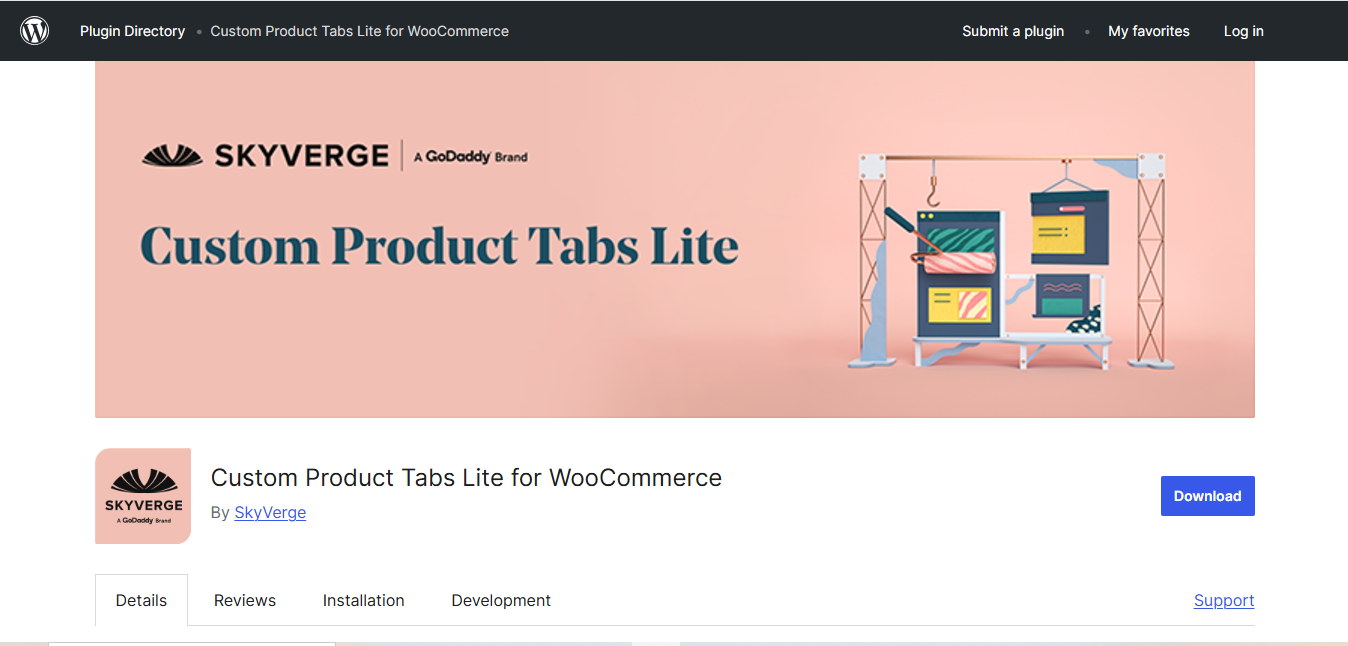
The WooCommerce Custom Product Tabs Lite plugin lets you add custom tabs to your product pages, including a dedicated tab for size charts. This plugin is a great solution for those who prefer a clean and organized layout for their product pages.
Key Features:
- Add unlimited custom tabs to product pages
- Display size charts in a separate tab
- Mobile-responsive
- Simple installation
Pros:
- Easy setup and configuration
- Adds extra tabs for detailed product info
- Free version available
Cons:
- Limited customization in the free version
- Lacks some advanced features in the free version
Why it Stands Out:
WooCommerce Custom Product Tabs Lite provides a simple and clean way to display size charts on product pages. It’s ideal for store owners looking for an easy-to-implement solution without cluttering the product description.
Also Read: WooCommerce vs WordPress
6. WooCommerce Extra Product Options
The WooCommerce Extra Product Options plugin allows you to add dynamic size charts based on product variations. This plugin is perfect for stores that offer custom products or a variety of options for customers to choose from.
Key Features
- Advanced customization for product options
- Supports conditional logic for displaying size charts
- Flexible chart designs
- Works well with variable products
Pros
- Highly customizable
- Conditional logic for displaying the right size chart
- Ideal for stores with custom product options
Cons
- Premium version required for full features
- Complex setup for beginners
Why it Stands Out
WooCommerce Extra Product Options stands out for its advanced customization capabilities and the ability to display size charts dynamically based on product options and variations.
7. Size Chart by WPTrends
The Size Chart by WPTrends plugin allows you to create and manage size charts that can be displayed on your WooCommerce store. It offers an easy-to-use interface for adding charts to product pages.
Key Features
- Simple chart creation and management
- Mobile-responsive design
- Easy integration with WooCommerce
- Multiple display options
Pros
- User-friendly interface
- Clean and minimal design
- Ideal for stores with simple sizing requirements
Cons
- Limited customization in the free version
- Premium version required for advanced features
Why it Stands Out
Size Chart by WPTrends is perfect for store owners looking for a simple solution without a lot of complicated customization. It’s easy to use and integrates well with WooCommerce.
8. Product Size Chart & Measurements for WooCommerce
The Product Size Chart & Measurements for WooCommerce plugin helps you display detailed size charts with custom measurements for different product categories.
Key Features
- Customizable size charts for different categories
- Flexible display options
- Support for product variations
- WooCommerce product compatibility
Pros
- Customizable for different product categories
- Simple setup process
- Mobile-responsive
Cons
- Premium version required for additional features
- Lacks advanced customization in the free version
Why it Stands Out
This plugin is ideal for stores offering various product categories that require custom size charts. It’s easy to use and integrates smoothly with WooCommerce.
9. YITH WooCommerce Product Size Charts
The YITH WooCommerce Product Size Charts plugin is designed to offer a seamless size chart solution for WooCommerce stores. It allows you to display size charts on product pages and manage them from a centralized dashboard.
Key Features
- Custom size charts for different products
- Centralized chart management
- Supports multiple size formats
- Easy to use
Pros
- Simple setup and configuration
- Centralized management
- Multilingual support
Cons
- Limited customization in the free version
- Premium version required for advanced features
Why it Stands Out
YITH WooCommerce Product Size Charts stands out for its centralized management system, making it easy for store owners to update size charts across various products.
Also Read: WooCommerce vs Shopify
10. WooCommerce Product Add-Ons
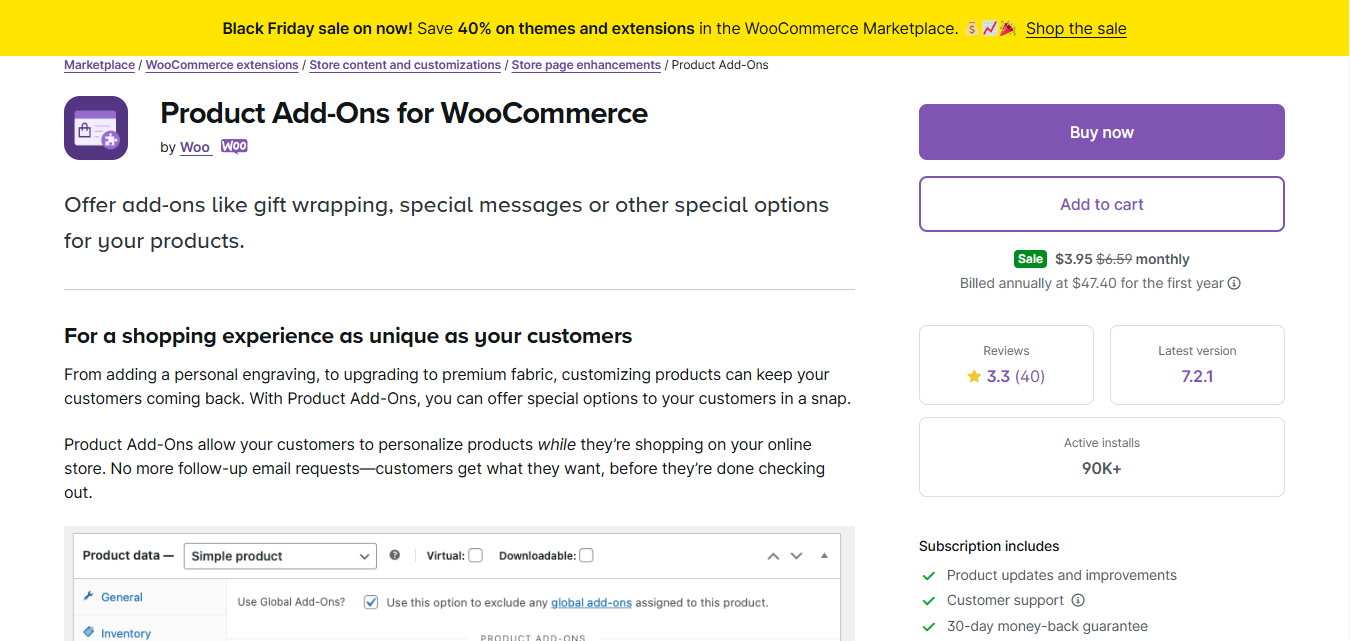
The WooCommerce Product Add-Ons plugin lets you add extra options to products, including size charts. It’s ideal for stores offering custom products that need unique size charts for each item.
Key Features
- Add custom fields for size charts
- Supports multiple product variations
- Flexible display options
- WooCommerce compatibility
Pros
- Customizable for individual products
- Supports multiple size chart formats
- Easy to implement
Cons
- Advanced features require the paid version
- Premium version may be necessary for stores with complex needs
Why it Stands Out
WooCommerce Product Add-Ons is perfect for stores with diverse product offerings that need custom size charts tailored to specific products or product variations.
Plugin Comparison Table
| Plugin Name | Best For | Standout Feature | Mobile-Friendly | Pricing |
|---|---|---|---|---|
| YITH Product Size Charts | Apparel & footwear stores | Unlimited charts with conditional display | Yes | Free + Premium ($79/year) |
| Measurement Price Calculator | Custom/made-to-order products | Price calculation by measurements | Yes | Premium ($129/year) |
| Product Size Chart for WooCommerce | Multiple product types | Customizable templates | Yes | Free + Premium |
| Size Chart Ultimate | Global stores with categories | Auto category-based integration | Yes | Free + Premium |
| Custom Product Tabs Lite | Organized product layout | Dedicated size chart tab | Yes | Free |
| Extra Product Options | Variable products | Conditional logic for charts | Yes | Free + Premium |
| Size Chart by WPTrends | Simple sizing needs | User-friendly interface | Yes | Free + Premium |
| Size Chart & Measurements | Category-specific charts | Custom measurements by category | Yes | Free + Premium |
| YITH Product Size Charts | Centralized management | Multilingual support | Yes | Free + Premium |
| WooCommerce Product Add-Ons | Diverse product offerings | Custom size chart fields | Yes | Premium ($49/year) |
Frequently Asked Questions
What are WooCommerce size chart plugins?
WooCommerce size chart plugins are WordPress extensions that allow you to create, customize, and display sizing information on your product pages. They help customers understand product dimensions, measurements, and size comparisons across different sizing standards (US, UK, EU, etc.). These plugins typically support various display methods including pop-ups, tabs, inline displays, and modal windows.
Why do I need size charts for my WooCommerce store?
Size charts are essential for any store selling products where fit matters, such as clothing, shoes, jewelry, or furniture. They reduce customer uncertainty, decrease return rates (studies show size-related returns can drop by 20-30% with proper size guides), improve customer confidence, and enhance the overall shopping experience. Without clear sizing information, customers often abandon their carts or purchase the wrong size, leading to costly returns and negative reviews.
Can I create different size charts for different products?
Yes, most WooCommerce size chart plugins allow you to create multiple size charts and assign them to specific products, categories, or product types. For example, you can have one size chart for men’s shirts, another for women’s dresses, and a different one for children’s clothing. Some plugins even support conditional display based on product attributes or variations.
How do I display size charts on product pages?
Size chart plugins offer multiple display options including: pop-up/modal windows triggered by a button click, dedicated product tabs alongside description and reviews, inline display within the product description, sidebar widgets, or as expandable accordions. The best plugins let you customize the trigger button text, position, and styling to match your theme.
Can size charts help reduce product returns?
Absolutely. Size-related issues are one of the leading causes of eCommerce returns, especially for apparel and footwear. By providing detailed size charts with accurate measurements, fit guides, and size comparison tools, you help customers choose the right size the first time. Many stores report a 15-30% reduction in returns after implementing comprehensive size guides.
Do size chart plugins support images and tables?
Yes, most modern size chart plugins support rich content including HTML tables, images, measurement diagrams, and even videos. You can create visual guides showing how to measure body parts, include model reference images, and add detailed measurement tables with multiple columns for different sizing standards. Some plugins also support importing size charts from CSV files or Excel spreadsheets.
Can customers convert between measurement units (inches/cm)?
Several premium size chart plugins include unit conversion features that allow customers to toggle between inches and centimeters. This is particularly useful for international stores serving customers from different countries. Some plugins automatically detect the customer’s location and display measurements in their preferred unit system.
Are WooCommerce size charts mobile-friendly?
All the plugins listed in this article are fully responsive and mobile-friendly. With over 60% of eCommerce traffic coming from mobile devices, size charts automatically adapt to smaller screens, ensuring readability and usability. Pop-up charts become full-screen modals on mobile, tables become scrollable, and touch-friendly interfaces make it easy to access sizing information.
Can I import existing size charts from Excel or other sources?
Some size chart plugins support importing data from CSV files, Excel spreadsheets, or even copying from existing HTML tables. This is helpful if you already have sizing data in spreadsheets from manufacturers or suppliers. Check the specific plugin documentation for import capabilities, as this feature varies between plugins.
How do I create size charts for shoes vs. clothing?
Shoes and clothing require different measurement approaches. For shoes, include foot length measurements, international size conversions (US, UK, EU, JP), and width options if applicable. For clothing, include body measurements like chest, waist, hips, and length. The best plugins allow you to create category-specific charts with relevant measurement fields for each product type.
Can I add size recommendations or fit calculators?
Some advanced size chart plugins include fit recommendation features where customers can enter their measurements and receive personalized size suggestions. Others integrate with third-party fit technology providers. Basic plugins focus on displaying size information, while premium versions often include interactive features like fit calculators and “find your size” tools.
What’s the best free size chart plugin for WooCommerce?
For a completely free solution, WooCommerce Custom Product Tabs Lite is an excellent choice as it allows you to add size chart content in dedicated product tabs at no cost. Product Size Chart for WooCommerce and Size Chart by WPTrends also offer solid free versions with basic size chart functionality. However, for advanced features like conditional display, multiple chart templates, or import capabilities, you’ll likely need a premium version.
Launch Your WooCommerce Store Today
Looking for a quick way to set up your WooCommerce store with all the essential features including size charts, product pages, and more? WP Starter Sites offers professionally designed, ready-to-use WordPress starter templates that get your store up and running in minutes.
Choose the Best WooCommerce Product Size Chart Plugin for Your Store
Choosing the right WooCommerce Product Size Chart Plugins can greatly enhance your customers’ shopping experience. By displaying clear, easy-to-read size charts, you can help shoppers make informed decisions, which can ultimately reduce returns and increase sales. Whether you need simple size charts or advanced features, the 10 Best WooCommerce Product Size Chart Plugins listed in this article are great options to consider.
This concludes the list of top WooCommerce Product Size Chart Plugins for your online store. Choose the one that best suits your store’s needs and start offering better shopping experiences today!

Interesting Reads
10 Best WooCommerce Product Slider Plugins