5 Best WooCommerce Plugins PayPal Express Checkout

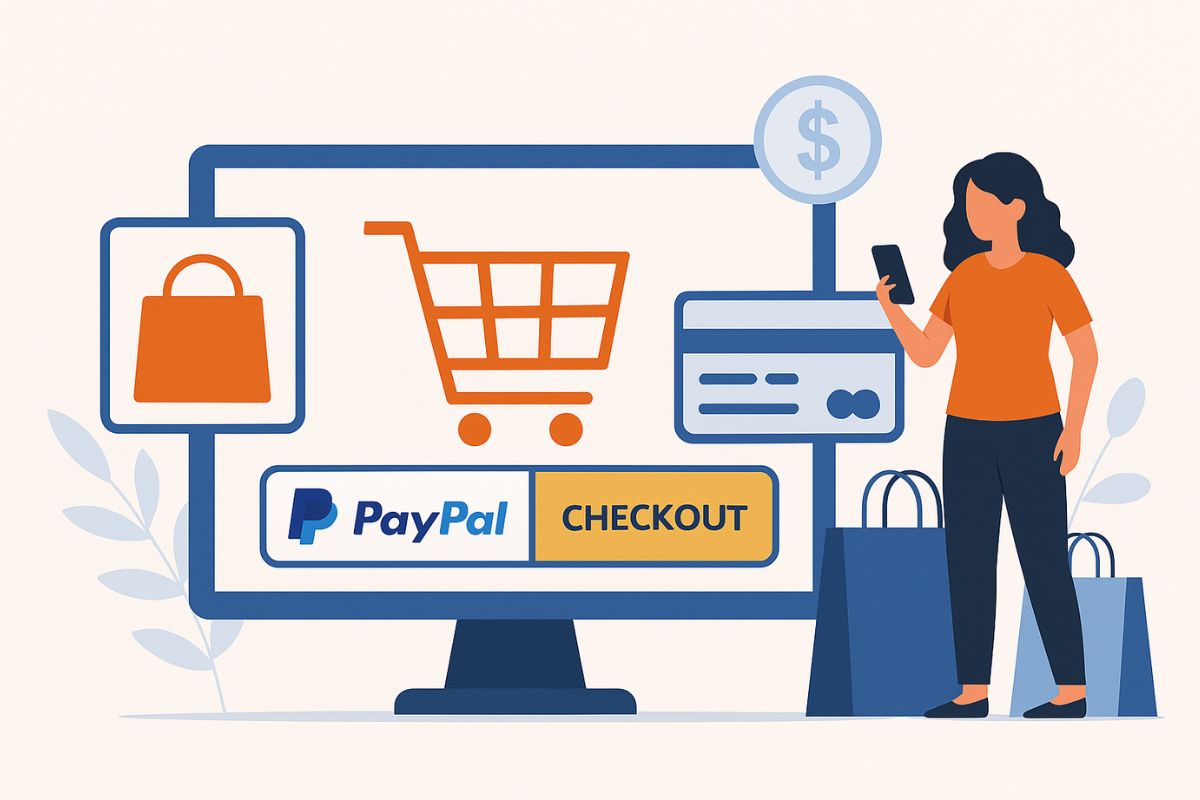
PayPal remains one of the most widely recognised and trusted digital payment systems worldwide. For WooCommerce store owners, integrating PayPal Express Checkout isn’t just about offering a familiar payment method; it’s about speeding up the checkout process, reducing cart abandonment, and ensuring smoother transactions for customers across all devices. This is where selecting from the 5 Best WooCommerce Plugins PayPal Express Checkout becomes critically important.
In 2026, the modern consumer expects checkout experiences that are fast, secure, and flexible. Standard WooCommerce installations don’t always provide this out of the box. That’s why specialised PayPal Express Checkout plugins have become essential; they extend WooCommerce’s capabilities by enabling one-click checkouts, guest payments, automatic billing address detection, and seamless payment authorisation without page reloads.
Moreover, these plugins help store owners maintain PCI compliance, support recurring payments for subscription-based businesses, and improve compatibility with mobile wallets. With so many available options, selecting the right plugin requires understanding how these extensions differ in terms of features, gateway support, ease of use, and long-term reliability.
This blog will walk through everything store owners need to know, starting from what PayPal Express Checkout is, why it’s important, how these plugins work, and finally, provide detailed reviews of the 5 Best WooCommerce Plugins for PayPal Express Checkout available today.
📋 Table of Contents

Why Use a WooCommerce Plugin for PayPal Express Checkout in 2026?
Relying solely on WooCommerce’s native PayPal options limits access to many advanced features that are now considered standard for modern online shopping experiences. That’s where dedicated WooCommerce plugins for PayPal Express Checkout come in; they expand functionality, improve compatibility, and offer merchant-level control that the default integration simply cannot.
Key Reasons to Use These Plugins:
- Enhanced User Experience:
PayPal Express Checkout plugins minimise checkout friction by allowing users to pay directly from product, cart, or checkout pages without entering billing or shipping details manually. This smoother flow helps reduce bounce rates and supports mobile-first experiences. - Expanded Payment Options:
These plugins often support PayPal Credit, Pay Later, and Venmo (in some regions), giving customers more flexibility and increasing the chance of order completion. - Instant Payment Confirmation:
With Express Checkout, the payment and order confirmation process is immediate, reducing the chances of failed or abandoned transactions due to session timeouts or miscommunication between servers. - Subscription and Recurring Payments Support:
Many WooCommerce PayPal plugins allow for recurring billing, making them ideal for membership-based or SaaS WooCommerce setups. - Improved Compatibility with Third-Party Tools:
These plugins ensure seamless integration with popular WooCommerce extensions, such as shipping calculators, tax automation tools, and multi-currency setups, allowing for a more unified shopping experience. - Security and Compliance:
By using a verified plugin, store owners benefit from built-in PCI compliance features and PayPal’s fraud detection systems, minimizing chargebacks and financial risk.
In 2026, where convenience, speed, and user expectations have redefined online shopping standards, using a high-quality plugin for PayPal Express Checkout is no longer a bonus; it’s a requirement for maintaining a competitive advantage in global eCommerce.
What Is PayPal Express Checkout and How Does It Work with WooCommerce?
PayPal Express Checkout is a streamlined payment solution that allows customers to complete their purchases using their PayPal account with minimal steps. Unlike the traditional PayPal Standard method that redirects users through multiple confirmation screens, Express Checkout significantly reduces friction by enabling quick authorisation and payment, all from within the store environment or via a lightweight PayPal pop-up.
When integrated into WooCommerce, PayPal Express Checkout simplifies the customer journey by skipping lengthy form entries. It auto-fills billing details directly from the user’s PayPal profile and securely processes the transaction without requiring account creation or redirecting the customer to multiple pages. This results in a faster and more user-friendly checkout experience, especially beneficial for mobile users.
WooCommerce by default supports basic PayPal integration, but to unlock full Express Checkout capabilities, store owners must rely on third-party plugins. These plugins bridge WooCommerce with the full Express Checkout API, allowing features like one-click checkout from the product or cart page, support for digital goods, automatic shipping address population, and better compliance with global payment standards.
By offering customers a secure and efficient payment path, PayPal Express Checkout reduces abandoned carts and increases completed transactions. For store owners, it ensures better cash flow visibility and fewer disputes due to PayPal’s built-in fraud protection mechanisms.
Top 5 WooCommerce Plugins PayPal Express Checkout
Streamline your store’s payment process with the top WooCommerce plugins for PayPal Express Checkout. Whether you’re running a solo shop or a multi-vendor marketplace, these tools offer speed, security, and seamless integration.
1. YITH PayPal Express Checkout for WooCommerce, Advanced Checkout Optimisation with Seamless Integration

YITH PayPal Express Checkout for WooCommerce is a premium plugin developed by YITH, one of the most trusted names in WooCommerce development. This plugin is designed to accelerate the payment process by allowing customers to complete their orders using PayPal without being redirected to external pages. The plugin integrates directly with PayPal Express Checkout API, providing a clean and fast purchase experience, particularly beneficial for mobile and repeat customers.
Key Features:
- Direct Payment from Product or Cart Pages: Enables customers to pay without going through the traditional checkout funnel.
- Guest Checkout Support: Users without PayPal accounts can complete purchases using debit or credit cards via PayPal.
- Billing and Shipping Auto-Fill: Pulls data directly from the PayPal account to auto-populate address fields.
- Sandbox Testing and Debug Mode: Useful for testing payment flows without live transactions.
- Multi-Currency Compatibility: Supports stores using multiple currencies with PayPal conversion handled automatically.
Use Case: Best suited for WooCommerce stores focused on improving user checkout speed, especially where a significant portion of the audience prefers PayPal.
Pros:
- Well-maintained by YITH with regular updates
- Reduces cart abandonment by simplifying payments
- Compatible with most WooCommerce themes and plugins
Cons:
- Requires a premium license for full functionality
- Limited to PayPal, no alternative gateway support
Pricing: Premium license available starting at €79.99/year with 1 year of support and updates from YITH.
For store owners aiming to offer a secure, high-speed PayPal checkout solution with minimal configuration effort, this plugin is a reliable and professional-grade option.
2. PayPal Payments for WooCommerce – WooCommerce Plugins PayPal Express Checkout

PayPal Payments for WooCommerce, developed by WooCommerce in partnership with PayPal, is the official and most widely adopted plugin for adding PayPal Express Checkout and related services. It offers deep integration with PayPal’s latest API, supporting Pay Later, PayPal Credit, subscriptions, and one-click checkout experiences, all through a single installation.
Key Features:
- PayPal Smart Buttons: Dynamically renders payment buttons like PayPal, Pay Later, and local payment methods based on customer location.
- One-Touch Express Checkout: Let returning users complete payments with saved credentials, speeding up the process.
- Subscription and Recurring Billing Support: Integrated with WooCommerce Subscriptions for automatic payments.
- Card and Wallet Payments: Accept debit/credit cards and PayPal wallet payments from users without PayPal accounts.
- Automatic Fraud Detection: Leverages PayPal’s built-in risk assessment and buyer protection.
Use Case: Ideal for global WooCommerce stores looking for a future-proof, compliant, and officially supported PayPal checkout solution.
Pros:
- Backed by PayPal and the WooCommerce teams
- Includes the latest PayPal API features
- Suitable for subscriptions and one-time sales
Cons:
- It can be complex for beginners to configure properly
- Dependent on PayPal’s gateway, no multi-gateway fallback
Pricing: Free to use. PayPal merchant fees apply per transaction.
This plugin is the default choice for most WooCommerce store owners who want maximum compatibility, advanced features, and long-term support within the WordPress ecosystem.
3. WooCommerce PayPal Express Checkout Payment Gateway by WebToffee – WooCommerce Plugins PayPal Express Checkout
Developed by WebToffee, this plugin offers a focused and user-friendly PayPal Express Checkout integration that’s ideal for merchants who want a straightforward setup with powerful results. It provides a fast and clean Express Checkout experience with a well-structured admin panel and full compatibility with WooCommerce order flows.
Key Features:
- Express Checkout Button on Product, Cart, and Checkout Pages: Reduces friction by allowing early-stage checkouts.
- Guest Checkout Compatibility: Supports credit/debit card payments without requiring a PayPal login.
- Address Mapping from PayPal Profile: Auto-fills shipping and billing addresses to accelerate the process.
- Test/Sandbox Mode: Let’s you simulate transactions during development.
- Currency and Locale Settings: Works well with international currency formats and languages.
Use Case: Great for small to mid-sized WooCommerce stores looking for a minimal, performance-optimised plugin without unnecessary overhead.
Pros:
- Lightweight and fast
- Simple setup for non-technical users
- Clean UI and integration with PayPal APIs
Cons:
- Fewer advanced features compared to official plugins
- Not ideal for recurring billing or digital subscriptions
Pricing: Free version available in the WordPress repository. Premium features are offered via WebToffee’s store.
This plugin is suitable for businesses seeking simplicity, speed, and reliable PayPal payments without deep customisation requirements.
4. Angelleye PayPal for WooCommerce – WooCommerce Plugins PayPal Express Checkout
Angelleye’s PayPal for WooCommerce is a comprehensive plugin offering both PayPal Express Checkout and PayPal Payments Pro functionalities. It’s especially helpful for advanced WooCommerce users needing support for legacy PayPal features alongside modern checkout tools.
Key Features:
- Support for Multiple PayPal Gateways: Includes Express Checkout, PayPal Payments Pro, PayPal Credit, and PayPal REST API support.
- In-Context Checkout Options: Allows checkout to occur via a pop-up interface without page redirection.
- Custom Payment Workflows: Offers hooks and filters for developers to adjust payment logic.
- Cart Page, Product Page, and Checkout Page Buttons: Fully customizable Express Checkout integration.
- Advanced Debug Logging and Tools: Useful for diagnosing and optimising payment behaviour.
Use Case: Ideal for experienced WooCommerce users or developers managing custom stores or complex product types.
Pros:
- Extremely customizable
- Legacy support for older PayPal APIs
- Great for developers and technical users
Cons:
- Learning curve for beginners
- The interface is less polished than the competitors’
Pricing: Free version available with extensive functionality. Premium support and add-ons are available from Angelleye.
This plugin is best for WooCommerce store owners who need flexible PayPal support across different business models, including digital goods, subscriptions, and physical products.
5. Payment Plugins for PayPal WooCommerce – WooCommerce Plugins PayPal Express Checkout

Built by the team at Payment Plugins, this plugin brings high-speed, full-featured support for PayPal Express Checkout and more, while focusing on reducing load times and improving mobile usability. It’s officially recommended by PayPal and optimised for stores with large product catalogues and international audiences.
Key Features:
- PayPal Smart Buttons: Auto-display local and relevant payment options, including PayPal, Pay Later, Venmo, and more.
- In-Context and On-Site Checkout Support: Keep the entire checkout process inside your store interface.
- Tokenisation for Faster Repeat Purchases: Returning customers can check out with saved payment credentials.
- Multi-Currency & Multi-Language Support: Automatically adjusts for global users.
- No Conflicts with Caching Plugins: Designed for compatibility with WP Rocket, LiteSpeed, and more.
Use Case: Perfect for high-volume WooCommerce stores or businesses with international traffic needing a sleek, responsive PayPal checkout flow.
Pros:
- Optimised for performance and speed
- Feature-rich with modern checkout flows
- Highly rated for support and stability
Cons:
- Some advanced settings may confuse beginners
- Requires WooCommerce 4.0+ and a modern WordPress setup
Pricing: Free plugin with enterprise-grade functionality.
For businesses seeking a performance-focused plugin without sacrificing features, this is one of the best free choices for integrating PayPal Express Checkout effectively.
Comparison Table: 5 Best WooCommerce Plugins PayPal Express Checkout
| Plugin Name | Developer | Key Features | Best For | Pricing | Pros | Cons |
|---|---|---|---|---|---|---|
| YITH PayPal Express Checkout | YITH | Direct checkout, auto-filled address, multilingual | Premium stores needing design flexibility | €79.99/year | Fast checkout, customizable, trusted dev | No recurring billing |
| PayPal Payments for WooCommerce | WooCommerce & PayPal | Smart buttons, subscriptions, and multi-currency | Official all-in-one solution | Free | Future-proof, official, Pay Later support | Initial setup can be complex |
| WebToffee PayPal Express | WebToffee | Lightweight checkout, address autofill | Small to mid-sized stores | Free / Premium | Easy to use, fast setup | No advanced billing features |
| Angelleye PayPal for WooCommerce | Angelleye | Legacy + modern PayPal, developer hooks | Technical users or large custom setups | Free / Premium | High customisation, legacy API support | Not beginner-friendly |
| Payment Plugins for PayPal WooCommerce | Payment Plugins | Smart buttons, performance optimized | High-traffic or global stores | Free | Great UI, Venmo/Pay Later, responsive | Some advanced settings |

Choosing the Right WooCommerce Plugins: PayPal Express Checkout for WooCommerce Success in 2026
Selecting the right plugin from the 5 Best WooCommerce Plugins, PayPal Express Checkout is not just about enabling a payment method; it’s about enhancing the overall transaction experience for your customers while streamlining your store’s backend payment operations. Whether your focus is on offering guest checkout, reducing cart abandonment, enabling subscriptions, or reaching international buyers, the right plugin can significantly improve conversion rates and customer satisfaction.
For instance, if you’re looking for a secure, feature-rich premium solution, YITH PayPal Express Checkout stands out with strong customisation and UI integration. If official support and future-proofing are your priority, PayPal Payments for WooCommerce offers comprehensive features straight from the WooCommerce team. Meanwhile, developers may prefer Angelleye’s plugin for its legacy support and deeper technical customisation, and high-volume stores might gravitate toward Payment Plugins for PayPal WooCommerce for speed and mobile optimisation.
Ultimately, the best choice depends on your business model, customer demographics, and technical preferences. All five plugins deliver core functionality like Express Checkout, but differ in flexibility, payment flows, and support models. Evaluate your priorities carefully, test in sandbox mode, and implement the one that aligns best with your store’s checkout goals.
Frequently Asked Questions
What is PayPal Express Checkout and how does it differ from PayPal Standard?
PayPal Express Checkout is a streamlined payment method that allows customers to complete purchases directly from product or cart pages without filling out lengthy forms. Unlike PayPal Standard, which redirects users through multiple confirmation screens, Express Checkout auto-fills billing and shipping details from the customer’s PayPal account, reducing friction and speeding up the checkout process significantly.
Do I need a PayPal Business account to use these WooCommerce plugins?
Yes, most WooCommerce PayPal Express Checkout plugins require a PayPal Business account to access merchant features like API credentials, transaction management, and advanced payment options. A Business account also provides access to PayPal’s seller protection and fraud prevention tools that are essential for eCommerce operations.
Which plugin is best for WooCommerce subscription products?
PayPal Payments for WooCommerce (the official plugin) offers the best support for subscription and recurring billing when paired with WooCommerce Subscriptions. It uses PayPal’s Reference Transactions feature to process automatic recurring payments securely. Angelleye’s plugin also supports subscriptions but requires more configuration.
Can customers pay without having a PayPal account?
Yes, all five plugins support guest checkout functionality. Customers without PayPal accounts can pay using their credit or debit cards directly through PayPal’s secure payment interface. This is processed through PayPal’s card payment gateway, so customers still benefit from PayPal’s security features without needing to create an account.
Are these plugins compatible with WooCommerce multi-currency setups?
Yes, most of these plugins support multi-currency configurations. PayPal Payments for WooCommerce and Payment Plugins for PayPal WooCommerce have native multi-currency support. YITH’s plugin handles currency conversion automatically through PayPal. For best results, pair these plugins with a dedicated multi-currency plugin like WPML or Currency Switcher.
How do I test PayPal Express Checkout before going live?
All five plugins include sandbox or test mode functionality. You’ll need to create a PayPal Developer account at developer.paypal.com and generate sandbox API credentials. Enable test mode in your plugin settings, enter the sandbox credentials, and you can simulate transactions without processing real payments. Always test thoroughly before switching to live mode.
Will PayPal Express Checkout work on mobile devices?
Absolutely. One of the primary benefits of PayPal Express Checkout is its mobile-optimised experience. All five plugins render responsive Smart Buttons that adapt to mobile screens. The checkout flow opens in a mobile-friendly pop-up or overlay, allowing customers to authenticate with PayPal’s app or mobile browser seamlessly without losing their cart.
What are PayPal Smart Buttons and which plugins support them?
PayPal Smart Buttons are dynamically rendered payment buttons that display relevant payment options based on the customer’s location and eligibility. They can show PayPal, Pay Later, Venmo (US), and local payment methods automatically. PayPal Payments for WooCommerce and Payment Plugins for PayPal WooCommerce offer full Smart Button support with customisable styling options.
Can I use multiple payment gateways alongside PayPal Express Checkout?
Yes, WooCommerce allows multiple payment gateways to operate simultaneously. You can offer PayPal Express Checkout alongside Stripe, bank transfers, or other payment methods. Customers will see all available options at checkout and can choose their preferred payment method. This is recommended for maximising conversion rates across different customer preferences.
How do these plugins handle refunds and chargebacks?
All five plugins integrate with PayPal’s refund system. You can process full or partial refunds directly from your WooCommerce order dashboard, and the refund request is sent to PayPal automatically. For chargebacks (disputes), you’ll handle those through your PayPal merchant dashboard. PayPal provides seller protection for eligible transactions, and the plugins sync order status when disputes occur.
Do I need SSL/HTTPS for PayPal Express Checkout to work?
Yes, an SSL certificate and HTTPS are required for any payment processing on your WooCommerce store. This is a PayPal requirement and also a WooCommerce best practice for security. Most hosting providers offer free SSL certificates through Let’s Encrypt. Without HTTPS, the PayPal payment buttons may not render, and transactions will fail security validation.
Which free plugin offers the best features for small stores?
For small to mid-sized stores looking for a free solution, Payment Plugins for PayPal WooCommerce offers the best balance of features and ease of use. It includes Smart Buttons, Pay Later options, guest checkout, and strong performance optimisation without requiring a premium license. PayPal Payments for WooCommerce is also excellent but has a steeper learning curve for initial setup.
5 Best WooCommerce Plugins Stripe Connect