Best WooCommerce Wishlist Plugins: 5 Tested Options Ranked for 2026

If your WooCommerce store does not offer a wishlist, you are leaving money on the table. Shoppers who save products come back to buy them. They share lists before birthdays and holidays. They track price drops. A well-implemented wishlist turns a one-time visitor into a returning customer.
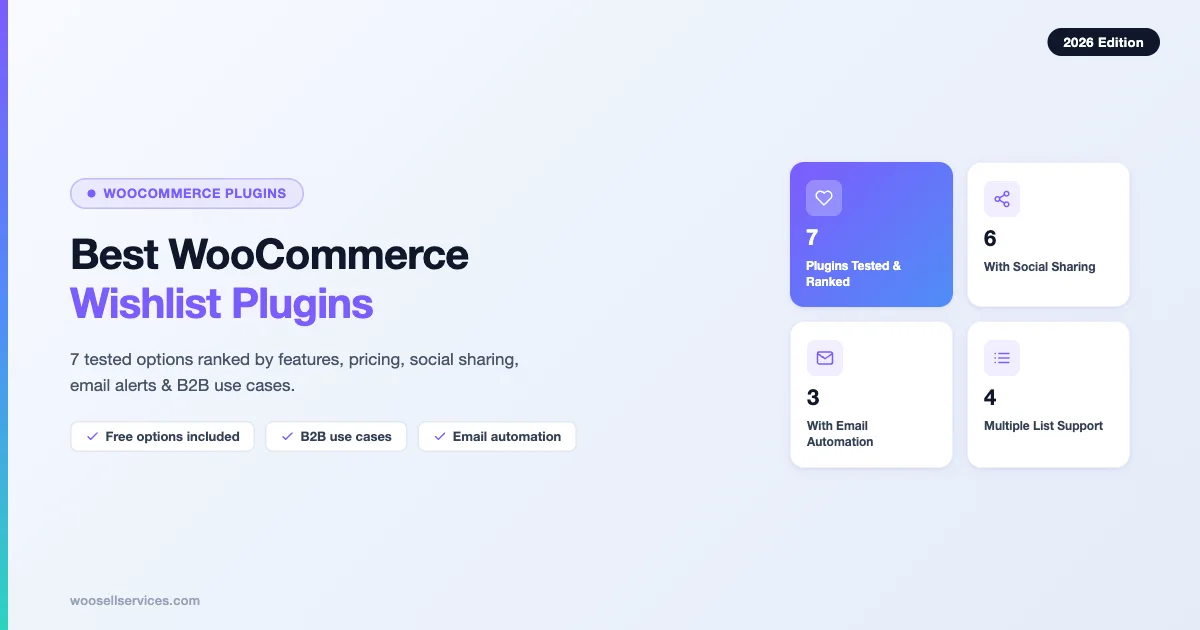
This guide covers the 5 best WooCommerce wishlist plugins tested in 2026, ranked by features, pricing, and real store use cases. Whether you run a B2C gift shop or a B2B procurement operation, one of these plugins fits your needs.
Table of Contents
What to Look for in a WooCommerce Wishlist Plugin
Before picking a plugin, check these four criteria:
- AJAX add-to-cart: Customers should be able to move items from wishlist to cart without a page reload.
- Social sharing: Email and one-click social links expand your organic reach at zero cost.
- Email integration: Wishlist abandonment emails and price-drop alerts are high-converting automations.
- Multiple lists: B2B buyers and organized shoppers need more than one list per account.
The comparison table at the end of this article maps every plugin against these four criteria so you can pick fast.
The 5 Best WooCommerce Wishlist Plugins for 2026
1. TI WooCommerce Wishlist
Price: Free (core) | Premium from $79/year
Active installs: 100,000+
Best for: Stores that need a fully featured free tier before committing to a paid plan
TI WooCommerce Wishlist by TI Commerce is the most installed dedicated wishlist plugin in the WordPress repository. Its free version covers the basics well: a single wishlist per user, AJAX add-to-cart, a shareable wishlist URL, and a customizable “Add to Wishlist” button that works with variable products.
The premium tier unlocks multiple wishlists per user, wishlist privacy controls (public, shared, or private), price drop notifications via email, and REST API access for headless builds. The plugin also integrates with popular page builders including Elementor and WPBakery, which saves time when styling the wishlist page.
Key features:
- Unlimited products per wishlist (free and premium)
- Shareable wishlist link for social and email
- AJAX “Add to Wishlist” and “Add to Cart” buttons
- Guest wishlist support (cookie-based, merges on login)
- Price drop and back-in-stock email alerts (premium)
- Multiple wishlists with custom names (premium)
- REST API for headless WooCommerce (premium)
Social sharing: Built-in share buttons for Facebook, Twitter/X, Pinterest, and WhatsApp. Guests can share via a direct URL without creating an account.
Email integration: Premium plan adds automated emails when a wishlisted product drops in price or returns to stock. These triggered emails are high-converting because they reach shoppers when purchase intent is highest.
B2B use cases: Procurement managers can save product selections into named wishlists (for example, “Q3 Office Supplies”), share them with colleagues via link, and convert to cart in one click. The REST API lets development teams connect the wishlist to ERP or procurement systems.
Verdict: Best overall free option. The free tier alone is production-ready for most stores. If you need multiple lists or email triggers, the premium plan is reasonably priced.
2. YITH WooCommerce Wishlist
Price: Free (core) | Premium from $94.99/year
Active installs: 600,000+
Best for: B2C stores running the wider YITH plugin ecosystem
YITH WooCommerce Wishlist is the most installed wishlist plugin on WordPress.org overall. The name recognition is justified: YITH has been building WooCommerce extensions since 2013, and the wishlist plugin benefits from that experience in terms of stability and compatibility.
The free version gives customers a single wishlist with social sharing and a public wishlist page. The premium version adds multiple wishlists per user, price drop notifications, “Ask for an Estimate” buttons (useful for B2B quote requests), and a wishlist analytics panel in the admin dashboard that shows which products are saved most.
Key features:
- Single wishlist with shareable URL (free)
- Social sharing: Facebook, Twitter/X, Pinterest, email (free)
- Customizable “Add to Wishlist” button position and icon (free)
- Multiple wishlists per user with custom names (premium)
- Price drop email notifications (premium)
- Wishlist popularity analytics dashboard (premium)
- “Ask for an Estimate” button for B2B quote workflows (premium)
- Compatibility with WPML and Polylang for multilingual stores
Social sharing: Solid built-in sharing. The premium version also lets customers send their wishlist via email directly from the wishlist page, which is useful for gift registries.
Email integration: Premium includes price-drop and back-in-stock alerts. YITH also sells a separate email customizer plugin that lets you brand these transactional emails.
B2B use cases: The “Ask for an Estimate” feature in the premium plan lets B2B buyers send their wishlist as a quote request, removing friction from the procurement workflow. This is a standout feature not found in most competitors.
Verdict: Best for stores already using YITH plugins. The ecosystem compatibility is a real advantage. The premium price is slightly higher than TI WooCommerce Wishlist, but the analytics dashboard and the B2B quote feature justify the cost for mid-to-large stores.
3. Wishlist Member
Price: Starts at $149.50/year
Active installs: 90,000+
Best for: Membership sites that sell digital products or courses via WooCommerce
Wishlist Member is primarily a membership plugin that adds content protection, drip content, and member management to WordPress. It integrates with WooCommerce to gate product access based on membership level. The wishlist functionality here refers to product wishlists for members, combined with the plugin’s broader access-control features.
This is a different use case than the other plugins on this list. If you sell online courses, downloadable products, or subscription boxes via WooCommerce, Wishlist Member lets members save products they want to upgrade to, track their subscription status, and manage access levels. It connects to payment gateways, autoresponders, and CRM tools out of the box.
Key features:
- Membership levels with per-level product access
- WooCommerce integration for membership purchases
- Product save functionality for logged-in members
- Drip content scheduling tied to membership duration
- Integration with 40+ email platforms (Mailchimp, Drip, ConvertKit, Klaviyo)
- Zapier integration for workflow automation
- Affiliate management via integration with popular affiliate plugins
Social sharing: Not a core feature. Wishlist Member does not include standard wishlist social sharing buttons. It is not designed for gift registries or social-sharing-driven growth.
Email integration: This is where Wishlist Member excels. It connects natively to more than 40 email platforms. Automated welcome sequences, upgrade prompts, and trial expiry emails are all configurable without a third-party bridge.
B2B use cases: Corporate training programs that use WooCommerce to sell course bundles can use Wishlist Member to manage which employees have access to which content, track enrollment status, and automate renewal emails.
Verdict: Only relevant if you run a membership site on WooCommerce. If you want a standard product wishlist for a physical goods store, choose a different plugin from this list. If you sell memberships or digital products, Wishlist Member is the most mature solution available.
4. WooCommerce Wishlists (Official Extension)
Price: $79/year (official WooCommerce.com extension)
Active installs: 10,000+
Best for: Stores that want an officially supported, Automattic-backed wishlist extension
WooCommerce Wishlists is the official wishlist extension sold on WooCommerce.com. Being an official extension means it is maintained by the WooCommerce team, tested against every major WooCommerce release, and eligible for official support tickets.
Customers can create multiple wishlists, set each as public, private, or shared, add notes to individual products, and share their list via a link. The extension supports guest wishlists using session storage, so shoppers do not need to create an account to save products. When a guest registers or logs in, their guest wishlist merges automatically with their account wishlist.
Key features:
- Multiple wishlists per user with custom names and privacy settings
- Per-product notes on wishlist items
- Guest wishlist support with auto-merge on login
- Public wishlist pages searchable by store visitors
- Sharing via direct URL and social platforms
- Store owner analytics: most wishlisted products, popular lists
- AJAX add-to-cart from wishlist page
Social sharing: Wishlist URLs can be shared publicly. The extension also generates a shareable link that works without requiring the recipient to log in, which simplifies gift registry sharing.
Email integration: No built-in email automation for price drops or abandonment. For those workflows, you need AutomateWoo or a third-party email platform with WooCommerce integration (Klaviyo or Mailchimp).
B2B use cases: The per-product notes feature is useful for B2B buyers who need to annotate items with internal references, budget codes, or approval notes before sending a list to a manager. The public wishlist search lets businesses set up shared “catalog” lists for internal stakeholders.
Verdict: If official support and guaranteed compatibility with future WooCommerce releases matter to your team, this is the extension to buy. The feature set is competitive, though the price is similar to third-party premium options that offer more.
5. Premmerce Wishlist for WooCommerce
Price: Free
Active installs: 3,000+
Best for: Stores that want a lightweight, zero-cost wishlist without feature bloat
Premmerce Wishlist is a free plugin with a clean codebase and minimal overhead. It loads a small JavaScript file on product pages and adds an AJAX-driven “Add to Wishlist” button. The wishlist page is rendered server-side for fast load times, and the plugin does not require a page builder to function correctly.
The plugin supports guest wishlists via cookies and merges them into the user account on login. There is no premium upsell: Premmerce releases the plugin as open source and monetizes through other products in their ecosystem.
Key features:
- AJAX “Add to Wishlist” button on product pages
- Guest wishlist via cookies with account merge on login
- One-click “Add to Cart” from wishlist page
- Social sharing via link and standard platforms
- Clean, minimal wishlist page template
- Compatible with WooCommerce HPOS (High Performance Order Storage)
- No premium tier required
Social sharing: Basic sharing buttons included. No email-send-to-friend feature.
Email integration: None built in. Premmerce Wishlist is intentionally minimal. For email automation, connect it to AutomateWoo or Klaviyo via custom code or a Zapier webhook.
B2B use cases: Limited. Premmerce is designed for single-list, single-user scenarios. It works fine for B2B stores where buyers save items and return to buy, but it does not support named multiple lists or shared procurement workflows.
Verdict: Best free option for stores that want zero overhead and no premium upsell pressure. If you need features beyond the basics, TI WooCommerce Wishlist’s free tier is more capable. But if you want the lightest possible implementation, Premmerce is the cleanest option available.
Side-by-Side Comparison: All 5 Plugins
| Plugin | Price | Free Tier | Social Sharing | Email Wishlist Alerts | Multiple Lists | AJAX Add-to-Cart |
|---|---|---|---|---|---|---|
| TI WooCommerce Wishlist | Free / $79/yr | Yes | Yes | Premium only | Premium only | Yes |
| YITH WooCommerce Wishlist | Free / $94.99/yr | Yes | Yes | Premium only | Premium only | Yes |
| Wishlist Member | $149.50/yr | No | No | Yes (40+ integrations) | Membership-based | Limited |
| WooCommerce Wishlists | $79/yr | No | Yes | No (3rd party needed) | Yes | Yes |
| Premmerce Wishlist | Free | Yes (only tier) | Yes | No | No | Yes |
Email Integration: Getting More from Wishlists
A wishlist without email automation is a missed opportunity. The two highest-value email flows for wishlist plugins are:
Wishlist Abandonment Emails
Just like abandoned cart recovery, wishlist abandonment emails remind customers that they saved products and have not purchased them. These emails perform well because they target buyers who already expressed intent. For best results:
- Send the first reminder 3 to 5 days after the product was added
- Include a product image, current price, and a single “Add to Cart” button
- Add urgency cues if stock is low
TI WooCommerce Wishlist and YITH WooCommerce Wishlist both support this via their premium tiers. For other plugins, use AutomateWoo (official WooCommerce automation plugin) or Klaviyo’s WooCommerce integration, which can track wishlist events via pixel and trigger segmented email flows.
Price Drop and Back-in-Stock Alerts
“Your wishlist item is now on sale” is one of the highest-converting email subject lines in e-commerce. These notifications are triggered automatically when a product’s price drops or when an out-of-stock product becomes available again.
- TI WooCommerce Wishlist Premium: built-in price drop and back-in-stock alerts
- YITH WooCommerce Wishlist Premium: built-in price drop notifications
- All others: connect via AutomateWoo, Klaviyo, or a custom WooCommerce hook on
woocommerce_product_set_price
For stores running Klaviyo, the WooCommerce integration tracks product view and wishlist events automatically. You can build a price-drop segment that filters by “viewed product X and has not purchased” to approximate the same behavior even without a native integration.
B2B Procurement: Using Wishlists for Quote Requests
Wishlist plugins are underused in B2B WooCommerce stores. Here is how to deploy them effectively for procurement workflows:
Named Procurement Lists
B2B buyers often purchase for multiple cost centers or departments. Multiple-list plugins (WooCommerce Wishlists, YITH Premium) let buyers create named lists such as “IT Equipment,” “Marketing Supplies,” and “Facilities” and share each with the relevant department head for approval before purchase.
Quote Request from Wishlist
YITH WooCommerce Wishlist Premium includes an “Ask for an Estimate” button that converts a wishlist into a quote request form submitted to the store owner. This eliminates the manual step of copying product names and quantities into an email. The store owner receives a structured quote request with product names, quantities, and customer details.
For stores not using YITH, a dedicated WooCommerce Request a Quote plugin or Gravity Forms with a WooCommerce feed can build a similar workflow alongside any wishlist plugin.
Shared Wishlist Links for Team Purchasing
All five plugins reviewed support public or shared-link wishlists. B2B procurement managers can share a link with their team for review before the order is placed. Combined with the per-product notes feature in WooCommerce Wishlists (official extension), team members can annotate items with internal reference codes or budget approvals directly on the wishlist page.
Which Plugin Should You Choose?
Here are direct recommendations based on store type:
- Starting out, limited budget: TI WooCommerce Wishlist (free) or Premmerce Wishlist (free). Both are production-ready without spending anything.
- B2C gift and fashion stores: YITH WooCommerce Wishlist for an established all-in-one option with strong social sharing.
- Stores needing email automation built in: TI WooCommerce Wishlist Premium or YITH WooCommerce Wishlist Premium. Both include price-drop and stock alerts without a third-party tool.
- B2B procurement workflows: YITH WooCommerce Wishlist Premium (for the “Ask for an Estimate” feature) or WooCommerce Wishlists (official extension, for per-product notes and public lists).
- Membership and digital product stores: Wishlist Member, which is built specifically for WooCommerce membership sites.
- Official support requirement: WooCommerce Wishlists (the official extension).
Implementation Tips Before You Install
A few things to check before activating any wishlist plugin on a live WooCommerce store:
- Test with your theme: Wishlist button positioning varies by theme. AJAX-driven buttons sometimes conflict with custom product page templates. Test on a staging environment first.
- Check caching settings: If you use a caching plugin like WP Rocket or LiteSpeed Cache, exclude the wishlist page from caching. Cached wishlist pages can show stale data or fail to update when customers add items.
- Verify guest behavior: Add a product as a guest, then log in and confirm the wishlist merges correctly. This flow breaks on some configurations if the cookie domain does not match the login domain.
- Monitor database size: Wishlist data is stored in the database. On high-traffic stores with large catalogs, wishlist tables can grow. Schedule periodic cleanup of wishlists older than 12 months.
Frequently Asked Questions
What is a WooCommerce wishlist?
A WooCommerce wishlist is a feature that allows customers to save products they are interested in purchasing later. Instead of adding items directly to their cart, shoppers can bookmark products to a personalized list, making it easy to return and complete the purchase when they are ready. Wishlists are stored either in the user’s account (for logged-in users) or via cookies (for guests).
Why should I add a wishlist to my WooCommerce store?
Wishlists increase customer engagement and drive repeat visits. Shoppers who save products are signaling purchase intent, giving you an opportunity to re-engage them with targeted emails about price drops or back-in-stock notifications. Wishlists also facilitate social sharing, turning your customers into brand ambassadors when they share gift registries or product recommendations with friends and family.
Do WooCommerce wishlist plugins work for guest users?
Yes, most WooCommerce wishlist plugins support guest wishlists. Guest wishlist data is typically stored using browser cookies or session storage. When a guest user creates an account or logs in, the best plugins automatically merge the guest wishlist with the user’s account wishlist, ensuring no saved products are lost.
Can customers share their wishlists with others?
Absolutely. Social sharing is a core feature of most wishlist plugins. Customers can share their wishlists via direct URLs, email, or social media platforms like Facebook, Twitter/X, Pinterest, and WhatsApp. This functionality is particularly valuable for gift registries, wedding lists, or birthday wishlists where recipients need to see what products have been saved.
How do wishlists help increase sales?
Wishlists convert window shoppers into buyers through multiple mechanisms. First, they reduce purchase friction by letting customers save items for later consideration. Second, price-drop and back-in-stock email notifications bring customers back at the moment of highest purchase intent. Third, shared wishlists drive organic traffic when friends and family visit your store to purchase gifts. Studies show that customers with wishlists have higher average order values and higher lifetime value than those without.
What is the best free WooCommerce wishlist plugin?
TI WooCommerce Wishlist offers the most complete free tier among all wishlist plugins. It includes AJAX add-to-cart, social sharing, guest wishlist support, and customizable button styling at no cost. Premmerce Wishlist is another excellent free option for stores that prioritize lightweight performance and minimal code overhead.
Can I send email notifications about wishlist items on sale?
Yes, but this feature typically requires a premium plugin or a third-party integration. TI WooCommerce Wishlist Premium and YITH WooCommerce Wishlist Premium both include built-in price-drop email notifications. For other plugins, you can connect to email marketing platforms like Klaviyo, Mailchimp, or AutomateWoo to trigger automated emails when wishlisted products go on sale.
Do wishlist plugins work with all WooCommerce themes?
Most wishlist plugins are designed to work with any WooCommerce-compatible theme. However, button positioning and styling may require customization depending on your theme’s product page layout. It is always recommended to test wishlist plugins on a staging site before deploying to production, especially if you use a heavily customized theme or page builder.
How do I display a wishlist button on product pages?
Wishlist plugins automatically add an “Add to Wishlist” button to product pages after activation. Most plugins let you configure the button position (before or after the add-to-cart button), customize the icon and text, and choose whether to display it on single product pages, archive pages, or both. Some plugins also provide shortcodes and Gutenberg blocks for manual placement.
Can customers create multiple wishlists?
Multiple wishlist support varies by plugin and pricing tier. YITH WooCommerce Wishlist Premium, TI WooCommerce Wishlist Premium, and WooCommerce Wishlists (official extension) all support multiple named wishlists with privacy controls. Free versions of most plugins limit users to a single wishlist.
Do wishlists sync across devices?
For logged-in users, wishlists sync across devices automatically because the data is stored in the user’s WordPress account. Guest wishlists stored in cookies do not sync across devices or browsers. To ensure cross-device wishlist access, encourage customers to create an account. The guest-to-account wishlist merge feature in most plugins preserves saved items when guests register.
Are WooCommerce wishlist plugins GDPR compliant?
Reputable wishlist plugins are designed with GDPR compliance in mind. They store wishlist data as part of the user’s WordPress account data, which means standard WooCommerce GDPR tools (data export and erasure requests) apply. For guest wishlists using cookies, plugins typically set expiration periods and do not collect personally identifiable information beyond what is necessary. Always review the specific plugin’s privacy documentation and consult with a legal professional for your jurisdiction.
Wrapping Up
Every one of the five plugins reviewed here is production-ready and maintained for WooCommerce compatibility in 2026. The right choice depends on your store’s specific requirements: free budget, social reach, email automation, multi-list support, or B2B quote functionality.
For most WooCommerce stores starting with wishlists, TI WooCommerce Wishlist is the best starting point. Its free tier is the most complete of any plugin on this list, and the premium upgrade path is clear if you need email alerts or multiple lists later.
For B2B stores that need quote request workflows, YITH WooCommerce Wishlist Premium is the only plugin here that handles it natively without a separate plugin.
Install one, test it on staging, and enable it for your shoppers. Wishlists do not require ongoing maintenance once they are running, but the revenue they generate from returning customers and shared links compounds over time.