How to Build a Website Like TaskRabbit on WordPress

Look at a TaskRabbit receipt sometime. The tasker’s hourly rate is only the starting point: the platform adds a service fee on top, then a separate “trust and support” fee, and by checkout the customer is paying meaningfully more than the person doing the work ever sees. Taskers, meanwhile, hand over a registration fee to join, operate only in the metros the company has opened, and live with the quiet fear of account deactivation that every gig platform worker knows.
None of that is a scandal. It’s just what happens when a marketplace has no competition in its niche.
Which is the interesting part, because the niche is very buildable. An on-demand task marketplace (furniture assembly, moving help, mounting, hauling, odd jobs) has simpler mechanics than almost any other service platform: hourly work, local radius, fast turnaround, pay on completion. This post covers how to build one on WordPress that you own outright, why the task vertical is different from a general services site, and where the real difficulty lives. Spoiler: it’s not the software.
What makes TaskRabbit different from other service platforms
Before cloning something, be clear about which parts make it work.
Speed is the product. Nobody plans furniture assembly three weeks out. TaskRabbit’s core promise is same-day or next-day help, which shapes everything downstream: availability calendars, fast responses, and taskers who treat it like shift work.
Hourly pricing, not project quotes. A Fiverr gig is a fixed deliverable. A Thumbtack job is a custom quote. A TaskRabbit task is an hourly rate times however long it takes, with a one-hour minimum. Customers accept this because tasks are small and legible; nobody needs a formal estimate for hanging shelves.
Small, physical, local jobs. The category list is deliberately narrow: assembly, mounting, moving, cleaning, delivery, yard work, minor repairs. Nothing that needs a contractor’s license, nothing that takes a week. That narrowness keeps quality predictable and disputes small.
Hold onto those three properties. Every build decision below flows from one of them.
The business model, and where you can undercut it
TaskRabbit takes its margin from the customer side: fees stacked on top of the tasker’s rate. Taskers keep their full hourly rate, which sounds generous until you notice the customer is the one who absorbed the markup, and price-sensitive customers eventually notice too.
Your opening as a small competitor is total-price honesty. Take a commission out of the transaction (10 to 15 percent works in this vertical), display one all-in hourly price to the customer, and market exactly that: the price you see is the price you pay, and more of it reaches the person doing the work.
Can you charge the customer a fee instead, TaskRabbit-style? Mechanically yes, since commission is just arithmetic on the order total. Strategically it forfeits your best differentiator to copy the incumbent’s least-liked feature. The same logic applied to lead fees in our Thumbtack build guide, and it applies double here.
There’s a second revenue layer worth planning for later: recurring tasks. Weekly lawn care, biweekly cleaning, monthly deep-organizing. Recurring bookings are where task marketplaces quietly make their durable money, because acquisition cost drops to zero on every repeat order.
The stack
- WordPress, self-hosted, on any competent host ($10 to $30 a month)
- WP Sell Services as the marketplace engine
- A fast, mobile-first theme, because your customers are holding a phone next to a flat-packed dresser (theme comparison here)
- Stripe or PayPal for payments
The free plugin covers the task-marketplace loop end to end: tasker registration and dashboards, service listings, buyer requests where customers post tasks and taskers respond with offers, orders, on-platform messaging, reviews tied to completed transactions, and dispute handling. Checkout is standalone; WooCommerce is optional rather than required, and here’s how to decide if you need it.
Pro matters sooner in this vertical than most, for one reason: order volume. Task marketplaces process many small transactions rather than few large ones, and manually paying forty taskers every Friday gets old by week three. Stripe Connect (Pro) splits each payment automatically at checkout, and PayPal Payouts handles batch withdrawals. Pro also adds per-vendor commission rules, useful when you want founding taskers on a permanently lower rate.
Building it: the decisions that matter
Model tasks as hourly packages
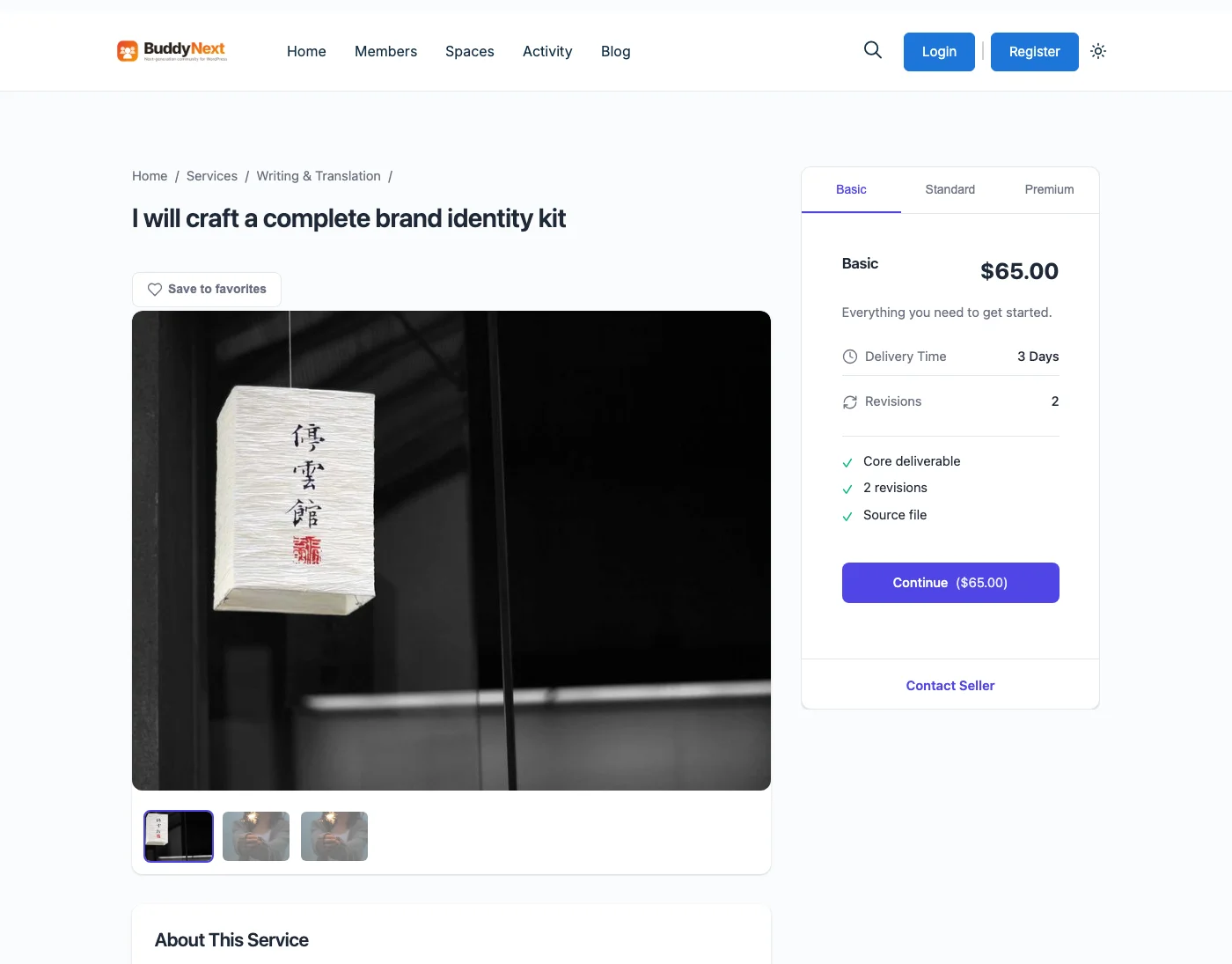
The plugin’s three-tier package structure maps onto hourly task pricing more neatly than you’d expect. A tasker’s “Furniture Assembly” listing becomes:
- Basic: 1 hour minimum. One flat-pack item, tools included.
- Standard: up to 3 hours. A full bedroom set, or several smaller items.
- Premium: half day. Office fit-out, whole-apartment assembly after a move.
Customers self-select a duration instead of negotiating one, which kills the most common friction in hourly work: the argument about how long it should have taken. Overruns become an add-on (“additional hour”) that the customer approves in chat before it’s billed. That approval step, in writing, next to the order record, is dispute prevention you’ll be grateful for.
Let customers post tasks, not just browse taskers
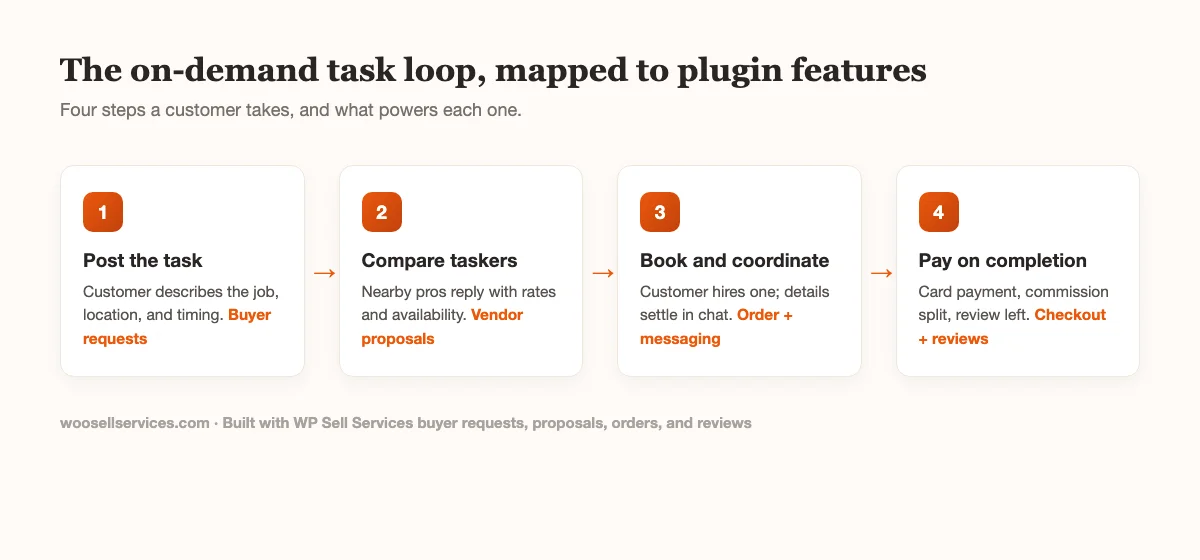
Browsing profiles works when the customer knows what they want. Task customers often don’t; they want to describe a problem (“IKEA PAX wardrobe, two of them, third-floor walkup, no elevator”) and have capable people respond with a rate and a time.
That’s the buyer request system, and on a task marketplace it should be the front door: the homepage action is “post your task,” with tasker browsing as the secondary path. Taskers respond with proposals at no cost, the customer compares and books, and the whole exchange stays attached to the eventual order.
Run both paths from day one anyway. Repeat customers who already trust a specific tasker will book direct, and that behavior is exactly what you want to encourage.
Design categories around the toolbox, not the taxonomy
Ten categories, tops, and name them the way a stressed customer thinks: Assembly. Moving help. Mounting and hanging. Cleaning. Delivery and hauling. Yard work. Minor home repairs. Errands.
Notice what’s absent: electrical, plumbing, roofing, anything with a permit attached. Licensed-trade work changes your insurance exposure, your vetting burden, and your legal position all at once. TaskRabbit draws this line deliberately. Draw it in the same place, at least for your first year.
Vet for reliability, not just skill
Skill matters less here than in most service verticals; assembling a bookshelf is not brain surgery. What kills a task marketplace is the no-show, because the customer took a half-day off work and moved furniture out of the way for a tasker who never came.
So build your vetting around reliability signals. Identity verification through a screening service (Checkr is the common choice). A real profile photo and a completed sample listing before going live. And once orders flow, watch cancellation and lateness like revenue metrics, because they are: one no-show costs you that customer plus everyone they tell.
Reviews carry the other half of trust. Verified-purchase-only reviews, photos encouraged, tasker responses enabled. Our review system guide walks through the configuration.
Take payment upfront, release on completion
The task vertical has a payment rhythm all its own: customers pay when booking, the money is committed, and the tasker gets their share when the work is done and confirmed. Committed payment slashes no-shows on both sides; a customer with $90 already on the card doesn’t forget the appointment.
At small scale the free plugin handles this fine: card payment at checkout, order marked complete, and you settle balances weekly. When you outgrow that, Stripe Connect’s automatic splits mean the platform never holds anyone’s money manually. Setup guide here. For bigger jobs where customers hesitate to prepay in full, deposits are supported too.
One policy to write before launch, not after: the cancellation window. Free cancellation until 24 hours out, a one-hour charge inside that, full charge for no-showing a tasker who arrived. Symmetric penalties for taskers. Publish it where nobody can claim surprise.
Handle availability without building a calendar startup
Real-time availability is the feature everyone wants to build first and the one you should build last. TaskRabbit shows you a tasker’s open slots because it has a decade of engineering behind that calendar. You have simpler options that work at launch scale.
The buyer request flow sidesteps the problem entirely: the customer states their timing in the task post (“Saturday morning” or “any evening this week”), and only taskers who can make that window respond. No calendar sync, no double-booking logic, no timezone bugs. The customer’s timing constraint does the filtering.
For direct bookings, have taskers state their working windows in plain text on their profiles (“weekday evenings and weekends”) and confirm the exact slot in chat before the order is accepted. Yes, that’s manual. It’s also how most real bookings get scheduled anyway, because “Saturday around 10” plus a five-message thread beats a rigid slot picker for jobs where duration is fuzzy.
Add calendar tooling when taskers are juggling enough volume to miss bookings without it. That’s a success problem, and you’ll know it when you see it.
Run the unit economics before you commit
A task marketplace lives or dies on small-transaction math, so do the arithmetic with real numbers before spending a real weekend.
Say your average task is two hours at $50, an $100 order. At a 12 percent commission you earn $12 per completed task. Stripe takes roughly 3 percent plus 30 cents of the total, about $3.30, and on the free plugin’s manual-payout setup that comes out of your side. Net: around $8.70 per task.
Hosting plus plugin license runs maybe $600 a year on the high end. That’s 70 completed tasks a year, six a month, just to cover infrastructure. Anything past that pays for your time, and the interesting scenarios start at a few tasks a day: ten dailies is roughly $2,600 a month gross commission.
Two levers move this math more than any other. Average order value rises when taskers sell packages and add-ons instead of bare minimum hours, which is why the package structure earlier isn’t just a UX choice. And repeat rate compounds quietly: a customer who books monthly cleaning is worth twelve acquisitions a year at zero marketing cost. Design for both from the start and the spreadsheet gets friendly fast.
One caution flowing from the same math: resist the urge to raise commission past 15 percent when growth feels slow. The margin isn’t where task platforms win; volume and repeats are. A commission bump that pushes your best taskers toward cash deals costs more than it collects.
The honest section: what’s genuinely hard about this
The software above is a weekend. The following is not, and any article that skips this part is selling you something.
Density is everything. A task marketplace works when a customer posts at 9 a.m. and has three offers by lunch. That requires enough active taskers in one geography, which is why this is the worst vertical to launch “everywhere” and the best one to launch in a single city, or even a single dense neighborhood cluster. Twenty reliable taskers in one metro beats two hundred spread across a state, and it isn’t close.
Same-day expectations are earned slowly. Early on, be honest about response times. “Offers within 24 hours” and delivering on it beats promising TaskRabbit speed with a tasker pool that can’t back it up. Speed comes from density; density comes from patient recruiting.
Real-world work generates real-world problems. A scratched floor, a dented wall, a dropped TV. You need liability language in your terms making taskers independent contractors, proof of insurance for anything heavy or tall, and a damage-claims process you wrote down while calm. Our guide on protecting yourself when selling services online is the starting point; a local lawyer reviewing your terms is money well spent.
Off-platform leakage is worse here. A happy customer and a good tasker will trade phone numbers, and cash is easy for physical work. Fight it with value, not policing: payment protection, the damage process, rebooking in two taps, and the review history that feeds the tasker’s future bookings. Make staying on-platform the lazy option, since lazy always wins.
Three mistakes specific to task marketplaces
General marketplace mistakes (empty categories, weak policies, ignoring mobile) apply here too, and we covered those in the Thumbtack guide. Three failure modes belong to this vertical in particular.
Chasing coverage instead of density. The instinct after early traction is to open a second city, because growth. Every task marketplace that died in year one made this move early. A customer in your new city posts a task, gets zero offers by evening, and never returns; worse, they tell the neighborhood group that your site is dead. Expansion is earned by saturating the first market until time-to-first-offer is boring, and not a week sooner.
Treating taskers as interchangeable. Your twenty founding taskers are not supply; they’re the product. Learn their names. Call the reliable ones when a high-stakes task comes in. Ask them monthly what’s annoying about the platform, because they’re comparing you to TaskRabbit’s tooling every day and will tell you exactly where you fall short. A tasker who feels like a partner recruits other taskers; one who feels like inventory drifts back to cash work.
Letting the first bad job go unmanaged. Sometime in month one or two, a task will go wrong in a way that’s genuinely your platform’s problem: a no-show you should have seen coming, a damage claim with no process behind it. The instinct is to hide behind the independent-contractor language. The move that builds a reputation is the opposite: refund fast, fix what’s fixable, and follow up personally. Early customers forgive a bad job handled well; what they don’t forgive is a shrug. At twenty orders a month you can afford to over-resolve every incident, and the stories that generates are your only marketing budget anyway.
Costs, compared honestly
| Self-hosted (this build) | Sharetribe | Clone script | Custom dev | |
|---|---|---|---|---|
| Platform cost | Plugin license | $39 to $299/month, forever | $99 to $500 one-time | $30,000+ |
| Hosting | $10 to $30/month | Included | $20 to $50/month | $50 to $200/month |
| Payment splits | Stripe Connect (Pro) | Higher tiers | Varies, often DIY | Built to order |
| Updates and security | Ongoing from the plugin team | Handled | Frequently abandoned | You’re the team |
| Code and data ownership | Yours | Theirs | Yours, such as it is | Yours |
Clone scripts deserve a special warning in this niche, because “TaskRabbit clone” is a whole cottage industry. Most are one-time-purchase codebases with no update cadence, thin documentation, and a security posture you’ll discover the hard way. A maintained plugin on standard WordPress gives you the same ownership with an actual upgrade path, and a mainstream ecosystem of themes, hosts, and developers when you need help.
SaaS builders remain the fast path to a prototype. The arithmetic is the same as ever: three years of subscription fees exceeds this whole stack, and you exit with nothing portable.
Launch plan for a task marketplace
Sequence matters more than effort here.
- Pick one metro. Preferably one you live in. You’ll be recruiting in person.
- Recruit fifteen to twenty-five taskers before writing a line of marketing copy. Sources: existing handyman Facebook groups, college job boards for the moving-help side, and gig workers already complaining about platform fees in public. Founding offer: reduced commission, permanently. The pitch that works is specific, not visionary: “Free to join, respond to jobs at no cost, keep 90 percent of your rate, paid within a week. I’m launching with 20 taskers in [city] and holding founder terms for the first group.” Send it person to person. A recruitment landing page converts strangers; direct messages convert the skeptics you actually want.
- Seed the review base yourself. Book real tasks, pay real money, photograph the results, review honestly. Ten reviewed profiles is a launchable marketplace; zero is a ghost town.
- Launch to one demand channel at a time. Neighborhood Facebook groups and Nextdoor first, because task demand is hyperlocal and those channels are free. Local SEO pages (task type times neighborhood) second. Paid ads only after organic bookings prove the funnel converts.
- Track three numbers weekly: time-to-first-offer on posted tasks, completion rate, repeat-booking rate. The first tells you if supply is dense enough, the second if quality holds, the third if the business exists.
Common questions
How is this different from the Thumbtack build? Same engine, different emphasis. Thumbtack-style platforms revolve around custom quotes for varied, often licensed work. A task marketplace is hourly, small-job, speed-first, and unlicensed by design, which changes pricing structure (hourly packages), vetting (reliability over credentials), and launch geography (density in one city). The two models share the buyer-request core, and the Thumbtack guide covers the quote-driven variant.
Can taskers set their own hourly rates? Yes. Each tasker prices their own listings and packages. You control the commission, not their rates, which is also the correct division of labor legally if you want them classified as independent contractors.
What about a mobile app? Start with the mobile web experience; it’s where all your early bookings happen anyway. The plugin’s REST API covers services, orders, requests, and messaging, so a native app is an extension later rather than a rebuild. API documentation here.
Recurring tasks like weekly cleaning? Model them as packages (“4 weekly visits”) at launch. Automated recurring billing is on the roadmap of most marketplace operators for year two; get the one-off loop profitable first.
Do I need background checks? For anything inside homes, treat identity verification as non-negotiable and criminal screening as strongly advised. It costs a few dollars per tasker through screening APIs and becomes a trust badge on every profile. In childcare-adjacent or eldercare-adjacent categories, don’t launch without it.
What about jobs needing two taskers, like moving help? Model it as a distinct listing (“Moving help, two-person crew”) priced accordingly, with one lead tasker owning the order, the communication, and the review. Splitting a single order’s payout across two accounts sounds cleaner and creates coordination problems you don’t need at launch; let crews settle their own split, the way they already do off-platform.
Who supplies tools and materials? Make it explicit on every listing, because “I assumed you had a drill” is a one-star review in waiting. The convention that works: taskers bring standard tools, customers supply materials and anything specialty, and the listing’s FAQ section states both. A materials line item as an order add-on covers the pick-something-up-on-the-way cases.
Want to poke at the tasker dashboard, buyer requests, and order flow before deciding? Try WP Sell Services. Everything in this build except automated payment splits is in the free version.