How to Build a Website Like Thumbtack With WordPress

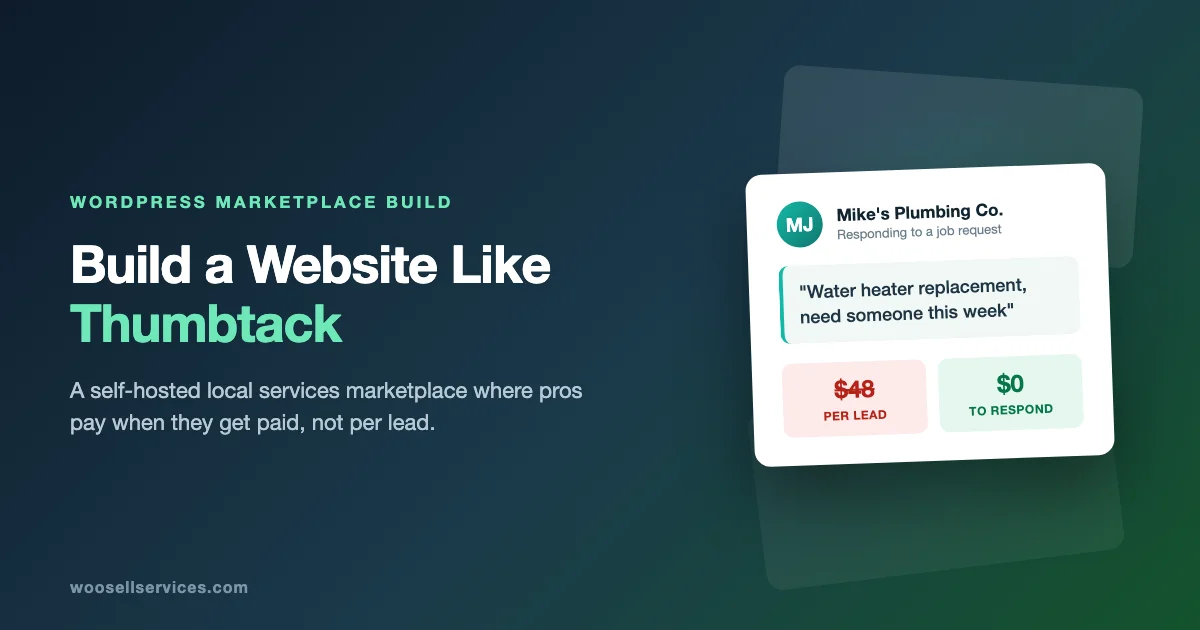
Thumbtack charges professionals for leads. A homeowner describes a job, the platform shows it to matching pros, and every pro who responds pays a fee, win or lose. A plumber in a busy metro can pay $30 to $80 for a single lead. If five plumbers answer the same request, Thumbtack collects five times while four of them get nothing.
Spend ten minutes in any contractor forum and you’ll find the same story on repeat: “I paid $400 in lead fees last month and booked two jobs.”
That resentment is your opening. Pros are actively looking for platforms that don’t bill them for conversations. If you build a local services marketplace where providers keep what they earn, and you take a cut only when money actually moves, you’re not competing with Thumbtack on features. You’re competing on fairness. That’s a much easier sell.
This post walks through the whole build: the revenue model decision, the niche question, the WordPress stack, setup step by step, what you genuinely can’t replicate on day one, real costs compared to SaaS marketplace builders, and how to solve the empty-marketplace problem that kills most of these projects.
How Thumbtack actually works under the hood
Strip away the branding and Thumbtack is a reverse marketplace with three moving parts.
- Job requests. Customers don’t browse a catalog first. They describe what they need (“deep clean, 3-bedroom house, this weekend”) and the platform routes it to relevant pros.
- Pro responses. Matching professionals see the request and send a quote. This is the moment Thumbtack charges them, and the moment most pro complaints trace back to.
- Direct profiles. Pros also maintain storefront-style pages with photos, reviews, and starting prices, so customers can skip the request flow and reach out directly.
Everything else on the platform (messaging, reviews, payment processing, scheduling) exists to support those three loops.
Here’s what matters for your build: you don’t need machine-learning matching to run this model at local or niche scale. A cleaning marketplace for one city, or a nationwide platform for a single trade, works fine with category filters and a decent request form. Thumbtack needs algorithmic matching because it covers roughly 500 service types across every US zip code. You don’t have that problem, and you won’t for years.
Pick your revenue model before you install anything
This decision shapes the whole build, so make it first.
Commission on completed orders. You take a percentage when a job is paid through the platform. Pros prefer this over lead fees because they only pay when they earn. The trade-off: payments have to flow through your site, which means you need checkout and payout infrastructure rather than a simple listing directory.
Vendor subscriptions. Pros pay a flat monthly fee to list services and receive requests. Predictable revenue for you, predictable cost for them. This works best once your platform has proven demand. Nobody pays a subscription to a marketplace with no traffic, so most platforms introduce this in year two rather than at launch.
Featured placement. Free to join, but pros pay to appear at the top of their category or neighborhood page. A good secondary stream. Rarely enough on its own.
The model Thumbtack uses, pay per lead, is the one I’d skip, and not only for ethical reasons. Per-lead billing is the single biggest driver of pro churn on these platforms, and churned pros tell other pros. Building your differentiation on the exact thing your competitor’s users hate most is just good strategy.
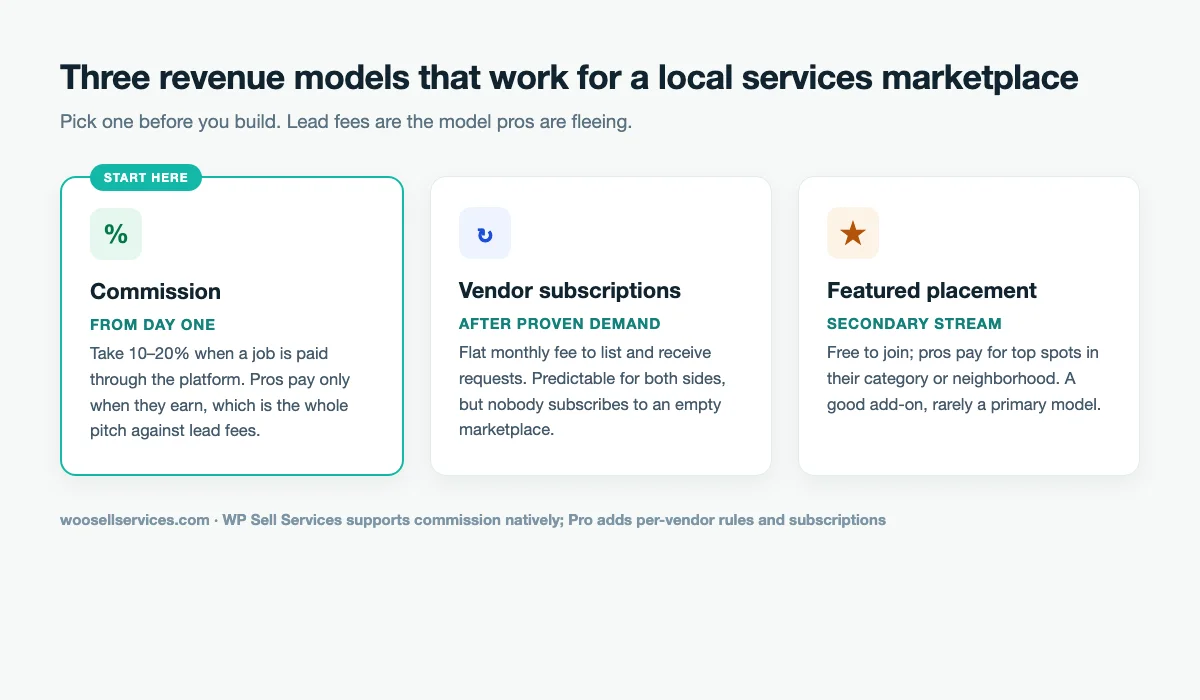
WP Sell Services, the plugin this build uses, supports commission natively and adds per-vendor commission rules plus subscription plans in the Pro version. If you want to reproduce lead-fee billing precisely, this isn’t your plugin. By now you can guess my opinion on that.
Choose a niche you can actually win
“Local services marketplace” is not a niche. It’s a category with a $3 billion incumbent in it.
The platforms that survive their first year pick one of two constraints and hold it:
One city, many trades. You become the local alternative for a metro area. This works when you have real roots there: you know the Facebook groups, the trade associations, the neighborhoods. Your marketing advantage is showing up at the contractor supply store, which Thumbtack cannot do.
One trade, many cities. You become the specialist platform for cleaners, or mobile mechanics, or wedding vendors. This works when the trade has needs a generalist platform ignores. Cleaners want recurring bookings. Mechanics want to list travel radius by vehicle type. Specificity is the product.
Either constraint gives you a marketing story, a recruitable supply pool, and SEO pages a national platform can’t personalize. Trying to launch both broad and everywhere gives you none of those, plus a burn rate.
A quick test for your niche idea: can you name, right now, ten specific professionals you could call this week to join? If not, you’ve picked a market you don’t know yet. Pick the one you know.
The successful examples follow this pattern reliably. Rover won pet care by going deep on one trade while Thumbtack treated dog walking as category number 314. Booksy did the same for salons and barbers. Neither out-built the generalist platform; they out-focused it, and both started smaller than whatever you’re planning right now.
The stack
- WordPress, self-hosted. Any decent host works, $10 to $30 a month.
- WP Sell Services, the marketplace engine.
- A marketplace-friendly theme. We compared the options in our theme roundup.
- A Stripe or PayPal account for payments.
The free version of WP Sell Services covers more of the Thumbtack model than you’d expect: vendor registration and dashboards, service listings with three-tier pricing packages, buyer requests with vendor proposals (this is the reverse-marketplace piece), a full order workflow, built-in messaging, reviews, and dispute resolution. Checkout runs standalone with Stripe and PayPal. No WooCommerce required, though you can integrate it if you already run a store.
Pro adds the money plumbing a growing marketplace eventually needs: Stripe Connect for automatic payment splits, commission rules by vendor or category, vendor subscription plans, PayPal Payouts for batch withdrawals, and Razorpay support if you’re building for the Indian market.
Start free. Upgrade when payment volume makes manual payouts annoying, which is a good problem to have.
The build, step by step
1. Install and run the setup wizard
Install WordPress, add the plugin, run its setup wizard. It creates the core pages for you: services archive, vendor dashboard, vendor registration, checkout, cart. Budget an afternoon for this step including hosting setup, not a week.
One configuration choice matters here: set your commission rate before your first vendor signs up, not after. Changing terms on early vendors is how young marketplaces lose their most important users. Somewhere between 10% and 20% is standard for local services; Thumbtack-burned pros will find either figure reasonable next to what they were paying.
2. Define your categories like trades, not like a freelance site
Thumbtack’s categories mirror how customers think about problems: house cleaning, lawn care, electrical work, moving help. Resist the urge to get clever. A customer with a leaking pipe searches “plumber,” so your category is Plumbing.
Keep the top level under ten categories at launch. You can split “Home Repair” into six sub-trades once you have sixty vendors instead of six. Empty categories on a young marketplace read as failure to every visitor who clicks one.
3. Set up vendor onboarding with a quality bar
The “Become a Vendor” flow handles registration mechanics. The profile quality bar is yours to enforce, and it’s worth enforcing hard.
Require three things before a profile goes live: a real photo, a defined service area, and at least one complete service listing. Empty profiles kill buyer trust faster than no profiles. A category with three complete, reviewed pros beats one with fifteen ghosts.
Each vendor builds service listings through a multi-step wizard with tiered packages. Push them toward the Basic/Standard/Premium structure: “Standard clean / Deep clean / Move-out clean” converts better than a wall of hourly rates, because it turns a negotiation into a menu. We wrote up the pricing psychology in our package pricing walkthrough.
Add-ons deserve a mention here. “Inside the fridge” as a $25 add-on to a standard clean is exactly how local pros already price informally. Giving that structure a checkbox raises order values without any selling.
4. Turn on buyer requests. This is your Thumbtack flow
This feature is the heart of the clone. Customers post what they need, vendors in that category respond with proposals, and the customer picks one. It inverts the usual browse-and-buy marketplace into the request-and-quote model that makes Thumbtack feel like Thumbtack.
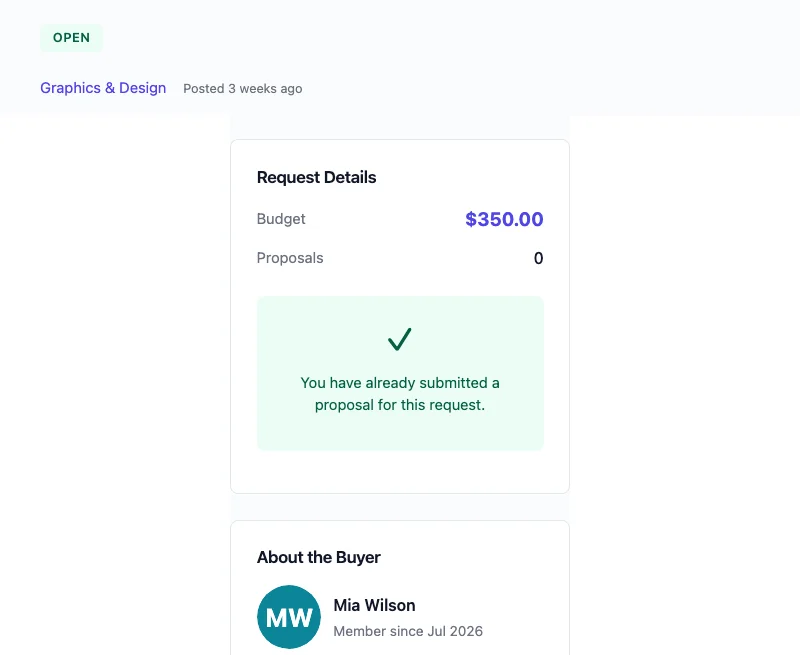
Test it yourself before launch: post a real request, respond from a test vendor account, accept the proposal, pay, and complete the order. You want to find the friction before your first real customer does.
One important difference from the platform you’re cloning: on your site, responding to a request costs vendors nothing. Say that loudly on your vendor recruitment page. It’s the reason a pro who’s burned $2,000 on Thumbtack leads will give your unproven platform a chance.
5. Keep communication and disputes on-platform
The built-in messaging system ties conversations to orders. This matters more than it sounds. When a job goes sideways, you have the full thread (scope agreed, changes requested, dates discussed) right next to the order record, and the dispute system uses that context.
Local services generate more disputes than digital work. Weather cancels jobs. “Deep clean” means different things to different people. A no-show can be either party. Set written policies before your first booking rather than after your first argument, and make them findable. Our guide on handling revisions and scope creep applies almost verbatim to local trades.
6. Wire up payments
On the free version, customers pay by card through Stripe or PayPal at checkout, the plugin tracks what you owe each vendor after commission, and you pay vendors manually on a schedule. Weekly payouts via bank transfer are fine up to about twenty orders a month.
Past that, manual payouts become the job you didn’t sign up for. Pro’s Stripe Connect integration splits payments automatically: the customer pays once, your commission lands in your account, the vendor’s share lands in theirs. Vendor onboarding runs through a Stripe-hosted flow, so you never touch anyone’s banking details, which is exactly how you want that liability distributed. The Stripe Connect setup guide covers the configuration end to end.
If your customers expect to pay a deposit rather than the full amount upfront (common for larger jobs), deposits work too.
7. Reviews, from day one
Thumbtack’s real moat isn’t matching technology. It’s twelve years of accumulated reviews.
You can’t shortcut the volume, but you can beat them on review quality. Enable verified-purchase-only reviews so every rating traces to a real transaction. Let vendors respond publicly. Encourage photos of completed work. A profile with nine detailed, photographed, verified reviews is more persuasive than one with ninety anonymous star ratings, and nine is achievable in your first quarter.
What you won’t have on day one, and why that’s fine
Three things a fresh install doesn’t give you. Pretending otherwise would make this a worse article.
Algorithmic matching. Thumbtack predicts which pros suit which jobs using years of behavioral data. You have categories, filters, and service areas. At niche or single-city scale that’s genuinely enough, because a customer can evaluate four local options without an algorithm’s help. Revisit this problem when you have four hundred.
Background checks. Thumbtack runs identity and criminal screening on pros. You’ll need a third-party service (Checkr is the usual pick) and a manual step in your vendor approval process. If you’re in home services, childcare, or anything where providers enter homes, do this before launch. The upside: “every pro is screened, by a human, before they appear” is trust messaging a 500-category platform can’t match.
Demand. The brand spends nine figures on advertising. Your first fifty customers come from somewhere else entirely, and the last section of this post is about exactly that.
None of these are plugin problems. They’re marketplace problems, and every platform that didn’t launch with venture funding solved them the same patient way.
What this costs
| Item | Self-hosted (this build) | Sharetribe | Custom development |
|---|---|---|---|
| Platform | WP Sell Services license | $39 to $299/month, forever | $30,000+ upfront |
| Hosting | $10 to $30/month | Included | $50 to $200/month |
| Payment splits | Stripe Connect (Pro) | Higher tiers only | Built to order |
| Code ownership | Yours | Theirs | Yours |
| Data ownership | Yours | Exportable, hosted by them | Yours |
| Time to launch | A weekend | A day | Months |
The SaaS builders are legitimate products, and Sharetribe in particular launches fast. The math changes over time: three years of a mid-tier SaaS subscription costs more than this entire stack, and you still don’t own the platform at the end of it. Migration off a hosted marketplace builder later, with live vendors and order history, is the kind of project that makes agencies rich.
Custom development gives you ownership too, but $30,000 buys a first version of features this plugin already ships. Spend that budget on vendor acquisition instead.
If the marketplace is a weekend experiment, use whatever is fastest. If it’s a business, own the asset.
Mistakes that kill local service marketplaces
We’ve watched a lot of these launch. The failures repeat.
Launching with empty categories. Covered above, but it’s the most common death. Twenty complete profiles in three categories beats sixty thin profiles across fifteen.
Taking a commission before providing value. If your platform brought the vendor nothing this month, charging them stings. Commission models survive this naturally (no orders, no fees). Subscription-first models at launch usually don’t.
Letting transactions leak off-platform. Vendors will try to move repeat customers to cash. Fighting this with policing fails; fighting it with value works. On-platform payment protection, dispute handling, and the review engine that feeds their profile are reasons to stay. Make them obvious.
Ignoring the mobile experience. Local service customers are standing in a flooded kitchen holding a phone. Test your request flow on a real device, on cellular, before launch.
Skipping the boring legal pages. Terms of service, cancellation policy, refund policy, and a liability disclaimer. Local services mean real-world property and occasional damage. Write the policies while nobody’s angry. Our post on protecting yourself when selling services online is a starting point.
Solving the cold-start problem
Every two-sided marketplace faces the chicken-and-egg. The playbook that works for local services:
Recruit supply first, and personally. Your first twenty pros come from Facebook trade groups, Nextdoor, referrals from the first three, and the “burned by lead fees” crowd, who are easy to find because they post about it. Offer founding vendors zero commission for six months. You’re not losing revenue; without them there is no revenue.
Go where the pros already complain. Search “[your city] Thumbtack fees” and read what comes back. The people writing those posts are your founding vendor cohort, and your pitch writes itself: free to respond, pay only on paid work.
Build the SEO pages the incumbent can’t personalize. A page for every trade-plus-neighborhood combination, written by someone who actually knows the area, beats a programmatically generated national page more often than you’d think. This compounds slowly and then suddenly.
Be the first customer. Book real jobs through your own platform. Pay real money, leave real reviews with photos. It seeds the review base and finds your checkout bugs in the same afternoon.
Do one unscalable launch stunt. A free-service raffle with your founding cleaners. A “we pay your first booking fee” week. Local press covers local platforms taking on Silicon Valley incumbents; that story is free and you only need it to work once.
Launch checklist
- Revenue model decided: commission rate set, or subscription tiers priced
- Niche constraint chosen: one city or one trade
- Under ten top-level categories, named the way customers search
- Vendor approval process with a profile quality bar (and screening, if your trades need it)
- Buyer requests enabled and tested end to end with a real request
- Written cancellation, refund, and dispute policies published
- Stripe or PayPal live, one test order completed and refunded
- Verified-purchase reviews enabled
- Mobile request flow tested on a real phone
- Twenty founding vendor commitments before public launch
Common questions
Can I charge per lead like Thumbtack does? Not out of the box, and that’s deliberate. Commission and subscription models are built in; per-lead billing isn’t. Given that lead fees are the most-cited reason pros abandon Thumbtack, treat this as a feature of your pitch rather than a gap in your platform.
Do I need WooCommerce? No. Checkout, orders, and payments run standalone. If you already operate a WooCommerce store, an integration mode lets services live alongside your products. Here’s how to decide between the two setups.
How do vendors get paid? On the free version, you pay them manually from the commission reports, weekly or biweekly. On Pro, Stripe Connect splits every payment automatically at checkout, and PayPal Payouts handles batch withdrawals for vendors who prefer PayPal.
Can customers post jobs instead of browsing services? Yes. That’s the buyer request system, and it’s the piece that makes this a Thumbtack-style reverse marketplace rather than a Fiverr-style catalog. Customers post, matching vendors send proposals, the customer hires one. If you want the catalog model too, run both; the plugin doesn’t make you choose.
How long does this actually take? The software part: a weekend, honestly. Wizard, categories, policies, payment keys, test orders. The marketplace part (twenty committed vendors, first reviews, first organic customer) is a three-to-six-month project in most cities. Anyone who tells you otherwise is selling a clone script.
What about insurance and liability? Your terms of service should make clear that pros are independent contractors and the platform is a venue, the same legal position Thumbtack takes. Beyond that, requiring proof of liability insurance from vendors in physical trades is a screening step worth the friction, and it doubles as a trust signal on their profiles.
Can I add a mobile app later? The plugin ships a REST API with coverage across services, orders, requests, and messaging, so a native or hybrid app can come later without replatforming. The API guide is here.
Want to see the vendor and buyer flows before committing? Try WP Sell Services. The free version includes everything in the build steps above except automated payment splits.