Client Intake Form: What to Ask a Customer Before You Start (With Question Sets You Can Copy)
What a client intake form is, when to send it, and copy-ready question sets for six services, plus how to run it on a WooCommerce order.

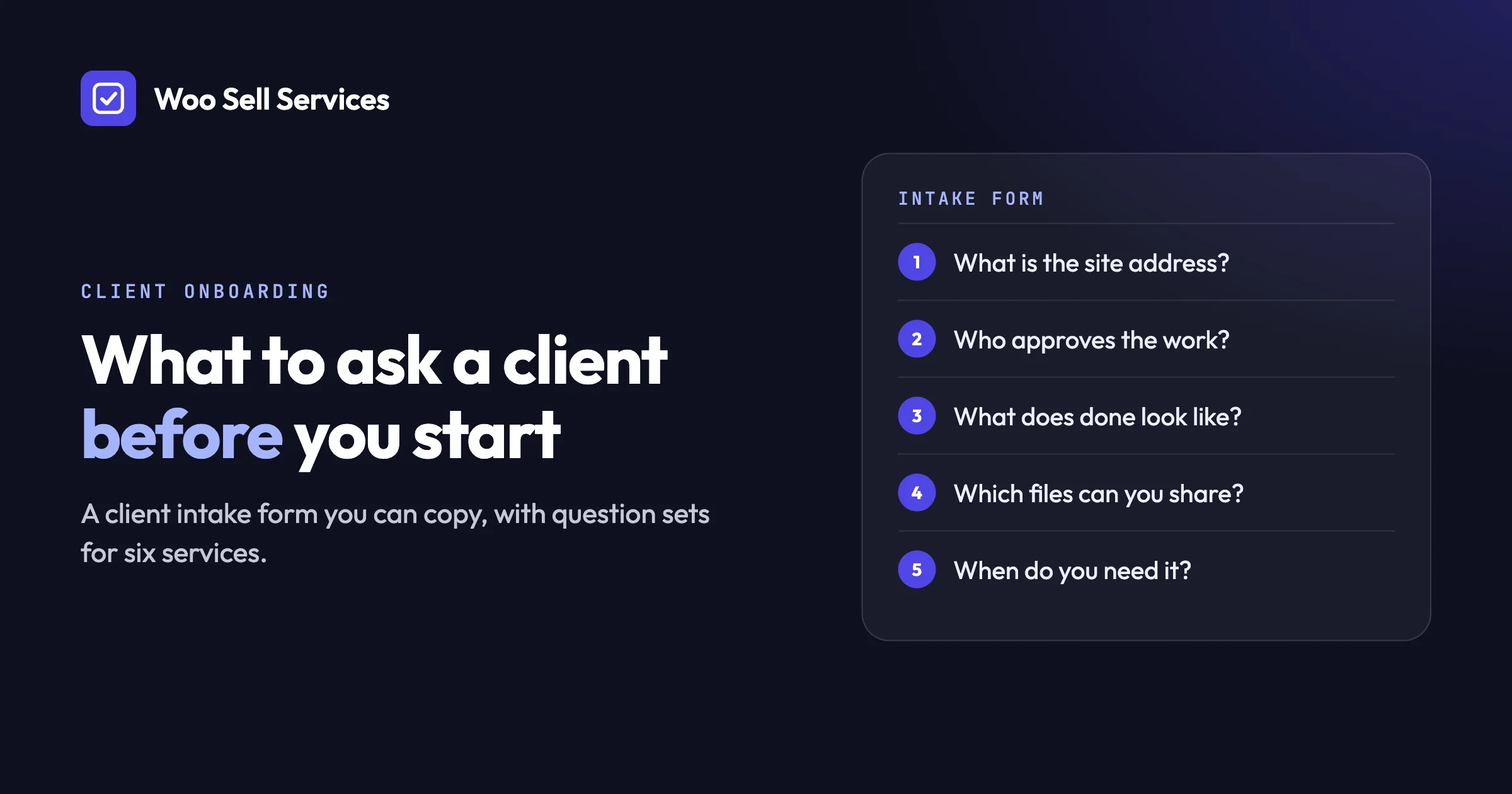
A client intake form is a short list of questions you ask a new customer before you start the work. It collects what you need to know: what they want, who it is for, what they already have, and what “done” looks like. Without it, you guess, and guessing is where most arguments, rework and refund requests begin.
The best intake forms are short, specific and sent at the right moment. Ten to fifteen well-worded questions beat a forty-question survey that nobody finishes. In this guide we explain what to ask, how to word it, and give you question sets for six common services that you can copy today.
If you sell your services through a WooCommerce store, you can turn the same questions into a requirement form that the customer fills in right after they pay. We show how that works near the end. If you do not use WooCommerce, everything else here still applies to a plain document or a form tool.
In this guide
- What a client intake form is and why work goes wrong without one
- When to ask: before payment or right after it
- The questions every service needs
- Question sets you can copy for six services
- How to word questions so people answer them well
- What to do when a customer never answers
- How to handle files and logins safely
- How to build the form on a WooCommerce service order
- When you do not need a form at all
- Frequently asked questions
What is a client intake form?
A client intake form is a set of questions a customer answers before you begin paid work. It replaces a long back-and-forth of emails with one organised record of what they asked for. You can call it a client questionnaire, a project brief, a requirements form or an onboarding form. The names differ, the job is the same.
Think of a plumber who asks, “Where is the leak, and when did it start?” before picking up a wrench. The questions are not paperwork. They stop the plumber from fixing the wrong pipe. A new client intake form does that for your service.
What a good intake form includes
A good form has three parts. The first part is the goal: what the customer wants and why. The second is the material: what you need from them, such as files, links, brand colours or access. The third is the limits: deadline, budget range, things to avoid, and who approves the result. Everything else is optional.
Why does work go wrong without an intake form?
Work goes wrong because the customer and the seller picture different results, and nobody notices until the first draft arrives. The customer expected a blue, playful logo. The seller delivered a black, serious one. Both did what they thought was asked. The gap sat in the missing answers.
Here are the usual symptoms, each with how to spot it and what to do.
Endless revision rounds
How to spot it: the customer says “not quite” and cannot say why. Each round changes direction.
What to do: go back to the intake answers and ask which one the draft misses. If the answer was never collected, add the question now and keep a note of it.
How to prevent it: ask for examples the customer likes and dislikes, and ask who gives the final yes.
Delays while you chase information
How to spot it: you start the job and stop on day one because you need a login, a text, or a photo.
What to do: send one message listing everything missing, with a clear date by which you need it.
How to prevent it: ask for materials in the form, and do not start the delivery clock until you have them.
Disputes about what was promised
How to spot it: the customer says “I thought that was included.”
What to do: point back to the written service description and the saved answers. Offer to add the extra as a separate paid item.
How to prevent it: ask a question that states the limit, such as “This package covers three pages. Which three do you want?”
Work that does not fit the customer’s business
How to spot it: the result is technically fine but wrong for their audience.
What to do: ask who the work is for, and redo only the part that misses.
How to prevent it: make “Who is this for?” the second question on every form.
When should you ask: before payment or right after it?
You can ask before payment or right after it. Asking right after payment is usually better for a fixed-price service, because the customer has committed and is motivated to answer. Asking before payment suits custom quotes, where the answers change the price.
Moment | Where it wins | What can go wrong |
|---|---|---|
Before payment | You can price accurately and decline poor-fit jobs early | Long forms before checkout scare people off, so fewer buy |
Right after payment | Buyers answer quickly, checkout stays short, you have a paid order to attach answers to | You may learn the job is a poor fit after you have been paid, so you need a clear refund and scope rule |
Both | A short pre-sale question and a full post-sale form | More setup, and the customer may feel asked twice |
A simple rule for choosing
If your service has a fixed scope and a fixed price, ask after payment. The price does not depend on the answers, so there is no reason to slow the purchase. If your service is priced by the job, ask a few questions first, quote, then send the full form once the customer accepts.
How to avoid the poor-fit problem
If you ask after payment, state on the service page what the service does not cover. Write who it is for and who it is not for. A short line such as “This audit is for sites with up to fifty pages” saves both sides from a bad match. Also tell the buyer that you will review their answers and message them if something does not fit.
What questions does every service need to ask?
Every service needs the same core questions: who the customer is, what they want, who it is for, what they already have, when they need it, and who approves it. Start with this universal set and then add questions that are specific to your trade.
- What is the name of your business or project? You need it for the work and for the file names.
- Who is the work for? Describe the audience in a sentence: age, job, what they care about.
- What result do you want? Ask for the outcome, not the task. “More enquiries” is an outcome. “A new homepage” is a task.
- What do you already have? Existing files, text, accounts, logos, past versions.
- Can you share two or three examples you like, and one you dislike? Examples are faster than adjectives.
- Is there a deadline, and what is behind it? A launch date or an event changes the plan.
- Who approves the final result? One name. If three people must agree, say so now.
- Is there anything we must avoid? Colours, words, competitors, topics, tools.
- What is the best way and time to reach you? Helpful when the order has questions.
- Is there anything else we should know? A free-text catch-all. It often holds the most useful answer.
That is ten questions, and they fit every service in the next section. Copy them first, then add the ones that belong to your trade.
What does a client intake form look like for different services?
An intake form looks different for each trade because each trade needs different material. Below are six question sets you can copy. Each assumes you have already asked the universal ten above, so these lists only add what is specific.
Website design
- What is the main goal of the site: sell, collect enquiries, inform, book?
- How many pages do you expect, and can you list them?
- Do you already have a domain name and hosting? Who controls them?
- Do you have a logo, colours and fonts we should follow?
- Will you supply the text and photos, or do you need help with them?
- List any features you need: contact form, booking, shop, newsletter, map.
- Name two websites you admire and say what you like about each.
- Who will update the site after launch?
Logo and brand design
- In three words, how should people feel when they see your brand?
- Does the name have a meaning or a story?
- Do you want a symbol, text only, or both?
- List colours you want and colours you refuse.
- Where will the logo appear most: a website, a shop sign, packaging, social media?
- Who are your three closest competitors, and what do you want to look different from?
- Do you have an old logo? Tell us what you would keep and what you would drop.
- Which file types do you need at the end?
SEO audit
- What is the address of the site we should review?
- What do you sell, and which search terms would you like to be found for?
- Which country or city do your customers search from?
- Who are your main competitors online?
- Have you changed the site recently, such as a redesign, a move or a new domain?
- Do you use a free analytics tool, and can you add us as a viewer? Do not send your password.
- Has your traffic dropped, stayed flat or grown? Roughly when did it change?
- What will you do with the audit: fix it yourself, hand it to a developer, or ask us?
Copywriting
- What is this text for: a web page, an email, an advert, a product listing?
- What should the reader do after reading it?
- What is the one thing you want the reader to remember?
- How would you describe your voice: friendly, formal, plain, playful?
- Share two pieces of writing you like, from you or from others.
- Which words or claims must be included? Which must never appear?
- Are there facts we must check with you, such as prices, dates or legal wording?
- How long should it be, and where will it be published?
Store setup or migration
- What platform is the store on now, and where do you want it to go?
- Roughly how many products, customers and orders are there?
- Which payment methods and shipping rules must work on day one?
- Which extensions or plugins do you rely on today?
- Can we make a full backup before we begin? Who holds the backup?
- Is there a time when sales are slowest, so we can plan the move then?
- Do any pages need to keep their web addresses so search results are not lost?
- Who will test the store after we finish, and how?
Social media management
- Which networks do you want us to manage?
- How often do you want posts, and which days?
- Who is the audience on each network?
- Which topics are welcome and which are off limits?
- Do you want to approve every post before it goes out?
- Who answers comments and messages?
- Do you have photos, videos and a brand guide we should use?
- How will you judge success: followers, enquiries, sales, something else?
Quick comparison of what each service needs most
Service | The material you most need | The question people forget |
|---|---|---|
Website design | Text, photos, logo, domain access | Who updates the site afterwards? |
Logo and brand | Examples, colours, old logo | Where will it be used most? |
SEO audit | Site address, viewer access to analytics | Did anything change recently? |
Copywriting | Voice examples, facts to check | What should the reader do next? |
Store setup or migration | Backup, product count, extension list | Which addresses must stay the same? |
Social media management | Brand guide, approval rules | Who answers comments? |
How do you word intake questions so customers answer them well?
Word each question so it asks for one thing, uses the customer’s own language, and shows an example of a good answer. People answer short, concrete questions. They skip long, vague ones. A well-worded question gets you a usable answer on the first try.
Ask one thing at a time
“What are your goals, budget and deadline?” is three questions in a trench coat. The customer answers one and forgets two. Split them. Each question gets its own line and its own answer space.
Use plain words, not trade words
Your customer may not know what a “style guide” or “canonical URL” is. Ask “Do you have a document that lists your brand colours and fonts?” instead. If you must use a trade word, explain it in brackets the first time.
Show what a good answer looks like
Add an example under hard questions. Under “Who is this for?” write: “Example: busy parents in their thirties who shop online in the evening.” Customers copy the shape of the example, and your answers get sharper.
Prefer choices over blank boxes where you can
A choice such as “Formal, friendly or playful” is easier than “Describe your tone.” Use a blank box only when you cannot predict the answer. Always keep one open question at the end.
Say why you are asking
A short reason raises the answer rate. “We ask for your deadline so we can plan your slot” works better than a bare “Deadline?” People give more when they see the point.
Mark what is required
Decide which answers you cannot start without, and mark only those as required. If every question is required, people type “n/a” to get through. Keep required questions to the few that block the work.
What should you do when a customer never answers?
Send a short reminder within a day, then a clear second message with a date, and pause the delivery clock until the answers arrive. Most silent customers are not ignoring you. They are busy, unsure what to write, or waiting for someone else.
A simple reminder sequence
- Day one: a friendly note. “We are ready to start. We only need your answers to the questions on your order.”
- Day three: help with the hard part. “If a question is unclear, tell us which one and we will explain.”
- Day seven: a clear line. “We will pause your order until we receive your answers. Your delivery time begins when we have them.”
How to spot the reason for the silence
If the customer opened the order but did not answer, a question probably confused them. If they never opened it, the notice may have gone to spam, so try a second way to reach them. If they answered half, they may not have the material yet, so ask what is missing and offer a date.
What to do when they stay silent
Follow the policy you published. Many sellers allow a fixed waiting period, then close the order or offer a refund, depending on their terms. Whatever you choose, write it on the service page before the sale, so no one is surprised.
How to prevent it
- Tell the buyer on the service page exactly what you will ask for, so they can prepare.
- Make the first step small. Ask the easy questions first.
- Say how long answering will take. “About ten minutes” is honest and sets the right expectation.
- Do not start the delivery timer until the answers are in.
How do you handle files and logins safely?
Never ask a customer to send a password by email or put it in a form answer. Ask them to create a temporary account for you, or add you as a user with limited rights, and remove that access when the job ends. This protects them and it protects you from blame if something goes wrong.
A safer way to get access
- Ask for a temporary account. The customer creates a user for you with only the rights you need. On a WordPress site, the roles are described in the WordPress roles and capabilities guide.
- Ask for the lowest rights that work. A writer needs to add posts, not manage plugins. An auditor may only need a viewer role.
- Ask them to remove access afterwards. Put it in your closing message: “Please delete the temporary account now that we are done.”
- Use a password manager’s sharing feature if the customer already has one. It sends the secret without email.
Handling files
Ask for files in a way that keeps them with the order, not scattered across email threads. Tell the customer which file types you accept, such as images, documents or a zip file, and give a size limit that is realistic for your tools. For large files, ask for a shared link from a cloud storage service and check that the link works.
How to prevent trouble
Put a line in your form: “Do not type passwords here. We will tell you how to give access safely.” That one sentence prevents most mistakes.
How do you turn your questions into a requirement form on a WooCommerce order?
With the Woo Sell Services addon, you attach your questions to the service, and the buyer answers them after paying at the normal WooCommerce checkout. The answers land on the order, next to the chat and shared files, so everything for that job lives in one place.
Woo Sell Services is an addon for WooCommerce, so WooCommerce must be installed and active. It adds a Service checkbox to the Product data panel, beside Virtual and Downloadable. If you are new to adding products, the WooCommerce guide to managing products covers the basics.
The order flow in plain steps
- You add the service to your catalog as a normal product, with an estimated delivery time.
- The buyer pays at the usual checkout. No extra form slows the purchase.
- After payment, the buyer answers your requirement questions.
- You and the buyer talk in the order chat and share files there. A status tracker shows progress, and both sides get notifications. The vendor also gets an email on each new order.
- You attach the final file and mark the order as delivered. After that, the buyer can leave a rating.
Reusing your question sets
Requirement question sets can be saved and reused on your next service. Write the universal ten once, save the set, and attach it to every new service. Add the trade-specific questions on top. This keeps your forms consistent and saves you from rewriting the same questions every time.
Why this timing suits the after-payment approach
Because the buyer answers after payment, your checkout stays short. The order already exists, so the answers sit with it. If the buyer needs to add something later, the chat is right there. If your delivery date has to change once you read the answers, you can update it from the service page.
Selling through a team or marketplace
If several people sell on your site, Woo Sell Services works with Dokan, WCFM and WC Vendors, and vendors create and manage services from the frontend. A vendor can add a co-author or a support agent to a service or a single order. See the full feature list for the details, or read about building a service marketplace if that is your plan.
What it costs
All plans include the full feature list, and the plan only sets the number of sites. You can compare them on the pricing page.
Need the form built to a custom design?
If you want something beyond the standard flow, our team can talk it through on a short discovery call. See custom development for how that starts.
When do you not need an intake form at all?
You do not need a form when the job is tiny, the scope is fixed, and the customer cannot change the result. A form for a thirty-minute fixed task adds friction and no value. Forms earn their place when the result depends on the customer’s answers.
Here are cases where you can skip it or use a one-line question instead.
- A fixed, repeatable task such as “Proofread up to five hundred words.” The file itself is the whole brief.
- A returning customer whose details you already hold. Ask only what has changed.
- A quick call does it better. For a high-value or sensitive job, a short call may reveal more than a form. Follow it with a written summary so you have a record.
- A product that is just a download. If nothing needs to be customised, you are selling a product, not a service.
A good test is this: if two different customers would get the exact same result from you, you do not need a form. If their answers would change what you make, you do.
Frequently asked questions
What is a client intake form in simple terms?
It is a list of questions a new customer answers before you start work. It tells you what they want, who it is for and what they can provide. It replaces guesswork and long email threads with one clear record.
How long should a client intake form be?
Aim for ten to fifteen questions for most services. Larger projects can run longer if the questions are grouped under clear headings. If many customers abandon the form, cut the questions you do not need to begin the work.
Should I send the form before or after payment?
For fixed-price services, after payment is usually better, because it keeps checkout short and the buyer is already committed. For custom quotes, ask a few questions first so you can price correctly, then send the full form once the customer accepts.
Can I use the same intake form for every service?
Use the same core questions for every service, and add a few that are specific to each trade. That keeps the form familiar to you and relevant to the customer. A saved question set makes this quick to reuse.
What if a customer gives vague answers?
Reply with a specific follow-up and an example of a good answer. For instance, if they write “modern,” ask for two websites that look modern to them. Examples turn vague words into something you can act on.
Is it safe to ask customers for logins?
Do not ask for passwords by email or in a form. Ask for a temporary account with the lowest rights that work, and ask the customer to remove it after the job. That is safer for both sides.
How we checked this
In October 2026 we checked the Woo Sell Services order flow, the saved question sets and the plan details against the product page on the Wbcom Designs store. We confirmed that the WooCommerce and WordPress documentation pages linked above load; we link them for further reading and did not review every detail on them. The question sets are working templates drawn from common practice, not results from a survey, and we did not test them with a group of customers. We did not run a new hands-on test of the plugin for this article, so check the live demo or the store page for the current screens and settings before you rely on a detail.