Payout Holds and Frozen Balances: Why Service Sellers Move to Their Own Checkout
Why platforms freeze balances and hold payouts, what to do while funds are frozen, how to lower the risk, and what an own WooCommerce checkout does and does not change. Based on Stripe and PayPal help pages.

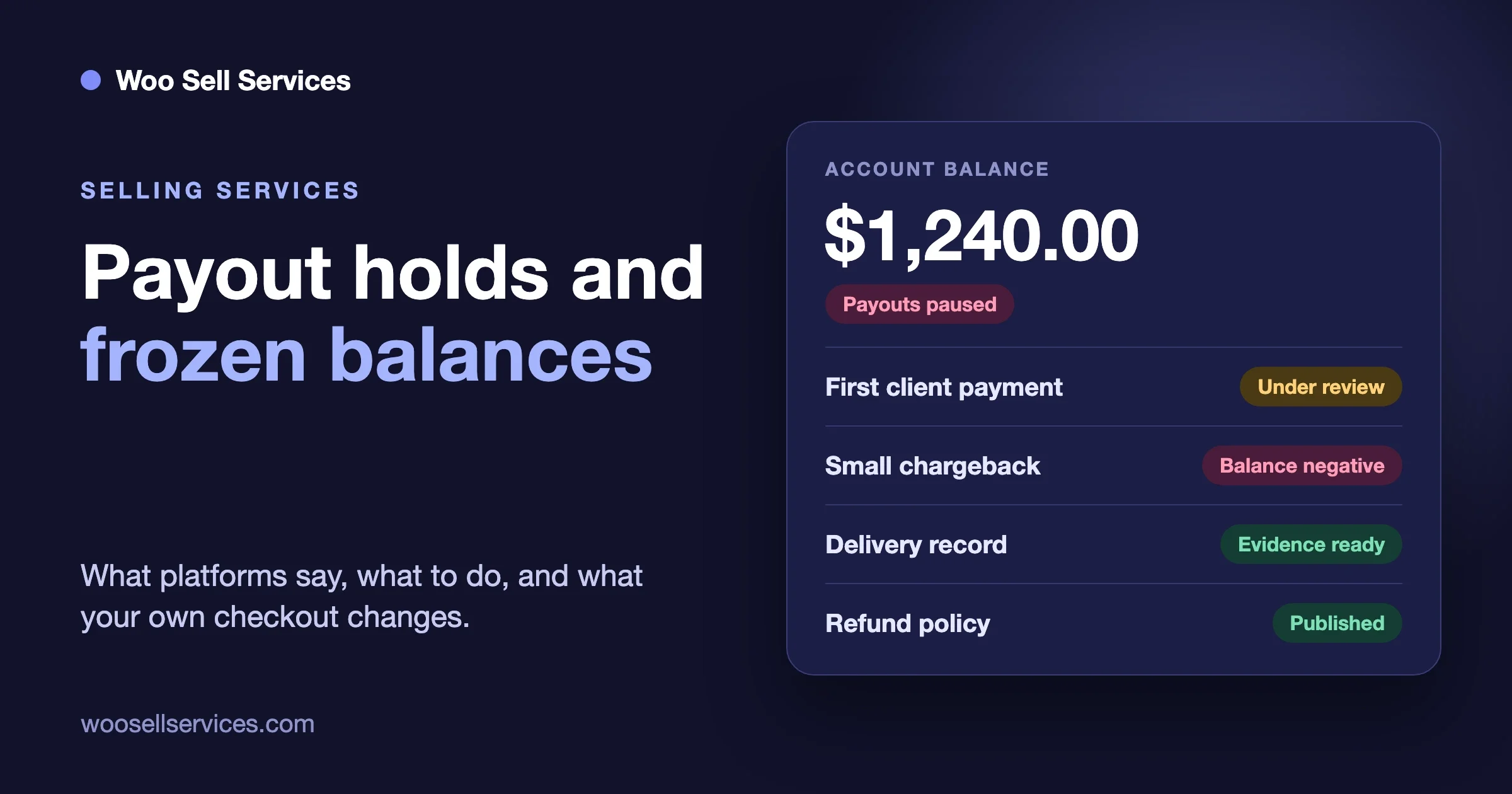
Why do payment platforms freeze balances and hold payouts? Because the platform is the one that pays when a card payment is reversed, and a new seller with no history is the account it knows least about. A first big client payment on a new account looks the same as the first big payment of a fraudster, so many platforms pause the money until they are satisfied. You can usually get funds released by answering every review request fully and quickly, and you can lower the odds of a hold with clear service descriptions, delivery records and a written refund policy. Moving to your own WooCommerce checkout changes who holds the account, but not the basic risk rules of whichever card processor you pick.
That is the short answer. The rest of this guide explains the mechanics from the platforms’ own help pages, what to do the day it happens, how to cut the risk, and what an own-checkout setup really looks like. One plain note first: we are a software team, not lawyers or accountants. Nothing here is legal or financial advice, and the rules differ by country and by provider, so check your own agreement and ask an adviser where money is at stake.
What we keep hearing this week
Three conversations from this week sum up why we wrote this. We are describing them in general terms and we are not naming anyone or judging whether a platform acted correctly, because we only see one side of each story.
- An editing agency said its account on an all-in-one creator payments platform was suspended about a minute after its first client payment arrived. The client had paid in full for real work. The agency had no warning and no clear route to ask what had triggered it.
- A seller said their balance was frozen over a chargeback of about $12. The amount was tiny compared with the money sitting in the account, which is the part that surprised them.
- Someone on a Q&A site asked whether it is possible to release a payment to a freelancer only when the buyer confirms the work. That is the opposite worry: the buyer wants the same kind of hold the seller is now suffering from.
Put together, these show that holds are not a rare event reserved for bad actors. They are a normal feature of how card money moves, and they land hardest on small sellers who live on a few payments a month. If you sell a service for a living, you need to understand them before the first big invoice, not after.
Why do platforms hold funds or freeze a balance?
The reason is the card network, not the platform’s mood. When a customer disputes a card payment, the money is taken back from the platform first. The platform then looks to you to cover it. Stripe describes the sequence on its disputes page (read on 14 November 2026): the card issuer creates a dispute on the card network, which “immediately reverses the payment,” and that pulls the payment amount and one or more network dispute fees from Stripe. After that, Stripe debits your balance for the payment amount and the dispute fee.
If your balance is empty because you already paid it out, the platform is left holding the loss. Every hold, reserve and review is a way of managing that exposure. In practice you will meet it in four forms.
A new-account delay
Most platforms pay new accounts more slowly. Stripe’s payouts documentation (read 14 November 2026) says that after your first live payment, Stripe typically schedules the initial payout within 7 to 14 days, depending on your industry, country and risk level. It also says that in some cases “risk criteria might prevent your account from changing to the default settlement timing.” So a slow first payout is expected, and a second slow payout is a sign the platform is still watching.
A review or settlement pause
A pause means money still comes in but does not become available. Stripe’s settlement pauses FAQ (read 14 November 2026) says a pause can apply when an issue has to be resolved before payment proceeds are added to your available balance. Funds that were already available stay usable unless a separate restriction applies. The same page says a pause “doesn’t have a standard scheduled expiration date” and that support cannot promise a release date before the review is complete. That honesty is useful. It tells you the clock is set by the review, not by the calendar.
A reserve
A reserve is a slice of your money held back on purpose. Stripe’s reserves help topic (read 14 November 2026) describes two kinds. A fixed reserve holds a set percentage of each new transaction until a specified release date. A rolling reserve holds a percentage on a rolling basis, so each payment’s share is released once it ages past the window, with a 30-day window given as the example. The stated purpose is to cover refunds and chargebacks.
PayPal’s help article “The why and what of account reserves,” dated 17 November 2025, calls a reserve money “put on hold in your PayPal account to help cover potential financial risk.” It lists rolling, minimum and jumpstart reserves, says they are set case by case from factors such as processing history, industry risk, dispute levels and credit history, and says minimum reserves are reviewed every 180 days. A rolling reserve in its example releases each payment 90 days after the original payment.
A negative balance
This is the one behind the $12 story, and it is easy to misread. Say you were paid $300 two weeks ago, you moved all of it to your bank, and now a $12 purchase is reversed along with a dispute fee. Your platform balance goes below zero. Stripe’s payouts page says that if refunds exceed payments, it may create a payout that debits your bank account, and its dispute pages say the dispute received fee is generally not returned even if you win. We are not saying that is what happened in the thread, only that a small chargeback plus a fee on an empty balance is a normal way to end up frozen. A balance that cannot cover a reversal is a risk flag by itself.
What should you do while your balance is frozen?
Work through this in order. It follows the same rule we use for every problem on this site: check, fix, prevent.
- Find the exact status. “Under review,” “payouts paused,” “reserve” and “account closed” are four different situations with four different exits. Open the account status page and any email from the platform before you do anything else.
- Answer every request in full. Stripe’s FAQ says to open the pause notice, select the task if one appears, provide all requested information and submit it. A half answer usually means a second round, and each round costs days.
- Send evidence of real business. That means the signed or accepted order, the client’s brief, the conversation, the delivery files with dates, your website and your pricing page. Keep it short, labelled and in one file where the form allows only one upload per evidence type.
- Tell your client early, in plain words. Something like: “Our payment provider is doing a routine review of a new account. Your payment is safe and your work continues.” Do not blame the client and do not ask them to pay a second way unless you have read your platform’s terms, because some platforms forbid taking the same sale off-platform.
- Put the dates in writing. Note when the hold began, what was asked and when you replied. If it drags on, a clear timeline is what a support escalation or a bank enquiry needs.
- Keep paying your own bills from another source. A hold with no end date is a cash-flow problem. Plan for weeks, not days.
If the platform is a card processor like Stripe, remember that a chargeback has its own clock. Its responding page (read 14 November 2026) says the response window is usually 7 to 21 days depending on the card network, and that if you do not respond before the deadline you automatically lose the dispute. You get only one chance to submit evidence, so assemble everything first. The banks will not click links, so audio, video and “see this URL” evidence does not count. Put the proof in the file.
If the platform is a marketplace, the route is different. You are in its dispute system, and the terms you accepted decide how money is cleared. Fiverr’s help pages, which we read on 28 October 2026 for our guide on holding payment until delivery the Fiverr way, say revenue becomes available 14 days after the order is completed, and 7 days for some seller levels. Check the current pages yourself, because marketplaces change these numbers.
How do you lower the risk of a hold or a chargeback?
You cannot remove the risk, but you can shrink it a lot. Most of what follows is boring on purpose. The sellers who stay out of trouble are usually the ones with the best paperwork, not the best luck.
Describe the service so nobody can claim surprise
A vague listing invites a vague complaint. Write what is included, what is not, how many revisions there are and how long delivery takes. “Logo design” is an argument waiting to happen. “Three logo concepts, two revision rounds, delivered as PNG and SVG within five working days” is a record. Our guide on fixed price, quote, milestones or retainer shows how to word each model.
Collect the brief and keep it
A saved brief is the best defence against “this is not what I asked for.” Ask the questions before work starts and store the answers with the order. A good intake form removes most of those arguments before they begin, and our client intake form guide has question sets you can copy.
Keep a delivery record
Date every delivery. Keep the files, the message that delivered them and any reply. If the buyer accepted the work, keep that too. This is the evidence both Stripe and marketplaces ask for, and it takes seconds to keep if it lives on the order instead of in your email.
Publish a refund and revision policy
People dispute with their bank when they cannot get an answer from you. A clear policy gives them an answer, and Stripe’s responding page notes you may be able to settle a complaint directly, for example with a store credit, so the cardholder withdraws the dispute. We cover the wording in our post on revisions, scope changes and cancellations.
Do not drain the balance to zero
Leave a cushion. Stripe lets you set a minimum balance “to cover potential refunds, disputes and fees that might lead to negative balances.” A cushion of one or two typical payments means a surprise reversal does not push you below zero.
What is an “own checkout,” and what does it change?
An own checkout means your customers pay on your website, through a store you control, into a merchant account that is in your name. On WooCommerce that usually means a payment gateway such as Stripe or PayPal connected to your store. The customer sees your brand, your terms and your receipt, and the money goes to your processor account rather than into a marketplace’s pool.
Here is the honest part. Your processor still applies risk rules. If you connect Stripe to WooCommerce, you have a Stripe account, and Stripe’s reviews, reserves, payout delays and dispute rules all apply to it. Moving checkout does not move you outside risk checks. What changes is the following list.
- Who your customer is. On a marketplace the buyer belongs to the platform. On your store, you have the name, email and order history.
- Who writes the terms. Your refund, revision and delivery rules are yours, not a platform’s one-size policy.
- How many eggs are in one basket. You can connect more than one gateway and offer both, so a hold on one does not stop all income.
- What you can see. Orders, briefs, files and messages sit in your own database, so evidence for a dispute is already in one place.
- What a platform fee costs you. You pay the processor’s fee rather than a marketplace’s service fee on top. The processor fee depends on your country and plan, so read the current pricing page.
It also adds work. You handle your own taxes, your own support and your own dispute responses, and you get no built-in stream of new buyers. For some sellers that trade is not worth it, and we say so in our post on where to sell services online.
How do marketplaces, all-in-one platforms and your own WooCommerce store compare?
We read the public policy pages named in this guide on 14 November 2026 (Fiverr’s on 28 October 2026). Treat the table as a map of where to look in your own agreement, not as a statement about any one company’s rules today.
Question | Marketplace | All-in-one payments platform | Own WooCommerce checkout |
|---|---|---|---|
Who holds the funds | The marketplace holds them and releases them after delivery and a clearing period. | The platform or its payment partner holds them until its payout schedule runs. | Your processor (for example Stripe or PayPal) holds them, then pays your bank on its schedule. |
Typical fees | A service fee on each sale, plus any payout fee. The rate is set by the marketplace. | Often a monthly plan or a share of sales, plus card fees. | The processor’s card fee, plus the cost of your store, hosting and plugins. |
Hold risk | Clearing period on every order, and account review if disputes rise. | New-account review, reserves and pauses, set by the platform. | New-account payout delay, reviews and reserves from your processor. Same family of rules. |
Who decides disputes | The marketplace’s own resolution team, under its terms. | The platform, and the card network for chargebacks. | The card network decides chargebacks. You decide refunds and write the evidence. |
Who owns the client | Mostly the marketplace. | Shared. You hold some contact data inside the platform. | You do. |
Who owns the terms | The marketplace. | The platform. | You, inside your processor’s rules. |
Setup effort | Low. | Low to medium. | Medium to high. |
The table shows a pattern: a hold risk exists in every column. What the own-checkout column adds is control over the terms and the record, which are the two things that decide whether you can win a dispute or get funds released.
Can you hold payment until the buyer confirms delivery on WooCommerce?
Yes, in three different ways, and each costs you something different. We wrote the long version in our guide on holding payment until delivery the Fiverr way. Here is the short one for a seller who is worried about frozen money.
Authorise now, capture on delivery
The card is checked and the amount is reserved, and no money moves until you capture it. According to WooCommerce’s documentation for its Stripe gateway, you enable this by ticking the option to issue an authorisation at checkout and capture later. The catch is time. WooCommerce gives you seven days from order placement to capture, after which the authorisation expires and the order fails. It suits quick services such as a 48-hour revision or a same-week audit. It is a poor fit for a project that takes a month.
Take payment at checkout and release the seller’s share later
If you are the only seller, the money is already yours, and your “hold” is your own refund policy. If you run a marketplace with several sellers, you need a way to delay the seller’s share. That means holding other people’s money, which regulators in many places treat seriously, so use a provider built for it and ask an adviser. We discuss the plugin side in our guide to a WooCommerce services marketplace with Dokan, WCFM or WC Vendors.
Charge in stages
Instead of holding one large payment, charge in parts. A deposit starts the work, the next stage is paid when the first is approved, and so on. The buyer is never more than one stage exposed, and you are never more than one stage unpaid. It is also the best answer to the new-account problem, because no single payment is large enough to alarm a risk team. WooCommerce and the Woo Sell Services product page do not describe a built-in staged payment feature, so the practical method is one product per stage, each with its own order, brief and delivery date. It is manual, but it works.
Where does Woo Sell Services fit?
Woo Sell Services is one option, and it is a narrow one. It is a WooCommerce addon, so WooCommerce must be installed, and it handles the service side of the order rather than the money side. From the product page, which we checked on 14 November 2026: a service is a normal product in your catalogue with an estimated delivery time, the buyer answers your requirement questions after payment, and chat, shared files and a status tracker live on the order. The seller attaches the final file and marks the order delivered, and ratings follow.
Why does that matter for holds? Because the evidence you need in a dispute is created by the order itself. The brief, the conversation, the dated delivery and the buyer’s rating all sit on one order record. The plugin also has an “Auto complete service order after” setting that completes an order a set number of days after final delivery if the buyer does not respond. That mirrors the review window marketplaces use, and it gives you a published rule to point to. Our order status guide explains how the service status sits beside the WooCommerce statuses.
What it does not do is move your funds. Payment still goes through the gateway you choose, and your gateway’s risk rules still apply. If you want authorise-and-capture, staged payments or a seller payout approval queue shaped around the order, that is custom work on top of WooCommerce, and you can read about it on our service marketplace development page. Other plugins and services can do parts of this too. Compare the options before you pick, and test the failure cases on a staging site first: an expired authorisation, a partial capture, a refund after delivery.
What does a safer own-checkout setup look like?
If you decide to move, here is a plan that keeps the risk low. It assumes a freelancer or a small agency with a handful of orders a month.
- Open the processor account in your real business name, with real details. Match the name on your website, your bank account and your ID. Mismatches are a common reason for review.
- Finish verification before you take a payment. Do not wait for the first order to submit documents.
- Write your service pages and policies first. Reviewers read your website. A live site with prices, a delivery description, a refund policy, contact details and terms looks like a real business.
- Connect two gateways if you can. A card processor and PayPal, for example. If one pauses, the other still takes orders.
- Collect the brief on every order and deliver inside the order. Keep the record where you can export it as dispute evidence.
- Set a cushion in your payout settings. Leave a minimum balance for reversals.
- Write down who to call. Save your processor’s support path and your account ID where you can find them fast.
If you want a hand putting a setup like this together, our team works on WooCommerce service stores. You can look at Woo Sell Services pricing or contact us to talk it through. No quote or approach is set before a short discovery call.
Is moving to your own checkout always the right answer?
No. We would rather say that plainly than sell you the idea. A marketplace brings buyers you would not find alone, and for a brand-new freelancer that matters more than payout speed. If your income is a few orders a month and a marketplace pays you reliably, a hold is an annoyance and not a reason to rebuild. Moving makes sense when a hold has hurt, when you already have your own clients, or when you want control of your terms and your records.
Frequently asked questions
Why was my account suspended right after my first payment?
Often because the first payment is the first moment the platform sees real money moving, and its checks run then. Platforms compare the amount, your industry and your history with their risk models. A review at that point is common for new accounts, even though it feels sudden. Only the platform can tell you what triggered yours, so reply to its request for information, and see the steps above.
How long does a payout hold last?
It depends on the kind. A new-account delay is often days. Stripe says a first payout is typically within 7 to 14 days, depending on risk. A settlement pause has no standard expiry and ends when the review does. Reserves run on fixed or rolling windows, such as the 30-day and 90-day examples in Stripe’s and PayPal’s help pages. Your own agreement or reserve email has the real terms.
Can a small chargeback freeze my whole balance?
It can push a thin balance below zero, because the reversed amount and a dispute fee are taken from you. If your balance is empty, the platform may pause payouts until the negative amount is covered. A cushion in your balance is the simplest protection. It does not mean every small dispute causes a freeze.
Is an own checkout safer than a marketplace?
Safer in the sense of control, not in the sense of no holds. You still sit under your processor’s risk rules. What you gain is your own terms, your own records and a second gateway as a backup.
Can I release payment only when the buyer confirms the work?
Yes, with limits. On WooCommerce you can authorise now and capture on delivery, but the authorisation window is about seven days. For longer jobs, charge in stages. Marketplaces do it with a clearing period. Whichever you use, publish the rule so the buyer knows when the work counts as accepted.
What evidence wins a chargeback on a service?
The signed or accepted order, the brief, dated delivery files, the conversation, and your published refund policy. Stripe’s form for services does not ask for shipping details, so the delivery record carries the case. Put it in the file itself, because banks do not follow links.
Will Woo Sell Services stop my payments being held?
No. It does not change how your payment gateway treats your account. What it does is keep the order record, brief, files and delivery on one order, which makes dispute evidence easier to produce.
The short version
Platforms hold money because card reversals come out of their pocket first, and a new service seller is the hardest account to judge. When it happens, find the exact status, answer every request in full and send dated evidence. To lower the odds, describe the service plainly, keep the brief and delivery record, publish a refund policy and leave a cushion in your balance. An own WooCommerce checkout gives you control of terms, records and a backup gateway, but your processor’s risk rules still apply. If you want to see how the delivery side works, look at Woo Sell Services on its product page, and compare it with other options first.
Sources
- Stripe, “Payouts” documentation, read 14 November 2026: docs.stripe.com/payouts
- Stripe, “Disputes” and “Respond to disputes,” read 14 November 2026: docs.stripe.com/disputes
- Stripe, “Settlement pauses FAQ,” read 14 November 2026: support.stripe.com
- Stripe, “Reserves,” read 14 November 2026: support.stripe.com/topics/reserves
- PayPal, “The why and what of account reserves,” dated 17 November 2025, read 14 November 2026: history.paypal.com
- Fiverr Help Center, read 28 October 2026 for our guide on holding payment until delivery