Fixed Price, Quote, Milestones or Retainer: How to Sell Each Kind of Service on WooCommerce
Four ways to sell a service on WooCommerce: fixed price, quote request, milestones and retainer. When each one fits, how it looks at checkout, and what to set up first.

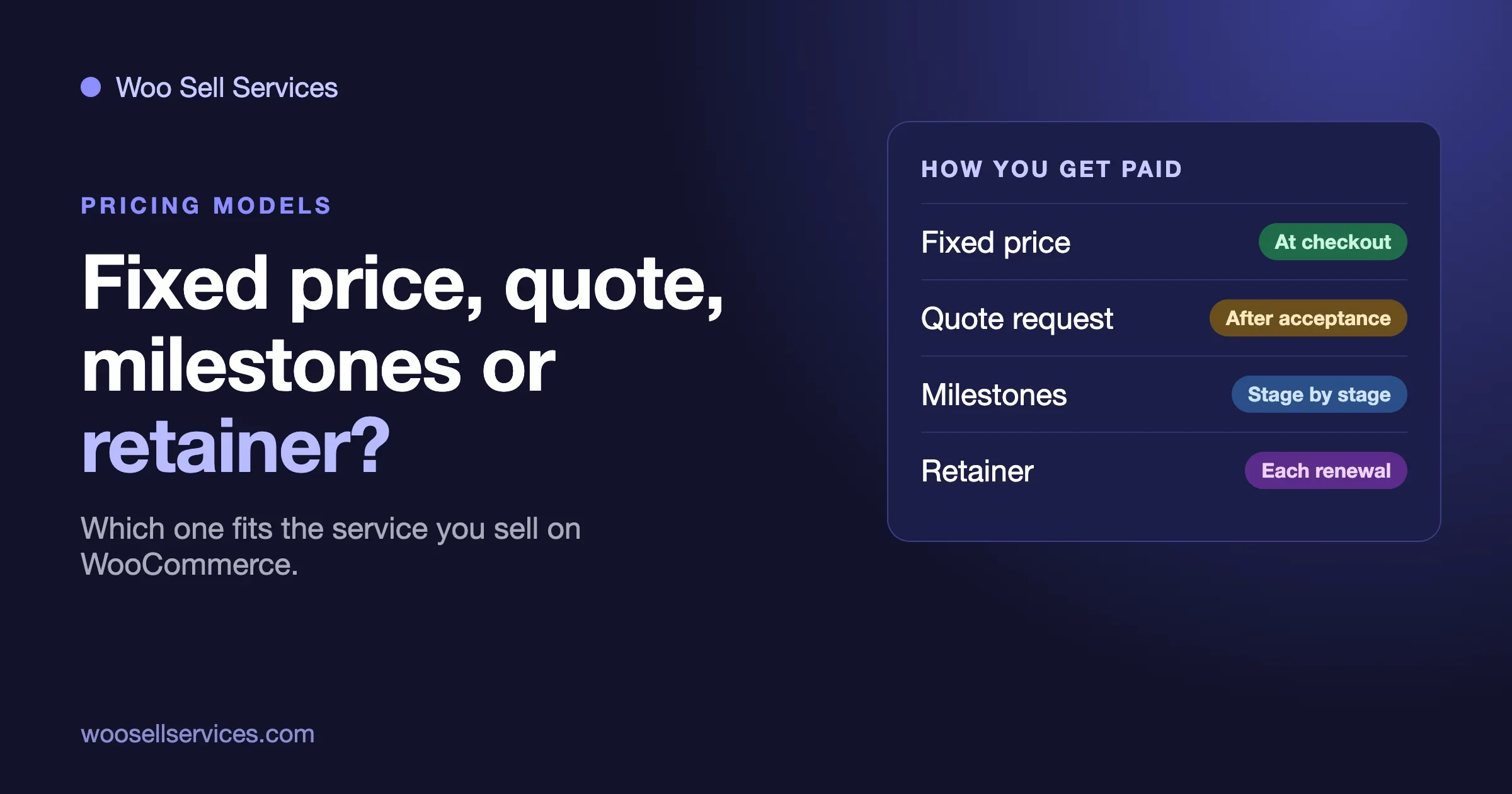
Which way should you sell a service on WooCommerce: at a fixed price, by quote, in milestones, or as a monthly retainer? Pick by how well you can describe the work before it starts. If you can write the scope in a paragraph and quote one price, sell it at a fixed price. If every job is different, take a quote first. If the work runs in clear stages, sell the stages. If it never really ends, sell a retainer. Most stores end up using two of the four.
This is a decision guide, not a setup manual. We already cover the full setup in How to Sell Services With WooCommerce, Start to Finish, and the monthly model in How to Sell a Website Care Plan as a Product in WooCommerce. Here we compare the four models side by side, show how each one looks to the buyer, and say plainly which parts WooCommerce does on its own, which parts our add-on Woo Sell Services handles, and which parts you will have to build around it.
We build and support Woo Sell Services, so we are not neutral. We will mark every claim about it, and we will say when the plugin does not cover something, because a guide that hides the gaps wastes your afternoon.
The short answer: a comparison table
Model | Fits when | The buyer sees | You get paid | Main risk |
|---|---|---|---|---|
Fixed price | The scope is known and repeatable | A product page with a price and a delivery time | At checkout, before any work | Scope creep after payment |
Quote request | Every job differs in size | A form, then a price you set for them | After they accept your quote | Slow replies lose the sale |
Milestones | The job has clear stages and runs for weeks | A series of smaller prices, one per stage | Stage by stage | A stalled stage leaves work unpaid |
Retainer | The work repeats every month | A plan with a monthly or yearly price | On each renewal | Hours that quietly grow |
The rest of this guide takes each row in turn, then shows how to combine them.
Before you choose: what does WooCommerce do on its own?
WooCommerce takes payment for any product, and ticking Virtual removes the shipping address, so a service can go through the normal cart and checkout. You keep your payment gateways, coupons, tax rules and order emails. That covers the first step of every model below.
What WooCommerce does not do is run the job. It has no place to collect a brief after payment, no delivery date the buyer can see, no chat thread and no hand-over step. That is the gap Woo Sell Services fills. From the product page, checked on 23 October 2026 (version 5.8.7, updated September 2026), it:
- adds a Service checkbox to the Product data panel, which works on simple, variable, grouped and external products;
- asks the buyer your requirement questions after payment, and lets you save a set of questions and reuse it on the next service;
- shows an estimated delivery time and lets you update the delivery date later;
- gives each order a chat thread, shared files and a status tracker, with notifications to both sides;
- lets you attach the final file and mark the order delivered, after which the buyer can rate it;
- works with WooCommerce Subscriptions for recurring services, keeping every renewal in one conversation thread;
- works with Dokan, WCFM and WC Vendors if other people sell services on your store.
What the product page does not mention: quotes, custom offers, milestones, deposits, partial payments, revisions, or a dispute process. We checked for each of those words. We are not going to claim the plugin does them. Where a model below needs one of them, we say how stores usually handle it and mark it as something you test on staging first.
Model 1: Fixed price
When does a fixed price fit?
A fixed price fits when you have done the job often enough that you can describe it in a short paragraph and name one price. Logo design in two concepts, a one-page site audit, an hour of consulting, a monthly report, a set of product photos edited. The idea behind it has a name, a productized service: a fixed scope, a fixed price and a repeatable process. If you can list what is included and what is not, you can sell it this way.
How it looks to the buyer
The buyer finds a product page, reads what is included, sees the price and the estimated delivery time, and pays at checkout. After payment they answer your requirement questions. From then on, the order is where they come back to see progress and message you. There is no waiting for a reply before they can buy, which is the main reason this model converts better than any other.
How to set it up
- Create the product, tick Service, and set the estimated delivery time.
- Write the description as an outcome, with two short lists: included and not included.
- Write the requirement questions. Our guide to client intake form questions has sets you can copy for six kinds of service.
- If you offer sizes, use a variable product with Basic, Standard and Premium. Woo Sell Services works on variable products, so the tiers are ordinary WooCommerce variations.
- Place a test order with a real gateway in test mode and walk it through to delivery.
The trap: scope creep after payment
Symptom: the buyer pays, then asks for something the product page never promised, and you feel you are working for free. Check: read your own product description as a stranger. Does it say what happens when someone asks for one more thing? Fix: add an “Not included” list and one sentence on how extras are handled. Prevent: put the extras on the order chat and sell them as a second small product. That leaves a record of what was agreed.
Model 2: Quote request
When does a quote fit?
A quote fits when the size of the job really varies: a custom build, a large migration, anything where the honest answer to “how much?” is “it depends.” Forcing a fixed price on that kind of work means you either overprice and lose the sale, or underprice and lose money.
The warning sign is how you answer today. If more than half of your enquiries get the same three questions back from you before you can name a price, you have a fixed-price service hiding behind a quote form. Write those three questions into your requirement form and sell it at a price.
What WooCommerce and Woo Sell Services do here
Neither one has a quote tool that we can point to in their documentation. WooCommerce by itself is a store: it sells things that already have a price. The Woo Sell Services product page does not mention quotes or custom offers, so we will not say it has them. A quote needs something in front of the store. Stores usually do one of three things:
- A contact form, then a product. The buyer sends a request through any form plugin. You reply with a price. Once they agree, you give them a link to a product that sells the agreed scope. This is the simplest and needs nothing new.
- A contact form, then a manual order. WooCommerce lets you create an order by hand and send the customer a link to pay it. Whether a service created this way goes through the Woo Sell Services order flow (the brief, the chat, the tracker) is something we have not verified for this guide. Test it on a staging copy before you rely on it.
- A quote plugin. There are separate WooCommerce quote extensions. If you use one, check on staging that its accepted quotes turn into orders that behave the way your service orders do.
How it looks to the buyer
The buyer fills in a form and waits. That wait is the cost of the model. A buyer who wanted to pay today now has to come back later, and some will not. Answer fast, and say how fast on the form (“we reply within one working day”), because a promise you can keep is better than silence.
How to make a quote request convert
- Ask for the information you would otherwise email back for: goal, deadline, budget range, links. The same questions you would put in a requirement form after payment.
- Offer a starting point. A line like “Most jobs of this type fall in two sizes: small and large” lets the buyer self-select.
- Write quotes as a short scope and one price, not a long proposal. Reuse the same scope template you use for fixed-price products.
- Set an expiry. A quote that never runs out becomes a price list.
- When the buyer accepts, move them to checkout. Payment before work is still the rule.
Model 3: Milestones
When do milestones fit?
Milestones fit when the job takes weeks and has stages that finish cleanly: a design round, a build round, a launch. They protect both sides. The buyer pays for what exists. You do not carry weeks of unpaid work.
What WooCommerce and Woo Sell Services do here
The Woo Sell Services page does not mention milestones or staged payments, and neither does WooCommerce core. So there is no “milestone” button. The honest way to run milestones on this stack is to treat each stage as its own small service:
- Create one product per stage: “Website project, stage 1: design,” “stage 2: build,” “stage 3: launch.”
- Sell stage 1 first. Each stage has its own order, its own requirement questions, its own delivery date, its own delivery and its own rating.
- When a stage is delivered and approved, send the buyer the link to the next one.
The advantage is that every stage is a normal service order with all the tools described above. The cost is that the buyer has to check out again for each stage. If that friction matters to you, a deposits or partial payments extension is the other route. WooCommerce core does not include one, and the Woo Sell Services page does not mention one, so check compatibility on staging before you buy anything.
Writing a milestone that holds up
A milestone is only useful if you can both tell when it is done. We use three tests:
- Can the buyer see it? A milestone such as “backend work” is invisible to them. “A working checkout on the staging site” is not.
- Is it small enough to finish in two weeks or less? Longer stages hide trouble.
- Does it end with one thing the buyer approves? A file, a link or a screenshot attached to the order, followed by a plain message in the chat asking them to confirm.
The trap: the stalled stage
Symptom: stage 2 is delivered, the buyer goes quiet, and stage 3 never gets bought. Check: look at your order list for stage orders marked delivered with no follow-up. Fix: message them in the order chat with a date by which you will treat the stage as accepted. Prevent: write that date into the product description of every stage before they buy.
Model 4: Retainer
When does a retainer fit?
A retainer fits when the work repeats and never quite finishes: website care, monthly reporting, social media management, bookkeeping support, a set number of design requests each month. The buyer wants a result every month without having to buy it again.
What the plugin documents
This is the one model where the Woo Sell Services page is specific. It says vendors can sell a service on a recurring plan where WooCommerce Subscriptions is active, and that every renewal is kept in one conversation thread. WooCommerce Subscriptions is a separate extension, and the Woo Sell Services page does not say it comes with the plugin, so you need both.
How it looks to the buyer
The buyer picks a plan, pays, answers the intake questions once, and from then on has one running thread with you. Each renewal is paid on the schedule you set, and each month’s work and report appear in the same place. A buyer who looks back six months can read the whole story.
The trap: hours that quietly grow
Symptom: the client asks for “just one small thing” every week, and at month end you have done twice the work for the same price. Check: add up the time on each retainer once a month. Fix: state a monthly allowance in the product description and sell extras as a separate product. Prevent: include a line such as “unused changes do not carry over.” Our guide to the website care plan has a scope template you can copy.
How to decide: five questions
If the table did not settle it, answer these five questions about the service you want to sell. Count the answers.
- Could you write the scope in one paragraph without asking the buyer anything? Yes points to fixed price. No points to quote.
- Would two buyers pay roughly the same price? Yes points to fixed price. No points to quote.
- Does the job run longer than two or three weeks? Yes points to milestones, or to a quote that is then split into milestones.
- Does the same work repeat every month? Yes points to a retainer.
- Is the buyer likely to compare you with a cheaper listing in the same hour? Yes points to fixed price, because a form and a wait lose that buyer.
Most services land on one answer. A few split. A website build is a quote (question 1 and 2 say no), run in milestones (question 3 says yes), and followed by a care plan retainer (question 4). That is three models for one client, in order, and it is common.
Combining models without confusing the buyer
A good store lists a small number of ways to buy and makes each one obvious. Some patterns that work:
Fixed price in front, quote behind it
Sell the standard version at a fixed price on a product page. Put a line under it: “Need something bigger? Ask for a quote.” The fixed price brings the buyers who would have left, and the quote catches the ones who would have been undersold.
Fixed-price project, then retainer
Sell a launch package at a fixed price. At delivery, offer the care plan. Because the buyer has just seen the result, this is when they are most likely to say yes.
Tiers instead of options
Three tiers (Basic, Standard, Premium) built as variations of one product are easier to choose from than ten add-ons. We cover this in the start-to-finish guide.
One rule: payment before work
Whichever model you choose, we recommend the same rule: the order is paid before you start. It is the main thing a store gives you over an email thread, and every model above can follow it.
What to set up before the first order, whatever you choose
Four things are worth doing before you sell anything. They apply to all four models.
1. A written scope on the product page
Included, not included, delivery time, how extras are handled. This is the cheapest protection you have. Write it once as a template and reuse it.
2. A requirement form
The questions you would otherwise email. Woo Sell Services asks them after payment and lets you save the set for reuse, so building one good set for each service saves time on the next. Start with the intake guide linked above.
3. A meaning for each order status
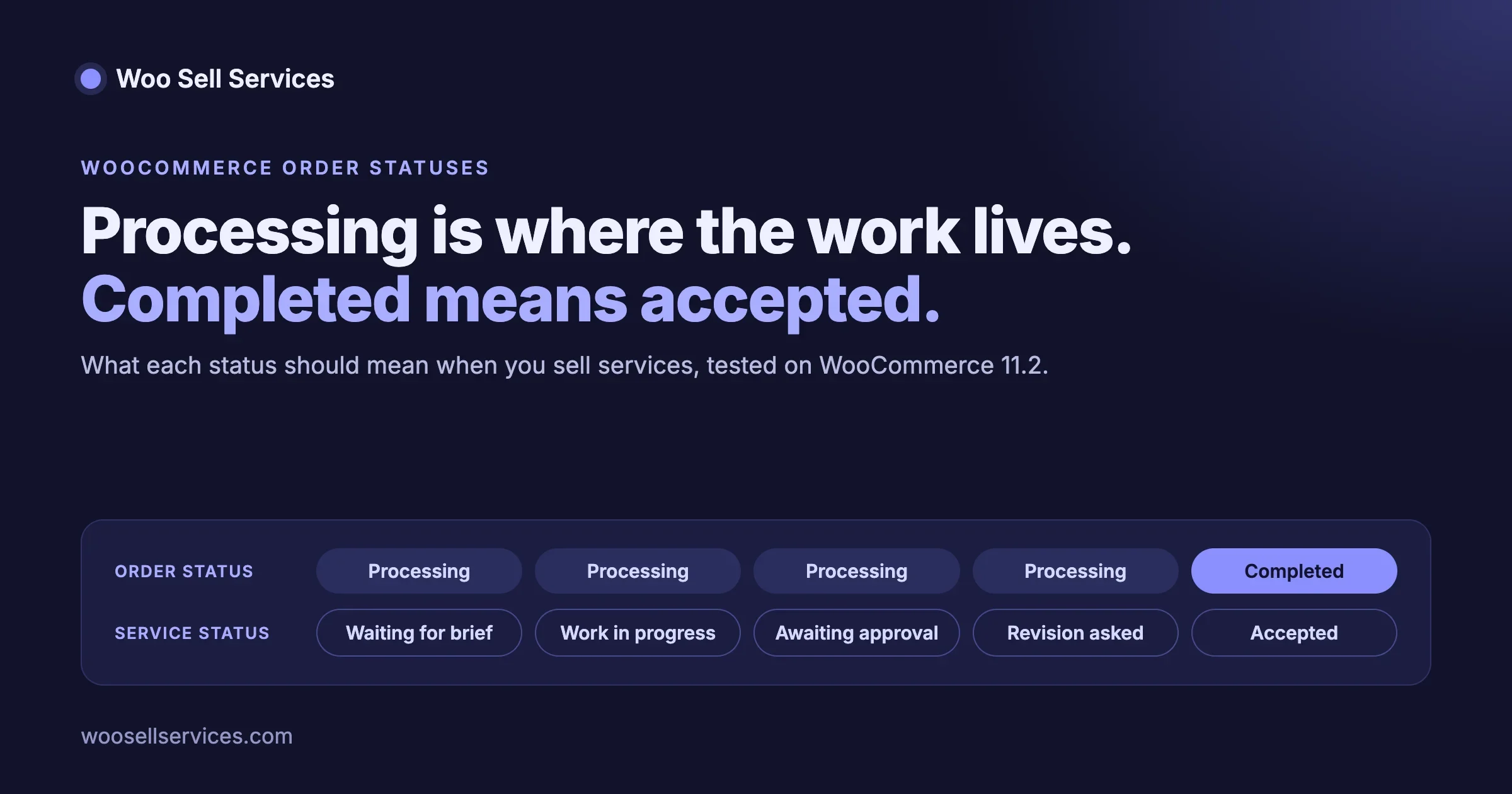
WooCommerce has Pending, On hold, Processing and Completed, and a service has its own status beside them. If you do not decide what each one means for service work, you will complete orders by hand and lose track. Our guide on order statuses for service work goes through each one, with three traps we tested.
4. A test order
Buy your own service in test mode. Fill in the form, send a message, deliver a file, mark it complete. Do it on a phone too. You will find at least one thing that reads badly to a buyer.
Where people go wrong
These are the patterns we see most often when someone picks a model that does not fit the work.
Quoting a job you could have priced
If you answer every enquiry with the same questions and a price from the same short list, you are doing the work of a product page by hand. The tell is a spreadsheet of past quotes where the numbers cluster. Turn the clusters into three tiers.
Pricing a job you cannot yet describe
The opposite mistake: putting a fixed price on work you have done twice. The first few jobs of a new kind should be quotes. Keep notes on hours and surprises. When three jobs in a row come in near the same size, write the product.
Milestones with no approval point
A stage that ends with “we are done, what next?” instead of “here is the file, please confirm” turns into an argument. Always end a stage with one named deliverable on the order.
A retainer with no allowance
“Unlimited support” sounds generous and costs you your margin. Name a number of hours or requests.
Mixing too many choices on one page
Four buying options on one product page is too many. Put the fixed-price product first, and link the quote form below it.
What about changes, cancellations and refunds?
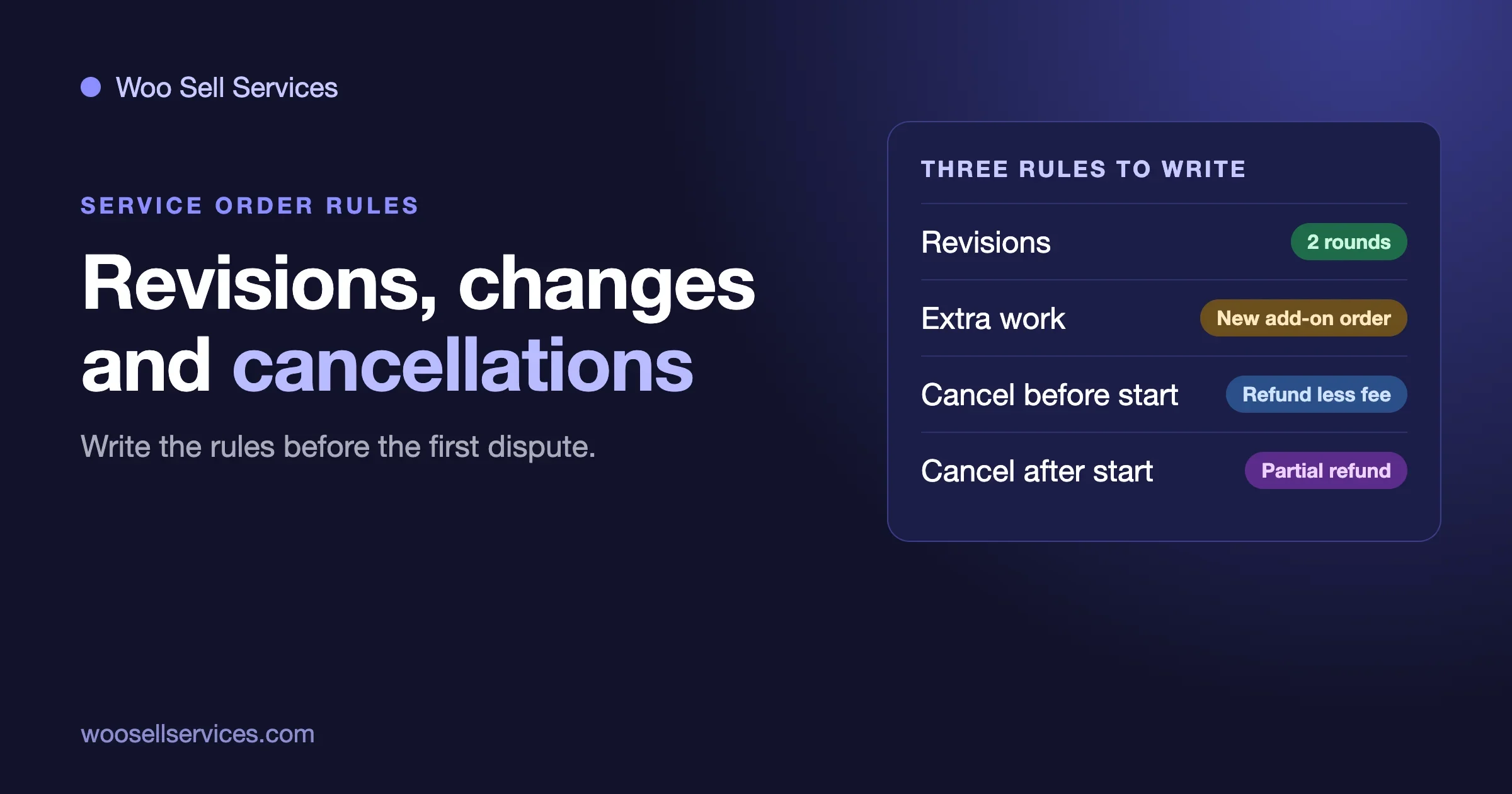
Every model has to answer what happens when the buyer changes their mind. The Woo Sell Services page does not describe a cancellation or refund process for service orders, and it does not mention revisions, though the buyer’s order list does separate active, completed and cancelled orders. Those rules are yours to write, and they should sit in the product description before payment. A short version that works across all four models:
- how many rounds of changes are included, and what a further round costs;
- what happens if the buyer cancels before you start, and after you start;
- how long the buyer has to approve a delivery;
- who to contact when something goes wrong.
Whatever you write, check it against the consumer rules where you and your buyers live, because they differ by country. We are not lawyers, and nothing here is legal advice. We cover these in detail in Revisions, Scope Changes and Cancellations on a WooCommerce Service Order.
The complete setup: all four models on one store with Woo Sell Services
You can run any of the four models with WooCommerce alone for the checkout, and then do the rest by email. Woo Sell Services is our add-on that moves the rest onto the order. This is how it fits each model, using only what its product page states (version 5.8.7, read on 23 October 2026).
Model | What the plugin gives you | What you still do yourself |
|---|---|---|
Fixed price | A Service checkbox on simple, variable, grouped and external products, an estimated delivery time, the brief asked after payment, chat, files and a status tracker on the order, then delivery and a rating. | Write the scope and the revision rule on the product page. |
Quote request | The same order flow once the agreed scope is sold as a product. The page does not mention quotes or custom offers. | A contact form in front, then a product or order at the agreed price. |
Milestones | Each stage can be its own service order with its own brief, date and delivery. The page does not mention milestones or deposits. | Create one product per stage, and send the next link after approval. |
Retainer | Where WooCommerce Subscriptions is active, a service can be sold on a recurring plan, with every renewal kept in one conversation thread. | Buy WooCommerce Subscriptions, and write the monthly allowance. |
The pieces that apply to every model
- Requirement questions answered after payment, with question sets you can save and reuse.
- A delivery date you can update later from the service page.
- Notifications to both sides, and an email to you on each new order.
- A final file attached at delivery, then a rating that syncs to the standard WooCommerce product review.
- A co-author or a support agent on a service or a single order.
- Compatibility with Dokan, WCFM and WC Vendors, so other people can sell services on your store.
What it costs
Every plan includes the full feature list, and the plan only sets the number of sites. Personal, for one site, is $59 a year or $199 lifetime. Professional, for five sites, is $129 a year or $299 lifetime. Agency, for unlimited sites, is $299 a year or $499 lifetime. The page says renewals after the first year are billed at 30 percent of the base price, and it offers a 30-day money-back guarantee. No free version is listed. See the pricing page for current figures, and the live demo to try it first.
The path from here
- Pick your first service and the model it fits, using the five questions above.
- Install Woo Sell Services on a staging copy, tick Service on the product and set the delivery time.
- Save a requirement question set, buy the service in test mode and run it to delivery.
- Go live with that one service, then add the others.
Once the model is chosen, write the revision, scope change and cancellation rules on the product page before the first sale.
Frequently asked questions
Can I sell services on WooCommerce without a plugin?
You can take payment, yes. Tick Virtual and the checkout works. Running the job (the brief, the chat, the delivery) then happens by email unless you add something. Our start-to-finish guide shows what changes when the order itself becomes the workspace.
Does Woo Sell Services do quotes or milestones?
Its product page does not mention either, so we do not claim them. It supports fixed-price services, including tiers built on variable products, and recurring services through WooCommerce Subscriptions. Quotes and milestones can be run around it as described above.
What does Woo Sell Services cost?
From the product page on 23 October 2026: Personal, for one site, is $59 a year or $199 lifetime. Professional, for five sites, is $129 a year or $299 lifetime. Agency, for unlimited sites, is $299 a year or $499 lifetime. Every plan has the same features; the plan only sets the number of sites. The page says renewals after the first year are billed at 30 percent of the base price. Prices change, so check the product page before you buy.
Can I mix a fixed price and a quote on the same store?
Yes, and many stores should. Keep the fixed-price product as the main route and use the quote form for the bigger jobs.
Which model is best for a new service business?
Fixed price, with one or two services you know well. It is the easiest to explain, the easiest to test, and it brings payment forward. Add a quote route once you start getting enquiries that do not fit.
Where to go next
Pick one service you already sell by email. Run the five questions. Write the scope in a paragraph and see whether it holds a price. If it does, make it a product this week and test it with one real customer.
If you want the order workspace described above (the brief, the chat, the delivery date, the hand-over) on your own WooCommerce store, see Woo Sell Services and the pricing page. If you need quotes, milestones or deposits built around your own process, our team can do that as custom work through a short discovery call.