How to Create a Multi-Vendor Service Marketplace Like Upwork


Upwork takes a service fee that scales down as a freelancer earns more from a single client, but it still owns the relationship, the reviews, the search algorithm deciding who gets seen, and the payment rails in between. Every service marketplace you’ll ever hear pitched as “the next Upwork” is really just an argument for cutting out that middle layer. Building your own version on WordPress is more work upfront than signing up for an existing platform, but it’s the only path where you own the vendor relationships and the commission structure. The data stays yours too, instead of living in someone else’s dashboard.
What You’re Actually Building
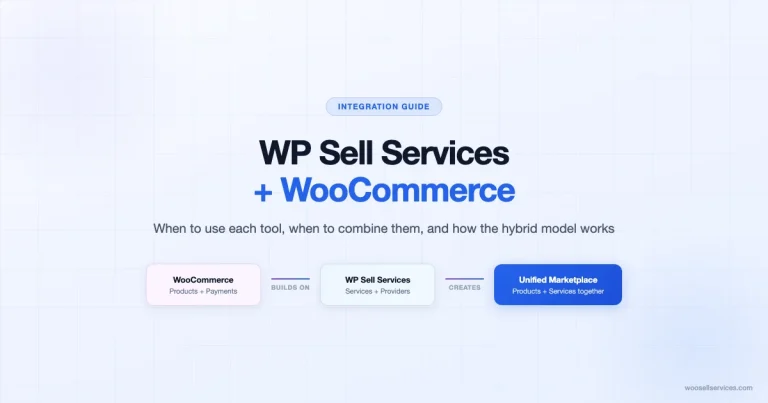
A multi-vendor service marketplace is three systems wearing one interface. There’s a place for vendors to list what they do, a place for buyers to find and pay for it. Underneath both sits an admin layer that keeps the whole thing from collapsing into chaos once more than a handful of vendors are active. WooCommerce provides the payment and product infrastructure. A multi-vendor plugin provides vendor accounts and dashboards. Woo Sell Services provides the layer neither of the first two has, the concept of a service order with milestones and a delivery-approval step, instead of a box that ships and is done.
Skip any one of the three and something breaks somewhere downstream, usually right when you have your first real spike in orders. WooCommerce alone has no concept of multiple independent sellers. A multi-vendor plugin alone has no concept of service delivery stages. Neither one alone handles the buyer-seller messaging a service transaction actually needs.
Why Build This Instead of Just Using Upwork
A centralized marketplace does one thing extremely well: it puts buyers and sellers in the same room without either side having to find the other independently. That’s real value, and it’s why Upwork-style platforms keep growing. But every transaction that flows through that room generates a fee, and every vendor relationship on that platform belongs to the platform, not to you.
Running your own marketplace flips the ownership. Commission you set stays with your business rather than a percentage disappearing to a third party. Vendor and buyer data accumulates as an asset you control, rather than living inside someone else’s analytics dashboard you can’t fully access. And scaling doesn’t hit an artificial ceiling imposed by someone else’s terms of service, you’re not competing for algorithmic visibility against thousands of other listings you don’t control.
The Tools That Make This Work
WooCommerce is the foundation, free and open source, handling the actual commerce layer: products, checkout, payment processing.
Woo Sell Services adds what WooCommerce is missing for service-based transactions: milestone tracking and an order workflow built around delivery and approval instead of shipping. Buyer-seller messaging is tied to each order too.
A multi-vendor plugin is what turns a single-seller WooCommerce store into an actual marketplace. Independent vendors register, list services, manage their own orders. The three established options are Dokan, WC Vendors, and WCFM Marketplace. They differ mainly in dashboard design and how deep their free tiers go, worth testing each on a staging site before committing, since switching later means migrating every vendor.
Payment infrastructure needs to support the commission split, not just a single seller’s payout, PayPal, Stripe, and WooCommerce Payments all work, but confirm your chosen multi-vendor plugin actually supports split payments before assuming it does.
Building It: Step by Step
Step 1: Get the Foundation Running
Install WordPress on reliable hosting, then install and activate WooCommerce from the plugin directory. Configure the basics, currency and payment methods, plus general store settings, before adding any of the marketplace-specific layers on top. Getting this right first saves you from debugging three plugins at once later.
Step 2: Install the Multi-Vendor Layer
Activate your chosen multi-vendor plugin and work through its vendor registration settings. Decide upfront whether registration is open to anyone or requires admin approval, open registration fills your marketplace faster, approval-gated registration protects quality while you’re still building a reputation. Set your commission rate here too, since changing it after vendors have already priced their services around the original rate creates friction you’d rather avoid.
Turn on vendor dashboards so each seller can manage their own listings and orders without needing you as a bottleneck for every update.
Step 3: Layer In Service-Specific Features
Install and activate Woo Sell Services. This is what makes the marketplace feel like Upwork instead of a product catalog with a “Services” category slapped on it. Turn on milestone tracking so vendors can break work into checkable stages, and enable the buyer-seller messaging panel. Configure email notifications for order status changes while you’re at it.
Step 4: Build Out Vendor Dashboards
A vendor who logs in and can’t figure out how to list a service or check their earnings will leave within a week, no matter how good your commission terms are. The dashboard needs to make listing services simple, order tracking visible without digging through menus, buyer communication accessible from the order itself, and payout status clear at a glance. If your multi-vendor plugin’s default dashboard is confusing, invest in cleaning it up before you invite your first real vendor, first impressions here determine retention more than almost anything else.
Step 5: Set a Commission Structure That Actually Works
Three models cover most marketplaces. A flat commission, the same percentage on every transaction, is simplest to explain and simplest for vendors to price around. A tiered commission, lower rates for higher-value services, rewards vendors for landing bigger contracts. A subscription fee, charging vendors a recurring cost for platform access regardless of sales volume, works better for marketplaces with a smaller number of high-earning vendors than for ones with many low-volume sellers.
Whichever you pick, publish it clearly. A vendor who discovers the real commission rate only after their first sale closes is a vendor who leaves a bad review on your marketplace before they leave the marketplace itself.
Step 6: Add the Features That Keep Both Sides Coming Back
Reviews and ratings let buyers vet vendors before committing, which reduces your own support burden since fewer buyers end up disappointed by a mismatch they could have avoided by reading feedback first. Search and filtering by category, price, or rating matters enormously once your catalog grows past a few dozen listings, a marketplace where buyers can’t narrow results is a marketplace where they give up and leave. A documented dispute and refund process protects both sides when a delivery goes wrong, and having it written down before the first dispute happens means you’re following a policy instead of improvising a decision that will set precedent for every dispute after it.
Step 7: Get Both Sides in the Door
A marketplace with buyers and no vendors is empty. A marketplace with vendors and no buyers is a ghost town from the vendor’s perspective, and they’ll leave fast. You need both moving at once, which usually means recruiting your first vendors directly, personal outreach, not a general “join our marketplace” post, while simultaneously running the SEO and paid acquisition work to bring buyers to the listings those vendors create.
Social promotion on LinkedIn and Twitter works well for reaching freelancers looking for a new platform. Referral incentives, a discount or fee waiver for vendors who bring in other vendors, compound faster than any single acquisition channel once the marketplace has real activity to point to.
Step 8: Watch the Numbers That Actually Predict Health
Active vendor count matters less than active vendor count with completed orders in the last 30 days, a vendor who registered and never got a sale isn’t contributing anything. Total orders completed and commission revenue tell you whether the economics work. Customer retention and repeat-buyer rate tell you whether the marketplace is building real loyalty or just capturing one-off transactions that won’t come back.
A Realistic Launch Sequence
Picture a founder building a niche marketplace for video editors, rather than trying to compete with Upwork’s everything-under-the-sun catalog. Month one: WooCommerce and Dokan installed, Woo Sell Services configured, commission set at 12%. Instead of opening registration publicly, the founder personally recruits eight editors from a Discord community she’s already part of, offering a reduced 8% commission for the first three months as an incentive to be early.
Month two: those eight vendors have eleven completed orders between them, mostly from the founder’s own network sharing the link. Two vendors flag that the milestone descriptions feel generic, so she rewrites the default milestone template specifically for video editing, rough cut, color and audio pass, final export, instead of the generic four-stage default the plugin shipped with.
Month three: word spreads inside the same editor community, and new vendor applications start arriving without direct outreach. That’s the actual signal a niche marketplace is working, not raw traffic, but vendors referring other vendors because the platform is treating them fairly.
Pricing Psychology for a Two-Sided Market
A marketplace has to price for two audiences simultaneously, and optimizing purely for one hurts the other. Commission set too high pushes vendors toward a competing platform, even a marginally worse one, because the math stops making sense for them. Commission set too low starves the business of the revenue needed to actually market the platform and bring buyers in, which then leaves vendors with no buyers to sell to anyway.
Most successful niche marketplaces land somewhere between 10% and 20% depending on the category, with lower rates common in categories where vendors have strong alternative options and higher rates sustainable where the marketplace itself is doing meaningful work to bring in buyers a vendor couldn’t reach alone. Test your specific number against actual vendor feedback rather than picking a round figure because it sounds reasonable.
Vendor Onboarding Is a Product Decision, Not an Afterthought
The first ten minutes a new vendor spends on your platform determines whether they finish setting up a listing or abandon halfway through. A registration flow that asks for twelve fields before a vendor can even see what the dashboard looks like loses people who would have stayed through a shorter, friendlier process. Ask for the minimum required to get a first listing live, then prompt for the rest, payout details, extended bio, portfolio links, after that first win, when the vendor already has some investment in finishing.
A short onboarding email sequence helps too. Send a welcome message with a direct link to create their first listing, then a check-in a few days later if they haven’t published anything yet. When their first order comes through, say so, a quick congratulations note costs nothing and it’s the kind of small gesture vendors remember. None of this requires custom development, most email marketing plugins handle triggered sequences like this natively.
Where New Marketplace Owners Usually Trip Up
Launching without enough vendors to give buyers real choice, so the first visitors see a thin catalog and never come back to check again. Setting commission too high out of the gate, which drives vendors toward whichever competing platform charges less, even a marginally worse one. Skipping the dispute policy until the first real dispute forces an improvised decision that then sets an awkward precedent. And underestimating how much ongoing moderation a marketplace needs, a platform is not a set-it-and-forget-it product, it’s an operating business with new problems every week.
Frequently Asked Questions
How many vendors do I need before launching publicly?
Enough that a buyer browsing a category sees genuine choice, not one listing. Ten to fifteen active vendors across your core categories is a reasonable soft-launch threshold; fewer than that and the catalog reads as empty even if the individual listings are strong.
Can I run this as a single-category marketplace, or does it need to be broad?
A focused, single-category marketplace is usually easier to launch and market than a broad one, because you can recruit vendors and buyers from the same niche community instead of building two audiences from scratch.
Which multi-vendor plugin should I start with?
There’s no universal answer, Dokan, WC Vendors, and WCFM Marketplace each have real users who prefer them. Test each on a staging install with your actual planned vendor workflow before committing, since migrating vendors between plugins later is disruptive.
Do I need developer help to set this up?
Not for the core setup, it’s plugin configuration, not custom code. A developer becomes useful for custom dashboard design or advanced commission logic beyond what the plugins offer natively.
How do I handle a vendor who consistently delivers late?
The milestone data you’re already collecting through Woo Sell Services makes this visible without guesswork. Set a documented threshold, say, three missed milestone estimates in a rolling 90 days, that triggers a review conversation, and apply it consistently rather than case by case. Vendors respect a clear standard even when it’s applied against them.
What happens if two vendors offer nearly identical services at wildly different prices?
Let buyers see both and decide, that’s the market working as intended. What you shouldn’t do is intervene on pricing directly, since vendors who feel their pricing autonomy is being managed by the platform tend to leave for one that doesn’t.
What Vendor Quality Control Actually Looks Like Day to Day
An admin who never checks in on vendor performance is running a marketplace by accident rather than by design. A simple weekly habit fixes most of this: scan the vendors with overdue milestones and the vendors with the most recent negative feedback. Reach out to both groups before either problem compounds into a pattern that damages the whole platform’s reputation. That check-in takes twenty minutes once the milestone and review data is actually visible, which is exactly why setting up that visibility early pays for itself many times over.
New vendors deserve a lighter touch than established ones. A first-time vendor who misses an early milestone estimate is usually still learning the platform’s rhythm, not being careless. A vendor with a long track record who suddenly starts missing deadlines is a different signal entirely, and probably worth a direct conversation about what changed.
How This Differs From Just Reselling Freelance Work
A marketplace is not the same business as a staffing agency, even though the surface pattern, connecting buyers to service providers, looks similar. An agency vets and manages every provider directly, taking on liability for the quality of every engagement. A marketplace is closer to infrastructure: you build the rails and set the rules. Quality gets sorted through reviews and repeat business, not through you personally vouching for each vendor.
That distinction matters for how you write your terms of service and how you respond when something goes wrong. A marketplace owner who starts personally guaranteeing every vendor’s work has effectively become an agency without pricing for the liability that comes with it.
Building Something You Actually Own
A multi-vendor service marketplace built on WooCommerce, a vendor plugin, and Woo Sell Services takes real setup work, more than signing up for Upwork as a freelancer, obviously, and more than most first-time marketplace builders expect going in. What you get in exchange is a platform where the commission structure and the vendor relationships belong to your business. So does the buyer data, instead of living in someone else’s dashboard. Start with the tools running and one clear commission model. Add a handful of committed early vendors, and the marketplace grows from there. Momentum in a two-sided market builds slowly at first, then compounds once vendors start referring vendors and buyers start returning without being asked.
Interesting Reads:
Best Payment Gateways to Sell Services Online Using WooCommerce