How to Sell Subscription-Based Services Using WooCommerce


Ask any freelancer why the good months feel so different from the slow ones, and the honest answer is usually pipeline anxiety. A one-time service sale means starting from zero every month. A subscription means the previous month’s client is still paying you while you go find the next one. That distinction alone explains why so many service businesses, SEO agencies, website maintenance shops, ongoing coaching practices, eventually restructure their pricing around recurring billing instead of one-off invoices. WooCommerce can support that model, but only once you add the pieces that turn a single purchase into a managed, recurring relationship.
Why Recurring Beats One-Off for Most Service Businesses
The revenue predictability is the obvious draw. Knowing that $8,400 is coming in next month because forty clients are on a $210 monthly retainer changes how confidently you can hire, invest in tools, or simply plan your own finances. One-off service sales never give you that certainty, you’re always one slow month away from a cash crunch.
Retention compounds that predictability further. A subscriber who’s been billed automatically for six months has crossed a psychological threshold that a one-time buyer never reaches; canceling requires an active decision, while continuing requires nothing at all. That default-to-continue effect is a large part of why subscription businesses show meaningfully higher lifetime value per customer than transactional ones, even when the per-unit price looks similar on paper.
It also changes how much effort goes into finding new business. A service seller doing one-off work has to fill their pipeline constantly. A service seller with a base of recurring subscribers spends more of their time and marketing budget growing that base instead of just replacing churned revenue.
The Two Plugins That Make This Work
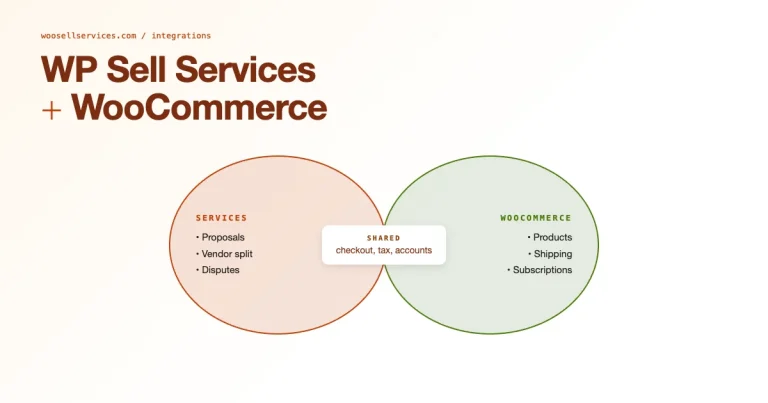
WooCommerce Subscriptions handles the billing mechanics, recurring charges, automated renewals, failed-payment retry logic, and the subscriber’s ability to manage their own plan from a self-service dashboard rather than emailing you every time they want to pause or cancel.
Woo Sell Services handles what a subscription plugin alone doesn’t: the actual service delivery layer. Milestone tracking and buyer-seller messaging give a recurring service the same structure a one-time service order gets. Delivery confirmation does too, instead of leaving “what does this subscriber actually receive each month” undefined.
Run both together and you get recurring billing plus a real operational record of what’s been delivered against that billing, useful for your own tracking and essential if a subscriber ever disputes what they paid for.
Setting Up Subscription-Based Services: Step by Step
Step 1: Install the Foundation
Install WooCommerce from the plugin directory if it’s not already running, then install and activate WooCommerce Subscriptions and Woo Sell Services on top of it. Configure the basic store settings before touching subscription-specific options.
Step 2: Build a Subscription Product
Go to WooCommerce → Products → Add New. Write a title and description that describes the ongoing service clearly, not just a single deliverable, a subscriber needs to understand what recurs, not just what they get once. Choose the product type: Simple Subscription for a single recurring offer, or Variable Subscription if you’re running multiple tiers off one listing.
Set the recurring payment details next: the price, the billing period (monthly is most common, but quarterly or annual fits some service types better), an optional free trial if you want to lower the barrier to a first commitment, and an optional sign-up fee if there’s real onboarding work involved in the first month specifically. Connect a payment method that actually supports recurring charges, Stripe and PayPal both do, then publish.
Step 3: Wire Up Woo Sell Services for Delivery
Go to WooCommerce → Woo Sell Services Settings and turn on order tracking and service milestones. Enable buyer-seller messaging while you’re there. Make sure your subscription products are configured to work with this layer, so every billing cycle generates a trackable service order instead of just an invoice with nothing attached to it.
Step 4: Define What Actually Happens Each Cycle
This is the step that separates subscriptions that retain well from ones that churn fast. Break the recurring service into concrete phases, onboarding in month one, then a repeating cycle of weekly reports, monthly strategy calls, or whatever the actual deliverable is. Set a deadline expectation for each phase and turn on automated notifications so the subscriber knows what happened this cycle without having to ask. Let them review and approve deliverables where that makes sense, the same way a one-time service order would work.
Step 5: Keep the Relationship Alive Between Billing Dates
A subscription that’s silent between charges feels like being billed by a stranger. Automatic email notifications for every status update prevent that silence. In-dashboard messaging keeps clarifying questions inside the platform instead of scattered across email threads. File sharing through the same channel means project updates don’t get lost in someone’s downloads folder three months later.
Getting Subscribers to Stay Longer
Give Them a Ladder, Not One Flat Price
A Basic plan at $49 a month and a Premium plan at $99 with meaningfully more included lets subscribers self-select into the tier that fits their actual usage, and gives you a natural upsell path once someone on Basic starts asking for things Premium already covers.
Reward Commitment
A yearly plan priced at a 10 to 15 percent discount against monthly billing gives price-sensitive subscribers a reason to commit longer, and it locks in revenue further out than a month-to-month subscriber ever guarantees.
Make Upgrading a Non-Event
A subscriber who wants more shouldn’t have to cancel and re-subscribe. One-click upgrades that carry over billing history and don’t interrupt service keep that moment of “I need more” from turning into a moment of friction that makes them reconsider the whole relationship.
Turn Existing Subscribers Into Recruiters
A discount or free month for subscribers who refer someone who signs up costs you less than paid acquisition typically does, and a referred subscriber usually arrives with more trust already built in than someone who found you through an ad. Make the referral link easy to find inside the subscriber dashboard itself, not buried in a one-time welcome email nobody remembers.
What to Actually Track
Active subscription count tells you the current size of the recurring base. Churn rate, the percentage of subscribers who cancel in a given period, tells you whether that base is growing or quietly leaking. Revenue trends over time tell you whether the business is actually compounding or just replacing lost subscribers with new ones at the same pace. And direct subscriber feedback, collected regularly rather than only when someone’s about to cancel, tells you what to fix before it shows up as churn.
A churn rate that looks fine in isolation can still be a problem if it’s rising month over month. Watch the trend, not just the snapshot, a single bad month tells you almost nothing on its own.
A Realistic Example: An SEO Retainer
Take an SEO consultant moving from one-off audits to a $400 monthly retainer. Month one gets structured as onboarding: a full site audit and keyword research, wrapped up in a written strategy document. That whole package ships as one milestone the client reviews and approves before anything else starts. That approval step matters, it’s the moment the client sees concrete value before the second charge ever hits their card.
Every month after that follows a repeating cycle: a mid-month check-in message through the platform, then a ranking and traffic report delivered by the 28th. A short call gets added in if the client’s plan includes one. Nothing about that cycle is left to memory. Woo Sell Services turns each month into its own trackable order with its own milestone, so both sides have a record of exactly what was delivered when, which matters enormously if a client ever questions what they’ve been paying for six months in.
By month four, the consultant notices two clients asking about link building, something outside the base retainer. That becomes a Premium tier addition rather than a scope-creep favor done for free, the subscription structure makes it natural to price an expansion instead of just absorbing extra work.
Handling Cancellations Without Losing the Relationship Entirely
A subscriber who cancels isn’t necessarily gone for good, but only if the cancellation experience doesn’t burn the relationship on the way out. A cancellation flow that makes the process needlessly difficult, hidden buttons, required phone calls, guilt-heavy copy, generates resentment and bad reviews far more than it generates saved subscriptions. Make canceling straightforward, but use the moment to ask a genuine, short question about why, since that feedback is some of the most useful data a subscription business ever collects.
A win-back sequence a month or two after cancellation, offering a discount or highlighting what’s changed since they left, recovers a meaningful share of subscribers who canceled over a temporary issue rather than a permanent decision to leave. This only works if the original cancellation experience didn’t leave them annoyed enough to ignore anything you send afterward, which is one more reason a cheap, dismissive cancellation flow costs more than it looks like it saves.
Pricing a Subscription Versus Pricing a One-Off Service
The math behind subscription pricing works differently than one-off pricing, and treating them the same is a common early mistake. A one-off service gets priced against the value of that single deliverable. A subscription gets priced against the value delivered across the expected lifetime of the relationship, discounted for the real possibility of churn along the way.
That means a monthly price that looks low compared to an equivalent one-off engagement can still be the right call, because the business is betting on retention over several months rather than needing to recover full value in a single transaction. Model out a rough expected lifetime, even a conservative six-month average, before finalizing a subscription price, rather than picking a number that only makes sense if every subscriber stays forever. Most first-time subscription sellers skip this step and price on gut feel, then wonder months later why the margins don’t hold up once churn is factored in.
Where Subscription Services Commonly Go Wrong
Selling the subscription without defining what actually happens each billing cycle, so subscribers pay and then wonder what they’re paying for. Treating the free trial as a formality instead of the moment that actually determines whether someone converts to paid, a mediocre trial experience kills conversions before the first real charge ever happens. Ignoring failed payments until a subscriber quietly churns from a declined card rather than an actual cancellation decision; a good retry sequence and a friendly dunning email recover a meaningful share of those. And under-communicating between billing cycles, which leaves the relationship feeling transactional instead of ongoing.
Frequently Asked Questions
Should every service be offered as a subscription, or only some?
Only services with genuine recurring value, ongoing maintenance, coaching, reporting, content work. Forcing a one-time service like a single website build into a subscription structure confuses buyers who correctly sense the work doesn’t actually recur.
What happens when a payment fails?
WooCommerce Subscriptions handles automatic retry attempts on a schedule you configure, paired with an email to the subscriber explaining what happened and how to update their card. Most failed payments are expired cards, not intentional cancellations, and get resolved without you doing anything manual.
How long should a free trial run?
Long enough for the subscriber to experience real value, short enough that they haven’t lost momentum before converting. For most service subscriptions, seven to fourteen days works better than a full month, which tends to let interest cool before the decision point arrives.
Can subscribers pause instead of canceling?
If your setup supports it, offering a pause option instead of forcing an outright cancel captures subscribers going through a temporary lull rather than losing them permanently. It’s worth configuring if your plugin allows it.
Should I require an annual contract, or keep everything month-to-month?
Month-to-month is usually the better default for a new subscription offer, because a long lock-in scares off buyers who haven’t yet proven to themselves the service is worth it. Introduce an annual option once you have retention data showing subscribers who make it past month three tend to stay much longer, that’s the point where the discount starts making sense for both sides.
How do I price a sign-up fee without scaring off new subscribers?
Only charge one if there’s genuine onboarding work behind it, and say exactly what that work covers on the checkout page. A sign-up fee with no explanation reads as a hidden cost; one described as “includes a full audit and 90-day strategy plan” reads as value.
What’s a healthy monthly churn rate for a service subscription?
It varies by category, but under 5% monthly is a reasonable target for most service subscriptions. Above 10% monthly usually signals a real problem with the offer, the onboarding, or the ongoing communication, worth investigating before adding more top-of-funnel spend to compensate.
Onboarding a Subscriber So the First Month Actually Sticks
The first 30 days of a subscription determine whether a customer stays for six months or cancels before the second charge ever hits. A rushed or confusing onboarding, no welcome message, no clear explanation of what happens next, leaves a new subscriber uncertain whether they made the right call, and uncertainty is exactly what drives early cancellations.
A short onboarding sequence fixes most of this: a welcome message confirming what’s included and when the first deliverable arrives, plus a check-in partway through the first cycle to catch confusion early. A direct invitation to ask questions through the messaging panel matters too, rather than assuming silence means satisfaction. None of it requires custom development, just a few minutes of setup inside the tools already running.
Communicating a Price Increase Without Losing the Base
Every subscription business eventually has to raise prices, and how that increase gets communicated determines whether it triggers a wave of cancellations or barely registers. Give existing subscribers real advance notice, 30 days at minimum, rather than a surprise on their next statement. Explain what’s changed or improved since the original price was set, even briefly, so the increase reads as a reflection of added value rather than an arbitrary money grab.
Grandfathering longtime subscribers at their original price for a defined period, rather than forcing an immediate jump, softens the transition considerably. It signals that loyalty is worth something concrete, not just something you say in marketing copy. It costs you some short-term revenue but protects the retention numbers that make the subscription model worth running in the first place.
Building Revenue That Doesn’t Reset to Zero Every Month
None of this requires a large team or a big software budget to run properly, which is exactly why so many small service businesses have made this shift over the past few years. Subscription-based services on WooCommerce turn a business that constantly restarts from empty into one that compounds. WooCommerce Subscriptions handles the billing. Woo Sell Services handles making sure subscribers actually know what they’re getting each cycle. Get both running and define the recurring deliverable clearly from day one. The retention work that follows becomes about keeping a promise you’ve already made explicit, rather than guessing at what subscribers expected.
Interesting Reads:
Fiverr vs. Your Own Website: Why Building Your Service Marketplace is Better