Tips To Sell Services on Website


A service page and a product page are not the same animal, even though most website builders treat them identically. A product page has to answer “what is this and how much.” A service page has to answer that plus something harder: “can I trust this person with my problem.” That second question is why so many service businesses with decent traffic still struggle to convert visitors into paying clients, the site looks fine, the pricing is clear, but nothing on the page actually earns trust.

Layout Decides Whether Visitors Stay Long Enough to Trust You
Before a visitor reads a single word of your service description, they’ve already formed an impression from the layout. A page that loads slowly, feels cluttered, or buries the actual offer under three scrolls of stock photography reads as amateur no matter how good the underlying service is. Clean navigation and a clear service headline above the fold aren’t decoration. Neither is load speed. Together they’re the baseline that earns you the chance to make your case at all.
Mobile responsiveness deserves specific attention here, not a general nod. More than half of service searches now happen on a phone, and a desktop-only layout that breaks on mobile loses that visitor before they’ve read your first sentence.
Testimonials Do More Work Than Your Copy Ever Will
You can describe your own service as excellent all day; a stranger describing it that way is worth ten times as much. That’s the entire logic behind social proof, and it’s why testimonials belong prominently on service pages rather than buried on a separate “reviews” page nobody clicks.
Vague testimonials don’t do much. “Great service, highly recommend” could be about anything. A testimonial that names the specific problem solved, “fixed our checkout abandonment issue within a week, conversions up 18%”, reads as real because it’s specific enough that it couldn’t be fabricated in thirty seconds. If you don’t have testimonials like that yet, go back to your last five clients and ask a pointed question instead of “how was it,” something like “what specifically changed after we finished.” The answers you get will write your testimonials for you.
Star ratings and trust badges add a visual shortcut for visitors who are scanning rather than reading closely, which describes most first-time visitors.
Pricing Transparency Beats Mystery Every Time
“Contact us for a quote” filters out serious buyers along with the tire-kickers, because most visitors read hidden pricing as a sign the price is either high or negotiable, and they’d rather not find out which by starting a conversation. Publishing real numbers, or at least a real starting range, keeps unqualified visitors from wasting your time while giving qualified ones enough information to actually decide.
Comparison tables help when you have more than one package, because a visitor comparing three tiers side by side makes a faster decision than one scrolling through three separate paragraphs trying to hold the differences in their head. And if pricing genuinely varies by scope, a dedicated FAQ addressing “why isn’t pricing listed” beats silence, because it shows you anticipated the question instead of dodging it.
Booking and Payment Have to Be Nearly Frictionless
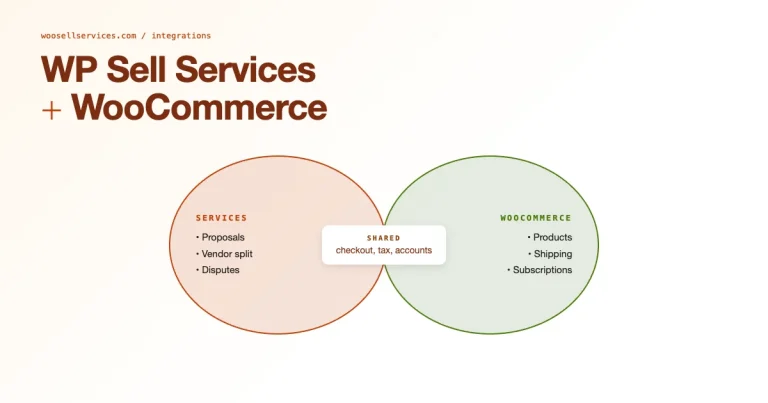
Every extra click between “I want this” and “I’ve paid for this” loses a percentage of visitors who were genuinely ready to buy. Tools like WooCommerce, paired with a service-focused plugin, turn a multi-step manual process into something that works the way a modern checkout should, select a service, pick a time if relevant, pay, done.
Offer more than one payment method, because a visitor who only trusts PayPal and finds only a credit card field will abandon rather than dig out a card. And send an instant confirmation the moment a booking or purchase completes, the two or three minutes of silence after checkout, before any confirmation arrives, is exactly when buyer’s remorse creeps in and refund requests get typed.
SEO Gets You Found by People Already Looking
Social proof and clean checkout don’t matter if nobody reaches the page in the first place. Search visibility is what brings in visitors who are actively looking for what you offer, rather than visitors you have to convince a service like yours even exists.
Service-specific landing pages, each optimized for the actual language a prospect searches, outperform one generic “our services” page trying to rank for everything at once. A page titled and structured around “WordPress migration service” ranks for that search far better than a paragraph about migrations buried inside a broader services page. Local SEO matters just as much if your service has any geographic component, a plumber, a consultant who does in-person work, a photographer, because “near me” searches convert at a noticeably higher rate than generic ones.
Calls to Action Should Tell People Exactly What Happens Next
“Learn More” tells a visitor nothing about what clicking it does. “Book Your Free 15-Minute Consultation” tells them exactly what happens and how long it takes. It also tells them it costs nothing to start. Specific action language consistently outperforms vague action language, because it removes the small moment of uncertainty that makes someone hesitate and close the tab instead.
Placement matters as much as wording. A CTA that only appears at the very bottom of a long page misses every visitor who decided within the first thirty seconds and didn’t feel like scrolling to find out how to act on that decision. Repeat the CTA at natural breakpoints instead of hoping visitors scroll all the way down. And make it visually distinct, a button that blends into the surrounding design might as well not exist.
Blog Content Builds Authority Before the Sale, Not After
A prospect who reads three genuinely useful articles on your site before ever looking at your service page arrives at that page already halfway convinced. That’s what content marketing actually does for a service business, it’s not traffic for traffic’s sake, it’s pre-selling through demonstrated expertise.
Write about the specific problems your ideal client is Googling at 11pm, not generic industry news nobody searches for. Share those posts where your audience already spends time rather than assuming they’ll stumble onto your blog on their own.
Keep the Site Current or It Starts Working Against You
A service page with a testimonial dated three years ago, or a “2023 pricing” note nobody removed, signals neglect even if the business behind it is thriving. Update service pages with new results and fresh testimonials regularly, and keep the blog active. Refresh the visual design every couple of years too, so the site doesn’t read as a relic of an earlier era of your business.
Customer Support Sells the Next Client, Not Just the Current One
The way you handle a support question during the sales process often matters more than the eventual outcome of that question. A prospect who emails with a concern and gets a thoughtful, fast reply is more likely to book than one who gets the same eventual answer three days later. Live chat closes that gap for visitors who want an answer before they’ll commit to filling out a longer contact form.
Following up after a purchase matters just as much as answering before one. A client who hears from you again after the service is delivered, a quick check-in, not a sales pitch, is more likely to become a repeat client and more likely to leave that specific, detailed testimonial your next visitor needs to see.

A Before-and-After Worth Studying
Take a hypothetical freelance web developer’s service page before a rework. Headline: “Professional Web Development Services.” Below it, three paragraphs of dense text about “cutting-edge solutions” and “client satisfaction,” no pricing, a contact form buried at the bottom, and two testimonials that read “Great to work with!” and “Highly recommend.” Traffic exists, but almost nobody converts, because nothing on the page differentiates this developer from the other twenty tabs the visitor has open. It’s a common trap: the business owner assumes the problem is a lack of traffic and spends more on ads, when the actual problem was sitting on the page the ads were sending people to.
Now the same business after a rework. Headline: “WordPress Site Rebuilds, Delivered in 3 Weeks, Starting at $2,400.” Below it, one clear paragraph on what’s included, a comparison table showing three package tiers, two specific testimonials naming real results, and a “Book a Free Scope Call” button that repeats twice on the page. Same developer, same skill level, dramatically different conversion rate, because the second page answers every question a skeptical visitor actually has, instead of making them dig or guess.
Trust Signals Beyond Testimonials
Testimonials carry the most weight, but they’re not the only trust signal worth building into a service page. A visible business address and a real phone number, even for a fully remote service, read as more legitimate than a contact form with no other identifying information. Industry certifications or partner badges matter when they’re relevant to the specific service, a certification that has nothing to do with what you’re selling just adds clutter.
Case studies do heavier lifting than testimonials for higher-ticket services, because a prospect deciding on a $5,000 engagement wants to see the actual before-and-after numbers, not just a satisfied quote. A short case study, problem, approach, result, in three tight paragraphs, does more to justify a higher price point than any amount of persuasive copy around the price itself.
The Mistake of Copying a Competitor’s Page Structure
It’s tempting to look at a competitor’s service page and mirror the structure, on the theory that if it works for them it’ll work for you. That logic breaks down because their trust signals and pricing psychology don’t transfer to your site. Neither does their actual client base. A competitor charging premium prices might get away with hidden pricing because their brand already carries weight; a newer business copying that same hidden-pricing approach loses visitors who have no existing reason to trust them enough to ask.
Study competitor pages for structural ideas, not for direct templates. What matters is whether your own page answers your own visitors’ specific hesitations, which requires actually knowing what those hesitations are, usually by asking past clients what almost stopped them from booking.
What This Looks Like Put Together
None of these tactics do much in isolation. A gorgeous layout with vague testimonials still won’t convert. Transparent pricing on a slow, cluttered page still won’t convert. What moves the needle is the combination: a visitor lands on a fast page, immediately understands the offer, sees a specific testimonial that mirrors their own situation, checks the pricing without having to ask, and hits a checkout that takes under a minute. Every piece removes one more reason to hesitate.
Measuring Whether Your Changes Actually Helped
Redesigning a service page based on gut feeling is a coin flip. Redesigning it and then watching what actually happens is how you know whether the changes worked. Track the basics before and after any change: bounce rate, time spent on the page. Then watch the number that actually matters, the percentage of visitors who reach the checkout or contact step. A page that keeps visitors longer but doesn’t convert them any better than before probably added interesting content without fixing the actual friction point.
Run changes one at a time when you can. Rewriting the headline and adding testimonials in the same week you also change the pricing display makes it impossible to know which change moved the number. It’s slower, but it’s the only way to actually learn what your specific audience responds to instead of guessing forever.
Frequently Asked Questions
How many testimonials should a service page have?
Three to five specific ones outperform a wall of ten generic ones. Depth beats volume here, one detailed testimonial that mirrors a visitor’s exact situation does more than five that could apply to any business.
Should pricing be exact or a range?
An exact price converts better when your service is standardized. A range makes more sense when scope genuinely varies, but even then, publish the range rather than hiding it behind a contact form.
Does live chat actually increase conversions, or is it just a support cost?
For service businesses specifically, it tends to pay for itself, because service purchases involve more hesitation than product purchases and a quick answered question often is the difference between a booking and an abandoned tab.
How often should service page content be updated?
Review it quarterly at minimum. Check that testimonials are recent and pricing is current, and make sure nothing references a past year that makes the page look stale.
What’s a reasonable conversion rate to aim for on a service page?
It varies enormously by industry and price point, which is why chasing an industry benchmark number is less useful than tracking your own page against its own past performance. A 2% conversion rate that’s climbing from 1% is a better sign than a static 4% that hasn’t moved in a year.
Is a video better than a written testimonial?
Generally yes for trust, because video is harder to fake convincingly and it lets a visitor read tone and body language. It’s not a replacement for written testimonials, though, some visitors skim text and skip video entirely, so having both covers more of your audience.
Should every service have its own dedicated page?
If you offer more than two or three distinct services, yes. A shared page trying to sell five different things dilutes the message for all of them and makes it harder to rank for any single search term.
Small businesses often assume conversion optimization is something only large companies with dedicated analytics teams can afford to do properly. It isn’t. Checking bounce rate on one page and reading five past client emails for the phrases they actually used to describe your work costs nothing but an afternoon, and it’s usually enough to spot the single biggest gap between what your page says and what your actual clients care about.
Turn Your Website Into a Client-Generating Asset
Nobody gets this fully right on the first attempt, and that’s fine, the page you publish today is a draft you’ll revise once real visitor behavior tells you where the friction actually is. A service-selling website that actually converts isn’t the result of one clever trick. It’s the layout, the proof, the pricing clarity, and the checkout experience all pulling in the same direction, backed by content that earns trust before the sale ever happens. Fix the weakest link on your current page first, for most sites, that’s either vague testimonials or hidden pricing, and the rest compounds from there. Pick one thing this week, not the whole list at once.
Handling the First Impression Before Anyone Reads a Word
A visitor forms a snap judgment about your service page before consciously reading anything on it, based purely on how the page loads and looks in the first second or two. A hero image that takes three seconds to appear, or a layout that visibly shifts as elements load in, reads as unpolished even if the eventual content is excellent. Test your own service page on a throttled connection occasionally, not just on your fast office wifi, since a meaningful share of visitors are browsing on something slower than what you’re testing with.
That first-second impression compounds with everything that follows. A visitor who already feels a flicker of doubt from a sluggish page load reads your pricing and testimonials more skeptically than one who arrived confident the site knows what it’s doing.
Interesting Reads
How to Use WooCommerce to Sell Your-Services