Top 12 WooCommerce Registration & Ordering Process Plugins to Boost Your Store in 2026


When it comes to running a successful e-commerce store, user experience is critical. A smooth registration and ordering process can turn casual visitors into loyal customers, reduce cart abandonment, and boost overall sales. In 2026, choosing the right WooCommerce Registration & Ordering Process plugins can make a significant difference in your store’s performance.
WooCommerce, one of the world’s most popular e-commerce platforms, offers a wide range of plugins designed to enhance every step of the customer journey. From simplifying account creation and enabling guest checkout to streamlining the checkout process and order confirmation, these plugins ensure a seamless and enjoyable shopping experience for your customers.
📑 Table of Contents
- →Why WooCommerce Registration & Ordering Process Plugins Matter
- →Quick Comparison Table
- →Top Registration & Ordering Plugins for WooCommerce
- →1. YITH WooCommerce Custom Order Status
- →2. YITH WooCommerce Wishlist
- →3. WooCommerce Social Login
- →4. WooCommerce Guest Checkout
- →5. WooCommerce Registration Extension by WPExperts
- →6. WooCommerce One Page Checkout
- →7. YITH WooCommerce Account Funds
- →8. WooCommerce PDF Invoices & Packing Slips
- →9. WooCommerce Checkout Manager
- →10. WooCommerce Multistep Checkout
- →11. WooCommerce Checkout Field Editor
- →12. WooCommerce Order Delivery
- →Frequently Asked Questions
- →Boost Your WooCommerce Store with These Plugins

Why WooCommerce Registration & Ordering Process Plugins Matter
The main goal of any WooCommerce store is to deliver a seamless, user-friendly experience. If potential customers struggle to register, log in, or complete a purchase, they are more likely to abandon their carts and leave your site. Optimizing the registration and ordering process is essential to reduce friction, boost conversion rates, and enhance overall customer satisfaction.
Using the right WooCommerce Registration & Ordering Process plugins, you can simplify every stage of the user journey. From effortless account creation and guest checkout options to smooth order review and confirmation steps, these tools ensure your customers have a hassle-free shopping experience.
A streamlined registration and ordering workflow not only reduces cart abandonment but also encourages repeat purchases, builds trust, and drives long-term engagement for your online store.
Quick Comparison Table
| Plugin | Best For | Key Features | Pricing | Rating |
|---|---|---|---|---|
| YITH Custom Order Status | Complex fulfillment processes | Custom statuses, order tracking, customer notifications | Premium | ⭐⭐⭐⭐⭐ 4.8/5 |
| YITH Wishlist | Increasing return visits | Save products, share lists, wishlist widgets | Free + Premium | ⭐⭐⭐⭐⭐ 4.7/5 |
| Social Login | Quick registration | Facebook, Google, Twitter login, one-click auth | Free | ⭐⭐⭐⭐ 4.3/5 |
| Guest Checkout | Reducing cart abandonment | No registration required, optional account creation | Free | ⭐⭐⭐⭐ 4.5/5 |
| Registration Extension | Custom registration forms | Custom fields, conditional logic, data collection | Free | ⭐⭐⭐⭐ 4.4/5 |
| One Page Checkout | Simplified checkout | Single-page process, reduced steps, faster conversion | Premium ($79) | ⭐⭐⭐⭐⭐ 4.6/5 |
| YITH Account Funds | Recurring purchases | Wallet system, fund deposits, flexible payments | Premium | ⭐⭐⭐⭐ 4.5/5 |
| PDF Invoices | Professional documentation | Auto-generated invoices, packing slips, custom branding | Free + Premium | ⭐⭐⭐⭐⭐ 4.8/5 |
| Checkout Manager | Maximum customization | Field management, conditional fields, validation rules | Free + Premium | ⭐⭐⭐⭐ 4.4/5 |
| Multistep Checkout | Breaking down complex checkouts | Step-by-step process, progress indicators, mobile-friendly | Premium | ⭐⭐⭐⭐ 4.3/5 |
| Checkout Field Editor | Field customization | Add/edit/remove fields, drag-and-drop, field types | Free + Premium | ⭐⭐⭐⭐⭐ 4.7/5 |
| Order Delivery | Flexible delivery options | Date/time picker, delivery scheduling, calendar integration | Premium | ⭐⭐⭐⭐ 4.5/5 |
Top Registration & Ordering Plugins for WooCommerce
In 2026, optimizing the registration and ordering process is crucial for improving user experience and boosting conversions. Here are the top WooCommerce Registration & Ordering Process plugins to enhance your store’s performance.
1. YITH WooCommerce Custom Order Status
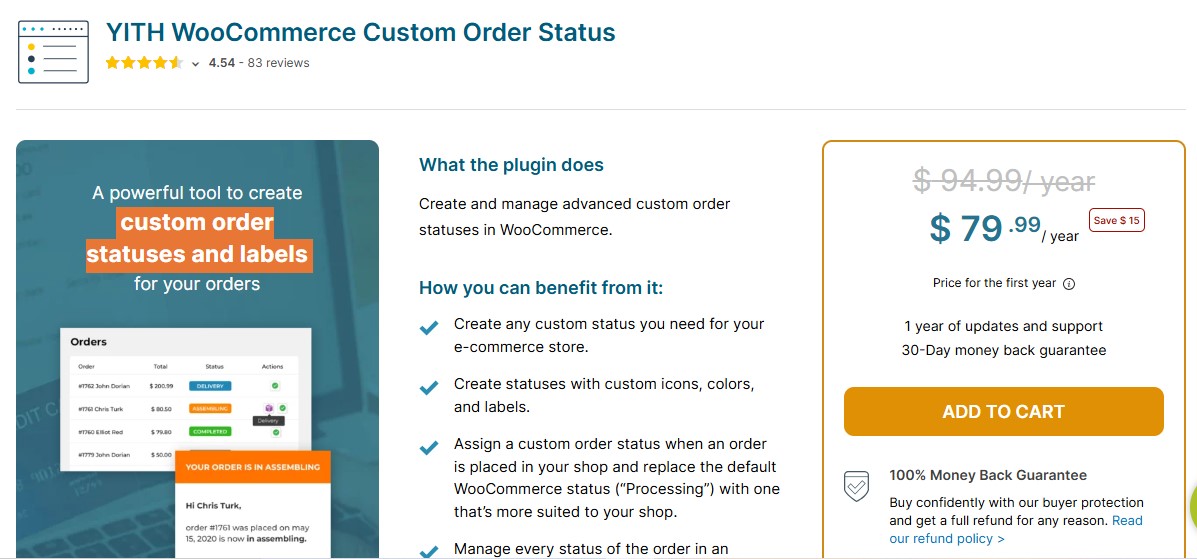
Order status is a vital aspect of the ordering process. The YITH WooCommerce Custom Order Status plugin allows you to create and manage custom order statuses, making it easier to keep your customers informed throughout the order process.
This plugin enhances the customer experience by providing clear updates at every stage of the order. It’s especially useful for stores with a more complex order fulfillment process, where standard statuses like “processing” or “completed” aren’t enough to describe the order’s actual status.
By keeping customers in the loop, you can reduce inquiries, increase trust, and improve the overall shopping experience.
2. YITH WooCommerce Wishlist
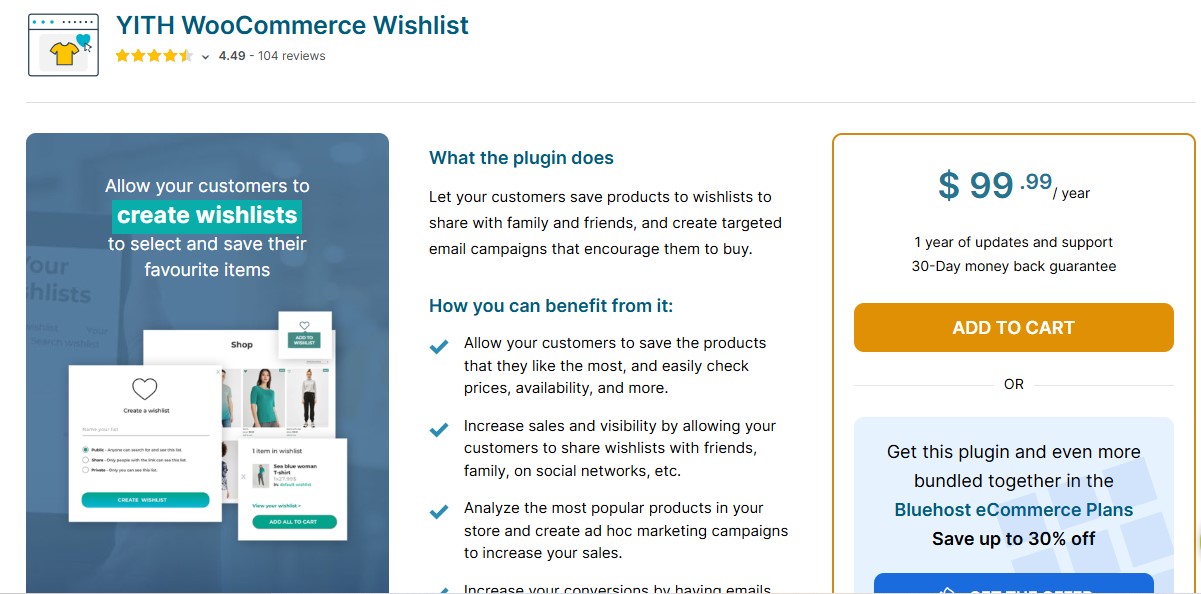
A YITH WooCommerce Wishlist lets your customers save their favorite products for later, improving the overall ordering experience. Customers can add products to their wishlist and return to them when they are ready to make a purchase, reducing the need for them to search for the same items again.
This plugin can increase the chances of a customer returning to your store and ultimately making a purchase, improving overall store performance and customer retention.
Also Read: 12 Best WooCommerce Catalog Plugins for 2026
3. WooCommerce Social Login

Today, many customers prefer to log in via their social media accounts rather than creating new accounts. WooCommerce Social Login enables your customers to register and log in using their Facebook, Twitter, Google, or other social media accounts. This reduces friction in the registration process and speeds up the checkout process.
By offering multiple login options, you improve the user experience, making it easier for customers to engage with your store. This, in turn, increases the likelihood of returning visitors and repeat purchases.
4. WooCommerce Guest Checkout
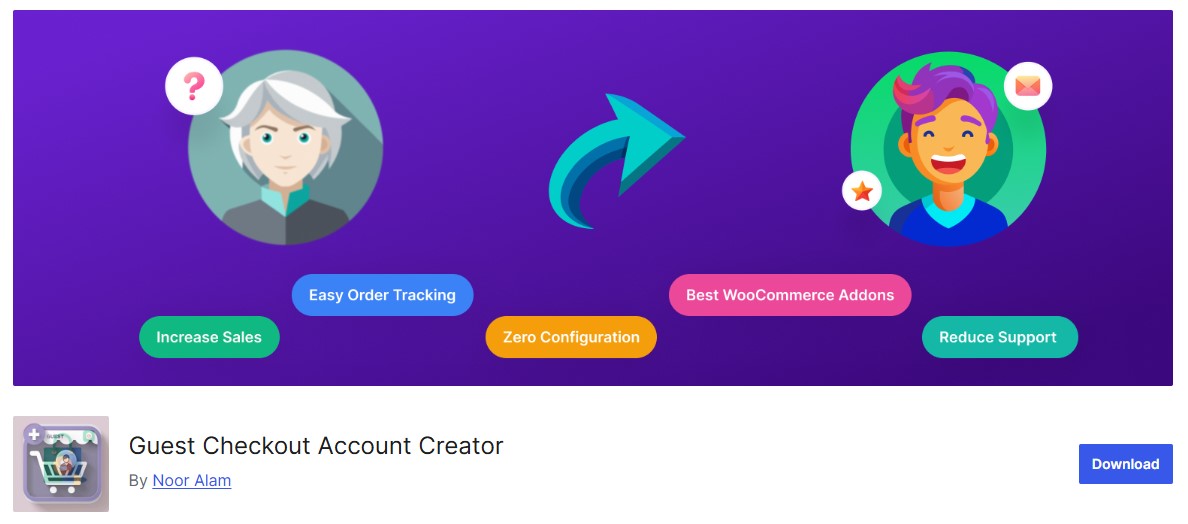
Sometimes, customers don’t want to create an account before completing their purchase. The WooCommerce Guest Checkout plugin gives your customers the option to purchase without registering, which can reduce cart abandonment rates.
This plugin is especially useful for one-time buyers who don’t want the hassle of creating an account. However, it also provides the option for customers to create an account after completing their purchase, making it easy to stay engaged for future transactions.
5. WooCommerce Registration Extension by WPExperts
The WooCommerce Registration Extension by WPExperts allows store owners to create custom registration forms and fields. With this plugin, you can collect detailed information from users during registration, which helps tailor the shopping experience for each customer.
By offering a personalized registration form, you can gather critical customer data that can be used for targeted marketing, improving customer retention, and increasing conversions over time.
6. WooCommerce One Page Checkout
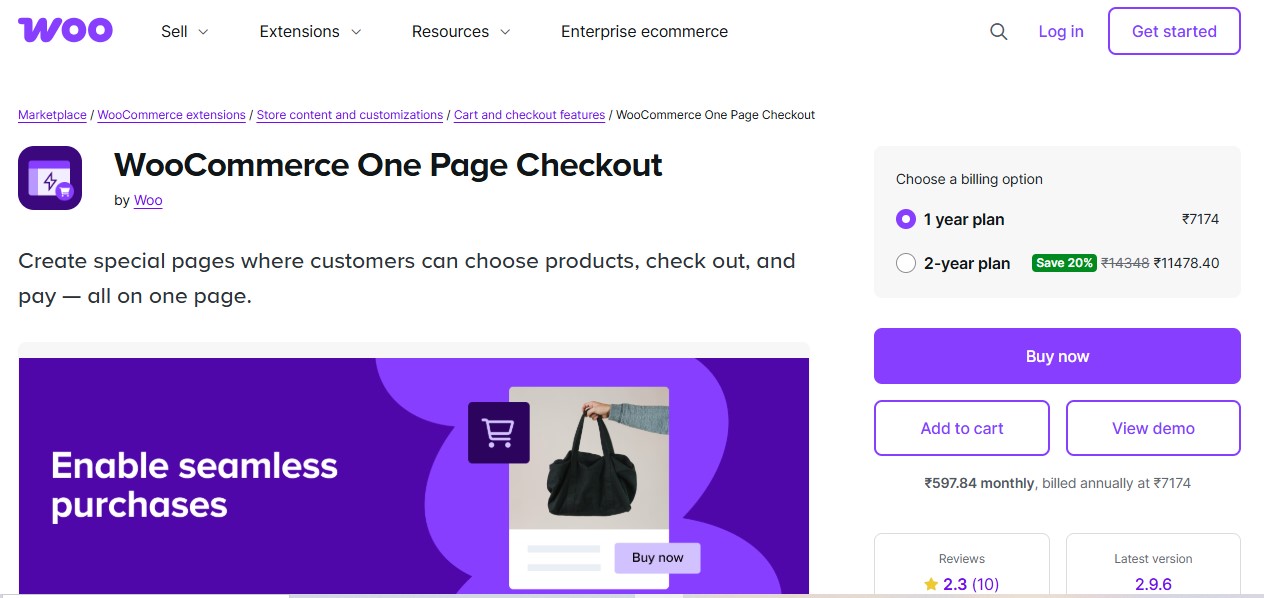
The WooCommerce One Page Checkout plugin enables you to streamline the checkout process by allowing customers to complete their order on a single page. This reduces friction by eliminating the need to navigate through multiple steps in the checkout process.
By simplifying the process and presenting all the information in one place, you not only improve the user experience but also reduce cart abandonment rates, boosting your store’s conversion rate.
Also Read: 12 Best WooCommerce Cross-selling & Product Bundles Plugins in 2026
7. YITH WooCommerce Account Funds
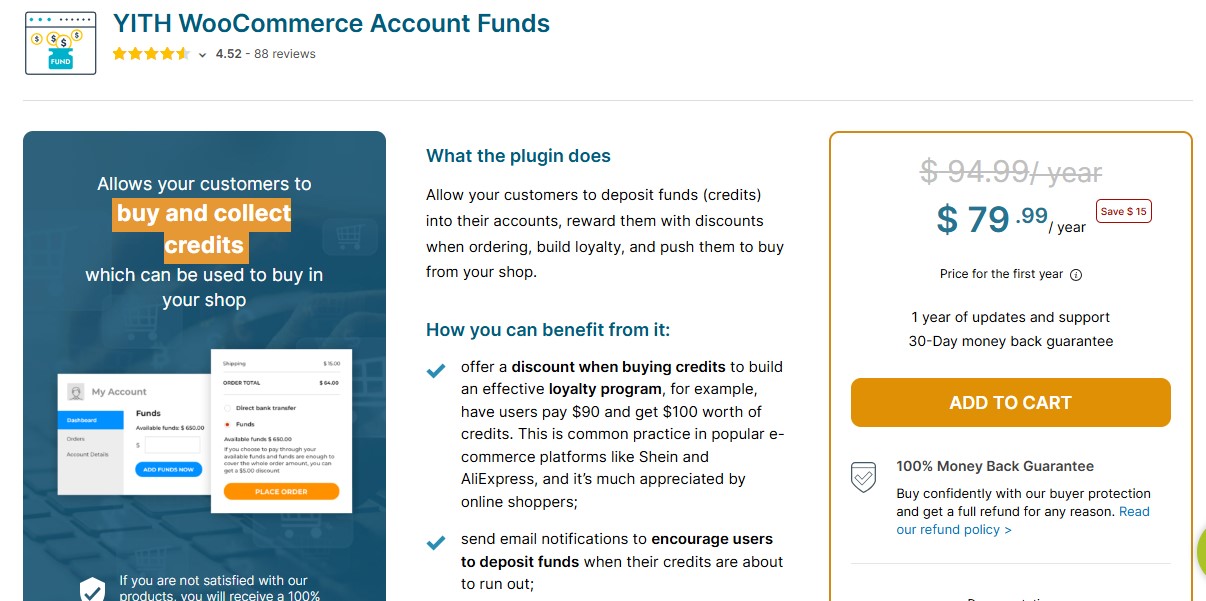
For stores that offer recurring orders or subscriptions, the YITH WooCommerce Account Funds plugin is a fantastic solution. This plugin enables your customers to deposit funds into their account, which they can use to complete purchases without having to enter payment details every time.
By making it easier for customers to pay, you reduce friction in the ordering process and encourage repeat purchases. This feature also improves the customer experience by offering more payment flexibility.
8. WooCommerce PDF Invoices & Packing Slips
The WooCommerce PDF Invoices & Packing Slips plugin automatically generates invoices and packing slips for each order, saving you time and ensuring your customers have access to all necessary documents.
This plugin helps keep the ordering process organized and transparent, making it easy for customers to track their purchases. It also enhances your store’s professionalism, which builds trust and encourages repeat customers.
9. WooCommerce Checkout Manager
Similar to the WooCommerce Checkout Field Editor, the WooCommerce Checkout Manager plugin lets you fully customize your checkout process but with even greater flexibility. It allows you to add extra fields, rearrange existing ones, and mark fields as optional or required, giving you complete control over how customers complete their orders.
By tailoring the checkout page, you can create a registration and ordering experience that aligns with your business model while addressing the unique needs of your customers. This not only improves usability but also helps reduce friction, boost conversions, and enhance overall customer satisfaction.
Also Read: 12 Best WooCommerce Flash & Private Sales Plugins in 2026
10. WooCommerce Multistep Checkout
The WooCommerce Multistep Checkout plugin breaks the checkout process into clear, easy-to-follow steps, helping customers avoid the overwhelm of long or complicated checkout pages.
By guiding users through one task at a time, this plugin makes the ordering experience feel simpler and more manageable. The result is higher conversion rates, as customers are less likely to abandon their carts due to a confusing or lengthy checkout process.
11. WooCommerce Checkout Field Editor
The WooCommerce Checkout Field Editor is a must-have plugin for store owners who want to customize the checkout process. This plugin allows you to add, edit, or remove fields on the WooCommerce checkout page, enabling you to tailor the registration and ordering process based on your specific business needs.
Whether you want to gather more customer information or simplify the process, this plugin provides flexibility in managing the fields. With a smooth and personalized checkout experience, your customers are more likely to complete their orders without confusion or frustration.
Also Read: 12 Best WooCommerce Newsletter & SMS Plugins in 2026
12. WooCommerce Order Delivery
The WooCommerce Order Delivery plugin helps you improve the ordering process by providing customers with flexible delivery options. Customers can choose their preferred delivery date, ensuring that they receive their orders when it’s most convenient for them.
By offering more control over delivery, you improve the customer experience and encourage repeat business, as customers are more likely to return to stores that meet their specific needs.

Frequently Asked Questions
1. Which WooCommerce checkout plugin is best for increasing conversions?
WooCommerce One Page Checkout is ideal for boosting conversions by reducing the checkout process to a single page. This eliminates multiple steps that can cause friction and cart abandonment. For stores with complex requirements, WooCommerce Multistep Checkout provides a guided, step-by-step approach that makes the process less overwhelming for customers.
2. Should I enable guest checkout or require account creation?
Guest checkout is recommended for most stores as it significantly reduces cart abandonment by eliminating the registration barrier. The WooCommerce Guest Checkout plugin allows customers to complete purchases without creating an account while still offering optional account creation after checkout. This approach provides flexibility without forcing commitment from first-time buyers.
3. How do I implement social login on my WooCommerce store?
Use the WooCommerce Social Login plugin to enable one-click registration and login via Facebook, Google, Twitter, and other social platforms. This reduces friction by eliminating the need for customers to remember yet another password. Social login typically increases registration rates by 30-50% and speeds up the checkout process significantly.
4. What’s the difference between multi-step and one-page checkout?
Multi-step checkout breaks the process into distinct stages (billing, shipping, payment) with progress indicators, making complex checkouts feel more manageable. One-page checkout displays all fields on a single screen for faster completion. Multi-step works better for stores with many custom fields or complex shipping options, while one-page is ideal for simple, quick purchases with minimal information required.
5. How can I add custom fields to the WooCommerce checkout page?
Both WooCommerce Checkout Field Editor and WooCommerce Checkout Manager allow you to add, edit, or remove checkout fields. These plugins support various field types including text, dropdown, checkbox, date picker, and file upload. You can also set conditional logic to show fields based on product, category, or cart total, ensuring customers only see relevant fields.
6. Can I customize order statuses beyond WooCommerce defaults?
Yes, YITH WooCommerce Custom Order Status lets you create unlimited custom order statuses such as “Awaiting Stock,” “Quality Check,” “Out for Delivery,” or “Partially Shipped.” Each custom status can trigger automatic email notifications to customers, keeping them informed throughout the fulfillment process and reducing support inquiries.
7. How do I optimize checkout for mobile shoppers?
Focus on plugins with responsive design like WooCommerce Multistep Checkout, which adapts the process for smaller screens. Enable guest checkout to reduce typing, implement social login for one-click registration, minimize required fields using WooCommerce Checkout Field Editor, and use large, touch-friendly buttons. Mobile optimization can increase mobile conversion rates by 20-40%.
8. Which payment methods should I integrate for better checkout experience?
Offer diverse payment options including credit cards, PayPal, Apple Pay, Google Pay, and local payment methods relevant to your target market. The YITH WooCommerce Account Funds plugin adds wallet functionality for returning customers. Studies show that offering 5+ payment methods can increase conversions by up to 30% by catering to customer preferences.
9. How can I reduce checkout page load time?
Minimize the number of active plugins on checkout pages, use a quality hosting provider with good PHP performance, implement caching (but exclude checkout pages), optimize images, defer non-critical JavaScript, and avoid heavy third-party scripts. Each second of delay can reduce conversions by 7%, so aim for checkout load times under 2 seconds.
10. What form validation should I implement at checkout?
Implement real-time validation that checks fields as customers type, providing immediate feedback. Use WooCommerce Checkout Manager to add custom validation rules for phone numbers, postal codes, or business-specific requirements. Clearly mark required fields, use appropriate field types (email, phone, number), and provide helpful error messages that explain exactly what’s needed.
11. How do I handle international checkout requirements?
Use WooCommerce Checkout Field Editor to create location-specific fields that appear based on country selection. Add VAT/Tax ID fields for EU customers, state dropdowns for US buyers, or postal code formats for specific regions. Consider plugins that support address validation, multiple currency display, and international payment methods to create a localized experience for global customers.
12. What registration features are essential for B2B WooCommerce stores?
B2B stores need the WooCommerce Registration Extension to collect business information like company name, tax ID, business type, and resale certificates during registration. Implement approval workflows where admin reviews B2B registrations before granting access to wholesale pricing. Add custom fields for purchase order numbers, billing contacts, and shipping preferences specific to business buyers.
🚀 Launch Your Optimized Store Faster
Skip the setup hassle with WP Starter Sites, pre-built WooCommerce stores with optimized checkout flows ready to customize.
Boost Your WooCommerce Store with These Plugins
Choosing the right WooCommerce Registration & Ordering Process Plugins is a critical decision for any e-commerce store owner in 2026. By selecting plugins that streamline the registration and ordering process, you can enhance user experience, increase conversions, and build a loyal customer base.
Each of the plugins listed in this blog offers distinct advantages, from simplifying registration to providing flexible ordering options. Whether you want to offer social login options, enable guest checkout, or create custom order statuses, these plugins can help you optimize the customer journey from start to finish.
Incorporating these tools into your store will not only enhance the shopping experience but also help you stay competitive in the rapidly evolving e-commerce landscape.
Interesting Reads
12 Best WooCommerce Price Management Plugins for 2025
Top 10 Local SEO Services Providers for Ranking Success
12 Best WooCommerce Notifications & Automatic Emails Plugins