5 Best WooCommerce Delivery Date Plugins


A florist shipping bouquets for a Saturday wedding and a hardware store shipping a replacement bolt have almost nothing in common operationally, except one thing: the moment either delivery arrives late, the product has failed at its actual job. Flowers wilt. A wedding party doesn’t wait. That’s the gap a plain “5-7 business days” estimate can’t close, and it’s why delivery date selection has moved from a nice-to-have to a checkout requirement for a growing share of WooCommerce categories.
A WooCommerce Delivery Date plugin lets customers pick an actual delivery date, and often a time window, right at checkout instead of guessing whether their order will show up before an event, a holiday, or a moment that only matters if the timing is right. For perishables and anything tied to an event or given as a gift, that’s not a convenience feature. It’s the difference between a completed sale and a support ticket asking where the order is.
The operational upside runs the other direction too. A store that knows exactly which day and slot every order needs to leave the warehouse can plan staffing and routes around real numbers instead of guessing at demand. Blackout dates keep customers from selecting delivery on days you’re closed. Cut-off times stop last-minute orders from blowing up a schedule that was already full.
Not every delivery date plugin does all of this equally well, and picking the wrong one usually shows up as either a plugin too basic to handle real logistics or one so configuration-heavy it takes a week to set up properly. This guide walks through five of the strongest options: what each one is actually built for, plus how to figure out which one fits your store.

WordPress Maintenance Plan
Why Use WooCommerce Delivery Date Plugins?
WooCommerce Delivery Date plugins empower store owners to offer customers greater flexibility and transparency around order deliveries. By allowing shoppers to choose their preferred delivery dates, these plugins minimize confusion, reduce failed deliveries, and enhance overall customer satisfaction. They also simplify backend operations by improving order scheduling and delivery planning, helping businesses lower support costs especially those handling perishable products or time sensitive shipments.
What Are WooCommerce Delivery Date Plugins and Why Are They Important?
WooCommerce Delivery Date plugins are purpose built tools that allow store owners to display estimated or fixed delivery dates during checkout. These plugins extend WooCommerce’s default order management capabilities by adding flexible scheduling options such as customer selected delivery dates, restricted delivery days, daily order limits, and configurable cut, off times.
From an operational perspective, delivery date plugins help automate and simplify delivery planning. Rather than relying on generic shipping estimates like “5–7 business days,” store owners can offer more accurate delivery timelines based on inventory levels, shipping methods, business hours, or carrier availability. This clarity benefits both customers and internal logistics teams.
The importance of these plugins lies in evolving customer expectations. Modern shoppers value transparency and control throughout the buying journey, especially when it comes to delivery. For stores selling time sensitive items such as food, gifts, flowers, or event related products, offering delivery date selection is no longer optional but essential.
In addition, implementing a delivery date solution helps reduce missed deliveries, optimize dispatch schedules, and minimize customer support requests related to order status. The result is a more efficient workflow, improved customer experience, and a more predictable fulfillment process.
Key Features of WooCommerce Delivery Date Plugins
- Customer Date Selection: Enables customers to choose their preferred delivery date and, in some cases, a specific time during checkout.
- Delivery Slot Management: Allows store owners to define and manage delivery time slots for better logistics planning.
- Holiday and Blackout Dates: Excludes non working days, holidays, or unavailable dates from the delivery calendar.
- Cut Off Times: Sets order deadlines for same day or next, day delivery options.
- Admin Panel Integration: Provides full visibility and control over delivery schedules directly within the WooCommerce dashboard.
Steps to Set Up WooCommerce Delivery Date Plugins
Setting up a WooCommerce Delivery Date plugin requires a structured approach to ensure smooth functionality without disrupting the checkout experience. Follow these steps to get started:
1. Choose the Right Plugin:
Begin by comparing WooCommerce Delivery Date plugins based on essential features such as time slot selection, blackout dates, same day delivery support, shipping method integration, and theme compatibility. Popular options include Order Delivery Date for WooCommerce by Tyche Softwares, YITH WooCommerce Delivery Date, and Delivery Slots for WooCommerce.
2. Install and Activate the Plugin:
From your WordPress admin dashboard, go to Plugins → Add New, search for the selected plugin, click Install Now, and then activate it.
3. Configure General Settings:
Navigate to WooCommerce → Settings → Delivery Date (or the plugin’s dedicated menu). Configure delivery days, available time slots, minimum lead times, holidays, and daily order limits.
4. Customize the Checkout Display:
Adjust how the delivery calendar or time selector appears on the checkout page. Many plugins allow you to add custom labels, tooltips, or conditional display rules based on products, categories, or shipping methods.
5. Test the Checkout Process:
Place test orders to confirm that the delivery date and time fields display correctly and that the selected values are saved with order details.
6. Monitor and Optimize:
After launch, monitor customer usage and order data. Use feedback and performance insights to fine tune delivery schedules and improve operational efficiency.
Best WooCommerce Delivery Date Plugins
1. YITH WooCommerce Delivery Date
YITH WooCommerce Delivery Date
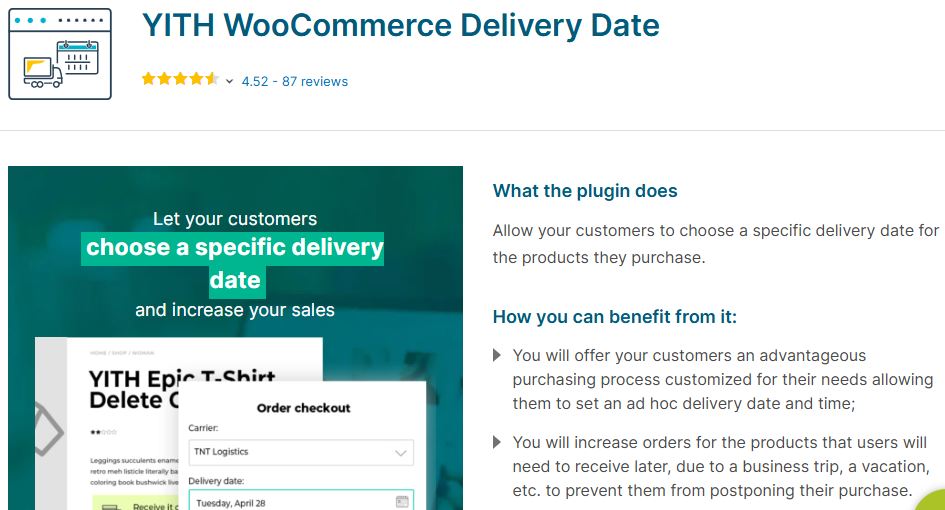
YITH WooCommerce Delivery Date
is a premium WooCommerce extension designed to give store owners complete control over delivery scheduling. It allows customers to select precise delivery dates, and optional time slots, directly at checkout. This makes it an excellent choice for businesses such as florists, caterers, subscription services, and event based stores that rely on accurate and predictable delivery timelines.
Key Features
- Flexible Delivery Scheduling:
Configure working days, preparation time, holidays, and blackout dates to automatically control available delivery options. - Time Slot Booking:
Offer predefined delivery time slots with capacity limits and optional additional fees. - Dynamic Delivery Messages:
Display real time delivery estimates on product pages, such as “Order within X hours to receive by [date].” - Per Product & Per Category Rules:
Assign custom processing times, delivery availability, and charges for specific products or categories. - Admin Delivery Calendar & Notifications:
Manage delivery schedules from a centralized calendar and notify customers automatically when orders are dispatched.
Pricing
- Premium only plugin priced at €99.99 / $109.99 per year.
Includes 1 year of updates and support, with occasional discounts for first time buyers.
Pros
- Highly flexible feature set ideal for delivery focused WooCommerce stores.
- Advanced customization options including cut off times, surcharges, slot capacity, and holidays.
- Clear “order now, receive by” messaging helps increase urgency and conversions.
- Centralized delivery calendar with automated email notifications for customers.
Cons
- No free or lite version available; purchase is required to evaluate full functionality.
- Initial setup may feel complex due to the extensive range of configuration options.
- Occasional compatibility issues reported when used alongside multiple YITH or third party plugins.
2. Order Delivery for WooCommerce (WooCommerce.com)
Order Delivery for WooCommerce
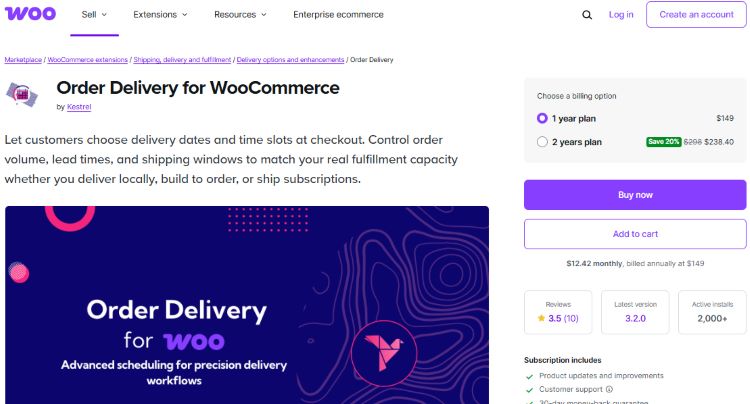
Order Delivery for WooCommerce
is a premium extension built by the WooCommerce ecosystem to let customers choose delivery dates, and optional time slots, during checkout. It is especially suitable for local delivery businesses, made to order products, and subscription based stores that require precise scheduling while maintaining native WooCommerce compatibility and performance.
Key Features
- Date picker for delivery selection on cart and checkout pages.
- Optional delivery time slot selection based on store configuration.
- Custom lead times and cut off rules by day or shipping method.
- Daily order limits to prevent overbooking.
- Optional surcharges for expedited or premium delivery slots.
- Holiday and blackout date exclusions.
- Built in support for WooCommerce Subscriptions and recurring deliveries.
- Developer friendly templates compatible with most themes and checkout layouts.
Pricing
- $149 per year for a single site license, backed by a 30day money back guarantee.
- 20% discount available with the 2 year plan ($238), including updates and support.
Pros
- Robust delivery scheduling designed for real world WooCommerce workflows.
- Detailed control over delivery slots, cut-off times, holidays, and order capacity.
- Official WooCommerce support ensures long-term compatibility and reliability.
- Supports subscriptions and multiple shipping methods.
Cons
- No free or lite version available; full functionality requires a paid license.
- The admin dashboard is form based and lacks a visual drag and drop delivery calendar.
- Advanced customization may require familiarity with WooCommerce templates.
3. Order Delivery Date for WooCommerce by PluginHive
Order Delivery Date for WooCommerce by PluginHive
Order Delivery Date for WooCommerce by PluginHive is a powerful solution that enables customers to select their preferred delivery date, and, in the Pro version, delivery time slots, during checkout. It is widely used by stores selling perishable products, bakery items, event supplies, and region based services, helping businesses align customer expectations with real world delivery operations. The free tier deserves a specific mention because it’s genuinely usable on its own – a bakery that just needs date selection without time slots can run indefinitely without upgrading.
Key Features
- Flexible delivery date and time slot selection at checkout.
- Delivery date restrictions based on operational days or product availability.
- Automated notifications for customers and store administrators.
Pros
- Highly Configurable: Customize delivery days, time slots, and cut off times to match your fulfillment workflow.
- Google Calendar Integration: Sync delivery schedules for better planning and coordination.
- Mobile-Friendly Interface: Ensures a smooth date selection experience across all devices.
Cons
- Complex Initial Setup: Advanced configurations may take time to understand and implement.
- Premium Pricing: Access to advanced features requires a paid plan.
- Limited Basic Support: Free support options may not be sufficient for complex troubleshooting.
Also Read:
5 Best Event Ticket Plugins For WooCommerce
4. Advanced Delivery Date Plugin for WooCommerce
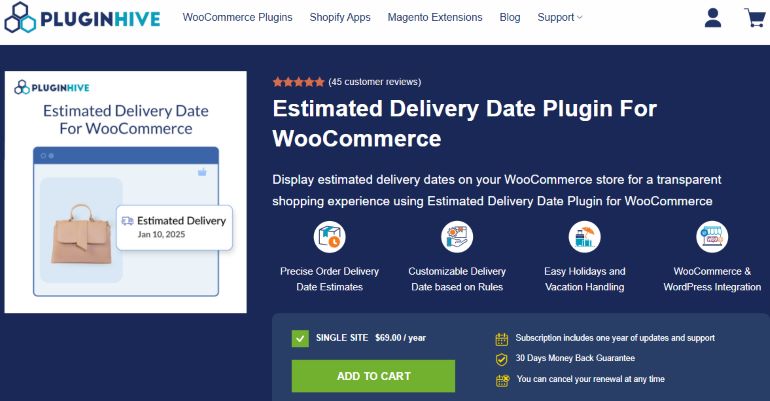
Advanced Delivery Date Plugin for WooCommerce
Also known as the Estimated Delivery Date Plugin for WooCommerce, this solution by PluginHive helps store owners display accurate delivery date estimates across product pages, the cart, and checkout. The plugin calculates delivery timelines using configurable shipping rules, product preparation days, holidays, cut off times, and inventory availability.
Thanks to its flexible configuration options and strong WooCommerce compatibility, it is a popular choice for stores selling perishable goods, custom made products, or items with complex shipping requirements. The distinction from its sibling plugin above matters: this one leans toward showing an estimate before checkout rather than letting the customer lock in a specific date, which suits a store that wants to set expectations early without committing to exact slot capacity.
Key Features
- Allow customers to select a preferred delivery date during checkout.
- Exclude holidays and weekends from the available delivery dates.
- View, manage, and edit delivery schedules directly from the admin dashboard.
Pros
- Easy Setup: Quick to install and configure without technical complexity.
- Cost Effective: Budget friendly option for small or growing WooCommerce stores.
- Efficient Backend Management: Simplifies delivery scheduling for store owners.
Cons
- Limited Customization: Offers fewer advanced features compared to premium delivery plugins.
- No Advanced Slot Controls: Does not support delivery capacity limits or time based slots.
- Basic Design: Default calendar styling may not align with modern WooCommerce themes.
5. Iconic Delivery Slots for WooCommerce
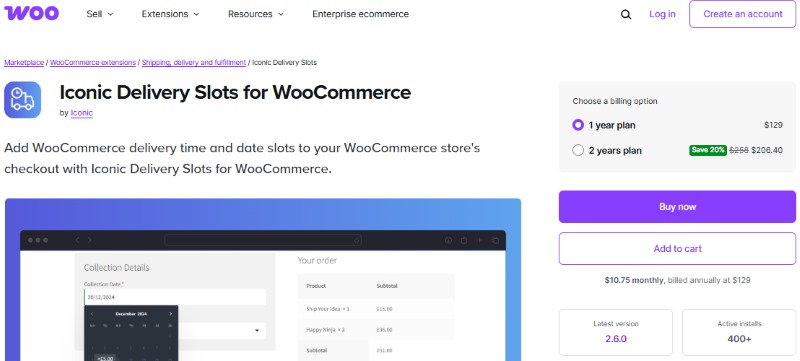
Iconic Delivery Slots for WooCommerce
Iconic Delivery Slots for WooCommerce is a powerful date and time scheduling plugin built specifically for stores offering local delivery or pickup. Ideal for businesses such as florists, grocery stores, meal kit services, and catering companies, it allows customers to select precise delivery or pickup slots during checkout. With regular updates and a growing user base, the plugin delivers both flexibility and reliability for time sensitive WooCommerce operations.
Key Features
- Delivery & Pickup Date/Time Slots:
Customers choose preferred delivery or pickup slots using a modern, intuitive calendar that integrates seamlessly with shipping zones and local pickup methods. - Custom Scheduling & Limits:
Configure daily delivery slots, order capacity per slot, cut off times, and optional “ASAP” delivery options. - Holiday & Blackout Dates:
Block holidays, store closure days, or recurring unavailable periods with ease. - Slot Reservation System:
Temporarily reserve delivery slots during checkout and automatically release them if orders are abandoned. - Delivery Management Dashboard:
View, filter, and manage upcoming deliveries from a centralized admin panel. - Slot Based Fees & Rules:
Apply additional charges for premium slots, next day delivery, or assign slots by shipping method or product category.
Pricing
- Premium only plugin available via WooCommerce.com, starting at $129 per year for a single site license.
A 20% discount is available with the two year plan.
Pros
- Elegant and fully customizable date and time slot interface.
- Slot capacity limits and reservations help prevent overbooking.
- Centralized dashboard provides full visibility into delivery schedules.
- Excellent fit for local delivery and pickup based businesses.
Cons
- No free version; only premium licenses are available.
- May require additional setup for complex shipping zones or multi location stores.
- Higher pricing compared to basic delivery date plugins.
Matching a Delivery Date Plugin to What You Sell
The five plugins above overlap heavily on paper – date pickers, blackout dates, cut-off times – but the right pick still depends on what’s leaving your warehouse and how forgiving the timing is if something slips.
Perishables and event-tied goods have zero tolerance for a missed date. A florist filling wedding orders or a bakery doing birthday cakes needs slot capacity limits so a single day never gets overbooked past what staff can actually produce and deliver, plus a reservation system that releases a held slot if checkout gets abandoned. Iconic Delivery Slots or YITH WooCommerce Delivery Date both cover this properly; the slot reservation logic in particular is what keeps two customers from being promised the same 2pm delivery window.
General retail with looser delivery windows – furniture, electronics, most non-perishable goods – usually doesn’t need slot-level capacity management at all. Showing an estimated delivery date on the product page and at checkout is often enough, without the overhead of managing time slots nobody’s fighting over. The Advanced Delivery Date Plugin for WooCommerce fits this case well precisely because it’s built around estimates rather than locked-in slot booking.
Subscription and recurring-delivery businesses – meal kits, recurring flower deliveries, weekly produce boxes – need a plugin that understands recurring schedules rather than treating every order as a one-off. Order Delivery for WooCommerce’s built-in WooCommerce Subscriptions support is the differentiator here; plugins without that integration force you to bolt delivery-date logic onto a subscription separately, which tends to break the first time a renewal date and a blackout date collide.
Budget and store size matter as much as product category. A single-location bakery testing whether delivery-date selection even moves the needle on conversions doesn’t need Iconic’s full slot-reservation system at $129 a year. PluginHive’s free tier covers basic date selection well enough to validate the idea first, and there’s no shame in upgrading later once order volume justifies the cost of finer-grained slot control.
Benefits of Using WooCommerce Delivery Date Plugins
1. Improved Customer Experience: Customers can select delivery dates that fit their schedules, increasing satisfaction and trust.
2. Reduced Delivery Errors: Clear delivery scheduling minimizes missed, delayed, or incorrect deliveries.
3. Streamlined Logistics: Businesses can manage delivery slots, availability, and workloads more efficiently.
4. Higher Conversion Rates: Flexible delivery options encourage shoppers to complete their purchases.
5. Better Resource Planning: Advance scheduling helps optimize delivery staff, routes, and inventory.
6. Lower Cart Abandonment: Transparent delivery timelines reduce uncertainty and hesitation at checkout.

Final Thoughts on WooCommerce Delivery Date Plugins
Choosing the right WooCommerce delivery date plugin can significantly improve both operational efficiency and customer satisfaction. Plugins like YITH WooCommerce Delivery Date excel in flexibility and usability, while solutions from PluginHive and Iconic offer advanced scheduling tools tailored for complex delivery workflows.
When selecting a plugin, weigh your store’s delivery requirements against order volume and budget, and be honest about how much customization you’ll realistically configure and maintain. The right solution simplifies order management, reduces delivery issues, and creates a smoother checkout experience for your customers.
Frequently Asked Questions
Do I need time slots, or is date-only selection enough for my store?
It depends entirely on whether deliveries compete for the same resources. If you’re dispatching a set number of drivers or a kitchen with limited daily output, time slots with capacity limits prevent overbooking a single window. If you’re shipping via a standard carrier where the carrier controls the actual delivery time, date-only selection like the Advanced Delivery Date Plugin offers is usually enough, and adds less friction to checkout.
Can I restrict delivery dates by product, so perishables and non-perishables follow different rules?
Yes, on the plugins built for it. YITH WooCommerce Delivery Date and Order Delivery for WooCommerce both support per-product or per-category delivery rules, so a bakery item can carry a next-day cut-off while a non-perishable gift box follows a longer, looser schedule on the same store.
What happens if a customer abandons checkout after selecting a delivery slot?
With a plugin that includes slot reservation, such as Iconic Delivery Slots, the held slot releases automatically after a set period so another customer can book it. Plugins without that reservation logic don’t hold the slot at all, which sounds safer but actually risks two customers picking the same slot if it fills up in the gap between selection and completed checkout.
Will a delivery date plugin work with my existing shipping method setup?
Most of the plugins here layer on top of WooCommerce’s standard shipping zones rather than replacing them, but compatibility depth varies. Order Delivery for WooCommerce and Iconic Delivery Slots both handle shipping-zone-specific delivery rules natively; the more basic date-selection plugins may need custom configuration to tie delivery windows to specific shipping methods.
How far in advance should I set the minimum lead time for delivery selection?
That’s a function of your prep time, not a fixed rule. A florist needing four hours to build an arrangement should set lead time accordingly so customers can’t select an impossible same-hour delivery. A made-to-order furniture business might need a lead time measured in weeks. Every plugin on this list lets you configure minimum lead time; the mistake is leaving the default in place without checking whether it matches how your fulfillment actually works.
Does offering delivery date selection actually reduce support tickets, or is that overstated?
In practice it removes the single most common “where is my order” question, since the customer chose the date and can see it on their confirmation. It doesn’t eliminate support volume on its own; it shifts remaining tickets toward genuine exceptions like a missed cut-off or a delivery that ran late against the date the customer selected, which is a smaller and more manageable category than open-ended delivery anxiety.
Interesting Reads
5 Best WooCommerce Barcode Plugins
5 Best WooCommerce Extensions and Addons
5 Best WooCommerce Gift Card Plugins