How to Build a Website Like Voices.com on WordPress

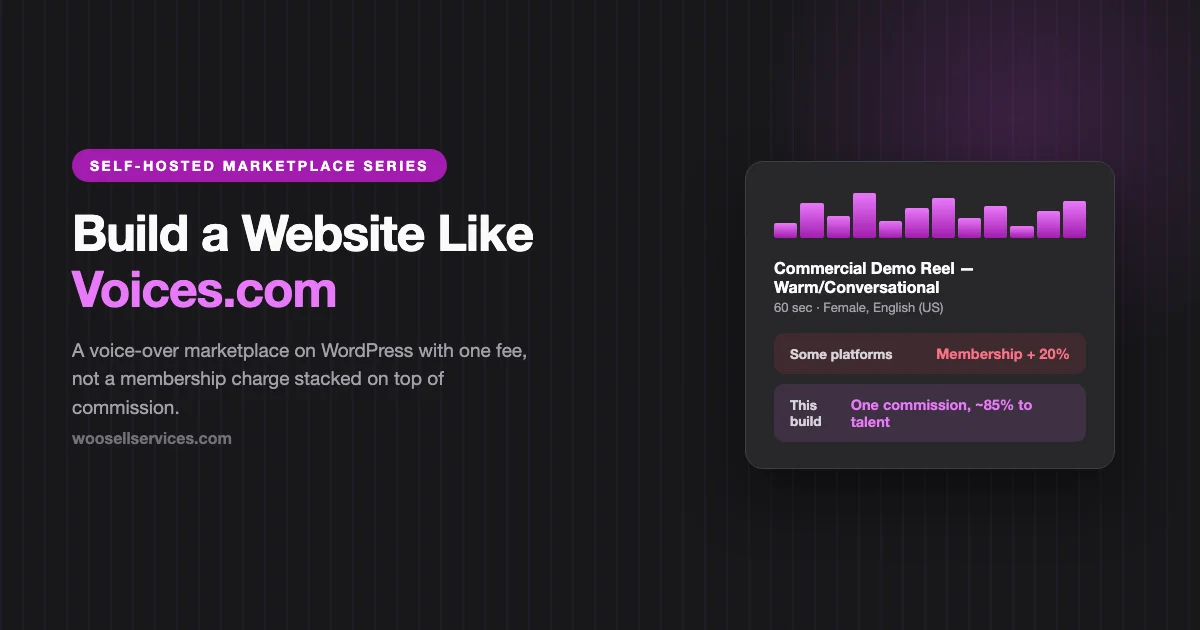
Voices.com charges voice-over talent an annual membership fee just to actively pursue work. Then, on top of that membership, it takes roughly 20 percent of every booked gig. Talent without the paid tier can’t message clients or pitch on jobs at all, they can only wait, passively, hoping a client happens to find and message them first. And more than one working voice actor has said the same thing about the money itself: they can’t see what the client actually paid, only what they received after both the membership and the commission have already been taken out.
That’s three separate frustrations stacked into one platform: a pay-to-play gate before you can even compete, a commission on top of the gate, and no visibility into whether the split is fair. Any one of these would be a reasonable business model on its own. Together, they’re the reason voice-over talent forums are full of people asking whether the membership is worth renewing.
Voice-over work has a genuinely simple underlying shape: a client needs a specific voice reading a specific script for a specific use, and a talent either has that voice and delivers that read or doesn’t. The trust problem is smaller here than in most of this series, since a demo reel lets a client evaluate the actual product before hiring, unlike a nanny or a plumber where you’re trusting a stranger sight unseen. What’s needed is a clean way to browse voices, book a read, and handle the one thing genuinely unique to this vertical: usage rights and licensing, which change the price of an identical recording by an order of magnitude depending on where it airs.
What makes voice-over different from every other build in this series
The product is auditionable before purchase, unlike almost anything else in this series. A client can listen to a demo reel and know within seconds whether a voice fits their project. This removes most of the “will this person actually be good” uncertainty that drives trust-building in builds like Care.com or Codeable. Your platform’s job is making great demos easy to browse and filter, not building elaborate vetting theater around a product that already speaks for itself.
Usage rights are the actual pricing variable, not the read itself. The same 30-second script, read the same way, is worth wildly different amounts depending on whether it’s going on an internal training video or a national television campaign. Nowhere else in this series does licensing scope matter this much to price.
Turnaround time is a genuine, biddable differentiator. Some projects need a read back in two hours; others can wait a week. Your package structure needs to make this explicit and priced, not left to a back-and-forth negotiation after booking.
Revenue model: one fee, not a stack
Here’s the structural problem with the incumbent model, and the fix, side by side:
| Typical membership + commission model | This build | |
|---|---|---|
| Cost to be discoverable at all | Annual membership required to actively pitch | Free to list and pitch, always |
| Commission on booked work | ~20%, on top of the membership already paid | 12 to 15%, the only fee |
| Client-side price visibility to talent | Often opaque, a frequently cited complaint | Fully itemized, both sides see the same number |
| Free-tier talent | Passive only, waits to be messaged | Full marketplace access from day one |
Pick one fee, make it a commission on completed bookings, and publish the number. A talent choosing between platforms does this arithmetic quickly: a membership fee is a cost regardless of whether any work materializes that year, while a commission only applies to money actually earned. The second model is strictly better for a talent with inconsistent booking volume, which describes most working voice actors most of the time.
The stack
- WordPress, self-hosted, $10 to $30 a month in hosting
- WP Sell Services as the marketplace engine
- A media-friendly theme that handles audio embeds cleanly (theme comparison)
- Stripe or PayPal for payments
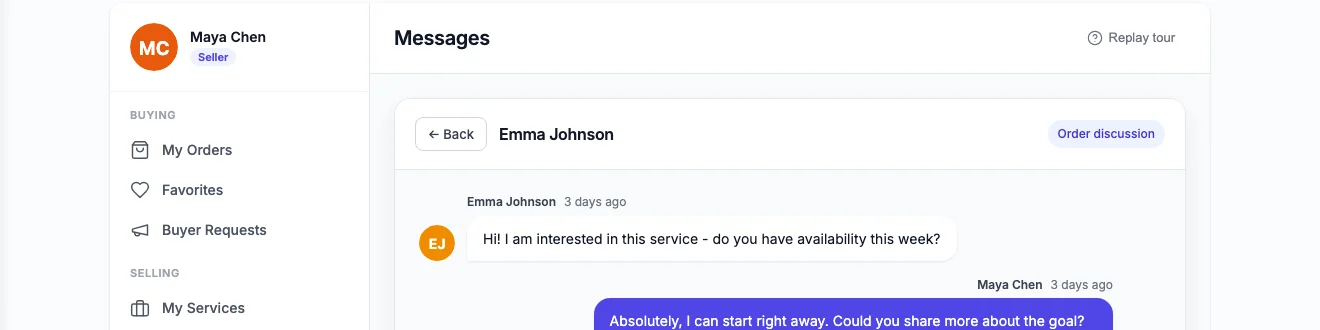
The free plugin’s gallery support handles demo reels directly on each listing, the same mechanism the Rover build uses for photos, adapted here for audio. Tiered packages become usage-rights tiers rather than scope tiers, buyer requests handle custom scripts and unusual project specs, and built-in messaging keeps script revisions and delivery notes attached to the order. Reviews and disputes ship free; Pro adds Stripe Connect for automated payment splits, worth having the moment your talent roster grows past a handful of people you’re paying out by hand.
Structuring listings around usage rights, not just voice type

This is the single most important structural decision in this build, and it’s where a generic services plugin needs the most deliberate configuration to fit the vertical correctly.
- Basic tier: web and internal use only. Website audio, internal training videos, social media. Lowest price point, since the audience and lifespan are limited and contained.
- Standard tier: regional broadcast, defined term. Regional TV or radio, typically licensed for one year, specific geography stated on the listing. Priced meaningfully higher than web-only, and the listing should say exactly what “regional” means for that talent’s market.
- Premium tier: national broadcast, full buyout. Unlimited term, national reach, full rights transfer. The highest price point by a wide margin, and worth being explicit that this is a buyout, not a license, since the two terms mean very different things legally and talent need to understand which one they’re agreeing to.
- Add-ons for everything that varies independently of usage scope: rush delivery (priced and time-stated upfront, not negotiated after the client is already waiting), additional script revisions, multiple read styles or takes, raw unedited files versus mastered audio.
Every one of these should be visible on the listing itself before a client books, not discovered in a follow-up email. Ambiguity about usage rights is where voice-over disputes actually happen, far more often than disputes about read quality, and a platform that makes licensing terms explicit up front prevents most of them before they start.
Building the talent side
Demo reels are the entire profile; treat them that way. Require at least two to three genre-specific reels (commercial, narration, character, e-learning, whichever genres a talent works in) rather than one generic sample. A client searching for “warm, conversational, e-learning narration” should be able to filter directly to reels tagged that way, not scrub through an unrelated commercial demo hoping it’s close enough.
Language, accent, and gender filters need real depth, since search intent in this vertical is often extremely specific: “Female, English (UK), warm and authoritative, corporate narration” is a realistic search, not an edge case. Shallow filtering here loses clients before they ever reach a listing worth booking.
Turnaround time as a stated, priced commitment, not a vague promise. “Standard: 3 business days” and “Rush: 24 hours, plus 50%” on every listing, so a client with a tight deadline can filter directly to talent who can actually deliver, rather than booking and discovering the timeline doesn’t work after the fact.
Buyer requests for scripts that don’t fit a standard listing. A client with an unusual project, multiple languages, a character voice needing a specific age and tone, an accent outside a talent’s stated range, posts the brief and available talent respond with a quote and a sample read if they choose to record one. This is the same reverse-marketplace pattern from the Thumbtack build, and it fits custom voice work naturally.
Handling revisions, rejections, and delivery disputes
Voice-over work has a genuinely different dispute shape than physical services: there’s no property damage, no missed appointment window, just a recording that either matches what the client wanted or doesn’t. Build the revision policy around that reality specifically.
State a fixed number of revision rounds included in the base price (two is typical), with additional rounds priced as an add-on. Define what qualifies as a revision (tone adjustment, pacing, pronunciation of a specific term) versus a full re-record with a different creative direction, which should be treated and possibly priced as a new project rather than an endless revision loop on the original booking.
For usage-rights disputes specifically, the licensing tier stated on the original listing and order is your primary evidence if a client later uses a recording beyond what they paid for. This is exactly why usage rights need to be explicit, itemized, and attached to the order record rather than handled as an informal understanding, the same principle the Codeable build applies to scope agreements in development work.
Audio quality and file delivery, the part a generic marketplace plugin doesn’t think about
Every other build in this series delivers a service; this one delivers a file, and the technical details of that file matter more than they would anywhere else in this series.
Specify accepted formats and quality standards on your vendor onboarding page before a single demo reel gets uploaded: sample rate, bit depth, mono versus stereo, and whether you require broadcast-standard loudness normalization. A platform that accepts anything looks unprofessional the moment two demo reels sit next to each other at wildly different volumes, and a client who has to manually normalize delivered audio before using it will not come back.
Delivery format matters just as much as recording quality. State on every listing whether the price includes a mastered, client-ready file or a raw take, and whether stems (separate dry vocal versus processed versions) are included or an add-on. Post-production, noise reduction, EQ, compression, light mastering, is real, billable work that many platforms leave ambiguous; make it an explicit line item so talent aren’t quietly expected to include mixing and mastering labor inside a bare read price.
Host demo reels and delivered files efficiently. Audio files are smaller than video but still meaningfully heavier than the text and images most of this series’ galleries handle, so budget for reasonable hosting and, if your catalog grows large, a CDN for the demo reel library specifically, since that’s the content every visitor to your marketplace listens to before they ever consider booking.
Economics of a voice-over marketplace
Take a working talent averaging eight bookings a month at a blended average of $200 per project (a mix of web-only quick reads and a few higher-value broadcast licenses): $1,600 a month in volume. At a 13 percent commission, that’s $208 a month in platform revenue from one active talent, with the talent keeping $1,392, meaningfully more than the roughly $1,280 they’d net after Voices.com’s 20 percent commission alone, before even counting the annual membership fee stacked on top of that.
Twenty-five active talent at similar volume is $5,000-plus in monthly commission, against infrastructure costs that don’t move that number meaningfully. The comparison that recruits talent fastest here is simple: no membership fee at all, and a materially lower commission than the incumbent’s stacked-fee model, which is an easy number for a working voice actor to run for themselves in under a minute.
What you genuinely cannot replicate on day one
A massive, browsable catalog spanning every language and accent globally. At launch, you’ll cover the languages and styles your founding talent actually offer. State this plainly rather than implying broader coverage; a client searching for a language you don’t yet cover should get an honest “not yet available” rather than a thin, unconvincing result.
Enterprise-scale project management tooling for large multi-language dubbing projects. Large corporate clients sometimes need dozens of language versions of the same script coordinated simultaneously. That’s a genuinely complex operations problem; at launch, focus on single-voice, single-language bookings done well, and treat multi-language coordination as a future, not a launch requirement.
Deep integrations with video editing or production pipelines. Bigger platforms sometimes offer direct handoff into production tools. At launch, a clean audio file delivered through your order system, in the format and quality a client specifies upfront, covers the actual need for the overwhelming majority of bookings.
Three mistakes specific to voice-over marketplaces
Pricing usage rights as an afterthought instead of the primary variable. A platform that lets talent set one flat rate per script, with licensing handled informally in the messaging thread, will accumulate disputes over unauthorized broadcast use within its first year. Usage rights need to be a structured, itemized part of every listing and every order, not a conversation.
Under-investing in audio playback and browsing UX. If a client has to click into each profile individually and manually press play on each demo, your catalog feels clunky compared to what talent-buyers are used to on established platforms. An inline audio player on browse and search results pages, letting a client skim multiple voices quickly without leaving the listing grid, is worth the setup effort many times over.
Treating every genre the same in vetting depth. Commercial reads and corporate narration are relatively forgiving; character work, medical or legal narration, and multilingual projects carry higher stakes for getting it wrong, whether that’s a mispronounced technical term or a character read that misses the client’s tone entirely. Spot-check demo quality more carefully in the specialty genres where a bad hire costs a client more than a re-record fee.
Launch: recruit talent around the fee-stack story
- Find talent currently paying Voices.com’s membership and run the math on their actual annual cost. Membership plus 20 percent commission, against your commission-only structure, is a concrete, favorable number for almost any working talent, and it’s the clearest recruiting pitch available in this niche.
- Start with two or three genres you can vet for quality, commercial and e-learning narration are a strong starting pair, rather than claiming every genre and language on day one. A focused, high-quality catalog beats a sprawling thin one, the same lesson from every build in this series.
- Require real demo reels at registration, and spot-check them. A platform’s entire credibility in this vertical rests on demo quality; a handful of low-quality reels slipping through undermines trust in every other listing next to them.
- Seed real bookings before public launch. Commission a few real reads for your own marketing materials or a friend’s small project, pay full price, verify the usage-rights and delivery flow works end to end, leave detailed reviews.
Launch checklist
- Commission rate decided and published, no membership tier gating basic participation
- Usage-rights tiers defined (web/internal, regional broadcast, national buyout) with plain-language terms on every listing
- Audio format, quality, and delivery-file standards documented for talent onboarding
- Inline audio player working on browse and search pages, not just individual profiles
- Revision policy published: rounds included, what qualifies as a revision versus a new project
- Buyer requests tested for a custom, non-catalog script request
- Two or three genres launched with real, quality-checked demo reels
- First real bookings completed and reviewed before public launch
Common questions
How is this different from a general freelance platform like Fiverr for voice work? Fiverr-style gig marketplaces are open to anyone who signs up, with quality varying widely and usage rights often left informal or bundled vaguely into a flat gig price. This build treats usage-rights licensing as a first-class, itemized pricing structure rather than an afterthought, which matters enormously in a vertical where the same recording’s value changes by 10x depending on where it’s used.
Do I need a paid membership tier at all, even an optional one? No, and I’d avoid it. A commission-only structure is simpler to explain, fairer to talent with inconsistent booking volume, and removes the exact pay-to-play complaint that drives dissatisfaction with the incumbent. If you want a premium tier later, build it around genuine added value (featured placement, advanced analytics) rather than gating basic marketplace participation behind it.
What license format should usage-rights terms actually use? Borrow plain-language conventions from the industry rather than inventing your own: web/internal, broadcast (regional or national, with a stated term), and buyout (unlimited use, full rights transfer) covers the vast majority of real-world bookings clearly enough for both a client and talent to understand without a lawyer.
Can clients request an audition before committing to a full booking? Yes, and it’s worth formalizing as its own lightweight listing type, a short, un-mastered audition read, free or low-cost, that lets a client hear their specific script in a candidate’s voice before booking the full paid project. This reduces mismatched-expectation disputes considerably, the voice-over equivalent of the meet-and-greet pattern from the Rover build.
How do I handle union versus non-union talent, if that matters in my market? Add it as a filterable attribute on talent profiles rather than building separate platforms or workflows, and let clients filter by it the same way they’d filter by language or accent. The underlying booking, licensing, and payment mechanics stay identical either way.
What happens if a client wants to extend a license after the original term expires? Structure it as a new, smaller booking rather than an automatic renewal: the client requests an extension, the talent quotes a renewal rate (typically lower than the original session cost, since no new recording work is involved), and it processes through the same order and payment flow as any other booking. This keeps extended-use licensing on the record just as clearly as the original grant, which matters if a dispute ever arises over whether a given use was actually covered.
Should talent be allowed to set their own commission-inclusive rate, or should the platform always add commission on top? Either works as long as it’s consistent and disclosed; what breaks trust is switching between the two without saying so. Decide once, and display the split the same way on every single listing so no client or talent ever has to guess which convention applies to a particular booking.
Do I need a separate approval process before a demo reel goes public, or can talent upload and go live immediately? A light review step is worth the friction here, even if it’s just a same-day spot-check rather than the multi-stage vetting funnel from the Codeable build. Voice-over buyers judge an entire platform’s credibility from the first few demo reels they hear, so even a quick pass to catch obviously low-quality audio, wrong file formats, or mislabeled genres protects the catalog’s overall impression far more than the review time actually costs you.
Want to see how demo reel galleries, usage-rights packages, and buyer requests work before building your catalog on top of them? Try WP Sell Services. The free version covers everything above except automated payment splits.