10 Best WooCommerce Product Designer Plugins in 2026

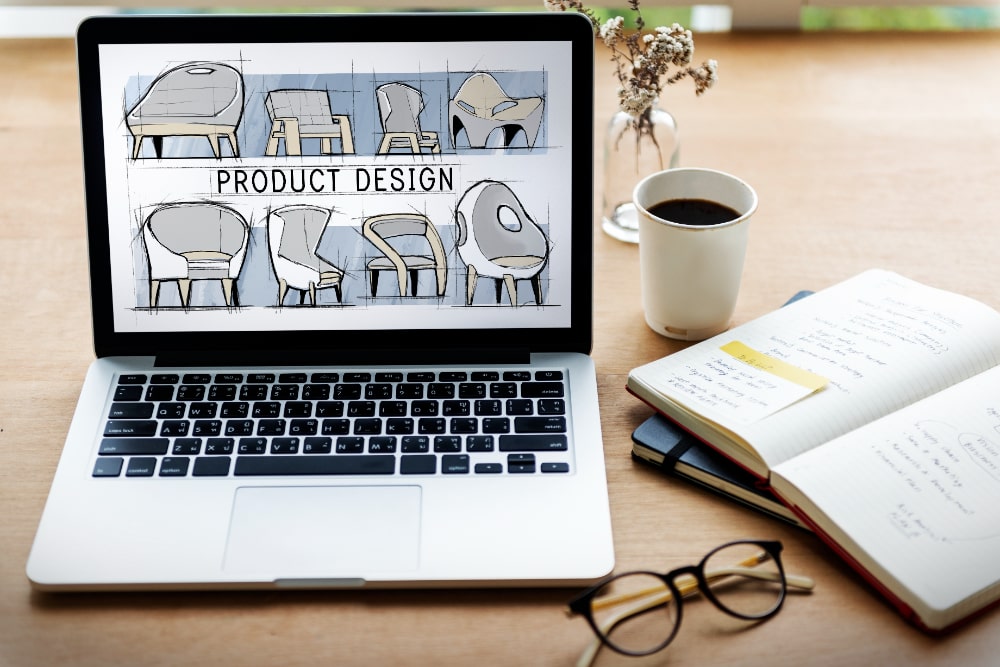
If you’re running a WooCommerce store that sells customizable products whether it’s t-shirts, mugs, phone cases, or other personalized items offering a seamless, interactive product design experience can give your store a significant edge over the competition. A high-quality product designer plugin allows customers to personalize their purchases in real-time, from adding text and images to choosing colors or uploading their own artwork, which not only increases engagement but also boosts conversions and customer satisfaction. With so many plugins available, each offering different features, pricing models, and levels of complexity, it can be overwhelming to figure out which one will best fit your store’s needs.

📋 Table of Contents
What Are WooCommerce Product Designer Plugins?
WooCommerce product designer plugins are powerful tools that allow customers to personalize products directly within your store, creating a highly interactive and engaging shopping experience. With these plugins, users can customize a variety of product elements in real-time, including text, fonts, colors, images, clipart, and even layout designs, ensuring that the final product reflects their unique preferences. These tools are particularly popular for items such as t-shirts, mugs, phone cases, posters, and other personalized merchandise, where customization plays a central role in the buying decision.
By integrating a product designer plugin, store owners can transform a standard e-commerce transaction into a personalized experience, giving customers the ability to preview and perfect their designs before checkout. This not only enhances customer satisfaction and engagement but also increases conversion rates, reduces the likelihood of returns, and helps your store stand out in the competitive WooCommerce market.
Key Features of WooCommerce Product Designer Plugins
- Customization Tools: Options to add text, upload images, and choose colors or designs.
- Live Preview: Customers can view their customized products in real-time.
- Multi-Product Support: Customization tools can be applied to a wide variety of products, from apparel to accessories.
- Mobile-Friendly: Ensures a seamless experience across different devices, including smartphones and tablets.
- Price Calculation: Some plugins can automatically adjust the price based on the customizations made by the customer.
Why Use WooCommerce Product Designer Plugins?
- Enhanced User Experience: Customers can visually personalize their products, making their shopping experience more engaging and interactive.
- Increased Conversions: Customizable products can encourage users to complete their purchase, boosting sales.
- Unique Offerings: Product designer plugins help you offer personalized items that stand out in the competitive e-commerce market.
Best WooCommerce Product Designer Plugins
1. YITH WooCommerce Product Add-Ons & Extra Options
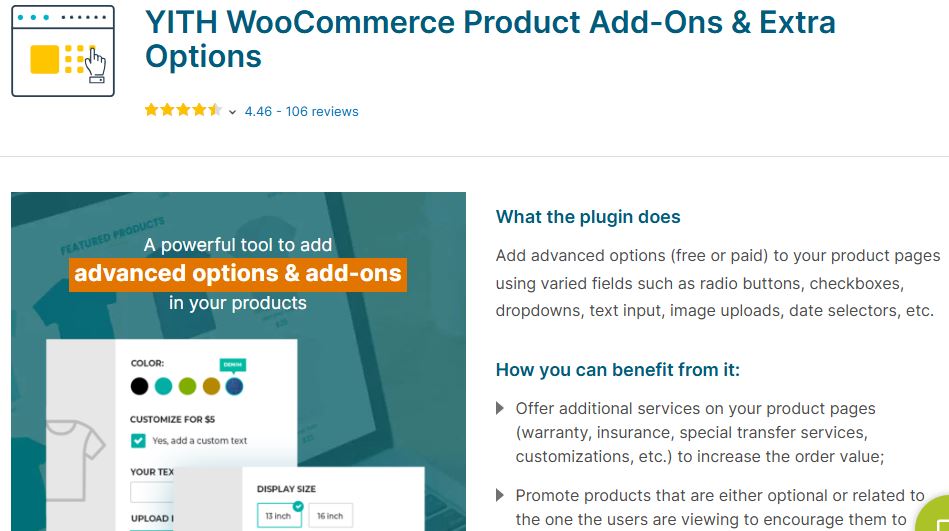
The YITH WooCommerce Product Add-Ons & Extra Options plugin is an excellent choice for WooCommerce stores that want to offer customization options on their products. This plugin allows you to add extra fields to your product pages, enabling customers to personalize their items. With options like text fields, file uploads, and checkboxes, you can create highly customized products.
Key Features
- Multiple Field Types: Add various fields such as text, select boxes, file uploads, radio buttons, and more.
- Conditional Logic: Display options dynamically based on customer selections.
- Product-Specific Add-Ons: Tailor add-ons for each individual product or category.
Pros
- Highly Customizable: Great flexibility in adding and customizing product options.
- User-Friendly: Easy to set up and use, even for beginners.
- Increased Product Value: Allows you to offer personalized options, making products more valuable to customers.
Cons
- Limited to Product Options: It doesn’t offer full product design customization (e.g., images or graphical changes).
- Premium Version Required: Many advanced features are available only in the premium version.
- Not Focused on Design Elements: Best for adding functional options, not for graphic-heavy product design.
Also Read: 10 Best SEO Plugins for WordPress in 2026
2. WooCommerce Custom Product Designer
WooCommerce Custom Product Designer allows customers to design their products directly on your website. With features like drag-and-drop, text customization, and product preview, this plugin enhances the user experience by making it easy to create personalized products.
Key Features
- Customizable Text and Fonts: Users can add and modify text with a variety of font styles and colors.
- Image Uploads: Customers can upload images or logos to personalize their products.
- Real-Time 2D Preview: See changes immediately with a live preview feature.
Pros
- Simple to Use: Easy for both store owners and customers to navigate.
- Flexible Design Tools: Supports various customization elements like text, images, and shapes.
- Live Preview: Customers can visualize their designs before purchasing.
Cons
- Limited Product Types: Best suited for specific product categories like apparel.
- Requires WooCommerce Knowledge: Some setup steps may require WooCommerce familiarity.
- Performance Issues: Can cause performance drops on larger product catalogs.
3. Fancy Product Designer
Fancy Product Designer is one of the most popular WooCommerce product designer plugins. It offers a rich set of tools for customers to design their products, whether it’s for apparel, phone cases, or even furniture. The plugin’s intuitive design editor makes it easy for users to create unique designs that reflect their personal style.
Key Features
- Drag-and-Drop Editor: Customers can add text, images, and shapes to their products using a simple drag-and-drop interface.
- Real-Time Preview: Users can instantly see how their design looks on the product.
- Support for Multiple Product Types: Customization options work for a wide range of products, including t-shirts, mugs, and more.
Pros
- Comprehensive Design Options: Offers a wide range of customization tools and elements.
- Mobile-Friendly: Works seamlessly across all devices.
- User-Friendly Interface: Easy for customers to navigate and design their products.
Cons
- Complex Setup for Beginners: Some users may find the setup process challenging.
- Resource Heavy: The plugin can slow down your website if not properly optimized.
- Free Version Limitations: The free version has limited features compared to the premium version.
Also Read: 5 Best WooCommerce Product Search Plugins
4. Zakeke Product Customizer
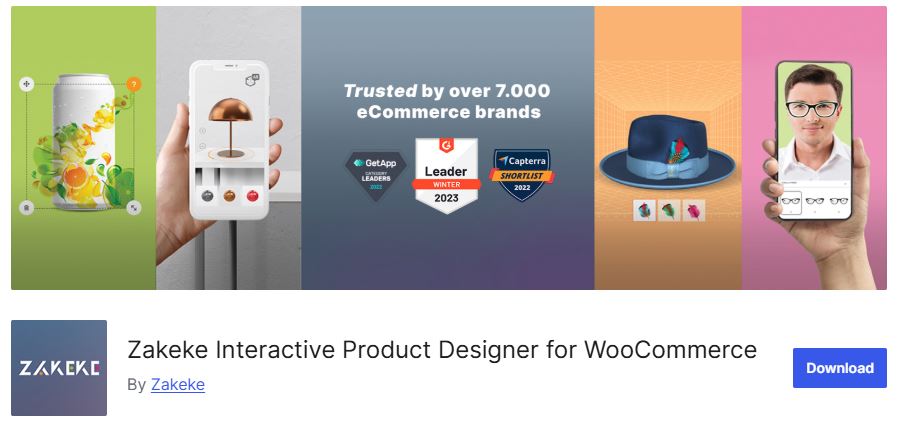
Zakeke is a cloud-based product designer plugin that offers 3D visualization for products, making it stand out from other plugins. It provides a highly interactive experience for customers, allowing them to customize products like apparel, accessories, and more with a 3D preview.
Key Features
- 3D Visualization: Customers can design and view their products in 3D, enhancing the shopping experience.
- Live Product Preview: Real-time design updates allow for accurate visualization.
- Multi-Product Support: Customize a wide range of products from t-shirts to tech gadgets.
Pros
- Cutting-Edge 3D Technology: The 3D preview gives customers a more immersive experience.
- Cloud-Based: No plugin updates required, and it’s easily scalable.
- Great for Apparel Stores: Works particularly well with t-shirt and clothing customization.
Cons
- Expensive for Small Stores: The cloud-based nature and 3D capabilities can make it pricey.
- Learning Curve: May take some time to get used to the interface, especially for beginners.
- Limited Customization for Non-Design Products: Best suited for visual products, not ideal for items that don’t require heavy customization.
5. T-shirt Product Designer
The T-shirt Product Designer plugin is specifically designed for apparel stores, enabling customers to design their own shirts, hoodies, and other clothing items. While it’s ideal for t-shirt shops, it can also be used for other clothing products, making it a great choice for custom fashion stores.
Key Features
- Live T-shirt Customization: Real-time preview of text and image customization for t-shirts.
- Text and Font Editing: Offers a wide range of fonts and text effects for designs.
- Upload Custom Images: Allows customers to upload their own artwork to add to the product.
Pros
- Perfect for Apparel Stores: Tailored specifically to t-shirt and clothing customizations.
- Affordable: A budget-friendly option for small clothing stores.
- Easy to Set Up: Simple installation and configuration process.
Cons
- Limited to Apparel: Not ideal for stores that sell a variety of non-apparel products.
- Basic Customization Features: Lacks some of the more advanced design tools found in other plugins.
- No 3D Visualization: Only provides 2D previews of designs, which may not be as engaging.
6. Lumise Product Designer
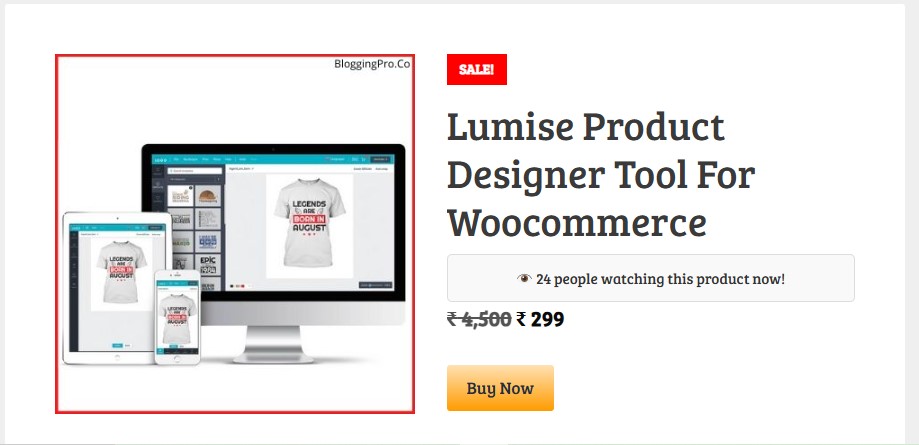
The Lumise Product Designer is a comprehensive WooCommerce plugin built for online stores that want to offer highly customizable products. It’s particularly popular among print-on-demand businesses, apparel shops, and stores selling personalized merchandise such as mugs, phone cases, posters, and other printable items. Unlike simple add-on plugins, Lumise provides a full-featured visual design editor that allows customers to create products exactly the way they want, enhancing both the shopping experience and conversion rates.
Key Features
- Drag and drop interface for text and images
- Large library of clipart and templates
- WooCommerce integration with export options (PDF, PNG, SVG)
- Real-time design preview
Pros
- Intuitive and feature rich UI
- Great for stores selling personalized merchandise
- Extensive templates and clipart
Cons
- Free features are limited
- May need add-ons for advanced print workflows
7. Product Designer Pro for WooCommerce
Product Designer Pro is a premium WooCommerce plugin designed for online stores that want to offer advanced product customization without relying on external cloud services. Unlike cloud-based designers, all the design tools run directly on your WordPress site, giving store owners full control over their data, designs, and pricing. This makes it an excellent choice for businesses that require robust design features, secure handling of customer artwork, and scalable customization options.
Key Features
- Advanced text and image tools
- Layer management for complex designs
- Supports multiple product variations
- Real-time design preview
Pros
- Scalable for medium/large stores
- Robust design and layout tools
Cons
- Premium pricing
- Slight learning curve for beginners
8. WP Smart Product Designer
WP Smart Product Designer is an all-in-one WooCommerce plugin designed for online stores that want to offer easy, responsive, and mobile-friendly product customization. Unlike more complex product designers, this plugin focuses on simplicity and speed, making it a great choice for small to medium-sized stores that want to give customers control over product personalization without overwhelming them with too many options.
Key Features
- Live design preview
- Image, text, and clipart uploads
- Mobile-friendly UI
- Easy backend setup
Pros
- Affordable option for small to medium stores
- Smooth and responsive on mobile
- Simple for customers to use
Cons
- Fewer advanced editing tools
- Templates library is limited
9. Product Designer for WooCommerce
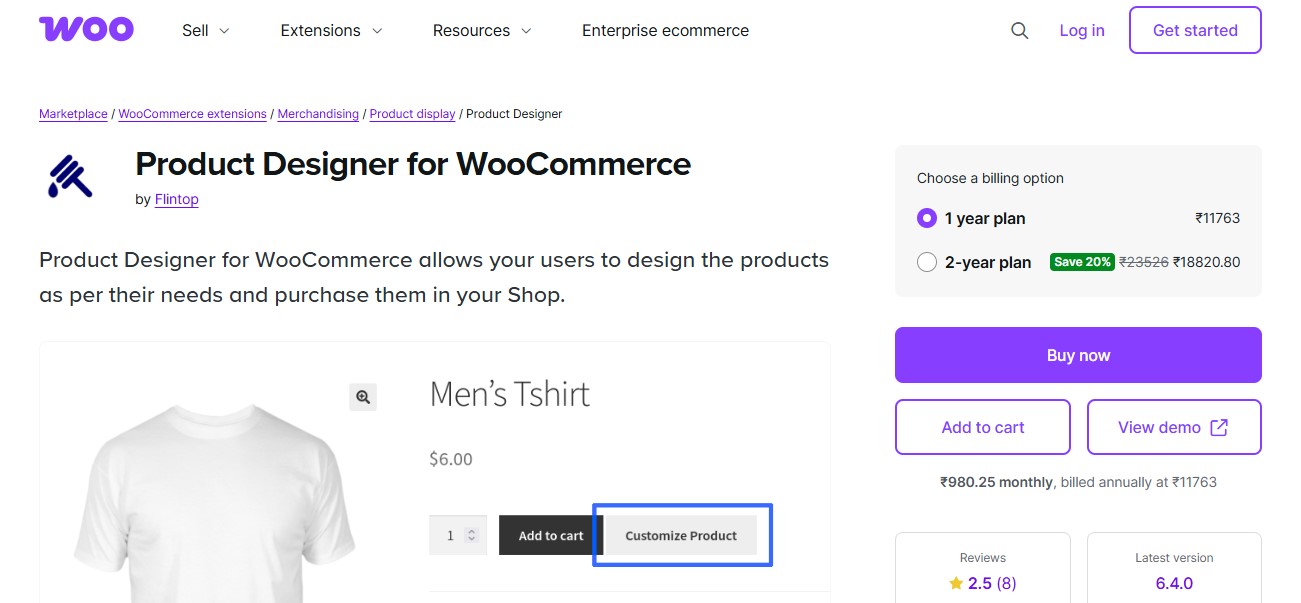
The Product Designer for WooCommerce is the official WooCommerce extension that enables customers to customize products directly on your store. Unlike third-party plugins, this extension is built and maintained by WooCommerce, ensuring seamless compatibility, stable updates, and native integration with the WooCommerce ecosystem. It’s ideal for store owners who want to offer personalized products without relying on external tools or cloud-based services.
Key Features
- Upload custom fonts and graphics
- Real-time customizing experience
- Works with WooCommerce checkout
Pros
- Native WooCommerce extension (stable compatibility)
- Custom fonts support
Cons
- May not support all variable products without workarounds
- Slight setup requirements
10. Extra Product Options / Addons Plugins
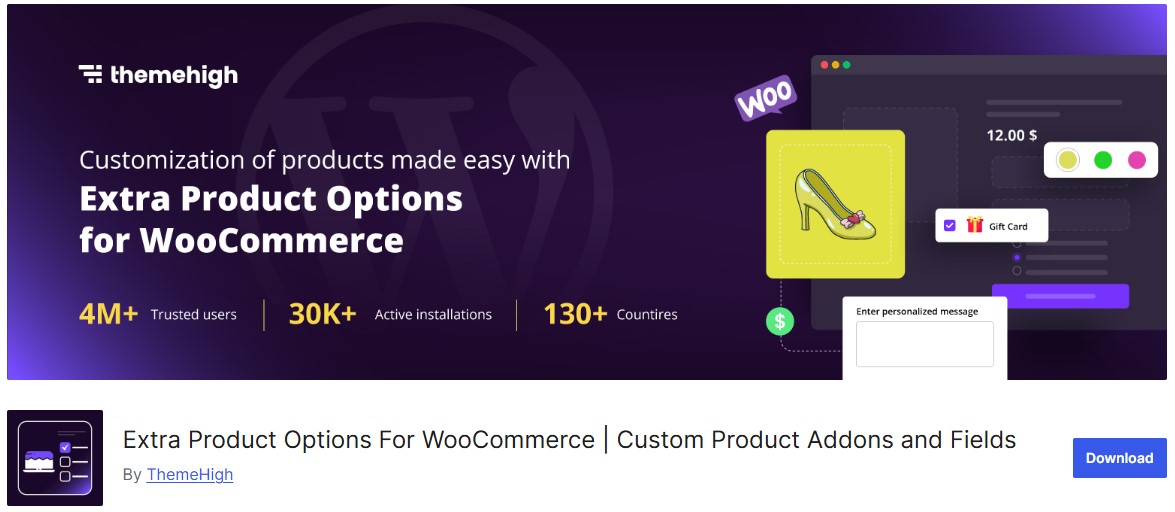
For WooCommerce stores that want to offer product customization without a full visual designer, Extra Product Options or Add-Ons plugins are the perfect solution. These plugins let you add customizable fields to your products, such as text boxes, checkboxes, dropdowns, date pickers, file uploads, and color swatches. They are ideal for stores that want to collect specific customer input or provide simple personalization without the complexity of a full drag-and-drop design editor.
Best For: Simple custom fields like input boxes, dates, dropdowns, conditional sections.
Pros
- Free version available
- Conditional logic and field grouping
- Boosts sales with extra addons
Cons
- Not a visual editor. Good for fields only
Also Read: 10 Best WordPress Plugins for Image Optimization in 2026
WooCommerce Product Designer Plugins Comparison Table
To help you make the right choice, here’s a quick comparison of all 10 plugins based on key features, pricing, and best use cases:
| Plugin | Visual Editor | 3D Preview | Mobile-Friendly | Price Range | Best For |
|---|---|---|---|---|---|
| YITH Product Add-Ons | No | No | Yes | $99/year | Product options & fields |
| WooCommerce Custom Product Designer | Yes | No | Yes | $79-149 | General customization |
| Fancy Product Designer | Yes | No | Yes | $69 one-time | All-purpose design |
| Zakeke | Yes | Yes | Yes | $11-399/month | 3D visualization |
| T-shirt Product Designer | Yes | No | Yes | $49-99 | Apparel stores |
| Lumise Product Designer | Yes | No | Yes | $69 one-time | Print-on-demand |
| Product Designer Pro | Yes | No | Yes | $129-249 | Medium/large stores |
| WP Smart Product Designer | Yes | No | Yes | $49-79 | Small stores |
| Product Designer for WooCommerce | Yes | No | Yes | $79/year | Official WooCommerce |
| Extra Product Options | No | No | Yes | Free – $49 | Simple product fields |
Benefits of Using WooCommerce Product Designer Plugins
1. Enhanced Customer Engagement: Allows customers to personalize products, making the shopping experience more interactive and enjoyable.
2. Increased Conversions: Customizable products can encourage more purchases and boost overall sales.
3. Unique Offerings: Stand out from competitors by offering unique, personalized products.
4. Higher Average Order Value: Personalized products often lead to higher-priced purchases, increasing the order value.
5. Improved Customer Satisfaction: Customers get exactly what they want, leading to higher satisfaction and repeat business.
6. Boosts Brand Loyalty: Customization fosters a deeper connection with customers, encouraging brand loyalty.

Frequently Asked Questions
What is the best WooCommerce product designer plugin for beginners?
For beginners, YITH WooCommerce Product Add-Ons or WP Smart Product Designer are excellent choices. They offer intuitive interfaces, straightforward setup processes, and don’t require technical knowledge to get started. Both plugins provide good documentation and support for new users.
Can I use multiple product designer plugins on the same WooCommerce store?
While technically possible, using multiple product designer plugins is not recommended. They can conflict with each other, cause performance issues, and create confusion for customers. Choose one plugin that best meets your needs and stick with it.
Do WooCommerce product designer plugins work with all themes?
Most product designer plugins are designed to work with any WooCommerce-compatible theme. However, some themes with heavy customizations may require minor CSS adjustments. Always test the plugin with your theme before going live, and check the plugin documentation for known compatibility issues.
How do product designer plugins affect website performance?
Product designer plugins, especially those with visual editors, can impact page load times due to the JavaScript and image assets they load. To minimize performance impact, choose a well-optimized plugin, enable lazy loading, use a CDN, and consider implementing caching solutions.
Can customers save their designs and continue later?
Yes, many premium product designer plugins like Fancy Product Designer and Zakeke allow customers to save their designs and continue editing later. This feature typically requires user accounts and is more common in premium versions.
What file formats can customers upload for custom designs?
Most product designer plugins support common image formats like JPG, PNG, and GIF. Premium plugins often add support for SVG, PDF, and AI files. Always check the specific plugin’s documentation for supported file types and size limits.
Are WooCommerce product designer plugins mobile-friendly?
Most modern product designer plugins are responsive and work on mobile devices. However, the design experience may be limited on smaller screens. Plugins like WP Smart Product Designer and Zakeke are specifically optimized for mobile use.
How do I handle print-ready files from customer designs?
Plugins like Lumise Product Designer and Fancy Product Designer can export customer designs as high-resolution PDF, PNG, or SVG files suitable for printing. Some plugins integrate directly with print fulfillment services like Printful or Printify.
Can I add pricing for custom design elements?
Yes, most product designer plugins support dynamic pricing. You can charge extra for specific customization options like additional text lines, premium fonts, uploaded images, or specific design elements. YITH Product Add-Ons and Fancy Product Designer excel at this feature.
Do these plugins support product variations?
Most product designer plugins work with WooCommerce variable products, allowing customers to choose sizes, colors, or other variations before or after customizing. Some plugins handle variations better than others, so check compatibility if this is important for your store.
What kind of support do plugin developers offer?
Support varies by plugin. Premium plugins typically offer priority email support, documentation, video tutorials, and sometimes live chat. Free plugins usually have community forums and basic documentation. Zakeke offers dedicated account managers for enterprise plans.
Can I add pre-designed templates for customers to customize?
Yes, plugins like Lumise Product Designer, Fancy Product Designer, and Product Designer Pro allow you to create and offer pre-designed templates that customers can use as starting points. This speeds up the design process and inspires customers who may not know where to start.
Launch Your WooCommerce Store Faster with WP Starter Sites
Building a customizable products store from scratch takes time. With WP Starter Sites, you get professionally designed WooCommerce starter templates that include product customization features, beautiful layouts, and everything you need to start selling personalized products within hours, not weeks.
- Pre-built WooCommerce store templates
- Compatible with top product designer plugins
- Mobile-optimized and conversion-focused designs
- One-click import with demo content
Final Thought on WooCommerce Product Designer Plugins
Selecting the right product designer plugin for your WooCommerce store depends heavily on your specific business needs, product types, and customer expectations. If your focus is on apparel, personalized gifts, or accessories, a plugin with live previews, text and image customization, and responsive design is ideal.
For stores offering more complex or visually-driven products, such as mugs, phone cases, or even furniture, a full-featured visual designer with drag-and-drop functionality, layer management, and high-resolution export options will provide a professional experience. On the other hand, if your goal is to collect custom input like text, file uploads, or product options without a full visual design editor, add-on or extra product options plugins offer a lightweight, flexible solution that integrates seamlessly with WooCommerce.
Interesting Reads
How to Add WooCommerce to WordPress
How to Have 2 Lines Text in WordPress Header
What Kind of Online Services Business We Can Offer with WooCommerce?